

What is a florist services agreement?
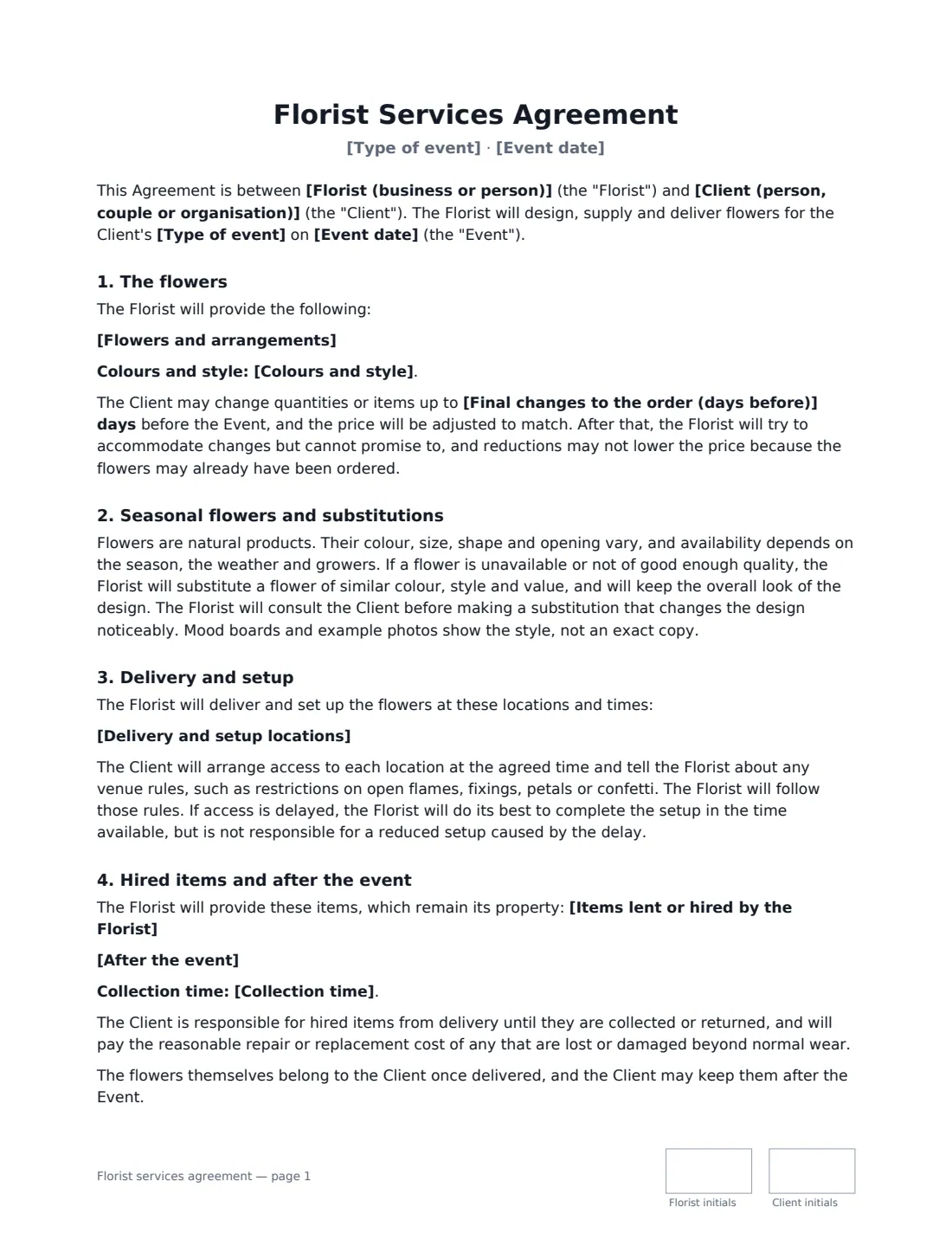
A florist contract confirms the flowers a florist will create for a wedding or event, where and when they will be delivered and set up, and how the price is paid. Because flowers are ordered from growers weeks ahead and vary with the season, a good agreement also explains substitutions and when the order can still change.
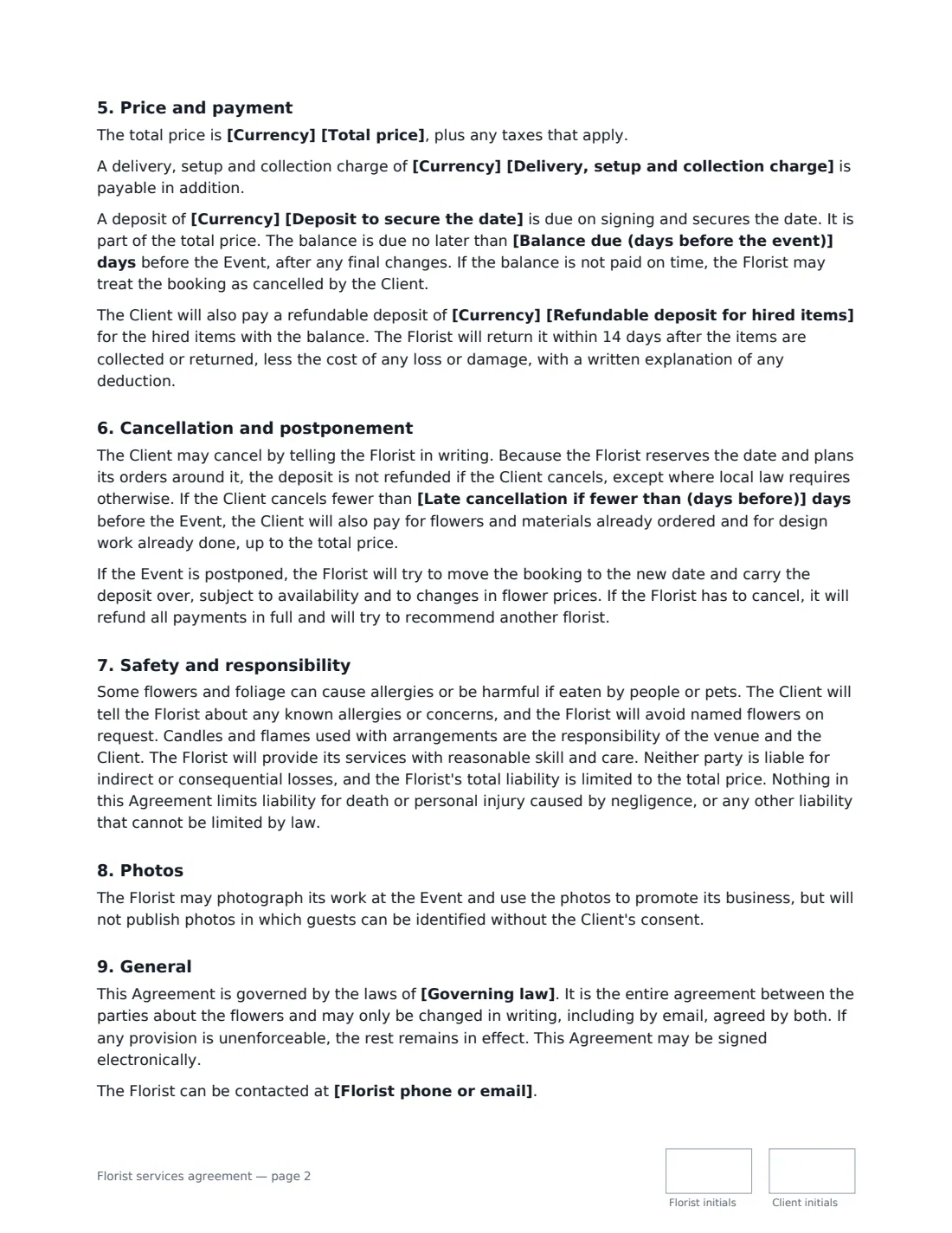
This template covers the itemised list of arrangements, colours and style, a deadline for changes, seasonal substitutions of similar colour, style and value, delivery and setup locations and times, venue rules, hired items such as vases and arches and how they come back, the total price, delivery charge, deposit, balance and an optional security deposit for hired items, cancellation and postponement, allergies and flowers harmful to pets, candles, portfolio photos and liability. VergeHR places both signatures, dates and initials.
- Best for
- Wedding and event florists, floral designers and studios
- Signed by
- The florist and the client
- Substitutions
- Similar colour, style and value — the client is consulted before any noticeable design change
- Length
- About 3 pages, initialled on every page
When to Use a florist services agreement
- A florist confirming bridal bouquets, buttonholes and reception flowers
- A florist building a ceremony arch or large installation with hired frames
- Flowers for a gala dinner, product launch or conference
- Funeral or memorial flowers delivered to a service and reception
- Flowers for a hotel, restaurant or venue hosting a one-off event
What You Fill In
21 blanks, then the name and email of each person who signs: florist, client.
1 The parties
- Florist (business or person)*
- Florist phone or email
- Client (person, couple or organisation)*
- Client contact on the day
2 The event
- Type of event*
- Event date*
- Delivery and setup locations*
3 The flowers
- Flowers and arrangements*
- Colours and style
- Items lent or hired by the Florist
- After the event* The Florist will return to collect hired items after the event. · The Client will return hired items to the Florist within 3 days after the event.
- Collection time
- Final changes to the order (days before)*
4 Price and payment
- Currency*
- Total price*
- Delivery, setup and collection charge
- Deposit to secure the date*
- Balance due (days before the event)*
- Refundable deposit for hired items
5 Cancellation
- Late cancellation if fewer than (days before)*
6 Other terms
- Governing law*
7 Who signs
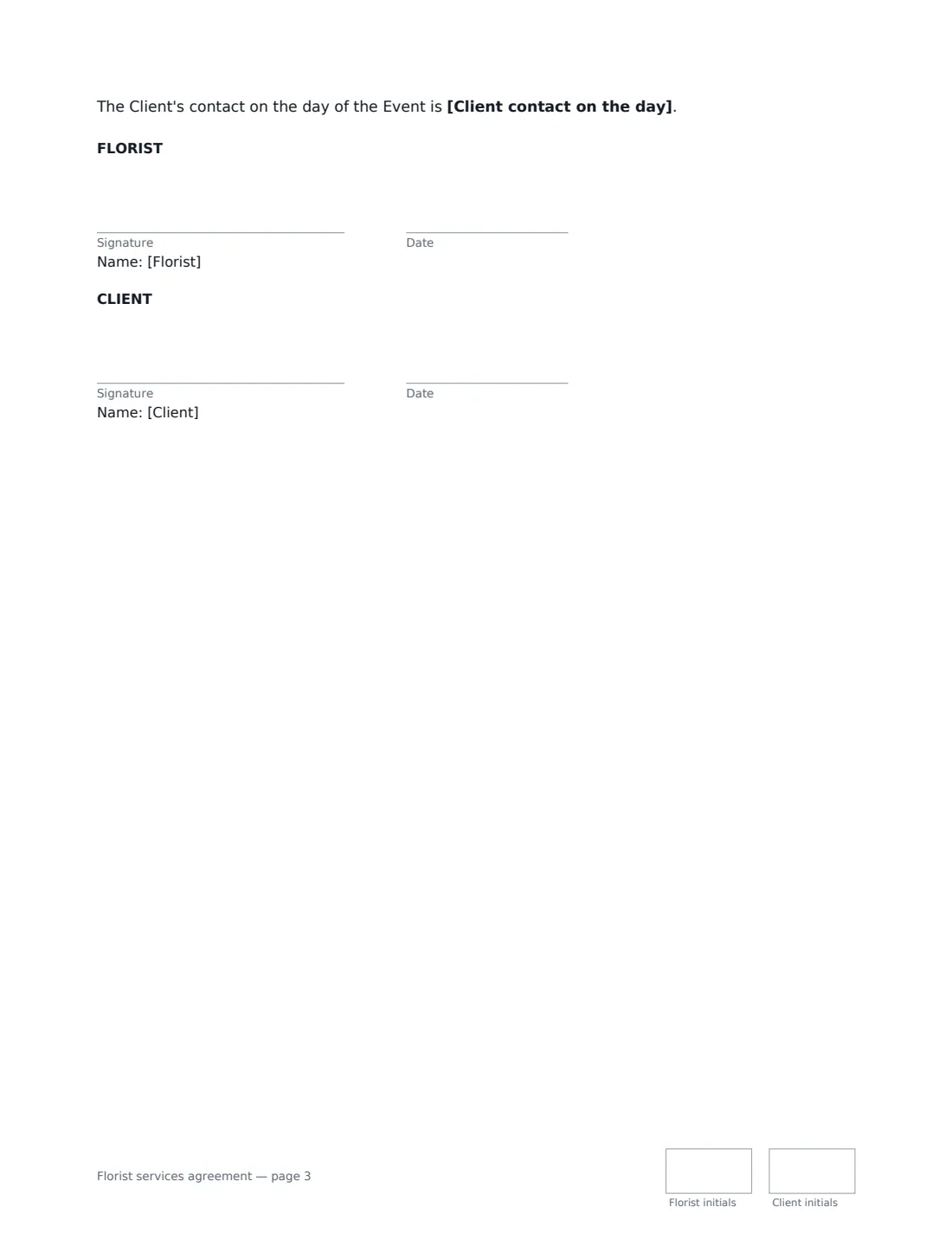
- Florist signature and date, initials on every page · The florist or floral design studio.
- Client signature and date, initials on every page · The person, couple or organisation ordering the flowers.
What the florist services agreement Covers
- The flowers
- Seasonal flowers and substitutions
- Delivery and setup
- Hired items and after the event
- Price and payment
- Cancellation and postponement
- Safety and responsibility
- Photos
- General
Using the florist services agreement, step by step
1 List the arrangements
Enter each item with quantities and key flowers, one per line — bouquets, buttonholes, centrepieces, installations. Add the colour palette and style.
2 Add the locations and times
List each delivery or setup location with the time — preparation, ceremony, reception — so the client knows to arrange access.
3 Hired items and collection
List vases, urns, arches or stands that stay yours, and choose whether you collect them after the event or the client returns them. Add a refundable deposit for them if you like.
4 Price, deadlines and send
Enter the total, any delivery charge, the deposit and balance due date, the deadline for final changes and the late-cancellation window. Add the client as signer and send.
Tips Before You Send It
- Set the change deadline around when you place your grower orders — the template says reductions after it may not lower the price.
- Mood boards show a style, not an exact copy. The template says so, which avoids arguments about the exact shade of a rose.
- Ask about pets and allergies at the venue; the template has the client tell you and lets you avoid named flowers.
- Candles in arrangements are the venue's and the client's responsibility under this template — check the venue's rules on open flames.
Sign It Online In Minutes
- Fill in the blanks. Names, dates and amounts go straight into the agreement — the preview shows exactly where.
- Name who signs. Tick “This is me” for your own part. VergeHR builds the PDF with every signature, date and initials box on the right line, and you can check or move anything before sending.
- Send it. Each signer gets a secure link and signs from any device — no account needed. The signed PDF, with an audit trail and a Certificate of Completion, is filed in Files and emailed to everyone.
Florist services agreement: frequently asked questions
Can the florist substitute flowers?
Yes, if a flower is unavailable or not good enough on the day. The florist uses flowers of similar colour, style and value and consults the client before any substitution that noticeably changes the design.
Who pays if a hired vase is broken?
Under this template the client is responsible for hired items from delivery until they are collected or returned, and pays the reasonable repair or replacement cost of any lost or damaged beyond normal wear.
What if the client cancels close to the event?
The deposit is kept, except where local law requires otherwise. Within the late-cancellation window you set, the client also pays for flowers and materials already ordered and design work done, up to the total price.
Is a florist contract signed online legally valid?
In most countries, including the US (ESIGN Act and UETA), the UK, the EU (eIDAS) and Canada, an electronic signature is generally valid for an ordinary services contract like this one. VergeHR keeps an audit trail and a Certificate of Completion with the signed PDF as evidence of who signed and when.
Can I change the wording?
You fill in the blanks and choose the options on the setup page; optional clauses appear only when you fill them in. If you need different clauses, draft your own document and upload it to VergeHR eSignature instead — you can still place the signature boxes in the editor.
Is this template free?
Yes. The template is free to use with the eSignature app in VergeHR. The person you send it to doesn't need a VergeHR login to sign.