


What is a wedding officiant agreement?
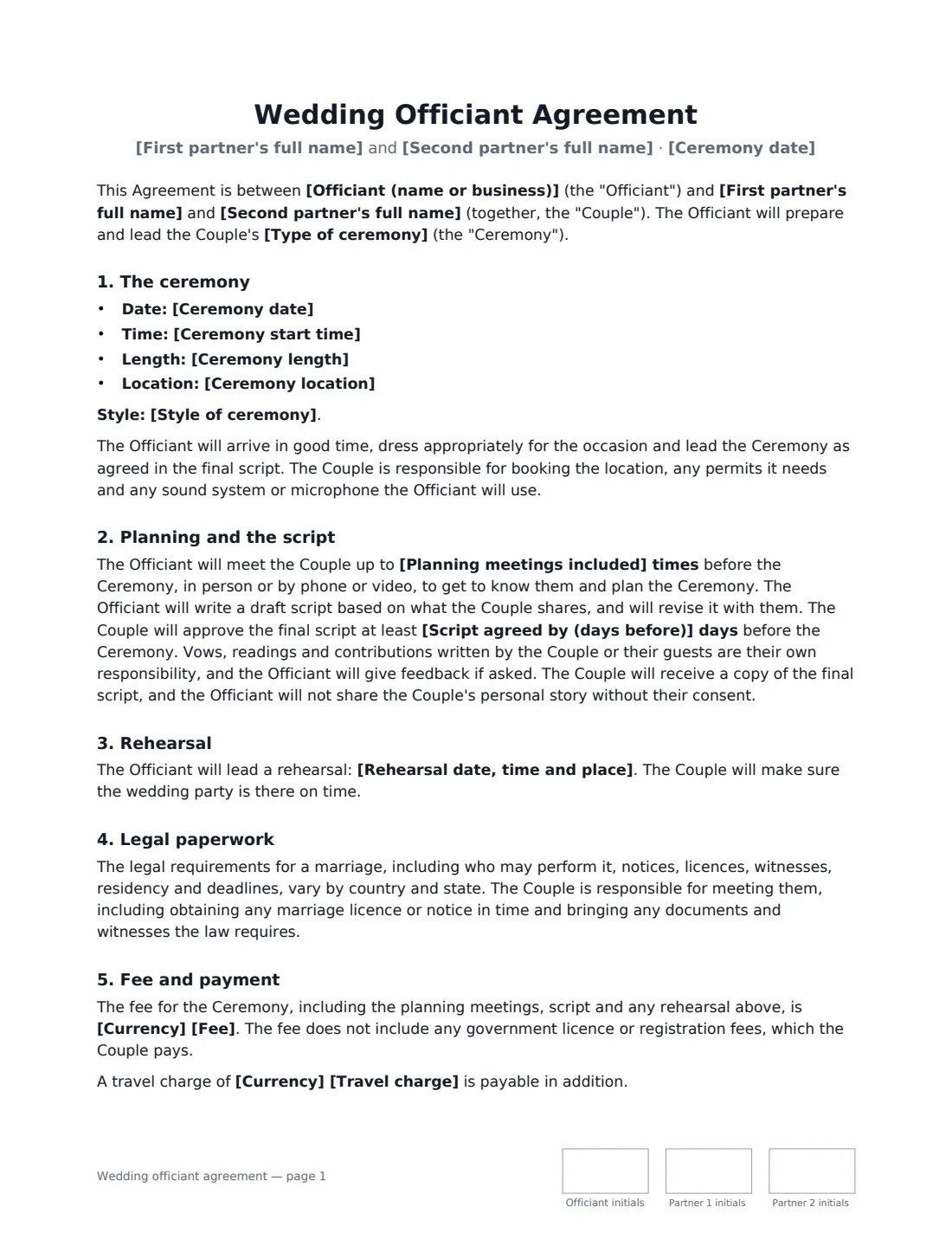
A wedding officiant agreement books an officiant or celebrant to lead a ceremony and sets out what the couple gets: planning meetings, a personal script, a rehearsal, and the ceremony itself. Crucially, it says whether the officiant is also performing the legal marriage — and who is responsible for the licence and paperwork, which vary a great deal between countries and states.
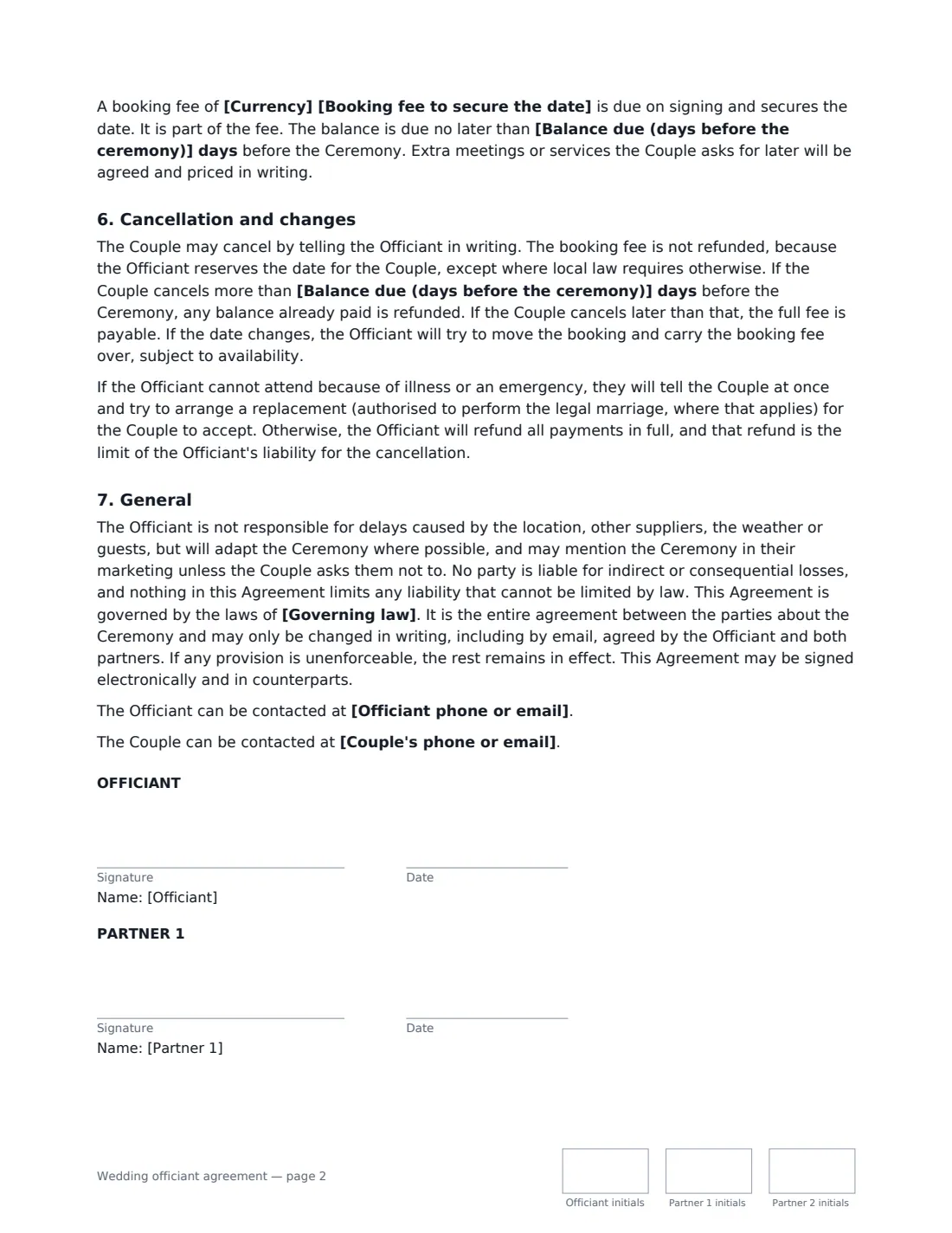
This template covers the date, time, length and location, the style of ceremony, planning meetings, drafting and approving the script, vows and readings, a rehearsal (or none), legal requirements, the officiant's authorisation and completing the licence or register where they perform the legal marriage, a celebration-only option where the couple marries legally elsewhere, the fee, travel and booking fee, cancellation and replacement officiants. VergeHR places the signature, date and initials boxes for the officiant and both partners.
- Best for
- Wedding officiants, celebrants, ministers and friends officiating a ceremony
- Signed by
- The officiant and both partners
- Legal marriage
- Choose: the officiant performs it, or the ceremony is a celebration only
- Length
- 2–3 pages, initialled on every page
When to Use a wedding officiant agreement
- A professional celebrant booked for a personalised wedding ceremony
- A minister or faith leader officiating a wedding outside their usual venue
- An officiant leading a symbolic ceremony after a registry-office marriage
- A vow renewal or commitment ceremony
- An elopement officiant booked for a small outdoor ceremony
What You Fill In
21 blanks, then the name and email of each person who signs: officiant, partner 1, partner 2.
1 The parties
- Officiant (name or business)*
- Officiant phone or email
- First partner's full name*
- Second partner's full name*
- Couple's phone or email
2 The ceremony
- Type of ceremony*
- Ceremony date*
- Ceremony start time*
- Ceremony length*
- Ceremony location*
- Style of ceremony
3 Planning
- Planning meetings included*
- Script agreed by (days before)*
- Rehearsal date, time and place
4 Legal paperwork
- Is the officiant performing the legal marriage?* Yes, the Officiant performs the legal marriage · No, the ceremony is not the legal marriage
5 Fee and payment
- Currency*
- Fee*
- Travel charge
- Booking fee to secure the date*
- Balance due (days before the ceremony)*
6 Other terms
- Governing law*
7 Who signs
- Officiant signature and date, initials on every page · The officiant, celebrant or minister leading the ceremony.
- Partner 1 signature and date, initials on every page · The first partner named in the agreement.
- Partner 2 signature and date, initials on every page · The second partner named in the agreement.
What the wedding officiant agreement Covers
- The ceremony
- Planning and the script
- Rehearsal
- Legal paperwork
- Fee and payment
- Cancellation and changes
- General
Using the wedding officiant agreement, step by step
1 Enter the couple and the ceremony
Add both partners' names, the type of ceremony, date, start time, length and location, and a line about the style — religious, civil, personal, with readings or rituals.
2 Set the planning
Choose how many planning meetings are included and how many days before the ceremony the script must be approved. Add rehearsal details, or leave them empty if no rehearsal is included.
3 Say who handles the legal marriage
Choose whether you are performing the legal marriage. If you are, the agreement has you confirm you'll be authorised where the ceremony takes place and complete the licence or register as the law requires there. If not, it records that the couple marries legally elsewhere.
4 Fee and send
Enter the fee, any travel charge, the booking fee and when the balance is due. Add both partners as signers and send.
Tips Before You Send It
- Check the rules where the ceremony takes place well in advance: who may officiate, notice periods, licences, witnesses and deadlines vary widely.
- If you are a friend officiating, find out whether you need to register or be ordained or appointed first — and allow time for it.
- Government licence and registration fees are not part of your fee under this template; the couple pays them.
- A replacement officiant must also be able to perform the legal marriage where that applies — the template says so.
Sign It Online In Minutes
- Fill in the blanks. Names, dates and amounts go straight into the agreement — the preview shows exactly where.
- Name who signs. Tick “This is me” for your own part. VergeHR builds the PDF with every signature, date and initials box on the right line, and you can check or move anything before sending.
- Send it. Each signer gets a secure link and signs from any device — no account needed. The signed PDF, with an audit trail and a Certificate of Completion, is filed in Files and emailed to everyone.
Wedding officiant agreement: frequently asked questions
Does the officiant sign the marriage licence?
Only if they are performing the legal marriage and the law where the ceremony takes place requires it. The template lets you choose; if the ceremony is a celebration only, the officiant will not sign legal marriage documents.
Can the marriage licence itself be signed electronically?
Usually not through a general eSignature service. The marriage licence or register is an official document with its own signing rules, often signed in ink at or after the ceremony. This agreement is only the booking contract between the officiant and the couple.
Is this booking agreement valid if signed online?
In most countries, including the US (ESIGN Act and UETA), the UK, the EU (eIDAS) and Canada, an electronic signature is generally valid for an ordinary services contract like this one. VergeHR keeps an audit trail and a Certificate of Completion with the signed PDF as evidence of who signed and when.
Do both partners need to sign?
Yes. Both partners are parties to the agreement, so each signs, along with the officiant. Each signer gets their own signature, date and initials boxes and receives the signed copy.
Can I change the wording?
You fill in the blanks and choose the options on the setup page; optional clauses appear only when you fill them in. If you need different clauses, draft your own document and upload it to VergeHR eSignature instead — you can still place the signature boxes in the editor.
Is this template free?
Yes. The template is free to use with the eSignature app in VergeHR. The person you send it to doesn't need a VergeHR login to sign.