

What is a equipment rental agreement?
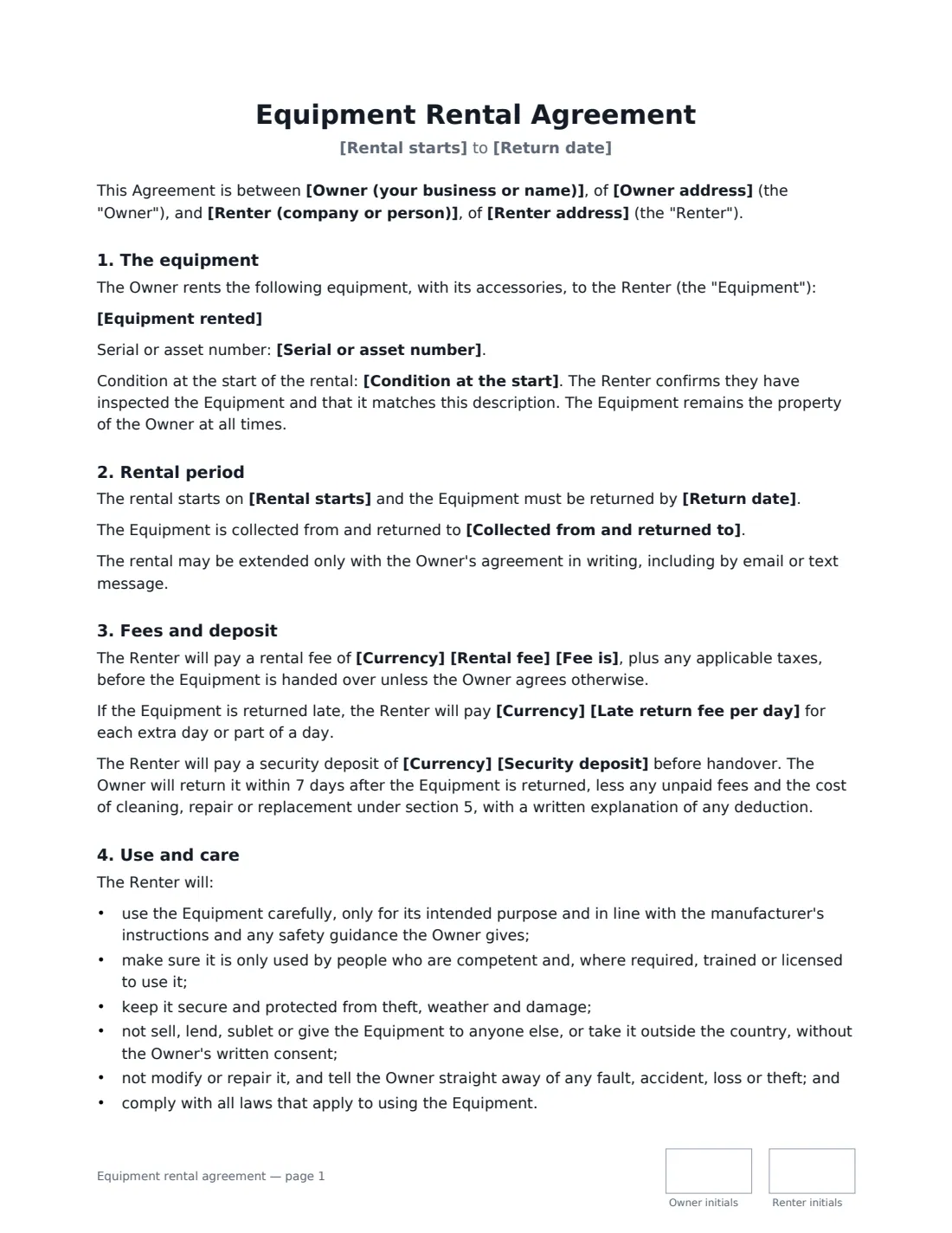
An equipment rental agreement (or equipment hire contract) sets the terms when one party lets another use its equipment for a fee: a hire shop renting out a mini-digger, a production company renting a camera package, a contractor lending out scaffolding, or a business renting audio gear for an event. It records what was handed over and in what condition, when it must come back, what it costs, and — most importantly — who pays if it comes back damaged, late or not at all.
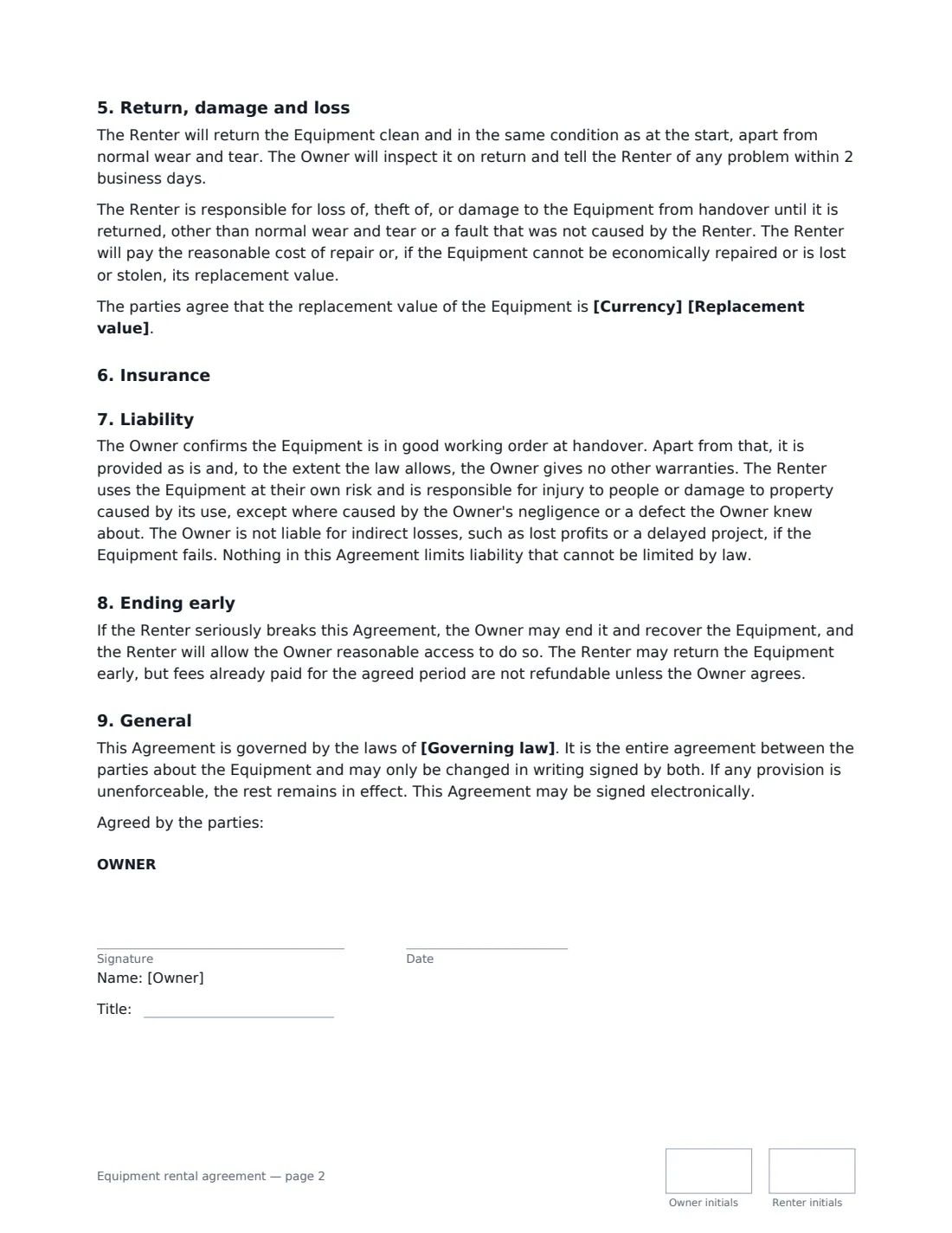
This template covers the equipment and its accessories, a serial or asset number, the agreed replacement value, its condition at the start, the rental dates and where it is collected and returned, the rental fee per day, week, month or for the whole period, a late-return fee, an optional security deposit, the renter's duties of use and care, damage and loss, optional insurance cover, liability, ending early, and the governing law. The owner and renter both sign and initial each page.
- Best for
- Hire shops, production and AV rentals, tool and machinery hire, and anyone renting out gear for a fee
- Signed by
- The owner and the renter, each with a job title
- Money
- Rental fee, late-return fee, optional security deposit and an agreed replacement value
- Length
- About 3 pages, initialled on every page
When to Use a equipment rental agreement
- Renting a camera, lens or lighting package to a film crew
- Hiring out construction tools, generators or machinery
- Renting sound, lighting or staging equipment for an event
- A business lending specialist equipment to a partner for a fee
- Individuals renting out bikes, kayaks or camping gear
What You Fill In
19 blanks, then the name and email of each person who signs: owner, renter.
1 The parties
- Owner (your business or name)*
- Owner address
- Renter (company or person)*
- Renter address
2 The equipment
- Equipment rented*
- Serial or asset number
- Replacement value
- Condition at the start*
3 Rental period
- Rental starts*
- Return date*
- Collected from and returned to
4 Fees
- Currency*
- Rental fee*
- Fee is* per day · per week · per month · for the whole rental period
- Late return fee per day
- Security deposit
5 Insurance
- Insurance* Not required · The Renter must insure the equipment
- Minimum insurance cover
6 Other terms
- Governing law*
7 Who signs
- Owner signature and date, job title, initials on every page · The business or person renting the equipment out.
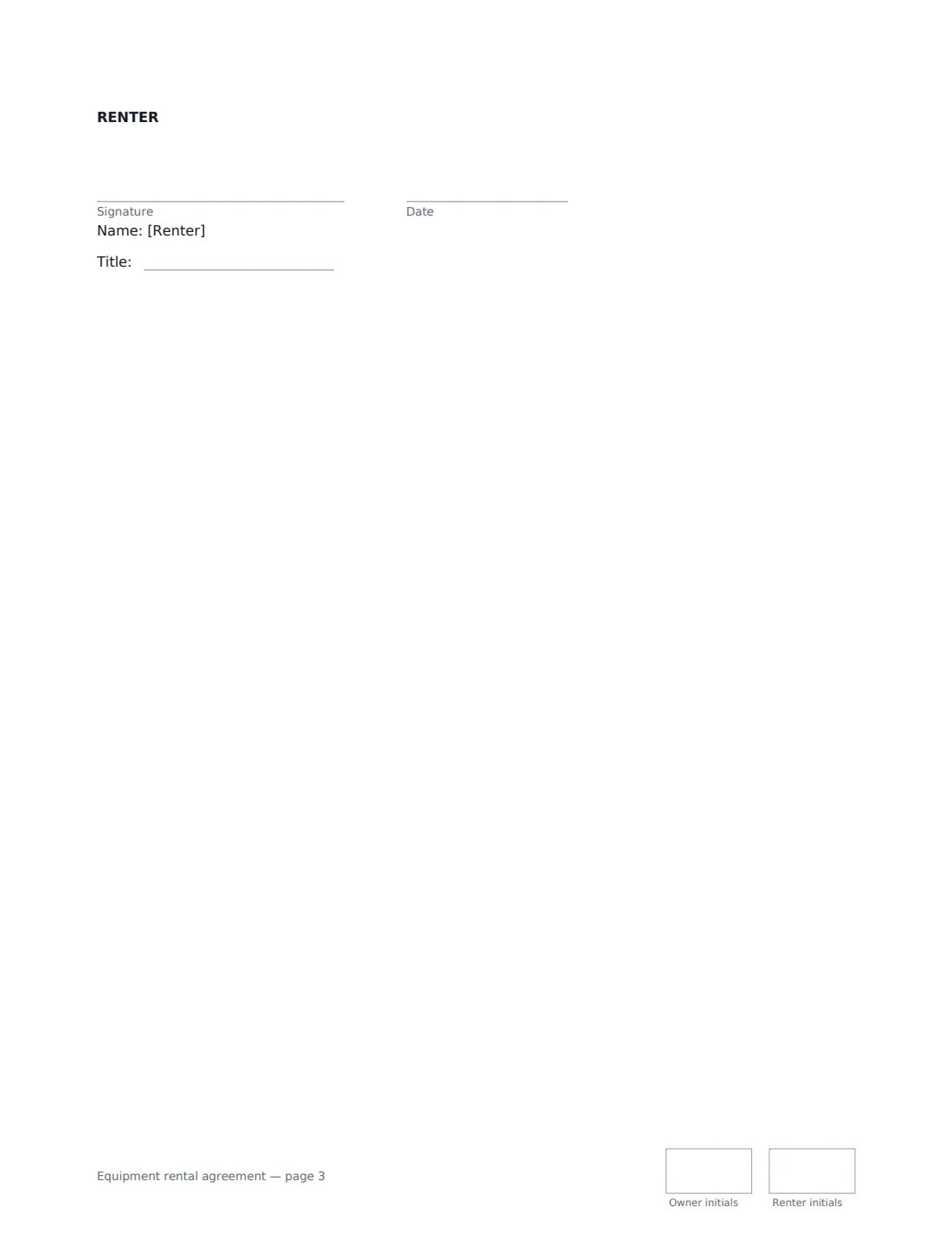
- Renter signature and date, job title, initials on every page
What the equipment rental agreement Covers
- The equipment
- Rental period
- Fees and deposit
- Use and care
- Return, damage and loss
- Insurance
- Liability
- Ending early
- General
Using the equipment rental agreement, step by step
1 Describe the equipment
Give the make, model and every accessory that goes with it — batteries, chargers, cases, cables. Add the serial or asset number and an agreed replacement value, which is what the renter pays if it is lost, stolen or can't be repaired economically. Describe its condition at the start; the default says good working order with no visible damage.
2 Set the rental period
Enter the start and return dates and, optionally, where the equipment is collected from and returned to. The rental can only be extended with your written agreement — an email or text counts.
3 Set the fees and deposit
Enter the fee and whether it is per day, week, month or for the whole period; it is paid before handover unless you agree otherwise. Add a daily late fee, or leave it empty to charge the normal rate for late days. If you take a deposit, the agreement says it's returned within 7 days of the equipment coming back, less any unpaid fees and the cost of cleaning, repair or replacement, with a written explanation of any deduction.
4 Decide on insurance
Choose whether the renter must insure the equipment and, if so, the minimum cover. Either way the renter stays responsible for loss and damage while they have it.
5 Inspect, sign and hand over
Check the equipment together — the renter confirms in the agreement that they have inspected it — then add the renter's name and email and send. The renter signs online before collecting, and the signed agreement is filed in Files.
Tips Before You Send It
- Take dated photos of the equipment at handover and on return — they settle most damage disputes quickly.
- Set a realistic replacement value. Too low and you are out of pocket; too high and a renter may challenge it.
- For equipment that needs training or a licence to operate, check the renter's competence before handover — the agreement makes them responsible for who uses it.
- Rules on deposits, consumer rentals and limiting liability depend on local law, particularly when renting to individuals.
- Inspect returned equipment promptly: the agreement says you'll report any problem within 2 business days.
Sign It Online In Minutes
- Fill in the blanks. Names, dates and amounts go straight into the agreement — the preview shows exactly where.
- Name who signs. Tick “This is me” for your own part. VergeHR builds the PDF with every signature, date and initials box on the right line, and you can check or move anything before sending.
- Send it. Each signer gets a secure link and signs from any device — no account needed. The signed PDF, with an audit trail and a Certificate of Completion, is filed in Files and emailed to everyone.
Equipment rental agreement: frequently asked questions
Who pays if the equipment is damaged or stolen?
The renter is responsible from handover until return, except for normal wear and tear or a fault they didn't cause. They pay the reasonable repair cost or, if it can't be economically repaired or is lost or stolen, the replacement value.
Can the renter return the equipment early?
Yes, but fees already paid for the agreed period aren't refundable unless the owner agrees.
What if the renter breaks the agreement?
If the renter seriously breaks it, the owner can end the agreement and recover the equipment, and the renter must give reasonable access to do so.
Is an equipment rental agreement signed electronically valid?
Electronic signatures are generally valid for ordinary commercial contracts like this in the US (ESIGN Act and UETA), the UK, the EU (eIDAS) and Canada. VergeHR keeps an audit trail and a Certificate of Completion with the signed PDF.
Is this template free?
Yes. It is free to use with the eSignature app in VergeHR, and the renter doesn't need a VergeHR login to sign.