


What is a installation agreement?
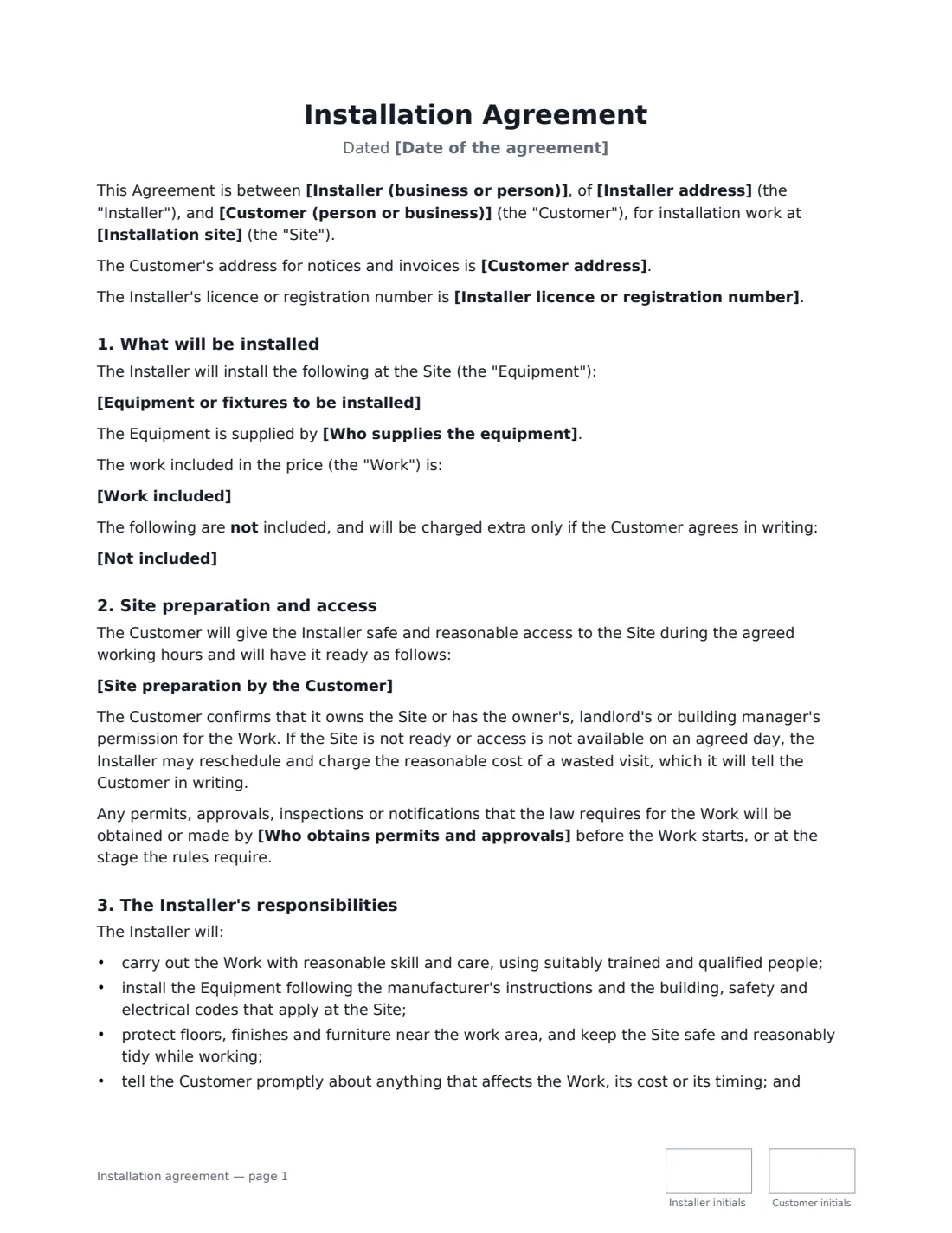
An installation agreement is the contract between a business that fits equipment — a heat pump, solar panels, a commercial kitchen, security cameras, an EV charger, a lift, shop fittings — and the customer it is fitted for. Installation jobs go wrong in predictable places: the site isn't ready on the day, a hidden pipe or rotten joist turns up halfway through, nobody got the permit, or the customer and installer disagree about when the job counts as finished. This template deals with each of them in writing.
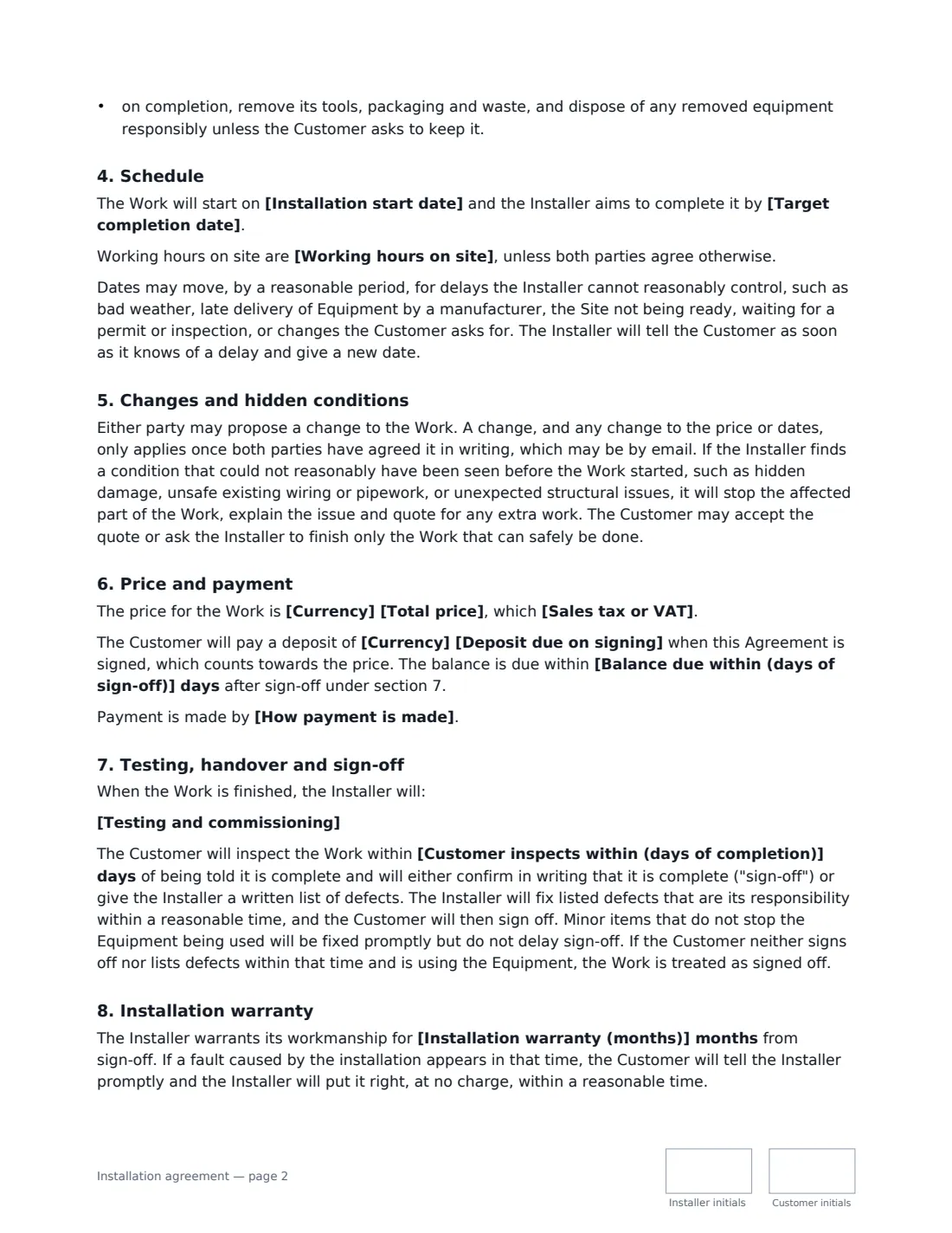
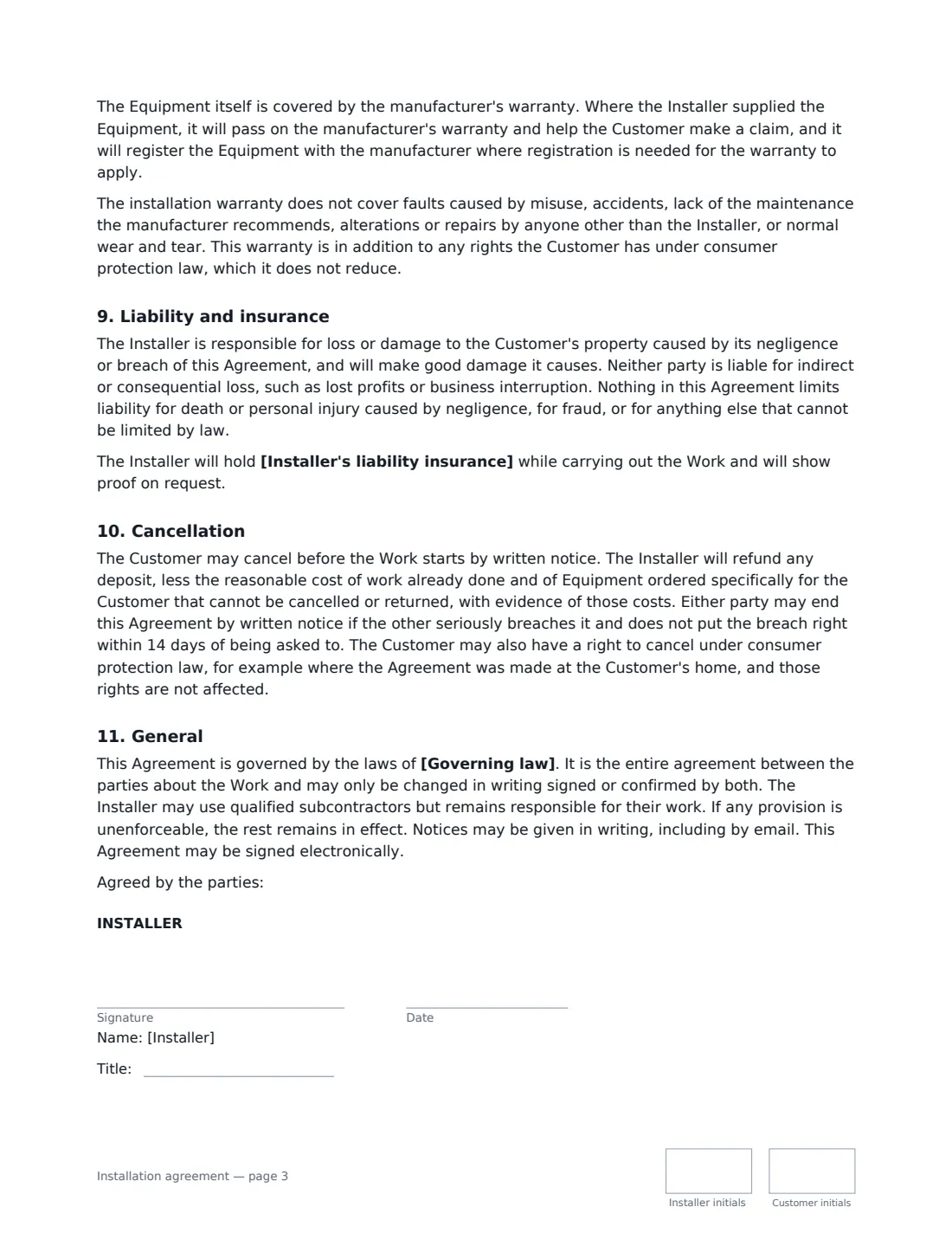
You describe the equipment and whether you or the customer supplies it, the work the price includes and what it doesn't, and what the customer has to have ready. You choose who obtains permits, set the start and target completion dates, the price with or without tax, an optional deposit and when the balance is due. The agreement then covers wasted visits, delays outside the installer's control, changes and hidden conditions, ownership of installer-supplied equipment until it is paid for, testing and handover, a sign-off step with a set inspection window, a workmanship warranty for the number of months you choose alongside the manufacturer's warranty, liability and insurance, and cancellation.
- Best for
- HVAC, solar, EV charger, appliance, security, signage and equipment installers
- Signed by
- The installer and the customer
- Warranty
- Workmanship warranty for the months you choose, plus the manufacturer's warranty
- Length
- About 3 pages, initialled on every page
When to Use a installation agreement
- An HVAC or heat pump installer fitting a new system in a home
- A solar or EV charger installer agreeing the job and the grid connection work
- A business installing shop fittings, kitchen equipment or machinery for a client
- A security company fitting cameras, alarms or access control
- A tradesperson installing equipment the customer has already bought
What You Fill In
27 blanks, then the name and email of each person who signs: installer, customer.
1 The parties
- Date of the agreement*
- Installer (business or person)*
- Installer address
- Installer licence or registration number
- Customer (person or business)*
- Customer address
2 The installation
- Installation site*
- Equipment or fixtures to be installed*
- Who supplies the equipment* the Installer, and its cost is included in the price · the Customer, and the price covers installation only
- Work included*
- Not included
3 Site and schedule
- Site preparation by the Customer
- Who obtains permits and approvals* the Installer · the Customer
- Installation start date*
- Target completion date
- Working hours on site
4 Price and payment
- Currency*
- Total price*
- Sales tax or VAT* includes any sales tax or VAT · does not include sales tax or VAT, which is added at the applicable rate
- Deposit due on signing
- Balance due within (days of sign-off)*
- How payment is made
5 Testing and warranty
- Testing and commissioning
- Customer inspects within (days of completion)*
- Installation warranty (months)*
6 Other terms
- Installer's liability insurance
- Governing law*
7 Who signs
- Installer signature and date, job title, initials on every page · The business or tradesperson doing the installation.
- Customer signature and date, initials on every page · The person or business the equipment is installed for.
What the installation agreement Covers
- What will be installed
- Site preparation and access
- The Installer's responsibilities
- Schedule
- Changes and hidden conditions
- Price and payment
- Testing, handover and sign-off
- Installation warranty
- Liability and insurance
- Cancellation
- General
Using the installation agreement, step by step
1 Describe the equipment and the work
List what is being installed — make, model and quantity where you know them — and choose whether you supply it or the customer does. Then describe everything the price covers, such as removing the old unit, connections, making good and disposal, and list what isn't included so extras are never a surprise.
2 Say what the site needs
The default site-preparation text asks the customer to clear the area, provide power and water and tell you where hidden services run; edit it for the job. Choose whether you or the customer obtains any permits, inspections or notifications the work needs.
3 Set dates, price and payment
Enter the start date, an optional target completion date and working hours. Add the price, whether tax is included, an optional deposit, and how many days after sign-off the balance is due.
4 Agree testing, sign-off and warranty, then send
Describe the testing and handover you will do, how many days the customer has to inspect and sign off or list defects, and the length of your workmanship warranty. Add your liability insurance and the governing law, then send it to the customer to sign.
Tips Before You Send It
- Photograph the site before you start — especially existing damage near the work area.
- If you supply the equipment, register it with the manufacturer where the warranty depends on it — the agreement says you will.
- Agree every change in writing, even a quick email, before doing the extra work.
- If you signed the agreement at the customer's home, consumer law may give them a cooling-off period — check before starting work early.
Sign It Online In Minutes
- Fill in the blanks. Names, dates and amounts go straight into the agreement — the preview shows exactly where.
- Name who signs. Tick “This is me” for your own part. VergeHR builds the PDF with every signature, date and initials box on the right line, and you can check or move anything before sending.
- Send it. Each signer gets a secure link and signs from any device — no account needed. The signed PDF, with an audit trail and a Certificate of Completion, is filed in Files and emailed to everyone.
Installation agreement: frequently asked questions
When does the job count as finished?
When the customer signs off. After you tell them the work is complete, they have the number of days you set to confirm it or give you a written list of defects. Minor snags don't hold up sign-off, and if the customer is using the equipment and says nothing within that time, the work is treated as signed off.
What happens if we find a problem behind the wall?
The installer stops the affected part of the work, explains the problem and quotes for the extra. The customer can accept the quote or ask the installer to finish only the work that can safely be done. Nothing extra is charged without the customer's written agreement.
What does the installation warranty cover?
Faults caused by the installer's workmanship, for the number of months you choose from sign-off. The equipment itself is covered by the manufacturer's warranty. Misuse, lack of maintenance, other people's alterations and normal wear are excluded, and the customer's consumer rights are not reduced.
Is an electronically signed installation contract valid?
Electronic signatures are generally valid for ordinary contracts like this in the US (ESIGN Act and UETA), the UK, the EU (eIDAS) and Canada. VergeHR keeps an audit trail and a Certificate of Completion with the signed PDF.