

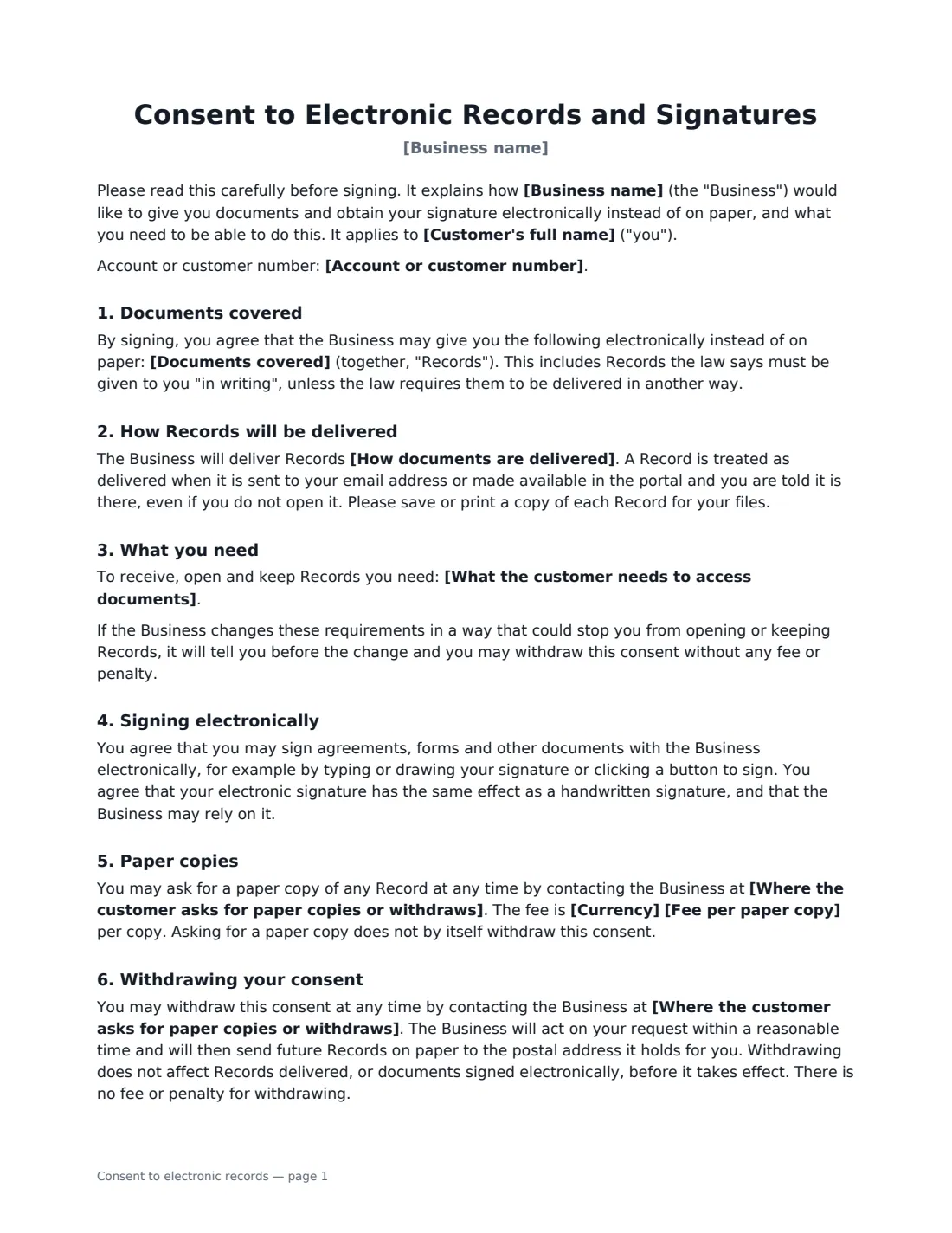
What is a consent to electronic records?
Businesses that must give customers certain documents "in writing" — agreements, disclosures, notices and statements — often want to send them electronically instead of by post. In the US, the ESIGN Act expects consumers to agree to this after being told about their rights and the technology they need, and other countries have their own rules on electronic delivery. A consent to electronic records form puts that disclosure and the customer's agreement on one signed page.
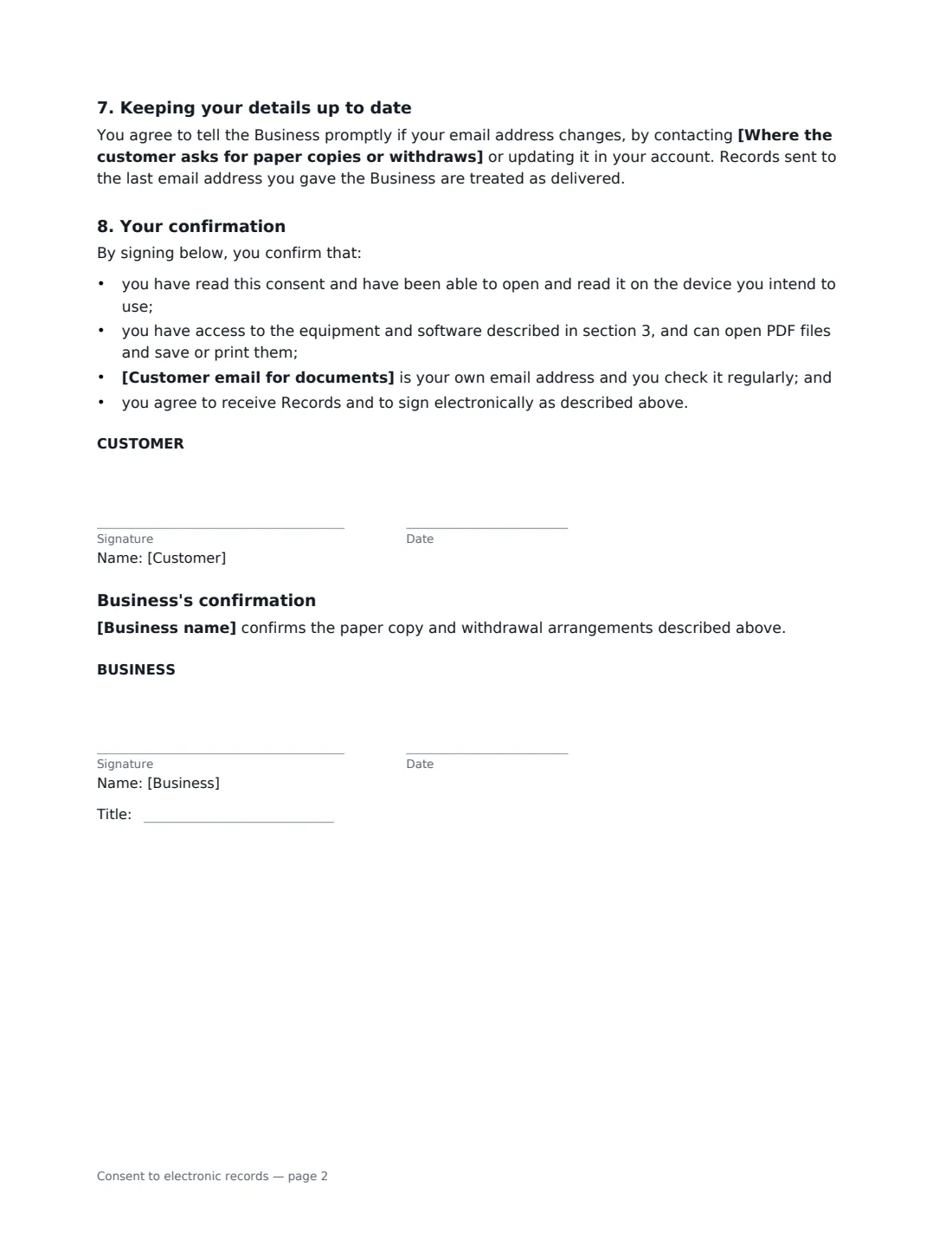
This template lists the documents covered and how they are delivered (by email, through your online portal with an email alert, or either). It sets out the hardware and software the customer needs, promises notice before those requirements change, and confirms the customer may sign electronically with the same effect as a handwritten signature. Customers can ask for paper copies — free, or for a fee you set — and withdraw consent at any time, after which you send documents on paper. They agree to keep their email address up to date and confirm they can open, save and print PDFs. Anything the law requires to be delivered in another way is excluded.
- Best for
- Lenders, landlords, insurers, utilities, clinics and service providers moving customers to paperless
- Signed by
- The customer, then the business
- Paper copies
- Free, or for a per-copy fee you set
- Length
- About 2 pages
When to Use a consent to electronic records
- Moving existing customers to paperless statements and notices
- Onboarding new customers who will sign agreements online
- A landlord or property manager sending notices and receipts by email
- A clinic or service provider sending forms and invoices through a portal
- Collecting consent before sending documents for e-signature
What You Fill In
10 blanks, then the name and email of each person who signs: customer, business.
1 The parties
- Business name*
- Where the customer asks for paper copies or withdraws*
- Customer's full name*
- Customer email for documents*
- Account or customer number
2 The documents
- Documents covered*
- How documents are delivered* by email to the address above · through the Business's online account portal, with an email telling you each time a document is available · by email, or through the Business's online account portal with an email telling you it is available
- What the customer needs to access documents*
3 Paper copies
- Currency
- Fee per paper copy
4 Who signs
- Customer signature and date · The person agreeing to receive documents electronically.
- Business signature and date, job title
What the consent to electronic records Covers
- Documents covered
- How Records will be delivered
- What you need
- Signing electronically
- Paper copies
- Withdrawing your consent
- Keeping your details up to date
- Your confirmation
- Business's confirmation
Using the consent to electronic records, step by step
1 Enter the parties
Add your business name and the contact where customers ask for paper copies or withdraw, and the customer's name, email and account number.
2 List the documents and delivery
Keep or edit the list of documents covered, and choose whether they are emailed, posted to your portal with an email alert, or both.
3 Check the system requirements
The default lists a device with internet access, a current browser, a PDF reader, an email account and a way to save or print. Adjust it to match what your documents actually need.
4 Set paper copy terms and send
Leave the fee empty if paper copies are free, or enter a per-copy fee. Send it to the customer to sign — signing it electronically also shows they can open electronic documents — then countersign.
Tips Before You Send It
- Send this consent electronically in the same format as the documents that will follow, so signing it shows the customer can open them.
- If you change your system requirements, tell customers before the change — the form promises it.
- Keep a paper process ready for customers who withdraw consent or ask for copies.
- Some documents — such as certain eviction, utility shut-off or insurance cancellation notices — may have to be delivered on paper in some places; check local rules.
Sign It Online In Minutes
- Fill in the blanks. Names, dates and amounts go straight into the agreement — the preview shows exactly where.
- Name who signs. Tick “This is me” for your own part. VergeHR builds the PDF with every signature, date box on the right line, and you can check or move anything before sending.
- Send it. Each signer gets a secure link and signs from any device — no account needed. The signed PDF, with an audit trail and a Certificate of Completion, is filed in Files and emailed to everyone.
Consent to electronic records: frequently asked questions
Why do I need consent to send documents electronically?
Where the law says a consumer must receive information in writing, many laws — including the US ESIGN Act — only let you deliver it electronically if the consumer has agreed after being told about their rights and the technical requirements. This form covers those points.
Can the customer still get paper copies?
Yes. They can ask for a paper copy of any document at any time, free or for the fee you set, and asking does not withdraw their consent.
What happens if the customer withdraws consent?
You send future documents on paper to the postal address you hold for them. As the form says, withdrawal does not affect documents already delivered or anything already signed electronically before it takes effect.
Does this apply outside the US?
The form is written to be jurisdiction-neutral. Electronic signatures and records are generally valid for ordinary documents in the US (ESIGN Act and UETA), the UK, the EU (eIDAS) and Canada, but some consumer documents have special delivery rules — check what applies to you.