

What is a marketing consent form?
Many countries restrict sending marketing emails, texts and calls to people who have not agreed to receive them, and some require you to prove when and how they agreed. A marketing consent form captures that agreement in writing. It is useful for businesses that collect sign-ups in person, over the phone or in a sales conversation, where there is no website checkbox to rely on.
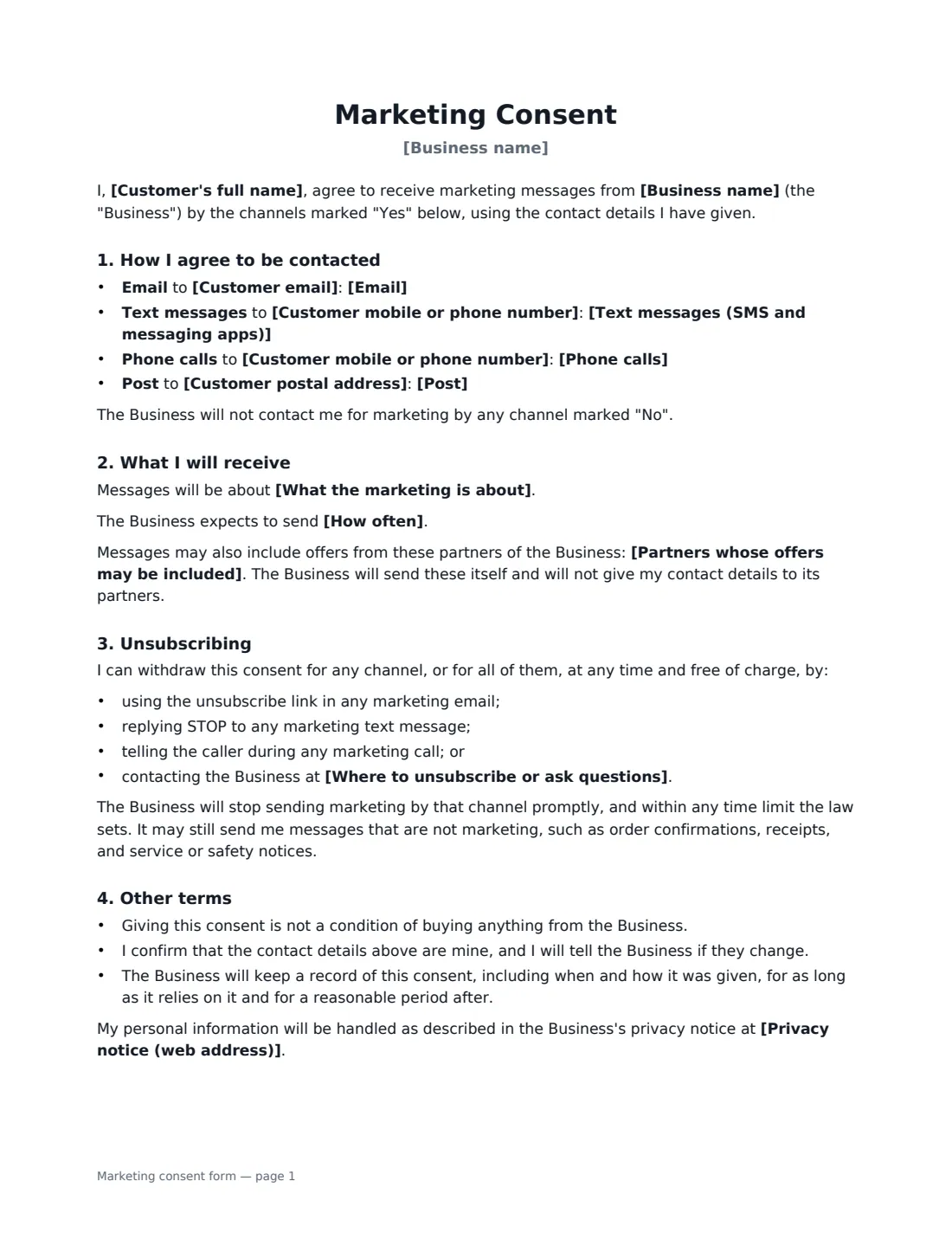
In this template the customer's choice is shown channel by channel: email, text messages, phone calls and post, each marked Yes or No, with the contact details to use. You describe what the marketing is about and, optionally, how often you expect to send it. If your messages include offers from named partners, the form says so and confirms you do not hand the customer's details to them. It explains four ways to unsubscribe (email link, replying STOP, telling the caller, or contacting you), confirms that consent is not a condition of buying anything, notes (where texts are chosen) that they may be automated and that message rates may apply, and links to your privacy notice. You countersign to confirm you will only use the channels chosen.
- Best for
- Shops, salons, gyms, trades, event and hospitality businesses collecting marketing opt-ins
- Signed by
- The customer, then the business
- Channels
- Email, text messages, phone calls and post — each set to Yes or No
- Length
- 1–2 pages
When to Use a marketing consent form
- Signing up customers to a newsletter at a shop counter or event stand
- Getting consent for appointment offers by text message from salon or clinic clients
- Recording consent for follow-up sales calls after a showroom visit
- Collecting opt-ins for a loyalty or VIP programme
- Re-confirming consent from existing customers before a new campaign
What You Fill In
14 blanks, then the name and email of each person who signs: customer, business.
1 The business
- Business name*
- Where to unsubscribe or ask questions*
- Privacy notice (web address)
2 The customer
- Customer's full name*
- Customer email
- Customer mobile or phone number
- Customer postal address
3 Channels the customer agrees to
- Email* Yes · No
- Text messages (SMS and messaging apps)* Yes · No
- Phone calls* Yes · No
- Post* Yes · No
4 The messages
- What the marketing is about*
- How often
- Partners whose offers may be included
5 Who signs
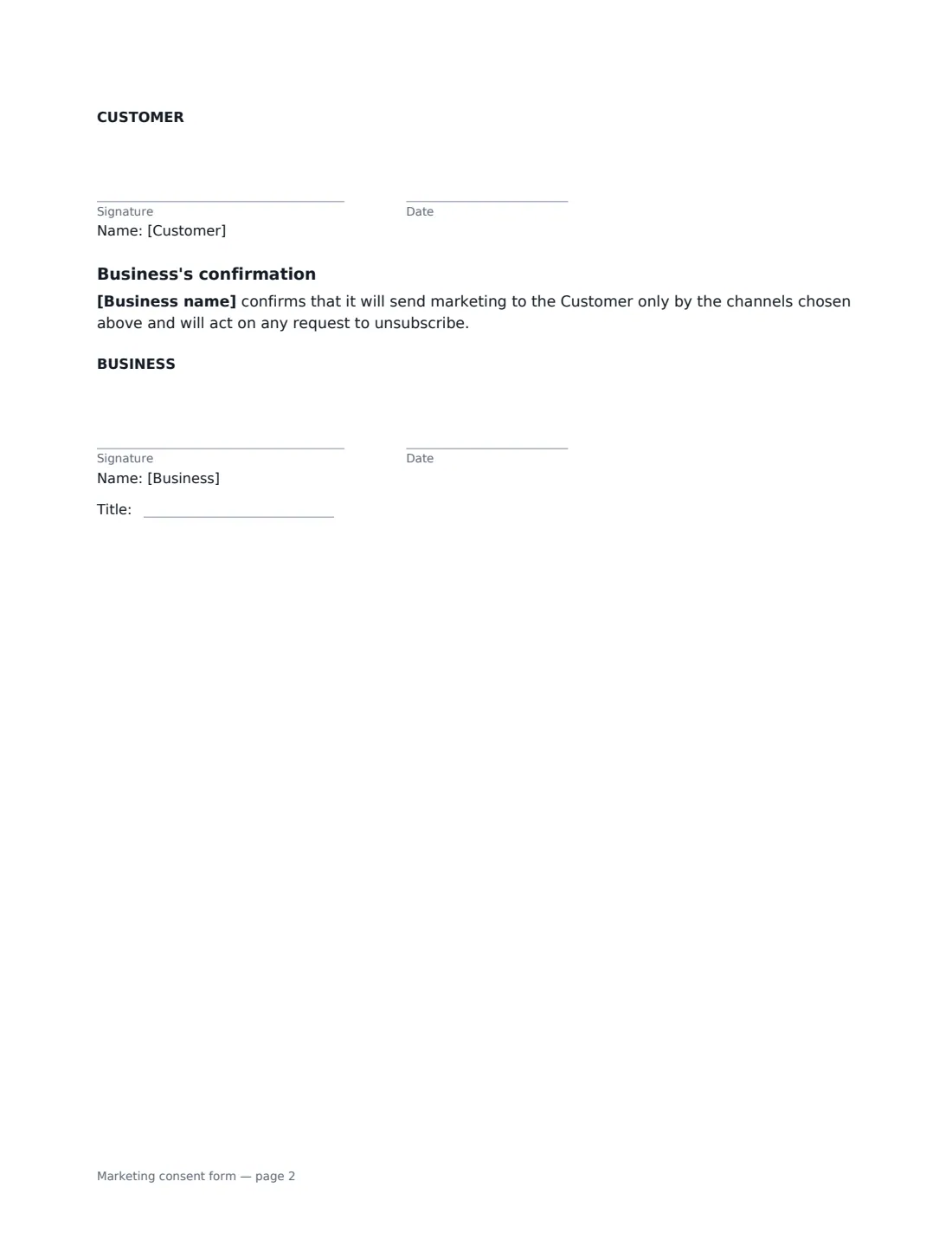
- Customer signature and date · The person agreeing to receive marketing.
- Business signature and date, job title
What the marketing consent form Covers
- How I agree to be contacted
- What I will receive
- Unsubscribing
- Other terms
- Business's confirmation
Using the marketing consent form, step by step
1 Add your details
Enter your business name, where customers can unsubscribe or ask questions, and a link to your privacy notice if you have one.
2 Record the customer's choices
Enter the customer's contact details and set each channel to Yes or No according to what they asked for. Leave a channel at No unless they clearly want it.
3 Describe the messages
Say what the marketing is about and, if you like, how often you send it. Name any partners whose offers you include, or leave the box empty if you only market your own products.
4 Send and keep the record
The customer signs, you countersign, and the signed copy is filed in Files — your evidence of when and how consent was given.
Tips Before You Send It
- Rules for texts and calls are often stricter than for email, and many places require specific wording for automated texts — check local rules before a text or calling campaign.
- Honour unsubscribe requests quickly and across every system you use to send marketing.
- Service messages such as receipts and appointment reminders are not marketing, but keep promotional content out of them.
- Check any do-not-call registers that apply before phoning a customer, even with consent.
Sign It Online In Minutes
- Fill in the blanks. Names, dates and amounts go straight into the agreement — the preview shows exactly where.
- Name who signs. Tick “This is me” for your own part. VergeHR builds the PDF with every signature, date box on the right line, and you can check or move anything before sending.
- Send it. Each signer gets a secure link and signs from any device — no account needed. The signed PDF, with an audit trail and a Certificate of Completion, is filed in Files and emailed to everyone.
Marketing consent form: frequently asked questions
Do I need written consent to send marketing?
Not always. It depends on the channel, the country and your existing relationship with the customer. Written, signed consent is the clearest record where consent is needed, and it helps if a customer later says they never agreed.
How does the customer unsubscribe?
The form lists four ways: the unsubscribe link in any email, replying STOP to a text, telling the caller, or contacting the business directly. You stop that channel promptly and within any time limit the law sets.
Can I share the customer's details with partners?
Not under this form. It allows you to include partners' offers in your own messages if you name them, but confirms you will not give the customer's details to partners for their own marketing.
Is electronically signed consent valid?
Generally, yes. Electronic signatures are valid for ordinary documents like this in the US (ESIGN Act and UETA), the UK, the EU (eIDAS) and Canada, and VergeHR's audit trail records the date and time of signing.