

What is a user-generated content permission?
User-generated content — customers' photos, videos, reviews and posts about your products — is some of the most convincing marketing a brand can use. But the person who posted it owns it, and resharing it on your website, in a newsletter or in an ad without permission can cause problems. A UGC permission form records that the creator agreed, and on what terms.
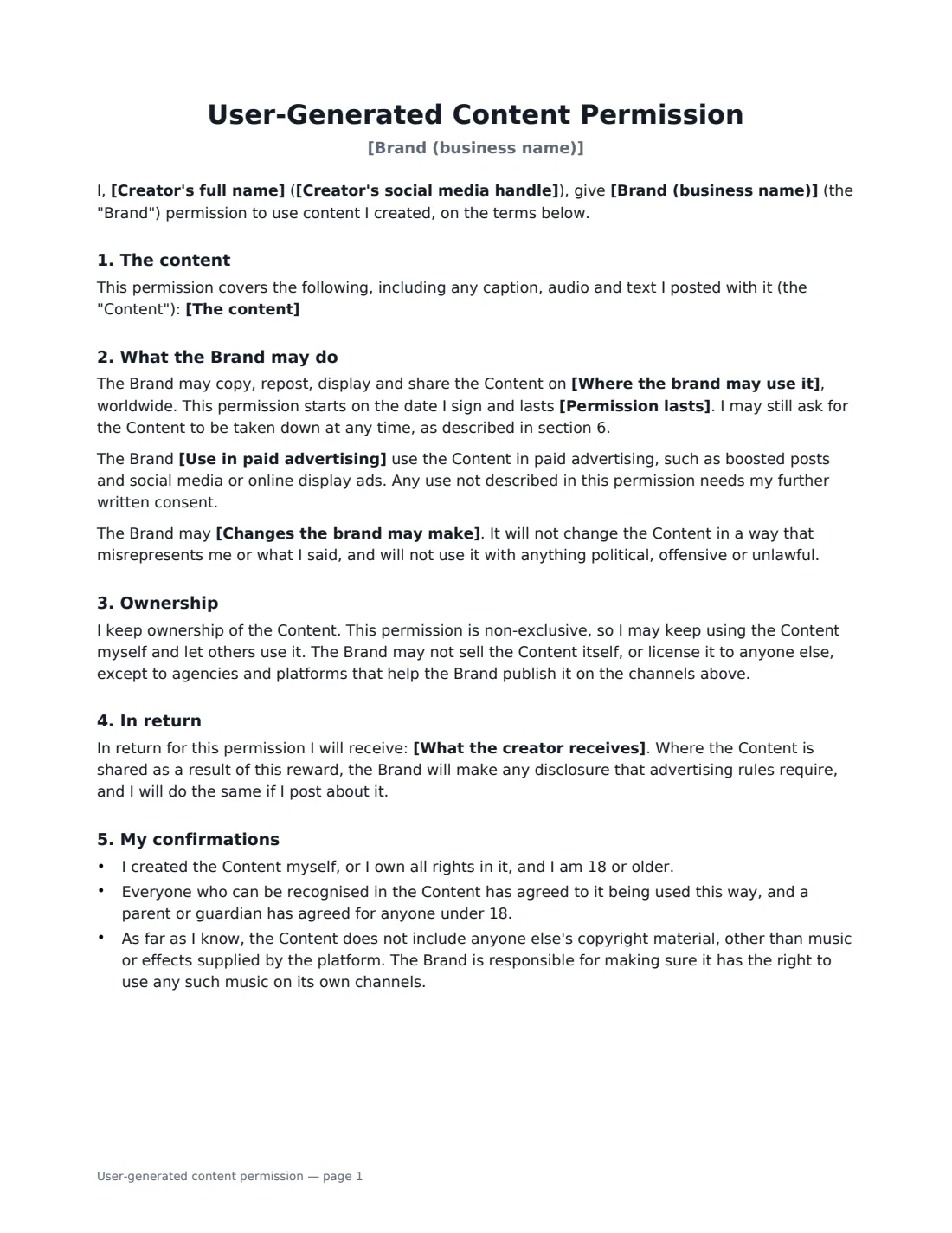
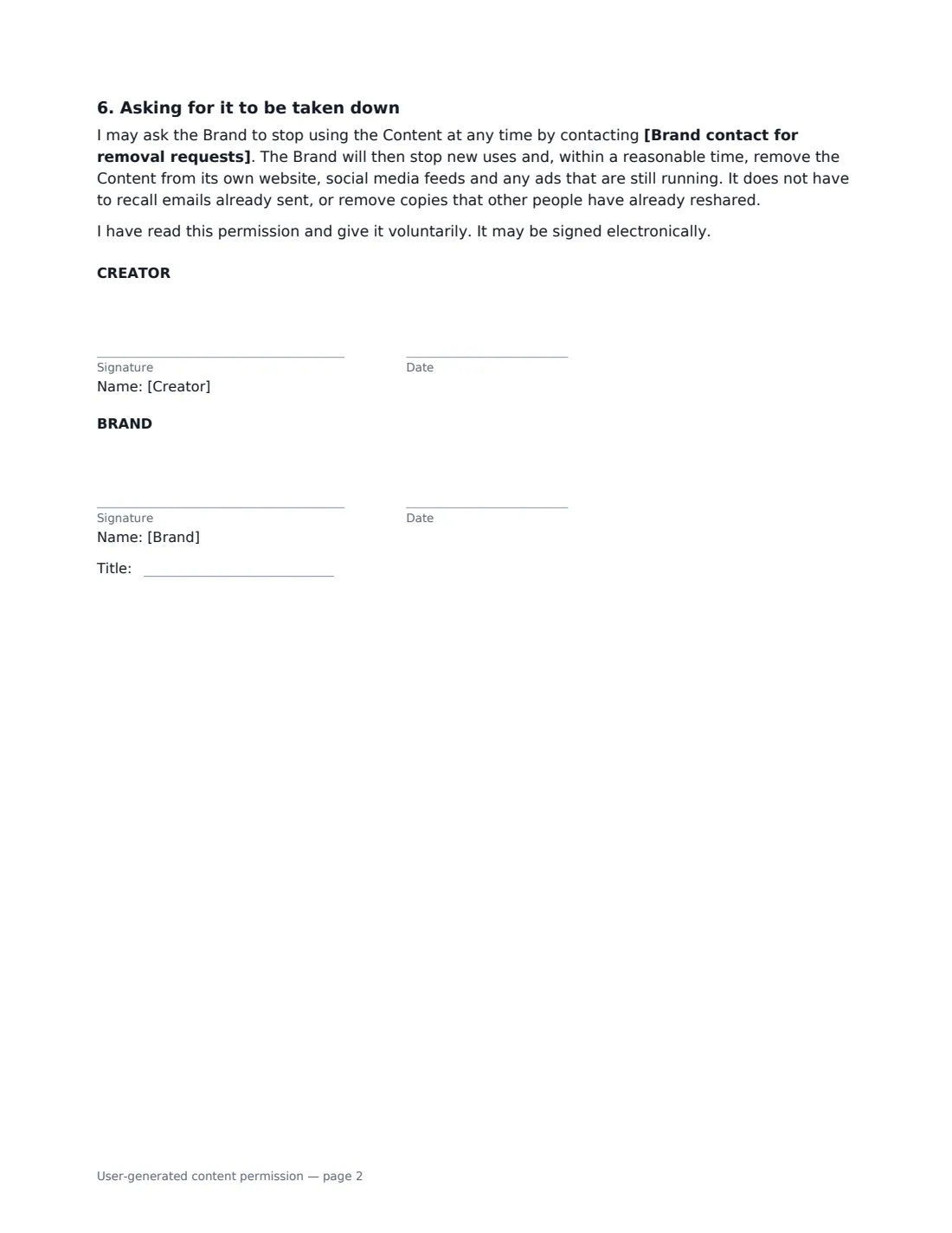
In this template you identify each post precisely, ideally with a link and date, and list the channels where you may use it. The form records whether you may also use it in paid advertising such as boosted posts, how long the permission lasts (12 months, 2 or 5 years, or indefinitely), what changes you may make (crop, resize and caption only, or also add text, logos, music or product links) and how they are credited — by handle, by full name or not at all. The creator keeps ownership and the permission is non-exclusive. If they receive a gift card or products, the form records it and commits both sides to make the disclosures advertising rules require. The creator confirms they made the content and that anyone recognisable in it agreed. They can ask you to take it down at any time, and you remove it from your own channels and running ads within a reasonable time.
- Best for
- Online shops, restaurants, travel and hospitality, beauty and fitness brands reposting customer content
- Signed by
- The creator and the brand
- Paid ads
- Only if the creator allows it
- Length
- About 2 pages
When to Use a user-generated content permission
- Reposting a customer's product photo on your brand's Instagram or TikTok
- Adding customer photos to product pages in your online shop
- Featuring a guest's video in a hotel or restaurant newsletter
- Running a customer's post as a boosted post or social media ad
- Collecting permissions from entrants in a photo contest or hashtag campaign
What You Fill In
11 blanks, then the name and email of each person who signs: creator, brand.
1 The parties
- Brand (business name)*
- Brand contact for removal requests*
- Creator's full name*
- Creator's social media handle
2 The content
- The content*
3 How it is used
- Where the brand may use it*
- Use in paid advertising* may not · may
- Changes the brand may make* crop, resize and add a caption only · crop, resize, caption and add text, logos, music or product links
- Credit* credit my handle wherever the channel allows it · credit my full name wherever the channel allows it · no credit is needed
- Permission lasts* for 12 months · for 2 years · for 5 years · indefinitely
- What the creator receives
4 Who signs
- Creator signature and date · The customer or creator who made and owns the content.
- Brand signature and date, job title · The business that wants to reuse the content.
What the user-generated content permission Covers
- The content
- What the Brand may do
- Ownership
- In return
- My confirmations
- Asking for it to be taken down
Using the user-generated content permission, step by step
1 Identify the content
Enter the creator's name and handle, and describe each post, photo or video with its link and the date it was posted, so there is no doubt which content is covered.
2 Set where and how you may use it
List your channels, choose whether paid advertising is allowed, and pick the time limit. Choose the edits you may make and how the creator is credited.
3 Record anything given in return
If you are sending a gift card or free products, describe them. Leave it empty if the creator is simply happy to be featured.
4 Send for signature
Add a contact for takedown requests and send it to the creator. Both of you sign online and the signed PDF is filed in Files — keep it with the content in your asset library.
Tips Before You Send It
- Asking in a comment or DM is a good start, but a signed form is a much clearer record, especially before using content in ads.
- Check who else appears in the content. The creator confirms everyone recognisable agreed, but avoid content showing children unless a parent has consented.
- If you add music to a repost, use tracks you are licensed to use on your own channels.
- For creators you pay to make new content, use an influencer agreement instead.
Sign It Online In Minutes
- Fill in the blanks. Names, dates and amounts go straight into the agreement — the preview shows exactly where.
- Name who signs. Tick “This is me” for your own part. VergeHR builds the PDF with every signature, date box on the right line, and you can check or move anything before sending.
- Send it. Each signer gets a secure link and signs from any device — no account needed. The signed PDF, with an audit trail and a Certificate of Completion, is filed in Files and emailed to everyone.
User-generated content permission: frequently asked questions
Is tagging the creator enough permission to repost?
Not necessarily. Credit and permission are different things: tagging gives credit, but the creator still owns the content. Written permission is the safe way to reuse it, especially for your website or ads.
Does the brand own the content after signing?
No. The creator keeps ownership and can keep using the content and let others use it. The brand gets a non-exclusive permission for the channels and period in the form.
Can the creator change their mind?
Yes. They can ask for it to be taken down at any time. The brand stops new uses and removes the content from its own website, feeds and running ads within a reasonable time, but cannot recall emails already sent.
Is an electronic signature valid?
Generally, yes. Electronic signatures are valid for ordinary agreements like this in the US (ESIGN Act and UETA), the UK, the EU (eIDAS) and Canada, and VergeHR keeps an audit trail of the signature.