

What is a authorization to share information?
Businesses are careful about discussing a customer's account with anyone else, and rightly so. But customers often want someone to help: an adult child handling a parent's bills, a spouse sorting out a utility account, an accountant querying an invoice, or a carer arranging appointments. An authorization to share information is the customer's signed permission for the business to deal with that person.
In this template the account holder names the authorised person and their relationship, the account it covers (or all accounts), the information that may be shared and anything that must not be, and whether it can be shared by phone, in writing or in person. You choose whether the authorised person may only ask questions and receive information, or may also make routine requests such as reporting a problem, asking for a copy of a bill or arranging a payment from the usual payment method. Either way they cannot close or transfer the account, change who is authorised, change contact or security details, or take on new credit. The business may check identity and refuse requests that seem wrong. The authorization lasts until an end date or until withdrawn, and the form makes clear it is not a power of attorney.
- Best for
- Utilities, telecoms, landlords, clinics, schools, accountants and service businesses
- Signed by
- The account holder, then the business
- Authority
- Information only, or information plus routine requests
- Length
- 1–2 pages
When to Use a authorization to share information
- An elderly customer lets their daughter or son discuss their bills
- A tenant lets a partner or parent speak to the letting agent
- A client lets their accountant or bookkeeper query invoices and statements
- A carer or support worker arranges appointments on someone's behalf
- A customer travelling abroad lets a friend deal with a problem on their account
What You Fill In
12 blanks, then the name and email of each person who signs: account holder, business.
1 The account
- Business name*
- Where to send changes or withdrawal*
- Account holder's full name*
- Account or customer number
2 The authorised person
- Authorised person's full name*
- Relationship to the account holder*
- Authorised person's phone and email
3 What is authorised
- Information that may be shared*
- Information that must not be shared
- The authorised person may* only ask questions and receive information · ask questions, receive information and make routine requests on my behalf, such as reporting a problem, asking for a copy of a bill or statement, arranging a payment from my usual payment method or booking an appointment
- Information may be shared* by phone, email, letter or in person · by phone only · in writing only (email or letter)
- Authorization ends on
4 Who signs
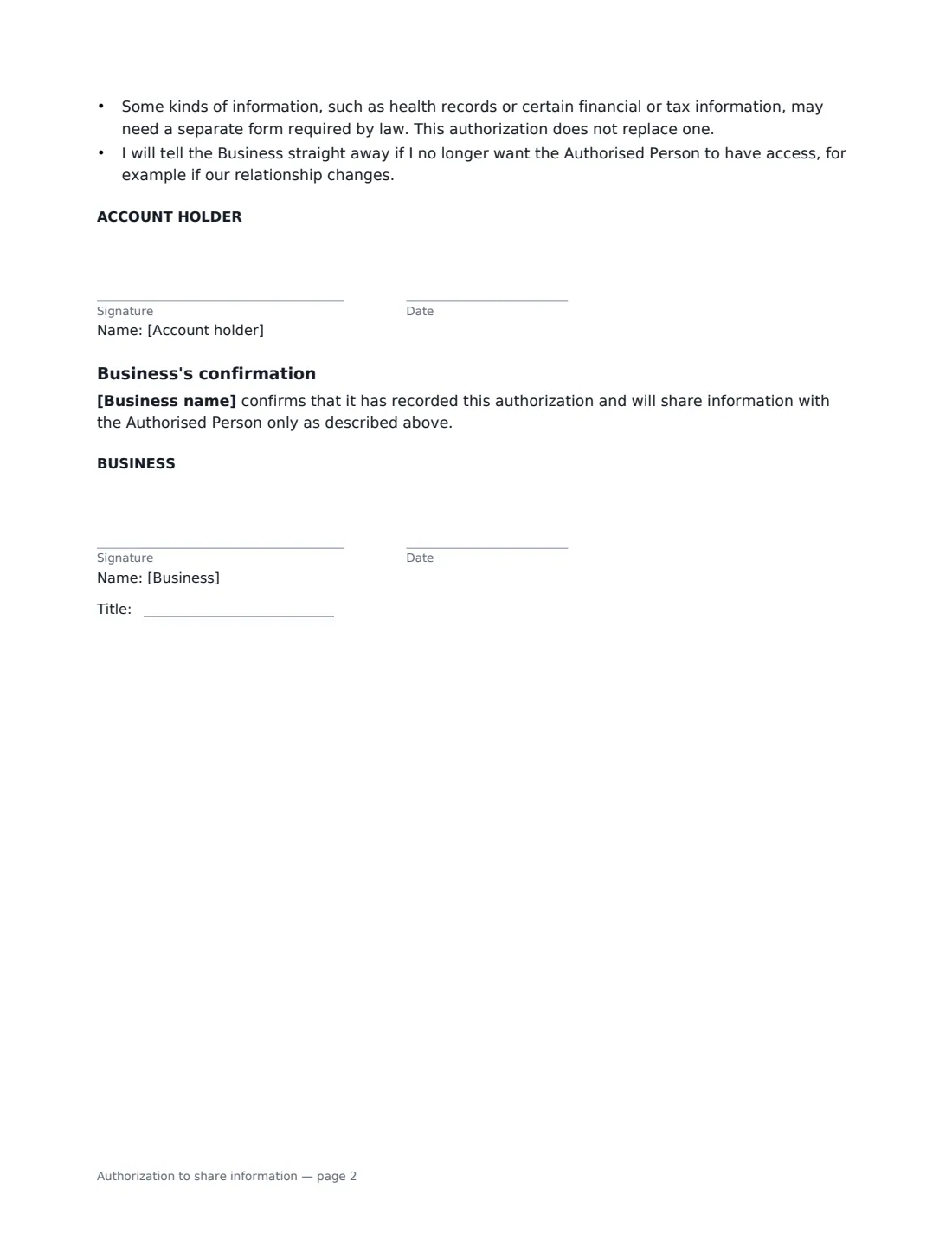
- Account holder signature and date · The customer whose information will be shared.
- Business signature and date, job title · The business that holds the account.
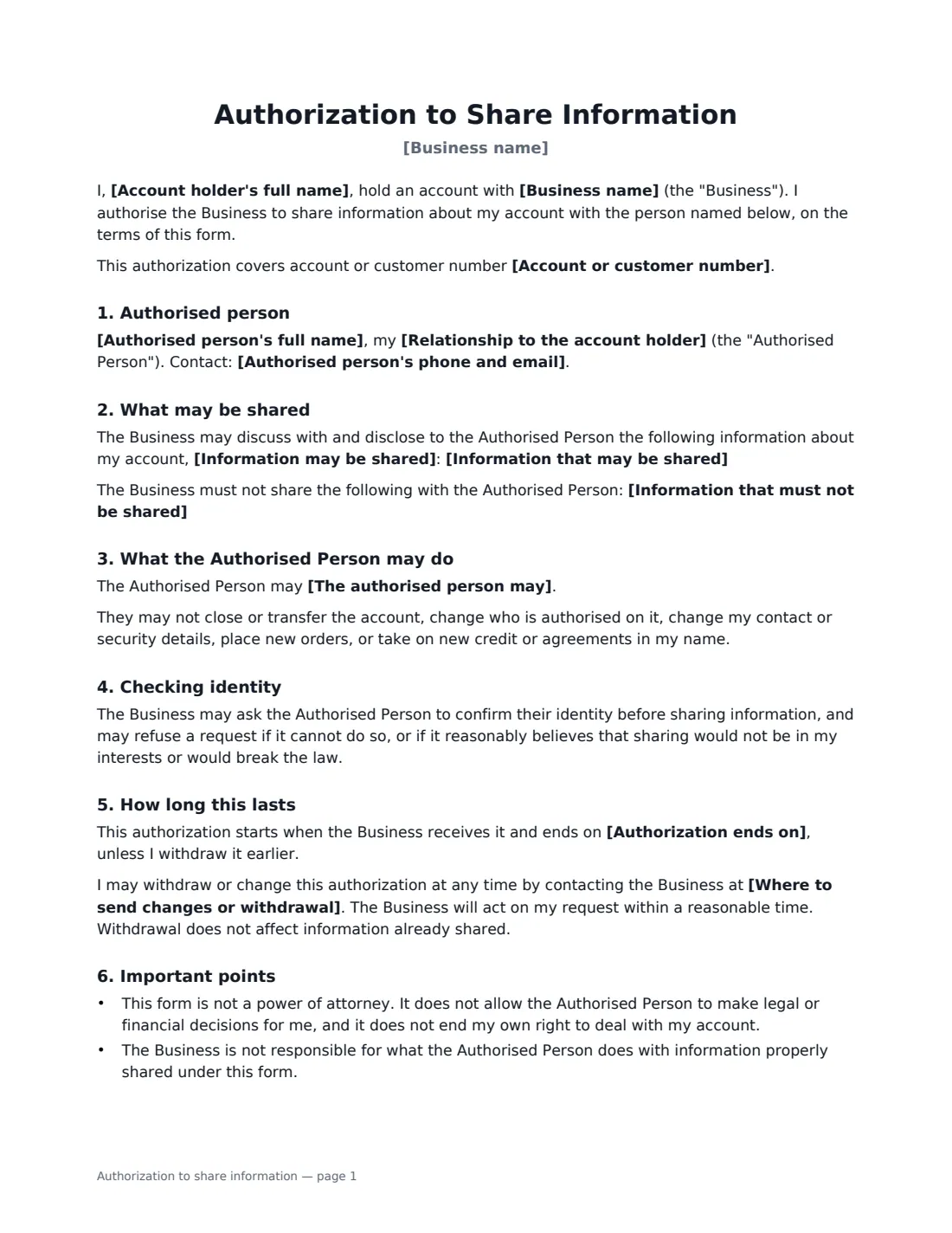
What the authorization to share information Covers
- Authorised person
- What may be shared
- What the Authorised Person may do
- Checking identity
- How long this lasts
- Important points
- Business's confirmation
Using the authorization to share information, step by step
1 Identify the account
Enter your business name, the contact for changes or withdrawal, the account holder's name and the account number — or leave the number empty to cover every account they hold with you.
2 Name the authorised person
Add their full name, their relationship to the account holder and their phone or email, so your team can recognise them when they get in touch.
3 Set the limits
Keep or edit the list of information that may be shared, add anything that must stay private (such as passwords), choose the channels and choose between information only or information plus routine requests. Add an end date if the authorization is temporary.
4 Send for signature
The account holder signs, you countersign to confirm it is recorded, and the signed PDF is filed in Files. Note the authorised person on the account in your own systems too.
Tips Before You Send It
- Always verify the authorised person's identity before sharing anything — the form gives you the right to.
- If someone needs to make legal or financial decisions for the account holder, they need a power of attorney or similar legal authority, not this form.
- Health, tax and some financial information often has its own required authorization forms. Use those where they apply.
- Review ongoing authorizations from time to time and ask the account holder to confirm they still want them.
Sign It Online In Minutes
- Fill in the blanks. Names, dates and amounts go straight into the agreement — the preview shows exactly where.
- Name who signs. Tick “This is me” for your own part. VergeHR builds the PDF with every signature, date box on the right line, and you can check or move anything before sending.
- Send it. Each signer gets a secure link and signs from any device — no account needed. The signed PDF, with an audit trail and a Certificate of Completion, is filed in Files and emailed to everyone.
Authorization to share information: frequently asked questions
Is this the same as a power of attorney?
No. It only lets the business talk to the named person about the account, and, if chosen, act on routine requests. It gives no power to make legal or financial decisions and does not affect the account holder's own rights.
Can the account holder cancel it?
Yes, at any time, by contacting the business at the address or number on the form. Information already shared is not affected.
Can the authorised person close the account?
No. Whichever option you choose, they cannot close or transfer the account, change who is authorised, change contact or security details, or take on new credit or agreements.
Is an electronic signature valid for this authorization?
Generally, yes. Electronic signatures are valid for ordinary documents like this in the US (ESIGN Act and UETA), the UK, the EU (eIDAS) and Canada. Some regulated records, such as health information, may need a specific form.