

What is a payroll deduction authorization?
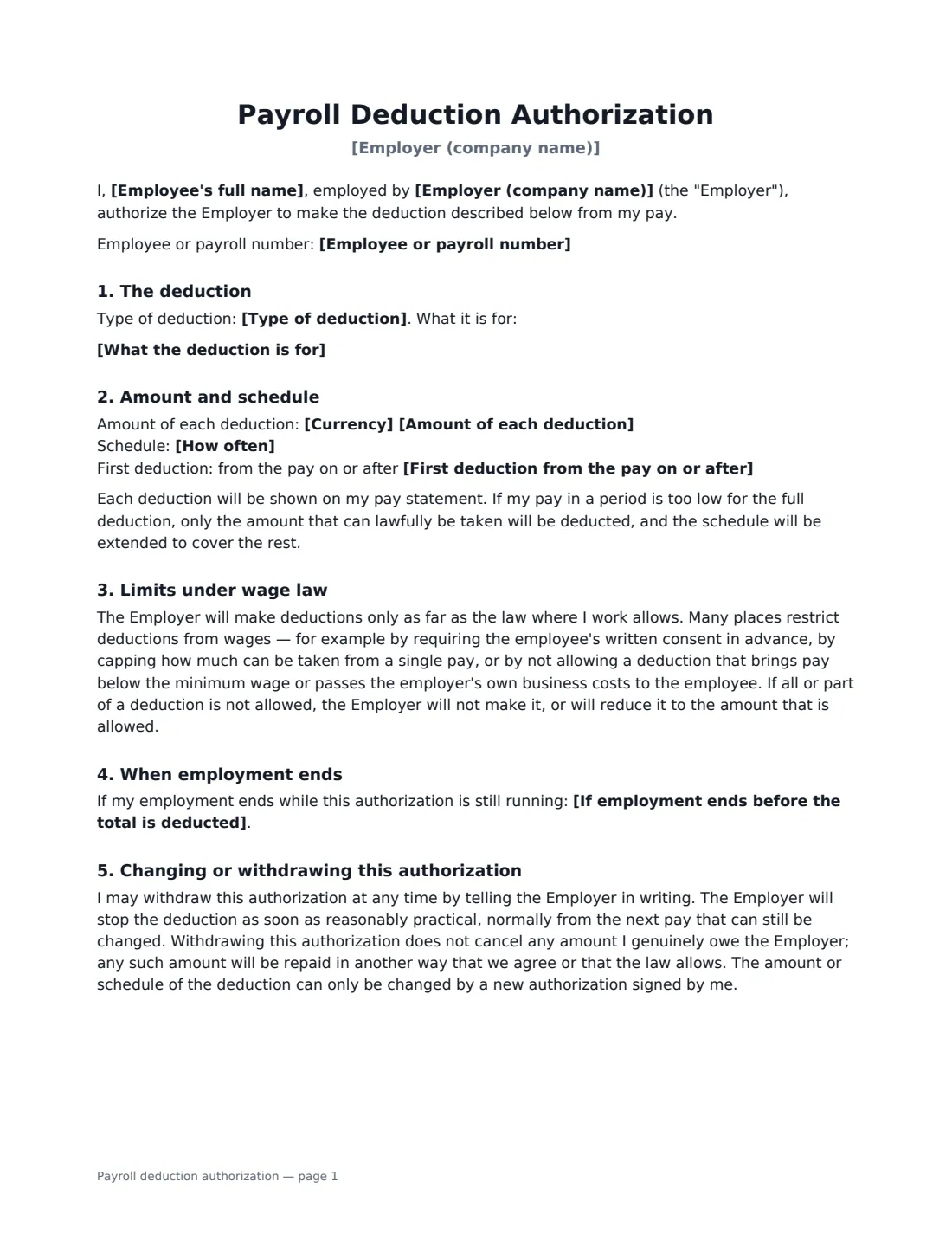
A payroll deduction authorization is the employee's written consent for their employer to take a specific amount out of their pay: the cost of a uniform or tools, their share of a benefit premium, a voluntary savings or charity contribution, or the repayment of money they owe the employer. Deductions required by law, such as income tax, don't need one — but for almost anything else, a clear signed authorization made before the deduction starts is the safest way to do it, and in many places the law requires one.
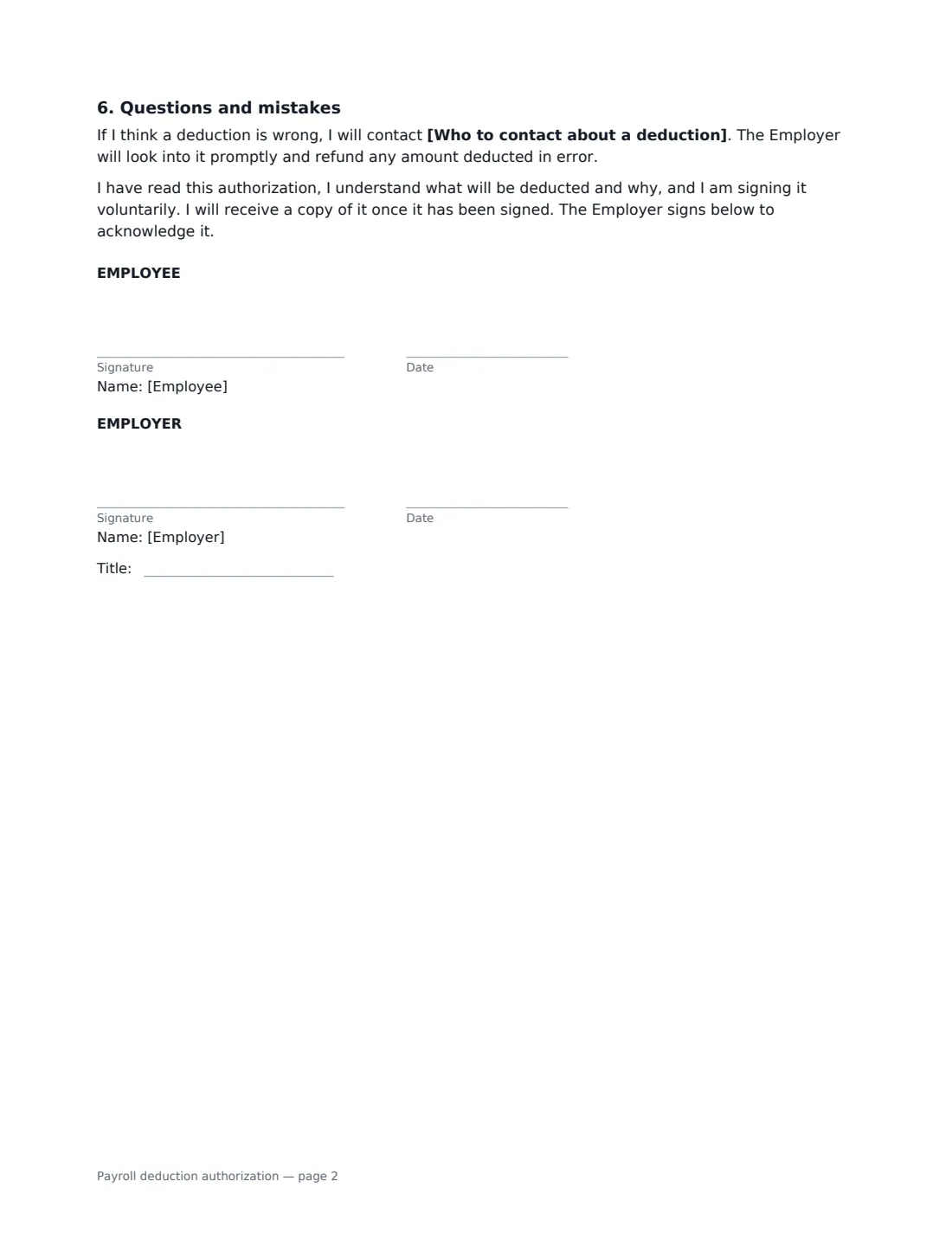
This form records the type of deduction and exactly what it is for, the amount of each deduction, and whether it is a single deduction or runs until a total is reached, until an end date, or until the employee withdraws it. It says what happens to any balance if employment ends, that deductions stay within wage-law limits, how the employee can withdraw consent, and who to contact if a deduction looks wrong. The employee signs to authorize it and the employer signs to acknowledge it.
- Best for
- Uniforms, tools and equipment, benefit contributions, repaying amounts owed, voluntary savings or giving
- Signed by
- The employee (authorizes) and someone in payroll or HR (acknowledges)
- Schedules
- A single deduction, or regular deductions until a total, an end date or withdrawal
- Length
- 1–2 pages
When to Use a payroll deduction authorization
- An employee buys branded uniform or safety boots at cost and repays them over a few pay periods
- A worker agrees to pay their share of a health, dental or other benefit premium through payroll
- An employee repays an overpayment of wages or a training cost they agreed to repay
- Staff sign up to a voluntary payroll-giving or workplace savings scheme
- An employee agrees to pay for a lost or damaged item of company equipment in instalments
What You Fill In
15 blanks, then the name and email of each person who signs: employee, employer.
1 Employee and employer
- Employer (company name)*
- Employee's full name*
- Employee or payroll number
2 The deduction
- Type of deduction* Uniform or work clothing · Tools or equipment · Benefit contributions · Repayment of an amount owed to the Employer · Voluntary savings or charitable giving · Other
- What the deduction is for*
3 Amount and schedule
- Currency*
- Amount of each deduction*
- How often* A single deduction · Regular deductions until a total is reached · Regular deductions until an end date · Regular deductions until the employee withdraws this authorization
- Regular deductions are taken from* each regular pay · the first pay of each month
- First deduction from the pay on or after*
- Total to be deducted
- Last deduction on or before
4 When employment ends
- If employment ends before the total is deducted* The remaining balance is deducted from final pay, as far as the law allows · The employee repays the remaining balance separately · Deductions stop and nothing further is owed
- Separate repayment due within (days)
- Who to contact about a deduction
5 Who signs
- Employee signature and date · The person whose pay the deduction comes from.
- Employer signature and date, job title · Someone in payroll, HR or management who can confirm the deduction.
What the payroll deduction authorization Covers
- The deduction
- Amount and schedule
- Limits under wage law
- When employment ends
- Changing or withdrawing this authorization
- Questions and mistakes
Using the payroll deduction authorization, step by step
1 Describe the deduction precisely
Choose the type, then say what it is for and how the amount was worked out — for example "three branded polo shirts and one safety jacket at cost, total USD 120". A specific description is what makes the consent meaningful.
2 Set the amount and schedule
Enter the amount of each deduction and the first pay it comes from. For regular deductions, choose whether they run until a total is reached (enter the total), until an end date, or until the employee withdraws the authorization, and whether they come from every pay or the first pay of each month.
3 Decide what happens if the employee leaves
Choose whether any remaining balance comes out of final pay as far as the law allows, is repaid separately within a number of days, or is simply dropped. Check local rules first — some places restrict deductions from final pay.
4 Send it before the first deduction
Send it to the employee to sign, and sign as the employer. Keep the signed copy with the payroll record — VergeHR files it in Files and emails a copy to both of you.
Tips Before You Send It
- Get the signature before the first deduction is made — consent given afterwards may not count.
- Check local wage law before deducting for uniforms, tools or equipment: some places don't allow employers to pass on these costs, or not if pay falls below the minimum wage.
- Use a new authorization whenever the amount or schedule changes, rather than editing the old one.
- Show every deduction clearly on the employee's pay statement.
- For benefit contributions, the plan rules may limit when the employee can stop or change them — the form says so when you choose that type.
Sign It Online In Minutes
- Fill in the blanks. Names, dates and amounts go straight into the agreement — the preview shows exactly where.
- Name who signs. Tick “This is me” for your own part. VergeHR builds the PDF with every signature, date box on the right line, and you can check or move anything before sending.
- Send it. Each signer gets a secure link and signs from any device — no account needed. The signed PDF, with an audit trail and a Certificate of Completion, is filed in Files and emailed to everyone.
Payroll deduction authorization: frequently asked questions
Can an employer deduct money from wages without written consent?
Deductions required by law, such as income tax and social security, don't need the employee's consent. For most other deductions, many places require the employee's prior written agreement, and some prohibit certain deductions altogether even with consent. The rules vary by country and state, so check the ones that apply to you.
Can the employee withdraw their authorization?
Yes. The form lets the employee withdraw it in writing, and the employer stops the deduction as soon as it reasonably can. Withdrawing doesn't cancel money the employee genuinely owes — that is then repaid another way.
What if the employee leaves before the full amount is deducted?
You choose in advance: deduct the balance from final pay as far as the law allows, have the employee repay it separately within a set number of days, or stop the deductions and write off the rest.
Is an electronically signed deduction authorization valid?
Electronic signatures are generally valid for ordinary employment documents in the US (ESIGN Act and UETA), the UK, the EU (eIDAS) and Canada. VergeHR keeps an audit trail and a Certificate of Completion with the signed PDF. Some local wage rules specify how consent must be given, so check them if you are unsure.
Is this template free?
Yes. It is free to use with the eSignature app in VergeHR, and the employee doesn't need a VergeHR login to sign.