

What is a promissory note?
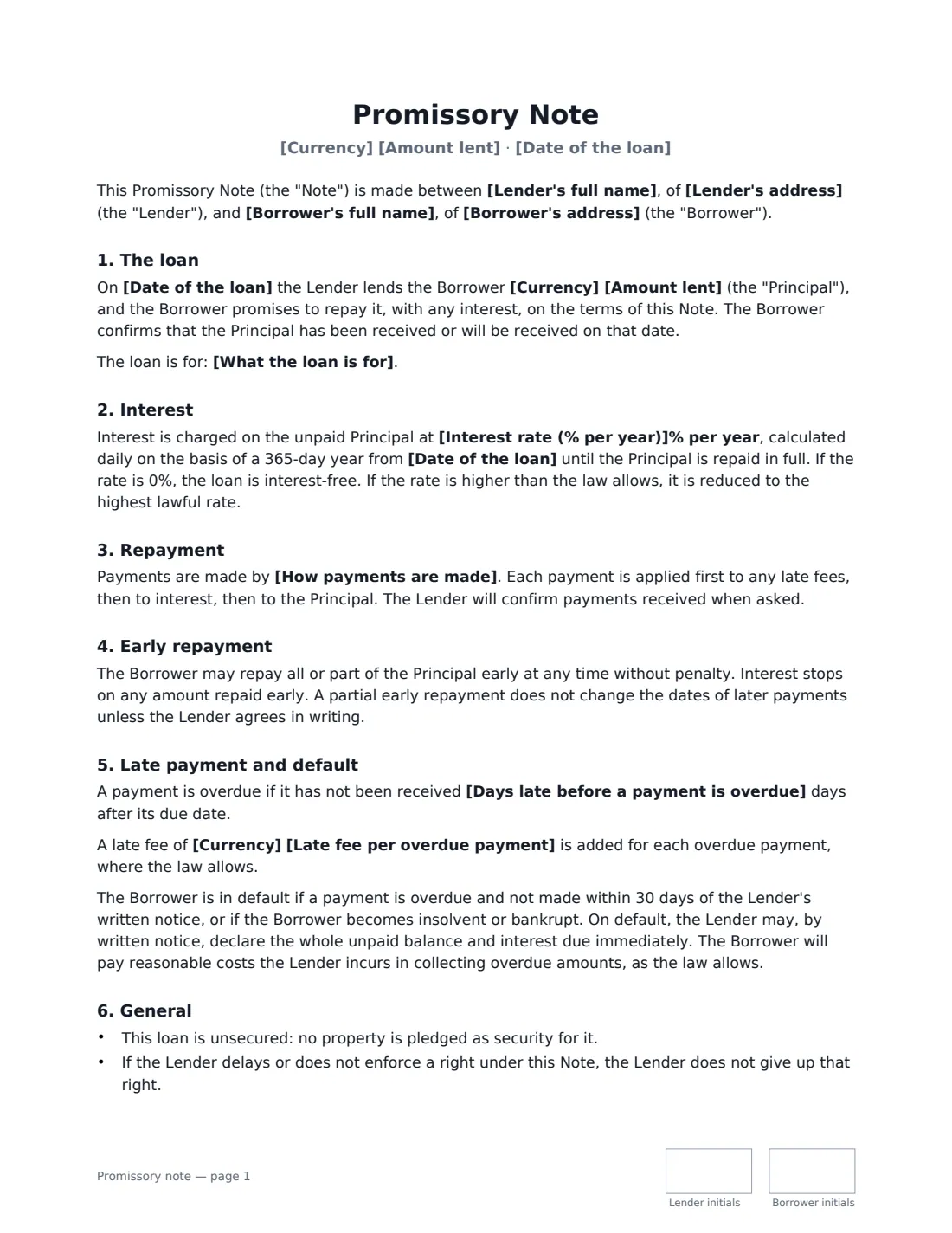
Lending money to a relative, a friend or a small business is easier on everyone when the terms are written down. A promissory note is the borrower's written promise to repay: it records the amount, the date, any interest and the repayment schedule, so there is no uncertainty later about what was agreed — and a clear record if either of you, or your estates, ever need to show the loan existed.
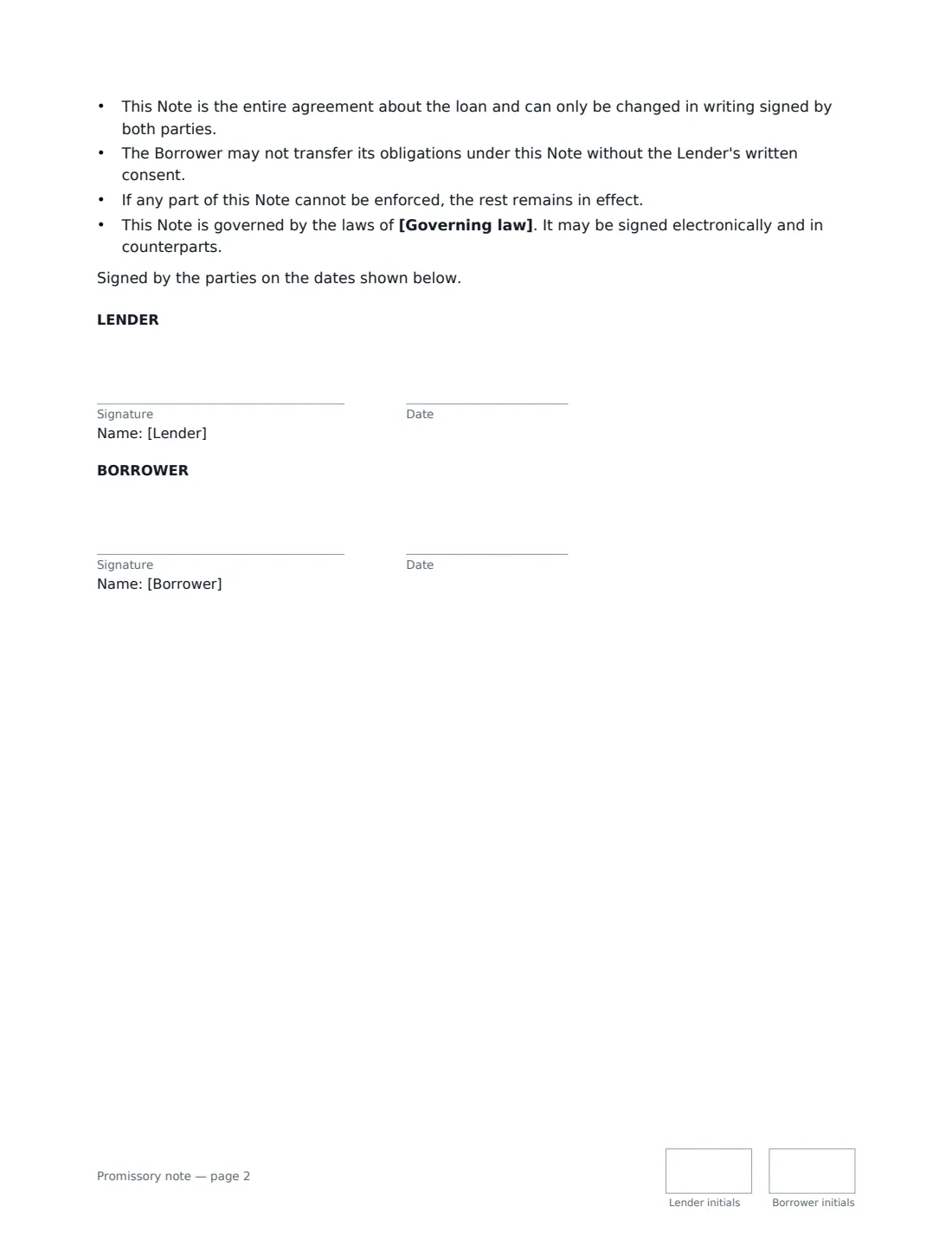
This template covers an unsecured loan repaid either in one payment on a set date or in monthly instalments. It sets the interest rate (0% for an interest-free loan), calculated daily and reduced automatically if it is above what the law allows. It says how payments are made and applied, allows early repayment without penalty, and sets a grace period, an optional late fee, and what counts as default — after which the lender may, by written notice, ask for the whole balance. Both the lender and the borrower sign and initial every page.
- Best for
- Family loans, loans between friends, small business loans from an owner or backer
- Signed by
- The lender and the borrower
- Repayment
- One payment on a set date, or monthly instalments
- Security
- Unsecured — no property is pledged
- Length
- 2 pages, initialled on every page
When to Use a promissory note
- Parents lending an adult child money for a car, a deposit or tuition
- A friend lending money to be repaid in monthly instalments
- A business owner lending money to their own company, or a backer lending to a start-up
- Recording a loan already made so both sides have the same terms in writing
- Relatives lending money where other family members should know it is a loan, not a gift
What You Fill In
17 blanks, then the name and email of each person who signs: lender, borrower.
1 The parties
- Lender's full name*
- Lender's address
- Borrower's full name*
- Borrower's address
2 The loan
- Date of the loan*
- Currency*
- Amount lent*
- Interest rate (% per year)*
- What the loan is for
3 Repayment
- How it will be repaid* In one payment on a set date · In monthly instalments
- Repayment date (one payment)
- Monthly instalment
- First instalment due
- How payments are made*
4 Late payment
- Days late before a payment is overdue*
- Late fee per overdue payment
5 Other terms
- Governing law*
6 Who signs
- Lender signature and date, initials on every page
- Borrower signature and date, initials on every page
What the promissory note Covers
- The loan
- Interest
- Repayment
- Early repayment
- Late payment and default
- General
Using the promissory note, step by step
1 Enter the parties and the loan
Add the lender and borrower, the date of the loan, the currency and the amount. Adding what the loan is for is optional but useful later.
2 Set the interest
Enter a yearly rate, or 0 for an interest-free loan. Some places set a maximum lawful rate, and interest-free or very low-rate loans can have tax consequences for larger amounts — check locally if you're unsure.
3 Choose how it will be repaid
Pick one payment and enter the due date, or monthly instalments and enter the instalment amount and first due date. Fill in the fields for the plan you pick — anything left empty prints as a blank line. Later instalments fall on the same day each month, and the last one settles the exact balance. Early repayment is always allowed without penalty. Say how payments are made, for example bank transfer.
4 Set late-payment terms and sign
Choose how many days late a payment can be before it is overdue, and add a late fee if you want one. Enter the governing law, send the note to the borrower, and both of you sign. The signed copy is filed in Files.
Tips Before You Send It
- Keep a record of every payment, and confirm payments to the borrower when asked — the note expects it.
- Make the instalment amount realistic for the borrower's budget; a note that can't be kept to helps no one.
- If you want the loan secured on a car, house or other property, that needs separate security documents and often registration — get advice.
- For a larger interest-free or low-interest family loan, ask a tax adviser whether it has tax implications for either of you.
- If the borrower later falls behind, a payment plan agreement can reset the schedule in writing.
Sign It Online In Minutes
- Fill in the blanks. Names, dates and amounts go straight into the agreement — the preview shows exactly where.
- Name who signs. Tick “This is me” for your own part. VergeHR builds the PDF with every signature, date and initials box on the right line, and you can check or move anything before sending.
- Send it. Each signer gets a secure link and signs from any device — no account needed. The signed PDF, with an audit trail and a Certificate of Completion, is filed in Files and emailed to everyone.
Promissory note: frequently asked questions
What is the difference between a promissory note and a loan agreement?
Both record a loan. A promissory note is typically shorter and centred on the borrower's promise to repay; a full loan agreement usually adds more detail such as conditions, security and extra obligations. For a straightforward personal loan, a promissory note like this is usually enough.
Can I lend money interest-free?
Yes — enter 0% and the note says the loan is interest-free. In some places, interest-free or below-market loans above certain amounts have tax consequences, so check with a tax adviser for larger loans.
What happens if the borrower doesn't pay?
A payment is overdue after the grace period you set. If it still isn't paid within 30 days of the lender's written notice, or the borrower becomes insolvent or bankrupt, the borrower is in default and the lender may declare the whole balance due. The borrower also pays reasonable collection costs where the law allows.
Is a promissory note signed electronically valid?
In the US (ESIGN Act and UETA), the UK, the EU (eIDAS) and Canada, electronic signatures are generally valid for recording a loan between private parties. If the note is meant to be sold or transferred as a negotiable instrument, or tied to security over property, special rules can apply — take advice. VergeHR keeps an audit trail and a Certificate of Completion with the signed PDF.
Can I change the wording?
You fill in the parties, amount, interest, repayment and late-payment terms and the governing law. If you need different clauses, draft your own document and upload it to VergeHR eSignature; you can still place the signature boxes in the editor.
Is this template free?
Yes. The template is free to use with the eSignature app in VergeHR. The borrower doesn't need a VergeHR login to sign.