


What is a employment contract extension letter?
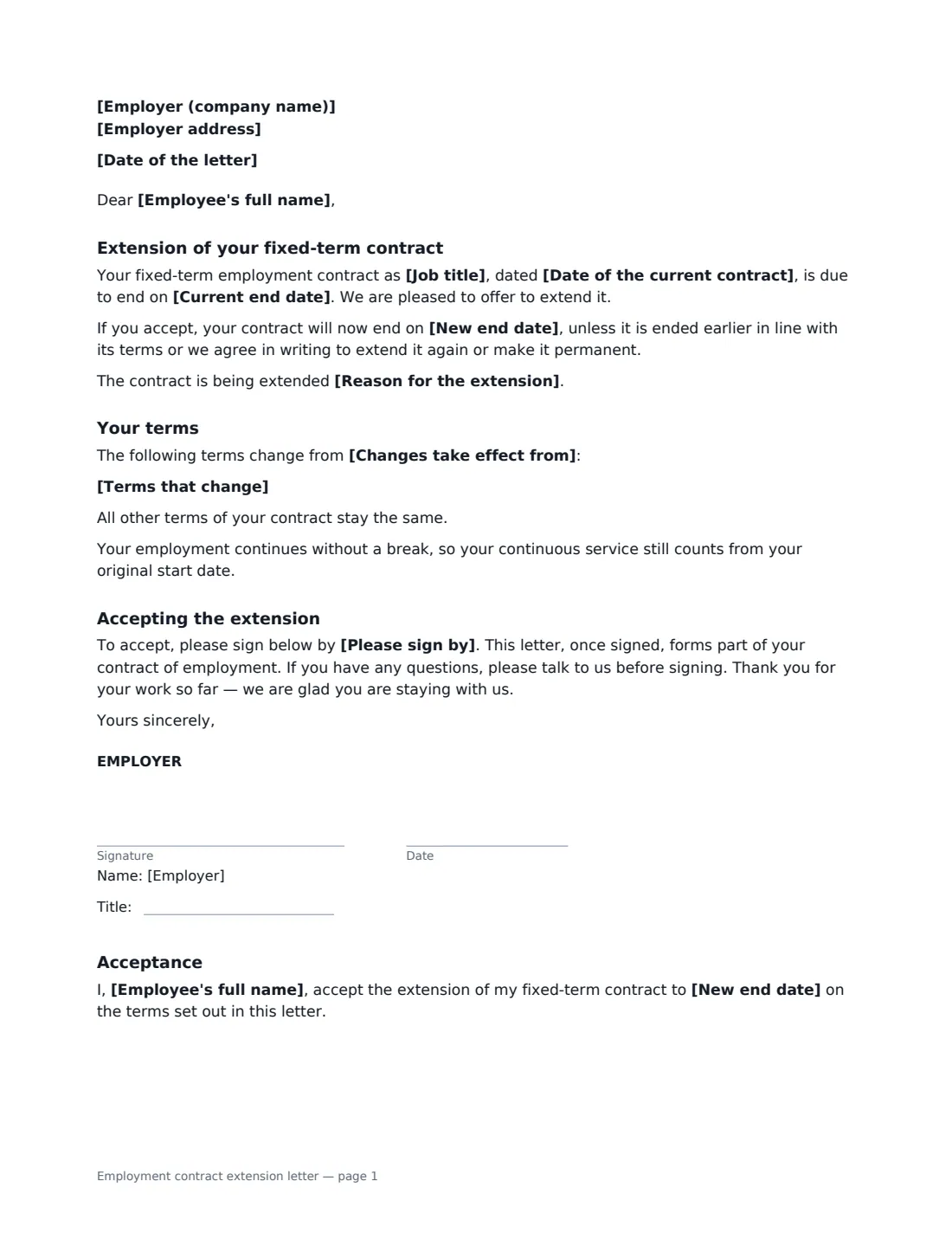
When a fixed-term contract is about to end and you want the employee to stay, a contract extension letter keeps the paperwork straight. It identifies the existing contract, states the current and new end dates, records any terms that change — pay, hours, duties — and confirms that everything else stays the same and that service continues without a break. The employee signs to accept, and the signed letter becomes part of their contract.
This template is a one- or two-page letter with an acceptance section. You can add the reason for the extension, which some places require for renewing a fixed-term contract, list changed terms one per line with the date they start, and set a date to sign by. If nothing changes, the letter simply says so.
- Best for
- Extending fixed-term, temporary or project-based employment contracts
- Signed by
- The employer, and the employee to accept
- Covers
- New end date, optional reason, changed terms, continuous service
- Length
- 1–2 pages
When to Use a employment contract extension letter
- A maternity or parental leave cover contract is extended because the leave was extended
- A project runs longer than planned and the project hire is kept on
- A temporary hire's contract is extended while a permanent role is approved
- A seasonal contract is extended into the next busy period
- A fixed-term researcher or grant-funded employee is extended after new funding
What You Fill In
12 blanks, then the name and email of each person who signs: employer, employee.
1 The letter
- Date of the letter*
- Employer (company name)*
- Employer address
- Employee's full name*
2 The extension
- Job title*
- Date of the current contract
- Current end date*
- New end date*
- Reason for the extension
3 Changes
- Terms that change
- Changes take effect from
- Please sign by
4 Who signs
- Employer signature and date, job title · A manager or HR person authorised to sign for the business.
- Employee signature and date · The employee whose contract is being extended.
What the employment contract extension letter Covers
- Extension of your fixed-term contract
- Your terms
- Accepting the extension
- Acceptance
Using the employment contract extension letter, step by step
1 Identify the contract
Enter the employee's name and job title, the date of their current contract if you have it, and the date it is due to end.
2 Set the new end date and reason
Enter the new end date. Adding a reason — such as covering a colleague's extended leave — is optional, but some places require a genuine reason for renewing fixed-term contracts or limit how many renewals are allowed.
3 List anything that changes
If pay, hours or duties change, list each change on its own line and the date the changes start. Leave it empty and the letter confirms that every other term stays the same.
4 Send it in good time
Set a date to sign by, well before the current end date, and send it. The employer signs the letter and the employee signs the acceptance section.
Tips Before You Send It
- Send the extension before the current contract ends, so there is no gap in the employee's employment or pay.
- Check local rules on repeated fixed-term renewals — in some places, successive extensions can turn the job into a permanent one.
- If the job is now ongoing with no end in sight, consider a permanent employment agreement instead.
- Keep the signed letter with the original contract; together they are the employee's current terms.
Sign It Online In Minutes
- Fill in the blanks. Names, dates and amounts go straight into the agreement — the preview shows exactly where.
- Name who signs. Tick “This is me” for your own part. VergeHR builds the PDF with every signature, date box on the right line, and you can check or move anything before sending.
- Send it. Each signer gets a secure link and signs from any device — no account needed. The signed PDF, with an audit trail and a Certificate of Completion, is filed in Files and emailed to everyone.
Employment contract extension letter: frequently asked questions
Does extending a fixed-term contract affect continuous service?
The letter confirms that employment continues without a break and that continuous service still counts from the original start date, which matters for rights and benefits linked to length of service.
Can I change the pay or hours in the extension?
Yes. List each change in the "Terms that change" box and the date the changes start. The employee accepts them by signing, and all other terms stay the same.
How many times can a fixed-term contract be extended?
It depends on where the employee works. Some countries cap the number of renewals or the total length, or require a genuine reason for each renewal, after which the employee may be treated as permanent. Check the rules before extending.
Is an electronically signed extension letter valid?
In most countries, including the US (ESIGN Act and UETA), the UK, the EU (eIDAS) and Canada, electronic signatures are generally valid for employment documents like this. VergeHR keeps an audit trail and a Certificate of Completion with the signed PDF.