

What is a promotion letter?
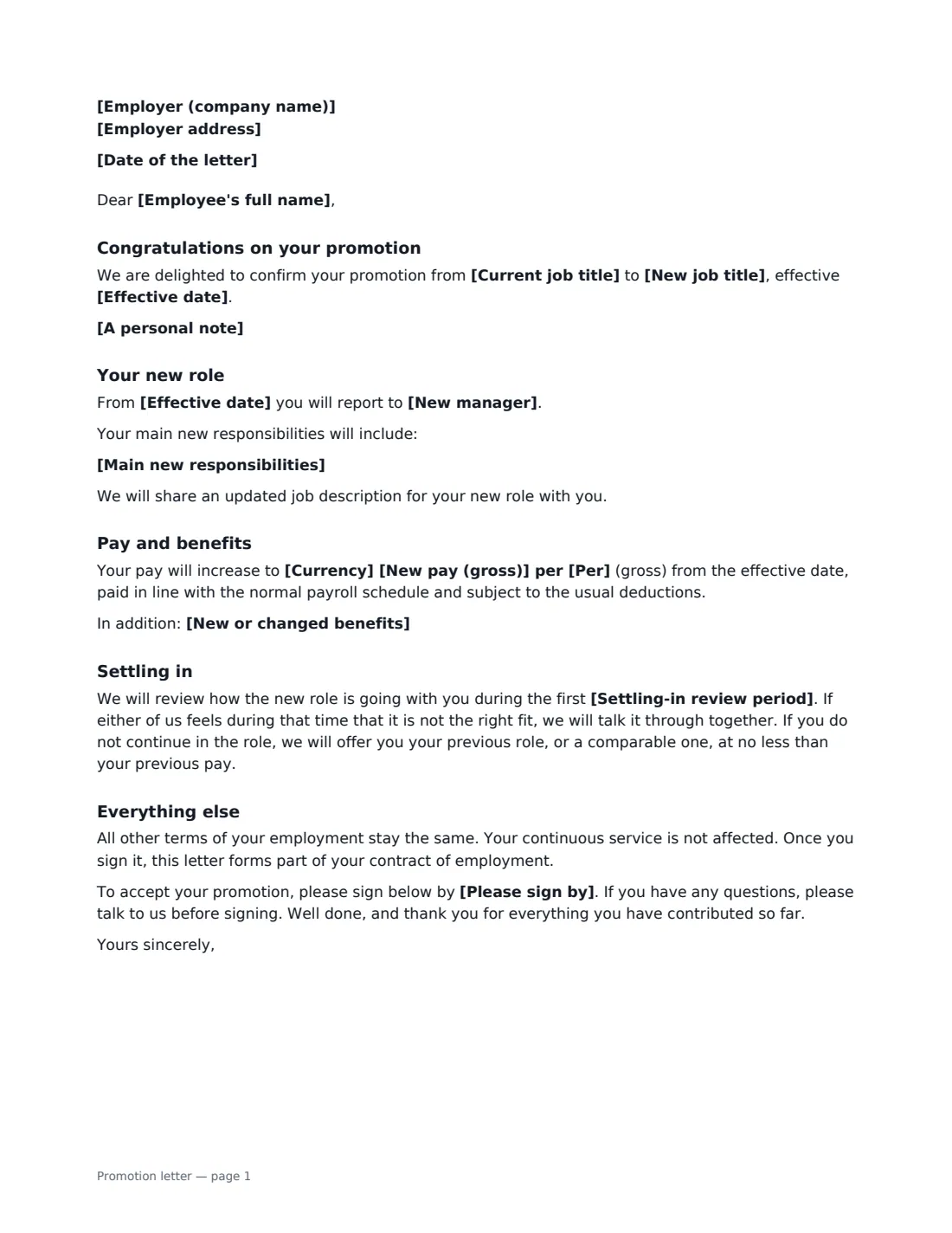
A promotion letter turns a conversation into a clear record. It congratulates the employee, confirms their new job title and the date it takes effect, and sets out what changes: who they report to, their main new responsibilities, their new pay and any new benefits such as a bonus plan. The employee signs to accept, and the letter becomes part of their contract of employment, so there is no later doubt about what was agreed.
This template reads as a warm, professional letter rather than a legal form. Add a personal note about what earned the promotion, leave pay empty if it doesn't change, and optionally include a settling-in review period that lets the employee return to their previous role or a comparable one, at no less than their previous pay, if the new role doesn't work out.
- Best for
- Internal promotions to a new title, level or management role
- Signed by
- The employer (usually the manager or HR), and the employee to accept
- Covers
- New title, effective date, manager, responsibilities, pay and benefits
- Length
- 1–2 pages
When to Use a promotion letter
- Promoting a team member into their first management role
- Moving an employee up a level, such as from Accountant to Senior Accountant
- Confirming a promotion agreed at an annual performance review
- Promoting someone to fill a vacancy left by a departing manager
- Recording a title change with a new bonus plan or benefits
What You Fill In
16 blanks, then the name and email of each person who signs: employer, employee.
1 The letter
- Date of the letter*
- Employer (company name)*
- Employer address
- Employee's full name*
2 The promotion
- Current job title*
- New job title*
- Effective date*
- New manager
- Main new responsibilities
3 Pay and benefits
- Currency*
- New pay (gross)
- Per* year · month · week · hour
- New or changed benefits
4 Other terms
- Settling-in review period
- A personal note
- Please sign by
5 Who signs
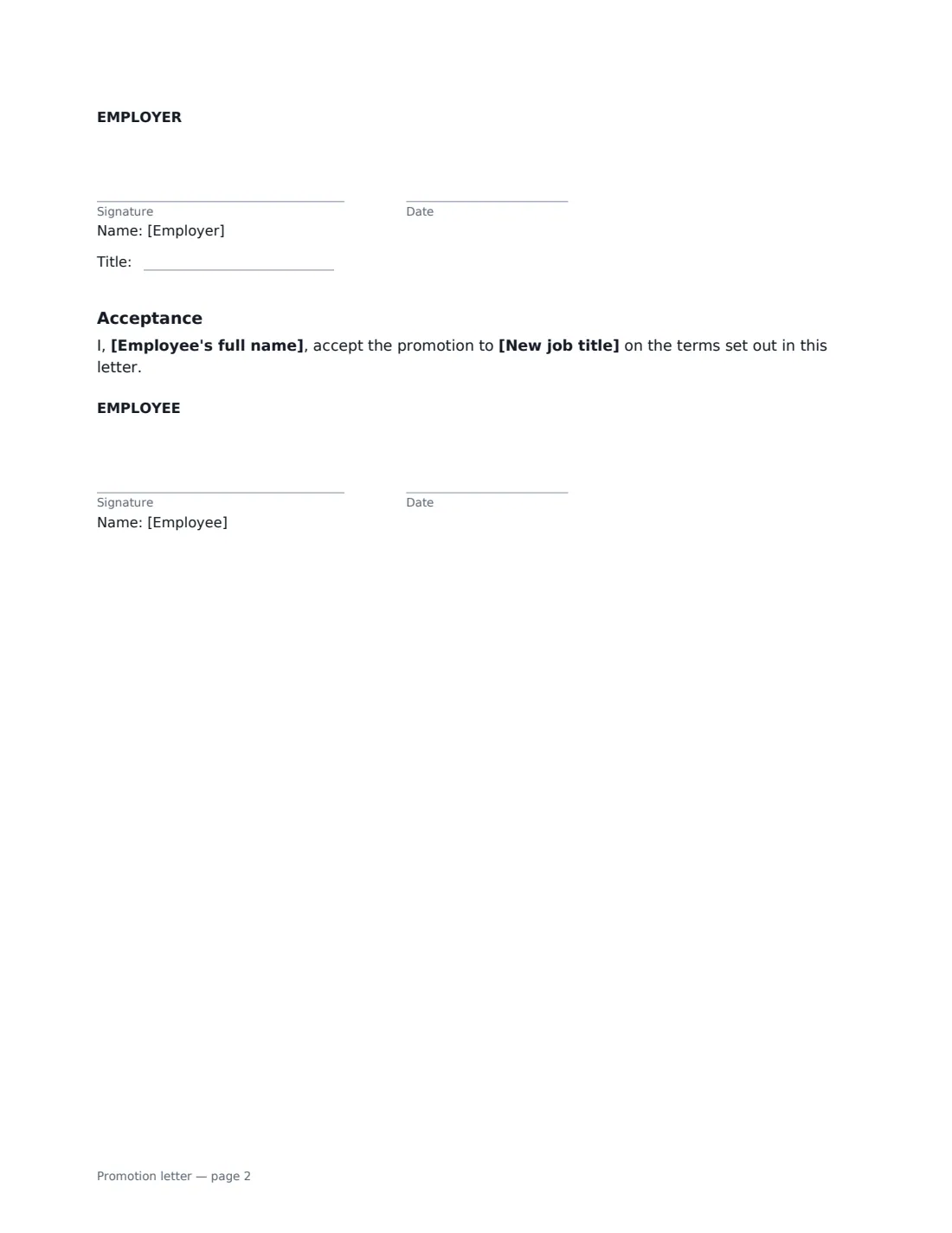
- Employer signature and date, job title · Usually the employee's manager or an HR manager.
- Employee signature and date · The employee being promoted.
What the promotion letter Covers
- Congratulations on your promotion
- Your new role
- Pay and benefits
- Settling in
- Everything else
- Acceptance
Using the promotion letter, step by step
1 Enter the old and new titles
Add the employee's current and new job titles and the effective date. Add their new manager if the reporting line changes, and a short list of the main new responsibilities.
2 Set pay and benefits
Enter the new gross pay and whether it is per year, month, week or hour. Leave it empty if pay doesn't change and the letter says so. Describe any new benefits, such as eligibility for a bonus plan or extra holiday.
3 Make it personal
A sentence or two about why the employee earned the promotion makes the letter mean more. Optionally add a settling-in review period for a new manager or a big step up.
4 Send it for acceptance
Set a date to sign by if you need one and send the letter. You sign the letter and the employee signs the acceptance section, and the signed copy is filed in Files.
Tips Before You Send It
- Send the letter soon after telling the employee, while the news is fresh.
- Update the job description at the same time — a job description acknowledgement pairs well with this letter.
- If the promotion also involves moving team or location, cover that in the same letter or use an internal transfer letter.
- Make sure the new pay and any bonus terms match what payroll will actually process.
Sign It Online In Minutes
- Fill in the blanks. Names, dates and amounts go straight into the agreement — the preview shows exactly where.
- Name who signs. Tick “This is me” for your own part. VergeHR builds the PDF with every signature, date box on the right line, and you can check or move anything before sending.
- Send it. Each signer gets a secure link and signs from any device — no account needed. The signed PDF, with an audit trail and a Certificate of Completion, is filed in Files and emailed to everyone.
Promotion letter: frequently asked questions
Does the employee have to sign a promotion letter?
Asking them to sign confirms they accept the new role and terms, and makes the letter part of their contract of employment. That avoids disputes later about the pay, duties or effective date.
What if the promotion comes with no pay rise?
Leave the new pay empty and the letter states that pay stays the same. You can still describe new benefits or responsibilities.
What is the settling-in review period?
An optional clause for promotions that are a big step up. During the period you choose, either side can raise concerns; if the employee doesn't continue in the role, they are offered their previous role, or a comparable one, at no less than their previous pay.
Is an electronically signed promotion letter valid?
In most countries, including the US (ESIGN Act and UETA), the UK, the EU (eIDAS) and Canada, electronic signatures are generally valid for employment documents like this. VergeHR keeps an audit trail and a Certificate of Completion with the signed PDF.