


What is a salary increase letter?
A salary increase letter (or pay rise letter) confirms a change to an employee's pay. Putting it in writing gives the employee certainty about the new amount and when it starts, gives payroll a clear instruction, and gives you a signed record for the employee's file. It is also a chance to say thank you.
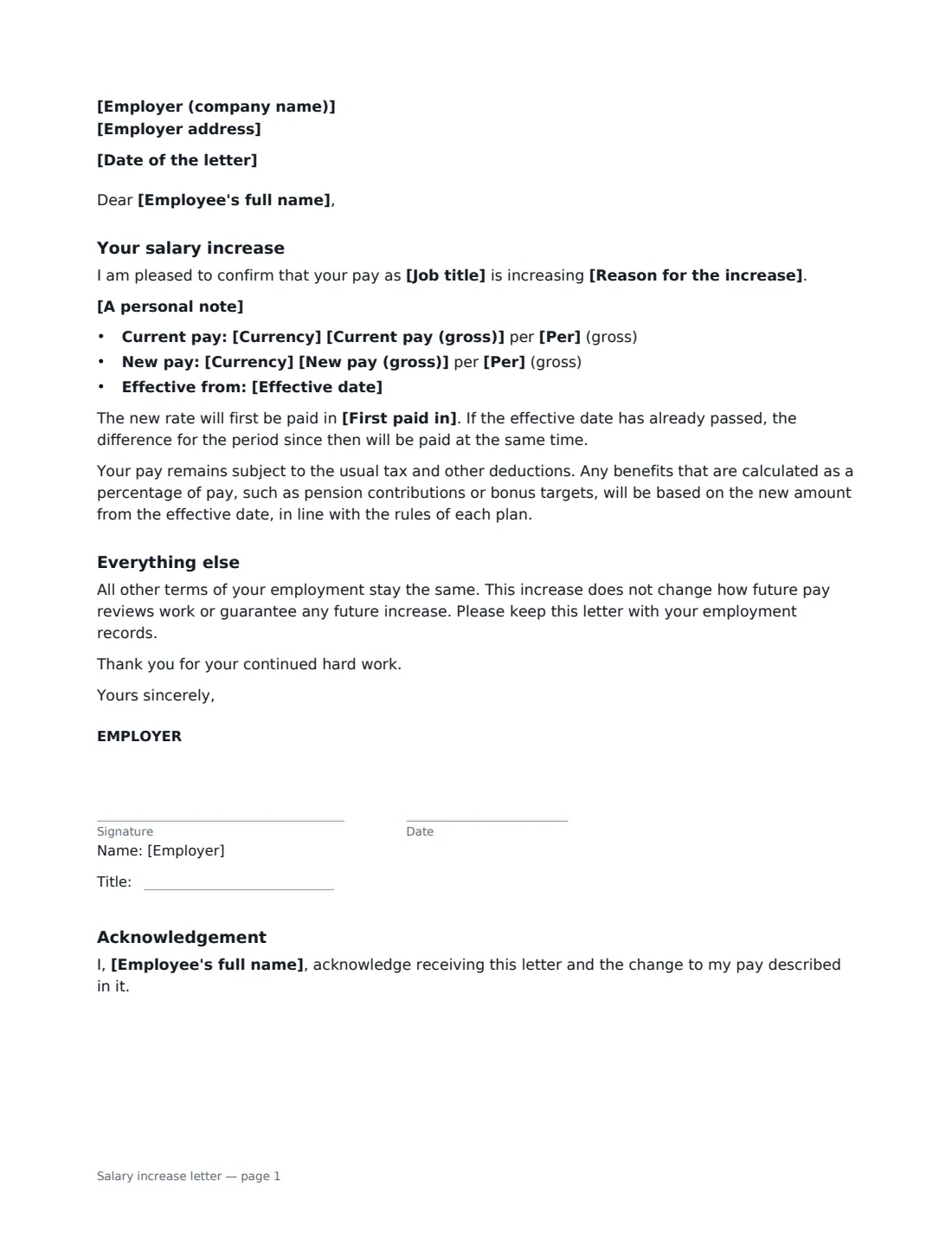
This one-page template states the reason for the increase — the annual pay review, performance, new responsibilities, a cost-of-living or market adjustment, or passing probation — shows the current and new pay side by side (or just the new pay), and gives the effective date and when the new rate is first paid, including back pay if the effective date has passed. It explains that benefits calculated on pay follow the new amount under each plan's rules, and that the increase doesn't guarantee future ones. The employee signs to acknowledge it.
- Best for
- Annual pay reviews, merit raises and cost-of-living adjustments
- Signed by
- The employer, and the employee to acknowledge
- Reasons
- Pay review, performance, responsibilities, cost of living, market, end of probation
- Length
- 1 page
When to Use a salary increase letter
- Confirming raises after the annual pay review
- Rewarding an employee's performance with a merit increase
- Applying a cost-of-living adjustment across the team
- Raising pay after an employee passes probation
- Bringing an employee's pay in line with the market for their role
What You Fill In
13 blanks, then the name and email of each person who signs: employer, employee.
1 The letter
- Date of the letter*
- Employer (company name)*
- Employer address
- Employee's full name*
- Job title
2 The increase
- Reason for the increase* following this year's pay review · in recognition of your performance and contribution · to reflect the increased responsibilities of your role · as a cost-of-living adjustment · to bring your pay in line with the market for your role · on completing your probation period
- Currency*
- Current pay (gross)
- New pay (gross)*
- Per* year · month · week · hour
- Effective date*
- First paid in
- A personal note
3 Who signs
- Employer signature and date, job title · Usually the employee's manager or an HR manager.
- Employee signature and date · The employee receiving the increase. They sign to acknowledge it.
What the salary increase letter Covers
- Your salary increase
- Everything else
- Acknowledgement
Using the salary increase letter, step by step
1 Choose the reason
Pick the reason that fits — it completes the opening sentence, such as "your pay is increasing following this year's pay review". Add a personal note if you want to say more.
2 Enter old and new pay
Enter the new gross pay and whether it is per year, month, week or hour. Add the current pay to show the change side by side, or leave it empty to show only the new amount.
3 Confirm the timing
Enter the effective date and, optionally, when the new rate first appears in pay. If the effective date has already passed, the letter confirms the difference is paid at the same time.
4 Send for acknowledgement
You sign the letter and the employee signs to acknowledge it. Send one per employee after a pay review — each is filed in Files.
Tips Before You Send It
- Tell the employee in person first; the letter confirms what you discussed.
- Double-check the new amount and effective date with payroll before sending.
- If the raise comes with a new title or duties, a promotion letter covers both.
- Keep a copy with the employee's contract — it is now part of their pay record.
Sign It Online In Minutes
- Fill in the blanks. Names, dates and amounts go straight into the agreement — the preview shows exactly where.
- Name who signs. Tick “This is me” for your own part. VergeHR builds the PDF with every signature, date box on the right line, and you can check or move anything before sending.
- Send it. Each signer gets a secure link and signs from any device — no account needed. The signed PDF, with an audit trail and a Certificate of Completion, is filed in Files and emailed to everyone.
Salary increase letter: frequently asked questions
Does the employee need to sign a salary increase letter?
A pay rise is good news, so signing is an acknowledgement rather than a negotiation. It gives you a record that the employee received the letter and knows the new pay and effective date.
What if the effective date has already passed?
The letter confirms that the difference between the old and new pay for the period since the effective date will be paid together with the first payment at the new rate.
Does a raise change any other terms?
No. The letter says all other terms stay the same, although benefits calculated as a percentage of pay, such as pension contributions or bonus targets, follow the new amount under each plan's rules.
Is an e-signed pay rise letter valid?
In most countries, including the US (ESIGN Act and UETA), the UK, the EU (eIDAS) and Canada, electronic signatures are generally valid for employment documents like this. VergeHR keeps an audit trail and a Certificate of Completion with the signed PDF.