

What is a workshop equipment authorization?
Makerspaces, school workshops, university labs and community woodshops usually run a sign-off system: nobody uses a machine until a trainer has shown them how and checked they can do it safely. A paper checklist in a drawer is easy to lose. An equipment authorization records who was trained, on what, by whom, at what level and when it needs renewing.
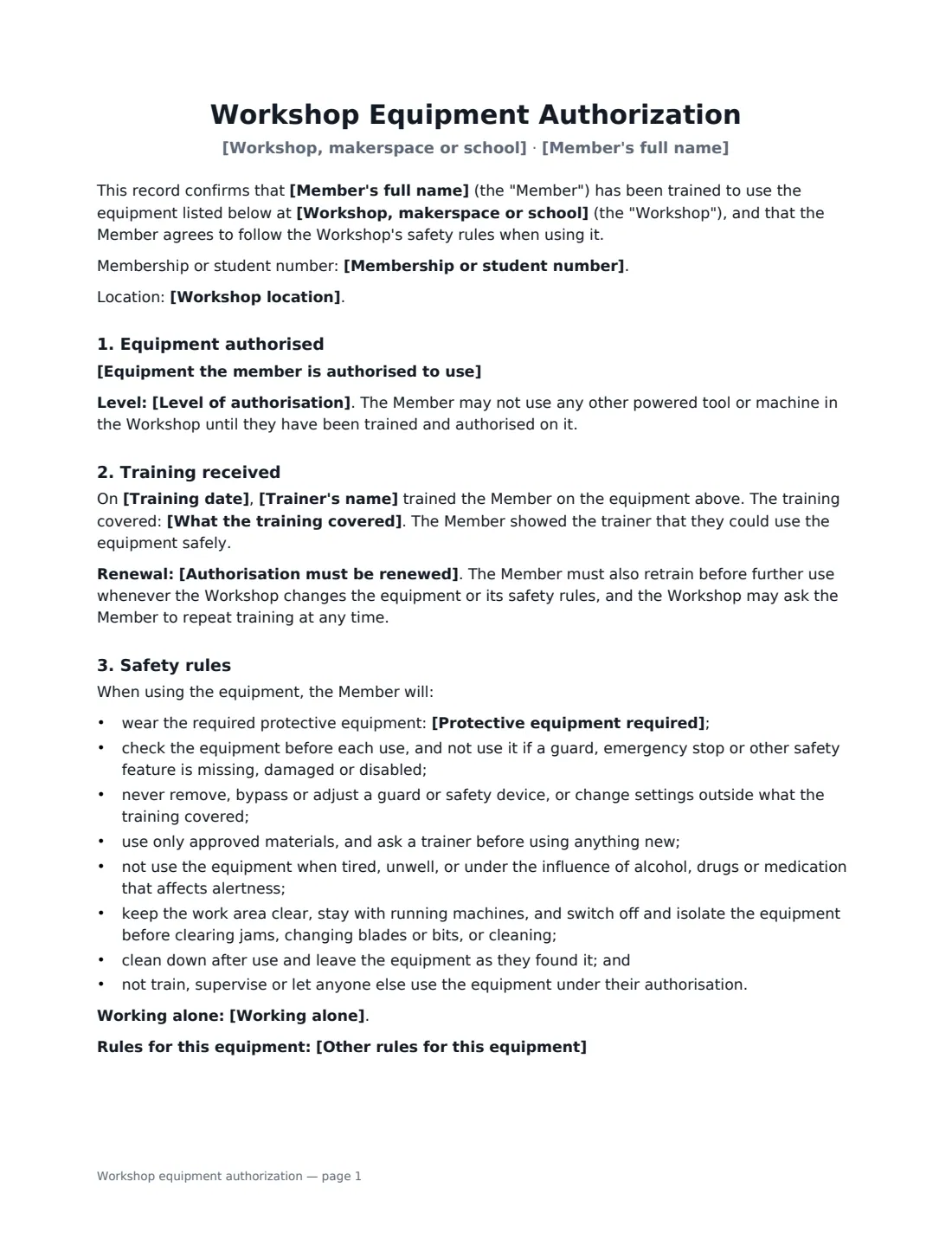
This template lists the equipment the member is authorised to use (with any limits on materials or settings), the authorisation level — independent use during staffed hours, at any time, or only under supervision — what the training covered, and how often it must be renewed (with retraining whenever the equipment or rules change). The member agrees to a practical set of safety rules: required protective equipment, never bypassing guards, approved materials only, no use when impaired, isolating machines before clearing jams or changing blades, and not letting anyone else use their authorisation. You choose the lone-working rule, can add equipment-specific rules and charges for misuse, and the record covers fault and near-miss reporting and suspension of authorisation. For under-18s it requires a trained adult to be present.
- Best for
- Makerspaces, hackerspaces, school and college workshops, fab labs, community woodshops
- Signed by
- The member and the trainer or workshop manager
- Key choices
- Equipment list, authorisation level, renewal period, PPE, lone-working rule
- Length
- 2 pages
When to Use a workshop equipment authorization
- Signing off a member on the laser cutter after an induction session
- Recording a student's training on workshop machines in a school design and technology room
- Authorising volunteers to use power tools at a repair café or community shed
- Renewing authorisations every year or when a machine is replaced
- Keeping a training record for insurers or health and safety inspections
What You Fill In
16 blanks, then the name and email of each person who signs: member, workshop.
1 The workshop
- Workshop, makerspace or school*
- Workshop location
- Trainer's name*
2 The member
- Member's full name*
- Membership or student number
- Is the member under 18?* No · Yes
- Parent or guardian's name (under-18s)
3 Authorisation
- Equipment the member is authorised to use*
- Level of authorisation* independent use during staffed hours · independent use at any time the member has access · use only under direct supervision of a trainer
- Training date*
- What the training covered*
- Authorisation must be renewed* every 6 months · every 12 months · every 24 months · no fixed period
4 Safety rules
- Protective equipment required*
- Working alone* Powered tools must not be used when the Member is alone in the Workshop · Working alone is allowed only on low-risk hand tools · Working alone is allowed only when the Member follows the Workshop's lone-working check-in procedure
- Other rules for this equipment
- Charges for misuse or consumables
5 Who signs
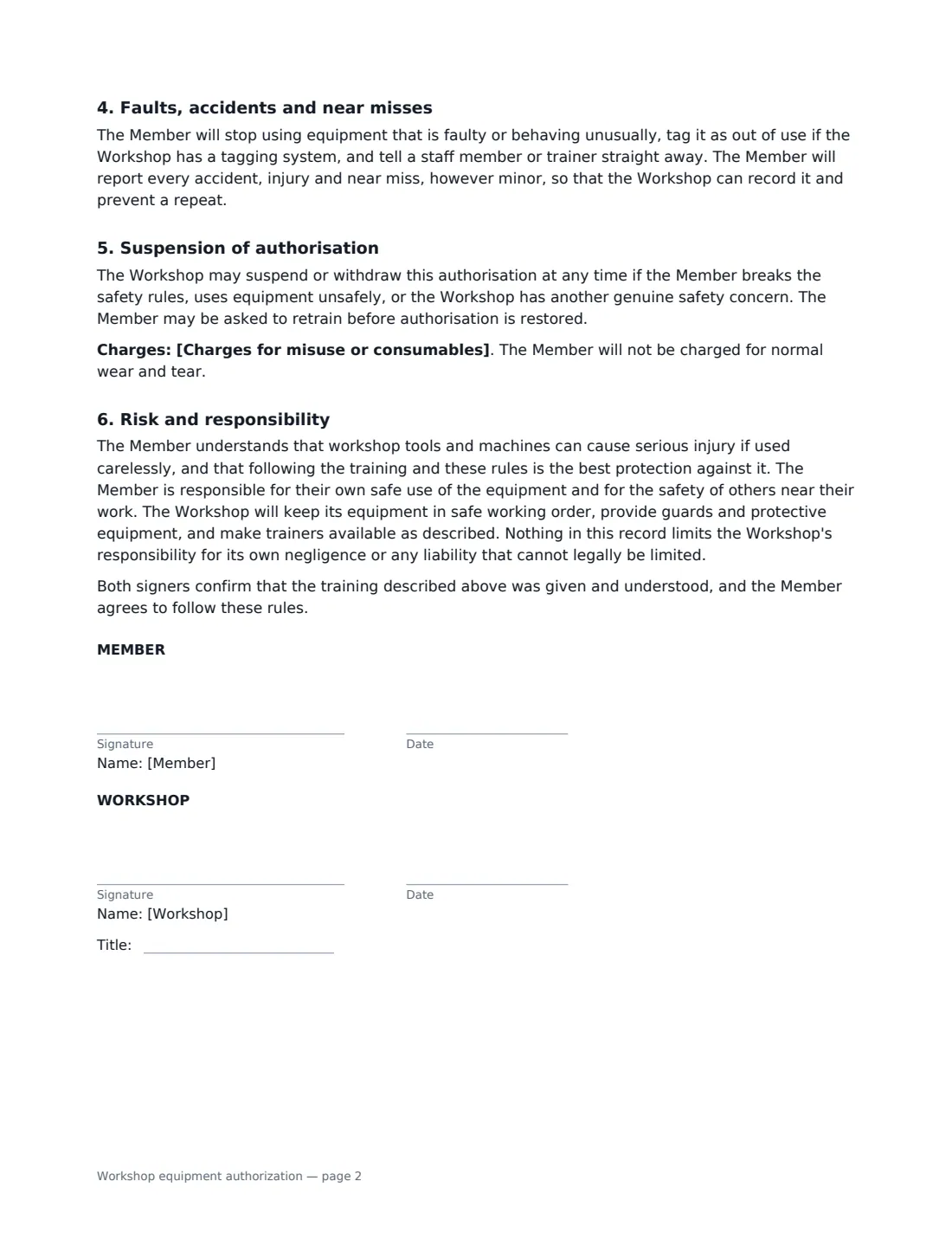
- Member signature and date · The person being authorised to use the equipment.
- Workshop signature and date, job title · The trainer or workshop manager who delivered or checked the training.
What the workshop equipment authorization Covers
- Equipment authorised
- Training received
- Safety rules
- Faults, accidents and near misses
- Suspension of authorisation
- Risk and responsibility
Using the workshop equipment authorization, step by step
1 List the equipment precisely
One tool per line, with any limits — for example "Laser cutter — acrylic, plywood and card only". The member may not use any other powered tool until trained on it.
2 Choose the authorisation level
Independent use during staffed hours, independent use at any time the member has access, or supervised use only. For members under 18, the record always requires a trained adult to be present.
3 Describe the training
The default lists what a typical induction covers — start-up and shut-down, guards and emergency stops, approved materials, PPE, hazards, cleaning down and fault reporting. Replace it with your own checklist so the record matches what was actually taught.
4 Set PPE, lone-working and extra rules
Edit the protective equipment list, choose the lone-working rule, and add rules for this machine. Optional charges for misuse make clear that normal wear and tear is never charged.
5 Sign at the end of the induction
The trainer and member sign on a tablet or phone before the member leaves. The signed record is filed in Files, ready when you need to check who is authorised.
Tips Before You Send It
- Train, then observe: only sign off once the member has shown they can use the machine safely without prompting.
- Set a renewal period for high-risk machines, and re-train after an incident or when equipment changes.
- Keep your authorisation list visible to staff so they can check at a glance who may use what.
- This record complements, but does not replace, the risk assessments and safety law that apply to your workshop.
Sign It Online In Minutes
- Fill in the blanks. Names, dates and amounts go straight into the agreement — the preview shows exactly where.
- Name who signs. Tick “This is me” for your own part. VergeHR builds the PDF with every signature, date box on the right line, and you can check or move anything before sending.
- Send it. Each signer gets a secure link and signs from any device — no account needed. The signed PDF, with an audit trail and a Certificate of Completion, is filed in Files and emailed to everyone.
Workshop equipment authorization: frequently asked questions
Is this a liability waiver?
No. It records training and the member's agreement to follow the rules, and it states that the member is responsible for their own safe use. It does not exclude the workshop's responsibility for its own negligence. If you also want a general release, use a separate liability waiver, and check local law on what can be waived.
Can I use it for young people?
Yes. Answer that the member is under 18, and the record adds that they may use the equipment only when a trained adult is present, and names the parent or guardian who read it with them. You may also want a parental consent form for the activity.
How often should authorisation be renewed?
You choose: every 6, 12 or 24 months, or no fixed period. Whatever you choose, the member must retrain whenever the equipment or safety rules change, and you can ask for retraining at any time.
Is an electronic signature valid for this?
Generally yes. Electronic signatures are widely accepted for records and agreements like this in the US (ESIGN and UETA), the UK, the EU (eIDAS) and Canada, and VergeHR keeps an audit trail of who signed and when.