

What is a mutual termination agreement?
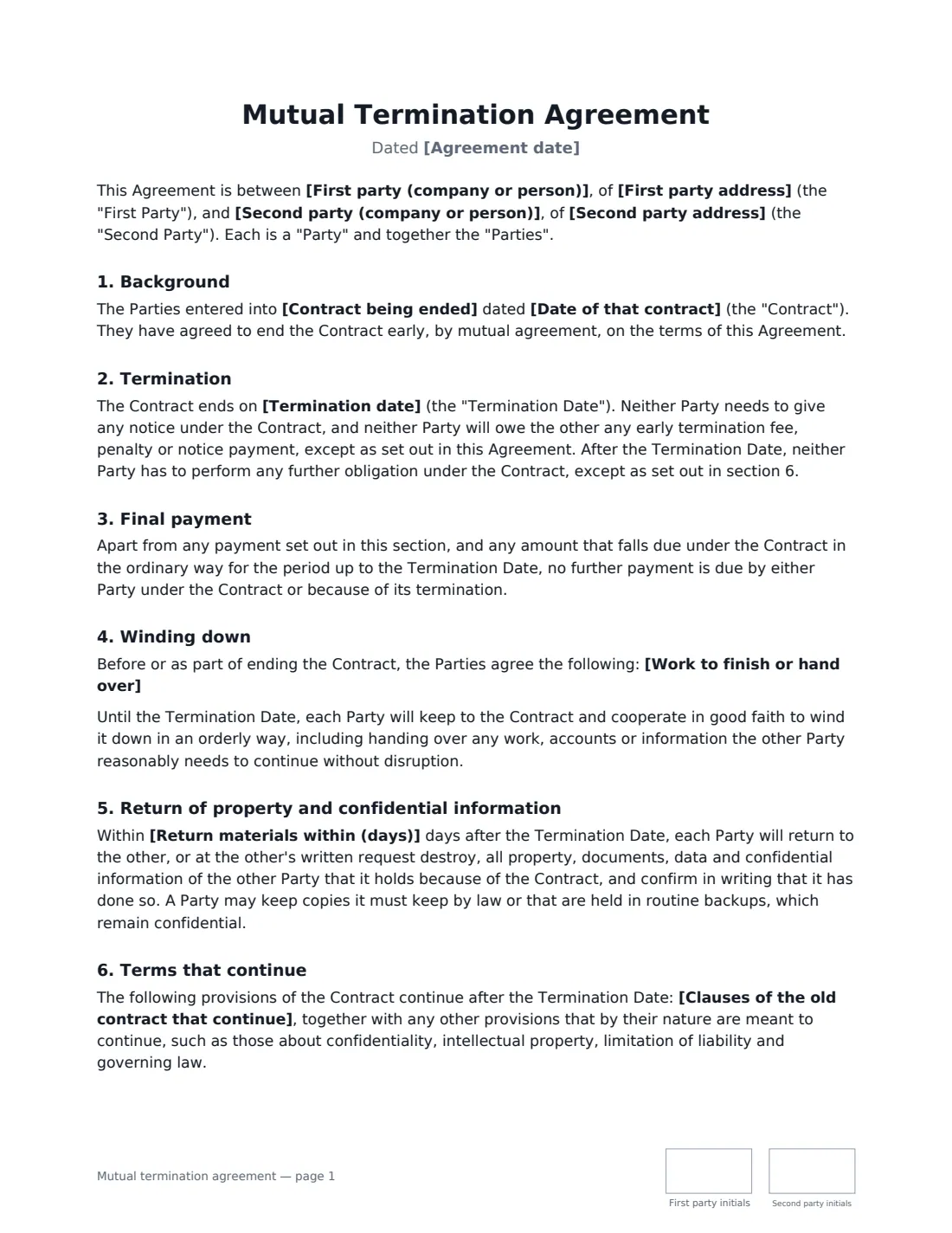
A mutual termination agreement (also called an agreement to terminate) is how two parties end a contract early when they both want out. Instead of one side serving notice under the contract — with notice periods, early-termination fees and arguments about breach — both agree the end date and settle everything in one document.
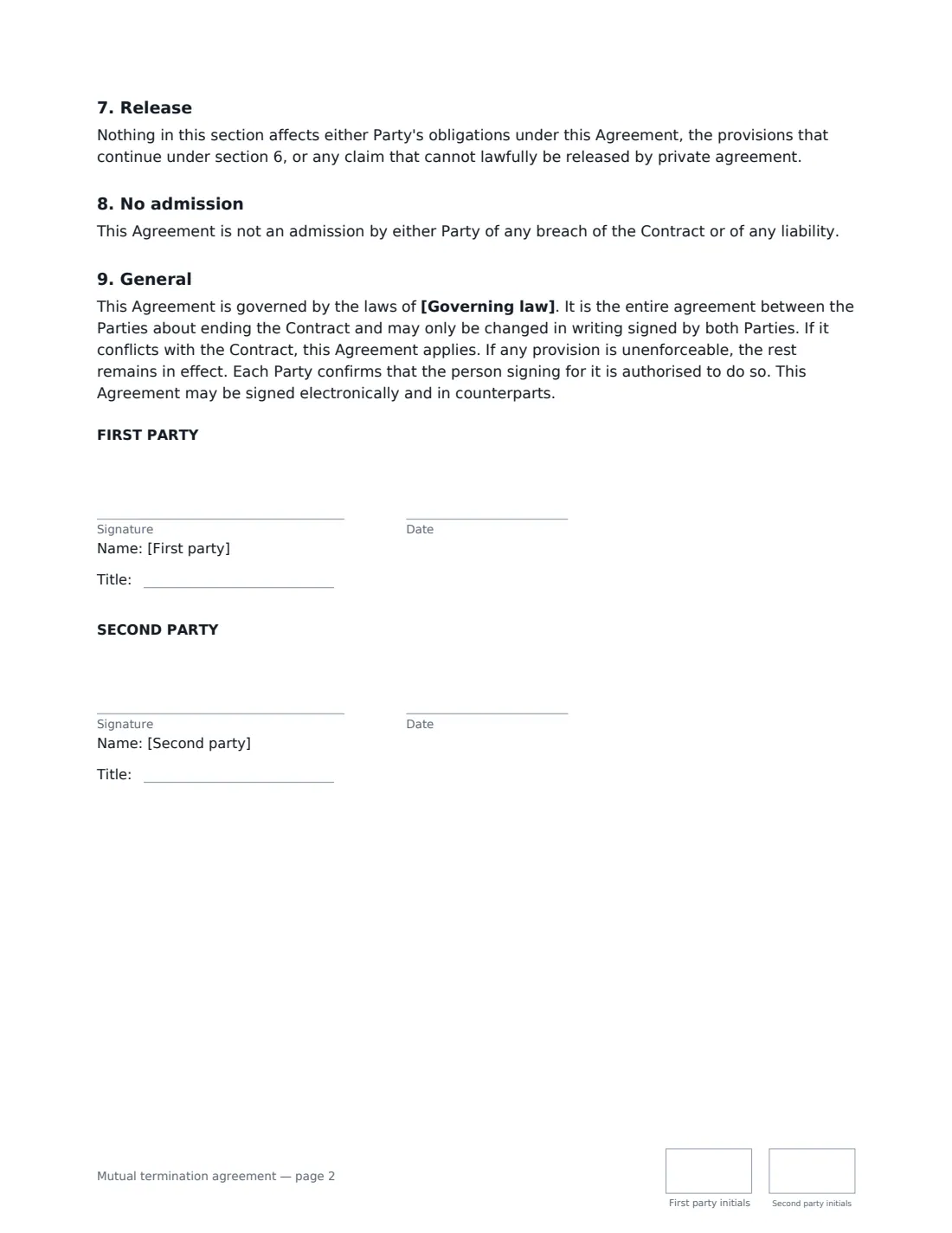
This template names the contract being ended and the termination date, sets aside notice and early-termination fees, records any final payment (or that nothing more is owed), covers winding down and handover, return or destruction of property and confidential information, which clauses of the old contract continue, an optional mutual release of claims under the contract, and no admission of breach. It works for services, supply, consulting, licensing, agency and most other commercial contracts.
- Best for
- Ending a services, supply, consulting or other commercial contract early by agreement
- Signed by
- Both parties to the original contract
- Release
- You choose: a mutual release of claims, or each keeps claims for past breaches
- Length
- 2 pages, initialled on every page
When to Use a mutual termination agreement
- A client and agency ending a 12-month marketing retainer after six months
- A business and supplier ending a supply contract when the product is discontinued
- Two companies unwinding a referral or distribution arrangement that didn't work out
- Ending a consulting or software-maintenance contract early with a final settlement payment
- Closing out an equipment lease before its term ends
What You Fill In
17 blanks, then the name and email of each person who signs: first party, second party.
1 The parties
- Agreement date*
- First party (company or person)*
- First party address
- Second party (company or person)*
- Second party address
2 The contract
- Contract being ended*
- Date of that contract*
- Termination date*
3 Money
- Final payment* No further payment · The First Party pays the Second Party · The Second Party pays the First Party
- Currency
- Final payment amount
- Paid within (days after the termination date)
4 Winding down
- Work to finish or hand over
- Return materials within (days)*
- Clauses of the old contract that continue
5 Release
- Release of claims* Mutual release of claims under the contract · No release — each party keeps its claims for past breaches
- Governing law*
6 Who signs
- First party signature and date, job title, initials on every page
- Second party signature and date, job title, initials on every page
What the mutual termination agreement Covers
- Background
- Termination
- Final payment
- Winding down
- Return of property and confidential information
- Terms that continue
- Release
- No admission
- General
Using the mutual termination agreement, step by step
1 Identify the contract and the end date
Give the contract's title and date exactly as they appear on it, and the last day it's in force.
2 Settle the money
Choose whether no further payment is due or one party pays the other a final amount, and within how many days. The agreement records that nothing else is owed apart from that payment and anything falling due in the ordinary way up to the termination date.
3 Plan the wind-down
List any work to finish or hand over, and how long each side has to return or destroy the other's materials (14 days by default). Name any clauses of the old contract that must keep applying, such as confidentiality or IP; otherwise general wording covers clauses meant to survive.
4 Choose the release and send
A mutual release gives both of you a clean break. Choose no release if either side still wants to claim for something that happened under the contract. Then add the signers and send.
Tips Before You Send It
- Read the original contract first — check what it says about termination, surviving clauses and notices.
- Use the same governing law as the original contract unless you have a reason not to.
- If the other side doesn't agree to end the contract, this isn't the right document — use a termination notice under the contract instead.
- Don't forget data: include exports, account transfers or handover of logins in the wind-down list.
- Make sure the signers have authority to bind their companies.
Sign It Online In Minutes
- Fill in the blanks. Names, dates and amounts go straight into the agreement — the preview shows exactly where.
- Name who signs. Tick “This is me” for your own part. VergeHR builds the PDF with every signature, date and initials box on the right line, and you can check or move anything before sending.
- Send it. Each signer gets a secure link and signs from any device — no account needed. The signed PDF, with an audit trail and a Certificate of Completion, is filed in Files and emailed to everyone.
Mutual termination agreement: frequently asked questions
What's the difference between mutual termination and a termination notice?
A termination notice is one party ending a contract on its own under a right in the contract. A mutual termination agreement is both parties agreeing to end it, so notice periods and early-termination fees can be set aside and everything is settled at once.
Do confidentiality obligations end too?
No. Clauses that by their nature are meant to continue — confidentiality, intellectual property, limitation of liability, governing law — carry on after the termination date, and you can name specific clauses as well.
Does the release cover claims we don't know about?
If you choose the mutual release, yes: it covers known and unknown claims under or connected with the contract or its termination, except obligations in this agreement, surviving clauses, and claims that can't lawfully be released.
Can it be signed electronically?
In most countries, including the US (ESIGN Act and UETA), the UK, the EU (eIDAS) and Canada, an electronic signature is generally valid for an ordinary commercial contract like this one. VergeHR keeps an audit trail and a Certificate of Completion with the signed PDF as evidence of who signed and when.
Is this template free?
Yes. The template is free to use with the eSignature app in VergeHR, and the people you send it to don't need a VergeHR login to sign.