

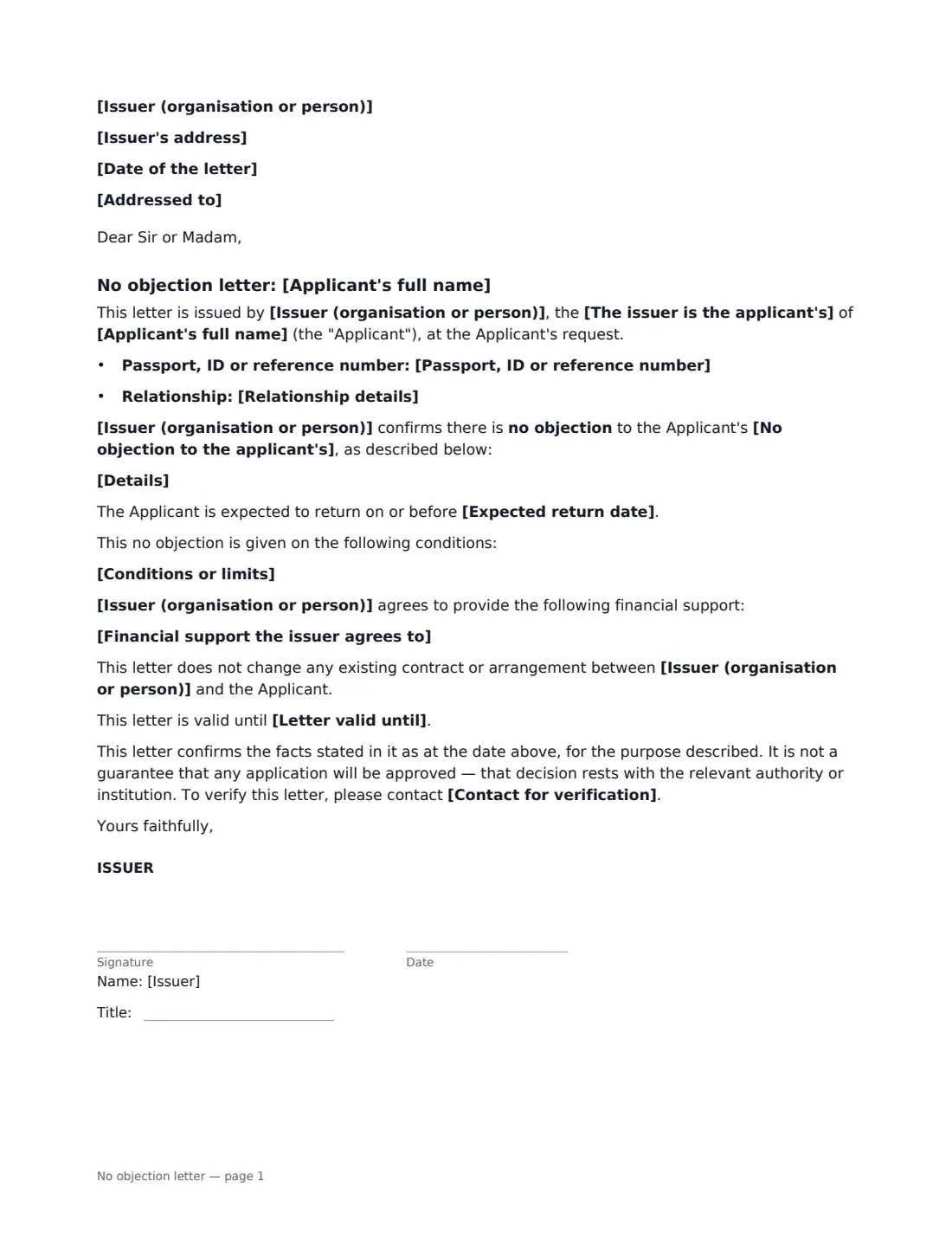
What is a no objection letter?
A no objection letter — often called a no objection certificate or NOC — is a short signed statement that the issuer does not object to something the applicant wants to do. Embassies, immigration authorities, universities, licensing offices and banks commonly ask for one: an employer confirming it has no objection to an employee's holiday abroad or visa application, a landlord agreeing to a tenant registering a business at the address, a sponsor consenting to a change of employer, or a parent consenting to a young adult's study abroad.
This template produces a one-page letter from a single issuer — an organisation or a person. It states the issuer's relationship to the applicant (employer, landlord, sponsor, school or university, parent or guardian, spouse or partner, or business partner), optional passport or ID number and relationship details, and what the issuer has no objection to, with specific details and an expected return date. You can add conditions, and either set out financial support the issuer genuinely agrees to or state that the issuer takes no financial responsibility. It confirms the letter doesn't change any existing contract, isn't a guarantee that the application will succeed, and gives a verification contact.
- Best for
- Visa and travel applications, study abroad, second jobs and side businesses, licences and registrations
- Signed by
- The issuer only — with a job title if signing for an organisation
- Financial support
- Optional — otherwise the letter says the issuer takes no financial responsibility
- Length
- 1 page
When to Use a no objection letter
- An employer's NOC for an employee's tourist or visit visa
- A landlord's no objection to a tenant registering a business at the property
- A sponsor's no objection to a change of employer or sponsorship
- A university or employer's no objection to further study or a training course
- An employer's no objection to an employee taking on outside work or a side business
What You Fill In
15 blanks, then the name and email of each person who signs: issuer.
1 The issuer
- Date of the letter*
- Issuer (organisation or person)*
- Issuer's address
- The issuer is the applicant's* employer · landlord · sponsor · school or university · parent or guardian · spouse or partner · business partner
- Contact for verification*
- Addressed to
2 The applicant
- Applicant's full name*
- Passport, ID or reference number
- Relationship details
3 What it is for
- No objection to the applicant's* travel abroad · visa or residence permit application · study or training · other work or business activity · change of employer or sponsor · application for a licence, registration or permit · application
- Details*
- Expected return date
4 Conditions
- Conditions or limits
- Financial support the issuer agrees to
- Letter valid until
5 Who signs
- Issuer signature and date, job title · The person issuing the letter, or an authorised signatory — such as an HR manager or director — for an organisation.
Using the no objection letter, step by step
1 Set up the issuer
Enter the issuer's name and address, choose the relationship to the applicant, and add a verification contact. Add the recipient — for example "The Visa Section, Embassy of Canada" — or leave it empty for a "To whom it may concern" letter.
2 Identify the applicant
Enter the applicant's name exactly as on their passport, and add a passport or ID number and relationship details (such as job title and start date) if the authority asks for them.
3 Say what you don't object to
Choose the purpose and describe it specifically: the country, institution or authority, and the dates. Add an expected return date for travel or study, and any conditions — for example that a side business must be outside working hours.
4 Decide on financial support, then sign
Only describe financial support if you genuinely agree to provide it; otherwise the letter says you take no financial responsibility. Sign it yourself — no one else needs to — and send the signed PDF to the applicant.
Tips Before You Send It
- Check the receiving authority's requirements first — some ask for specific wording, company letterhead, or a stamped, notarised or attested letter.
- Only state facts you can confirm, and match names and numbers exactly to the applicant's documents.
- Keep the purpose narrow and dated; a general "no objection to anything" letter is rarely accepted.
- Add a validity date if the letter should not be reused for a later application.
Sign It Online In Minutes
- Fill in the blanks. Names, dates and amounts go straight into the agreement — the preview shows exactly where.
- Name who signs. Tick “This is me” for your own part. VergeHR builds the PDF with every signature, date box on the right line, and you can check or move anything before sending.
- Send it. Each signer gets a secure link and signs from any device — no account needed. The signed PDF, with an audit trail and a Certificate of Completion, is filed in Files and emailed to everyone.
No objection letter: frequently asked questions
What is the difference between an NOC and a sponsorship letter?
An NOC only says the issuer doesn't object. A sponsorship or financial support letter commits the issuer to paying for something. This template can include financial support if you fill in that section; otherwise it states that the issuer takes no financial responsibility.
Will an embassy accept an electronically signed NOC?
Many authorities accept electronically signed letters, but requirements vary by country and application type. Some insist on letterhead, a company stamp, a wet-ink signature, notarisation or attestation — check before you send.
Does the letter guarantee the application?
No. The letter says so: the decision rests with the relevant authority or institution. It only confirms the issuer's position and the facts stated.
Can an individual, not a company, issue it?
Yes. The wording works for a person — such as a parent, spouse or landlord — as well as an organisation. Choose the relationship that fits.