

What is a performance review acknowledgement?
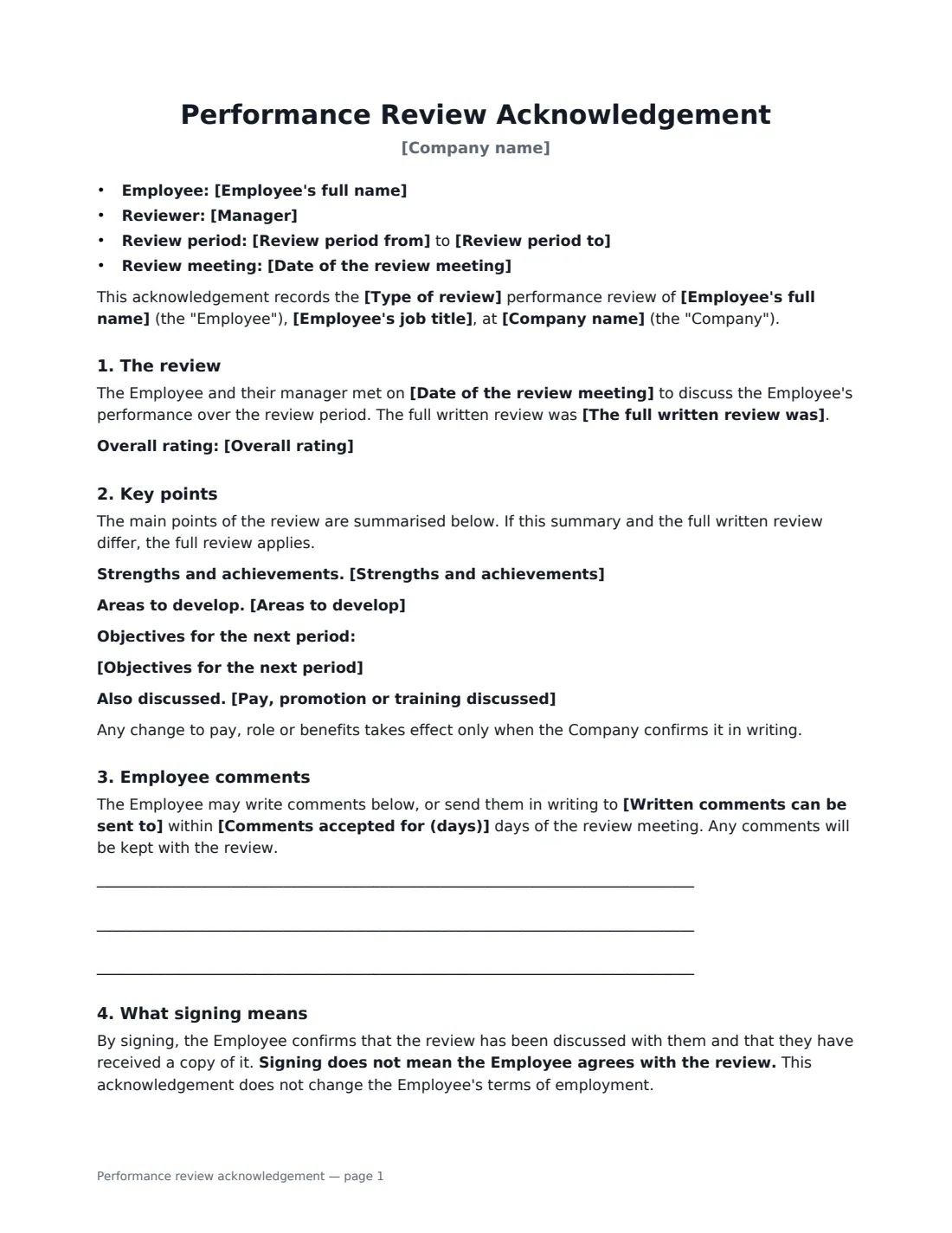
After an appraisal meeting, most companies want a simple signed record that the conversation happened and the employee received their written review. A performance review acknowledgement does exactly that, without re-typing the whole review: it names the review period and meeting date, says where the full review lives, and summarises the key points so both sides remember what was agreed.
This form works for annual, mid-year, quarterly, probation and project reviews. It records an optional overall rating, strengths and achievements, areas to develop and objectives for the next period, plus anything said about pay, promotion or training — with a clear line that such changes only happen when confirmed in writing. The employee's signature confirms receipt, not agreement, and they can write comments on the form or send them to a named person within the number of days you choose.
- Best for
- Closing the loop after an annual, mid-year, quarterly, probation or project review
- Signed by
- The reviewing manager and the employee
- Employee comments
- On the form, or in writing within a period you set
- Length
- About 2 pages, with space for employee comments
When to Use a performance review acknowledgement
- Annual appraisals where every employee needs a signed record on file
- Mid-year check-ins that set or adjust objectives
- Probation reviews before confirming or extending probation
- Reviews held in a performance system that doesn't capture signatures
- Teams where employees want a formal way to add their own view of the review
What You Fill In
15 blanks, then the name and email of each person who signs: manager, employee.
1 The review
- Company name*
- Employee's full name*
- Employee's job title
- Type of review* annual · mid-year · quarterly · probation · project
- Review period from*
- Review period to*
- Date of the review meeting*
- The full written review was* shared in the Company's performance system · sent by email · given as a printed copy · attached to this acknowledgement
2 Summary
- Overall rating
- Strengths and achievements*
- Areas to develop
- Objectives for the next period
- Pay, promotion or training discussed
3 Employee comments
- Written comments can be sent to*
- Comments accepted for (days)*
4 Who signs
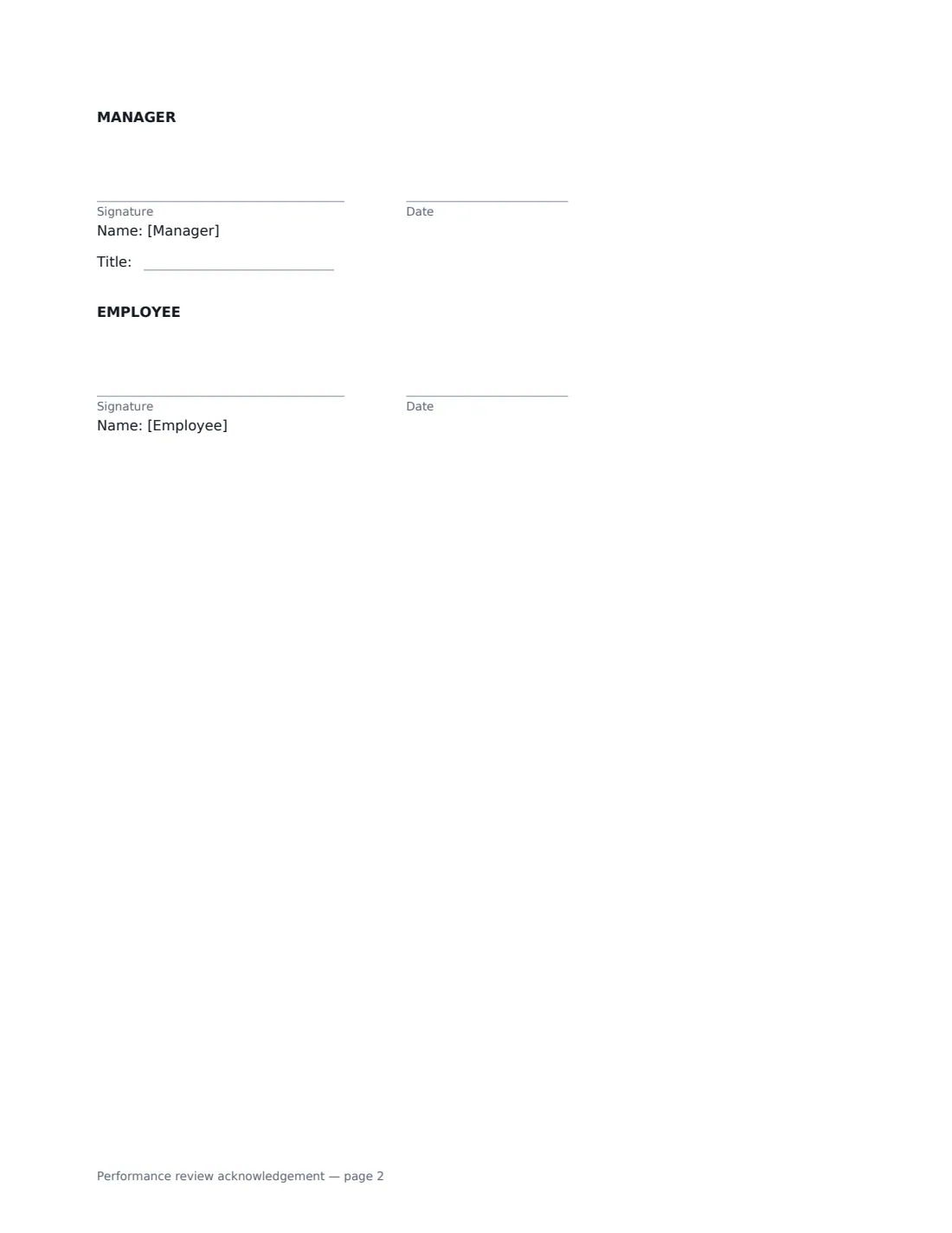
- Manager signature and date, job title · The reviewer who held the review meeting
- Employee signature and date · Signs to confirm receipt — add a Text box over the comment lines in the editor if they should type comments
What the performance review acknowledgement Covers
- The review
- Key points
- Employee comments
- What signing means
Using the performance review acknowledgement, step by step
1 Enter the review details
Pick the type of review, the period it covers and the meeting date, and say how the full written review was shared — in your performance system, by email, printed, or attached.
2 Summarise the key points
Add strengths and achievements (required), and optionally the rating, areas to develop and next objectives. If you discussed pay, promotion or training, note it — the form adds that any change needs written confirmation.
3 Set the comments window
Choose who receives written comments and how many days the employee has to send them. If you want the employee to type comments directly, place a Text box for them over the comment lines in the editor.
4 Send for signature
Sign as the manager and add the employee. The signed acknowledgement is filed in Files alongside the rest of the employee's records.
Tips Before You Send It
- Send the acknowledgement soon after the meeting, while the conversation is fresh.
- Keep the summary consistent with the full review — the form says the full review wins if they differ.
- Make objectives specific and measurable; they become the starting point for the next review.
- Don't promise a pay rise in the summary unless it has been approved. Note that it will be considered, and confirm it separately.
Sign It Online In Minutes
- Fill in the blanks. Names, dates and amounts go straight into the agreement — the preview shows exactly where.
- Name who signs. Tick “This is me” for your own part. VergeHR builds the PDF with every signature, date box on the right line, and you can check or move anything before sending.
- Send it. Each signer gets a secure link and signs from any device — no account needed. The signed PDF, with an audit trail and a Certificate of Completion, is filed in Files and emailed to everyone.
Performance review acknowledgement: frequently asked questions
Does signing mean the employee agrees with the review?
No. The form says in bold that signing does not mean agreement — it only confirms the review was discussed and received. Employees can add comments that are kept with the review.
Do I need to attach the full review?
Not necessarily. You choose how it was provided: in your performance system, by email, as a printed copy, or attached. The form summarises the main points either way.
Can employees type their comments on the form?
Yes. Before sending, place a Text box for the employee over the comment lines in the VergeHR editor. Or they can send comments in writing to the person you name, within the days you set.
Is an electronically signed review acknowledgement valid?
Generally, yes. Electronic signatures are widely accepted for workplace documents in the US (ESIGN Act and UETA), the UK, the EU (eIDAS) and Canada. VergeHR keeps an audit trail and a Certificate of Completion.