


What is a probation confirmation letter?
Passing probation is a milestone worth putting in writing. A confirmation letter tells the employee their job is confirmed on the terms of their contract, and it's the natural place to record anything that switches on after probation: a pay step, eligibility for a benefit, or the longer notice period that applies once probation ends.
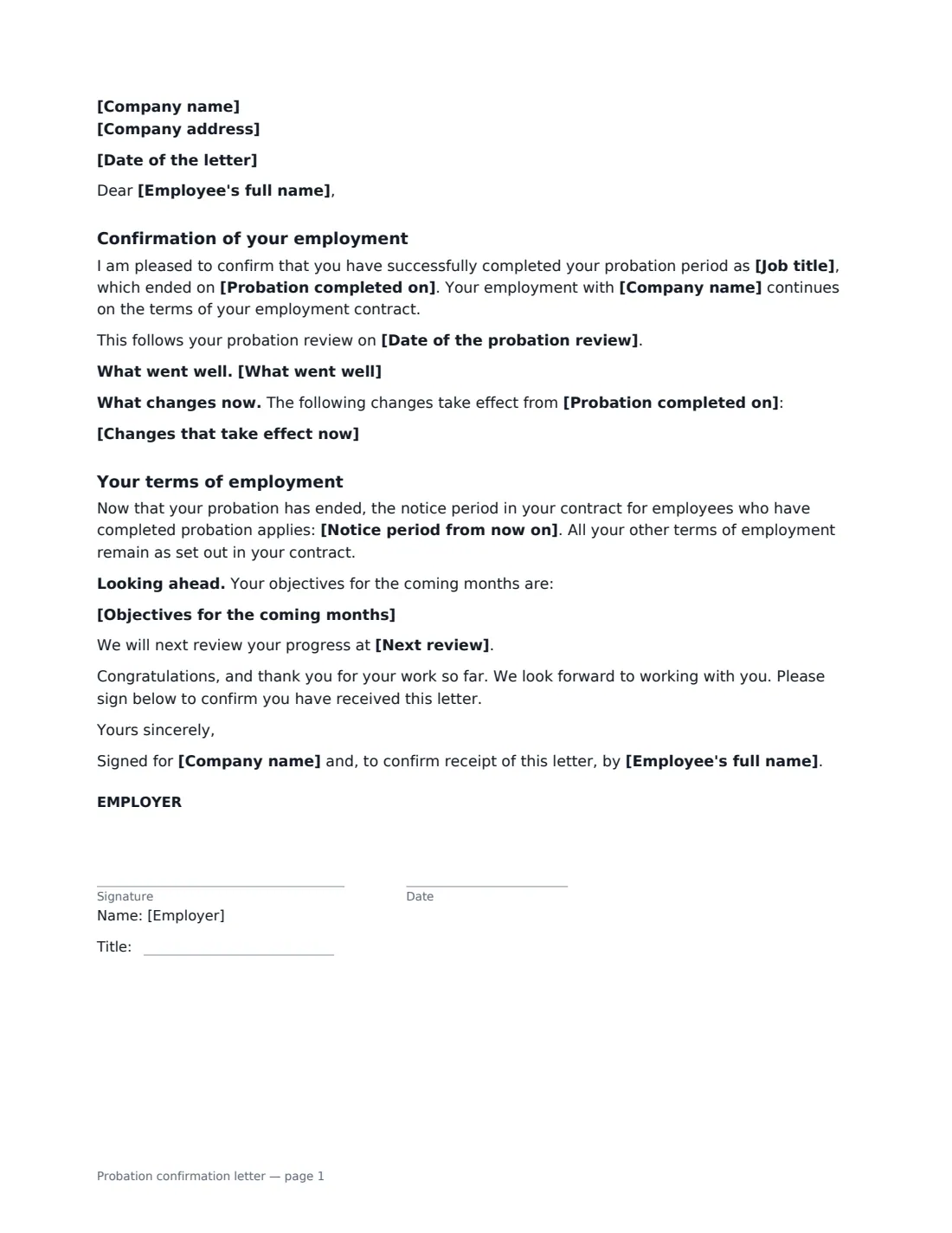
This short letter confirms the date probation ended and that employment continues under the contract. Optionally, it references the probation review meeting, shares what went well, lists changes taking effect now, states the post-probation notice period (or refers to the contract), sets objectives for the coming months and names the next review. It closes with congratulations and signature lines for the employer and the employee, who confirms receipt.
- Best for
- Confirming employment at the end of a successful probation
- Signed by
- The employer, and the employee to confirm receipt
- Format
- A friendly letter addressed to the employee
- Length
- Usually 1 page
When to Use a probation confirmation letter
- A new hire has completed a 3- or 6-month probation successfully
- A pay increase or benefit eligibility starts once probation ends
- A longer notice period applies after probation and you want it on record
- A probation that was extended has now ended with a pass
What You Fill In
12 blanks, then the name and email of each person who signs: employer, employee.
1 The letter
- Date of the letter*
- Company name*
- Company address
- Employee's full name*
- Job title*
2 Probation
- Probation completed on*
- Date of the probation review
- What went well
3 What changes
- Changes that take effect now
- Notice period from now on
4 Looking ahead
- Objectives for the coming months
- Next review
5 Who signs
- Employer signature and date, job title · The manager or HR person signing the letter
- Employee signature and date · Signs to confirm receipt
What the probation confirmation letter Covers
- Confirmation of your employment
- Your terms of employment
Using the probation confirmation letter, step by step
1 Enter the basics
Add the employee's name and job title and the date probation ended. The letter date defaults to today and the company name to your account.
2 Add feedback and changes
A line about what went well makes the letter personal. Under "Changes that take effect now", list only what the contract or offer promised after probation, or anything else you've agreed — one per line.
3 Confirm the notice period
Optionally state the notice period that now applies, as written in the employment contract. Leave it empty and the letter refers to the contract instead.
4 Look ahead and send
Add objectives and the next review if you like, then add the employee as a signer. They sign to confirm receipt, and the signed letter is filed in Files.
Tips Before You Send It
- Send the letter on or soon after the probation end date so there's no doubt about the employee's status.
- Only list changes you've actually agreed or that the contract promises — the letter becomes part of the employment record.
- If probation needed extending first, send a probation extension letter before the original end date instead.
- Pair the letter with a short conversation; it lands better as a confirmation than as a surprise.
Sign It Online In Minutes
- Fill in the blanks. Names, dates and amounts go straight into the agreement — the preview shows exactly where.
- Name who signs. Tick “This is me” for your own part. VergeHR builds the PDF with every signature, date box on the right line, and you can check or move anything before sending.
- Send it. Each signer gets a secure link and signs from any device — no account needed. The signed PDF, with an audit trail and a Certificate of Completion, is filed in Files and emailed to everyone.
Probation confirmation letter: frequently asked questions
Is a probation confirmation letter required?
It depends on the contract and local practice. Some contracts say probation ends automatically, others require written confirmation. Either way, a letter removes doubt and records any changes that take effect.
Does this letter change the employment contract?
It confirms employment continues on the existing contract. Anything listed under "Changes that take effect now" is recorded as agreed; everything else stays as in the contract.
Why does the employee sign?
To confirm they received the letter. It gives you a dated record, which is useful if the letter mentions a pay change or the notice period that now applies.
Can I send it for electronic signature?
Generally, yes. Electronic signatures are widely accepted for employment letters in the US (ESIGN Act and UETA), the UK, the EU (eIDAS) and Canada, and signers don't need a VergeHR login.