

What is a personal vehicle business use agreement?
When employees use their own cars for work — visiting customers, driving between sites, running errands for the business — the employer still has a stake in how safely and legally they drive. A personal vehicle business use agreement makes sure the driver has a valid licence and insurance that covers business use, the car is roadworthy, and everyone knows how journeys are reimbursed and what happens after an accident.
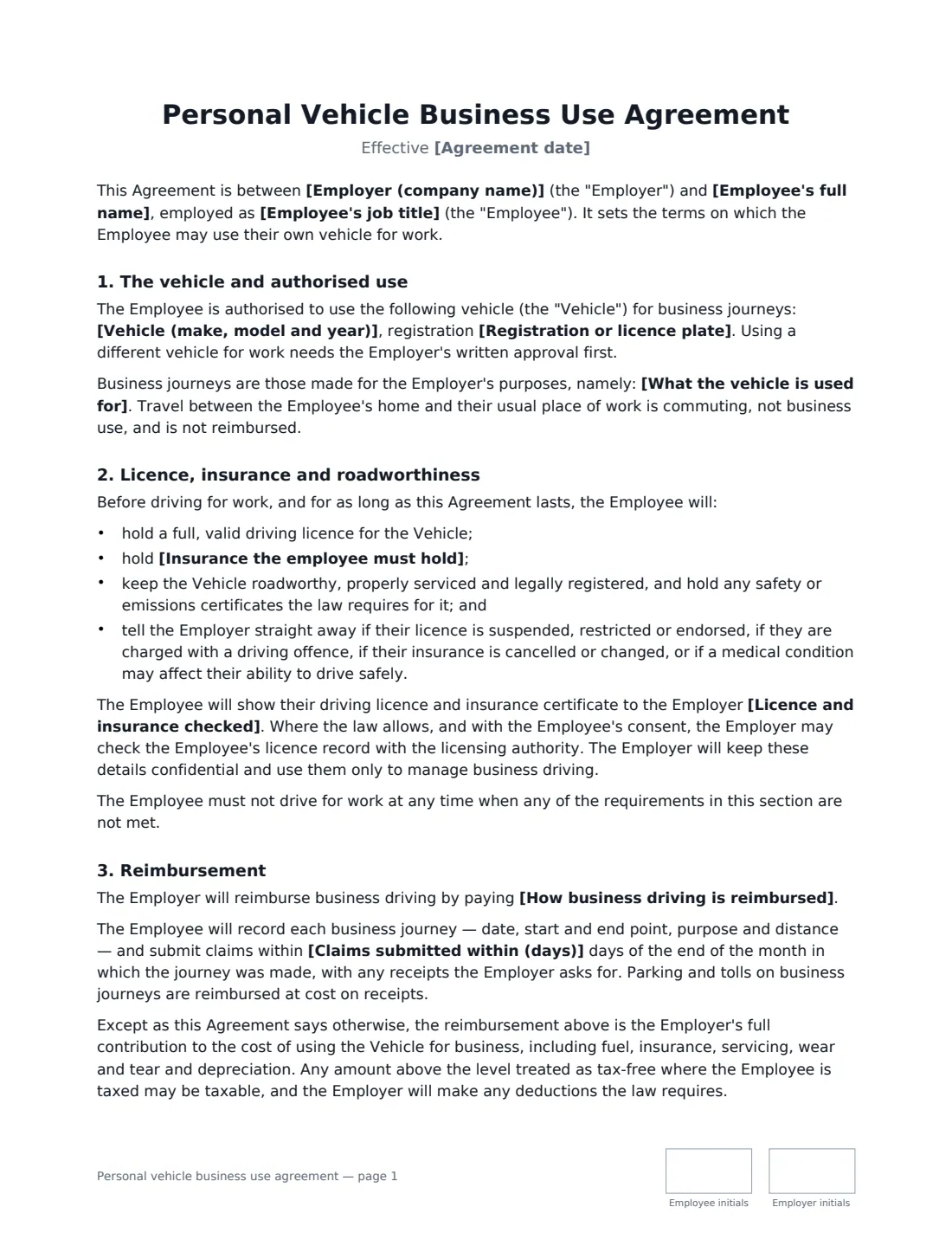
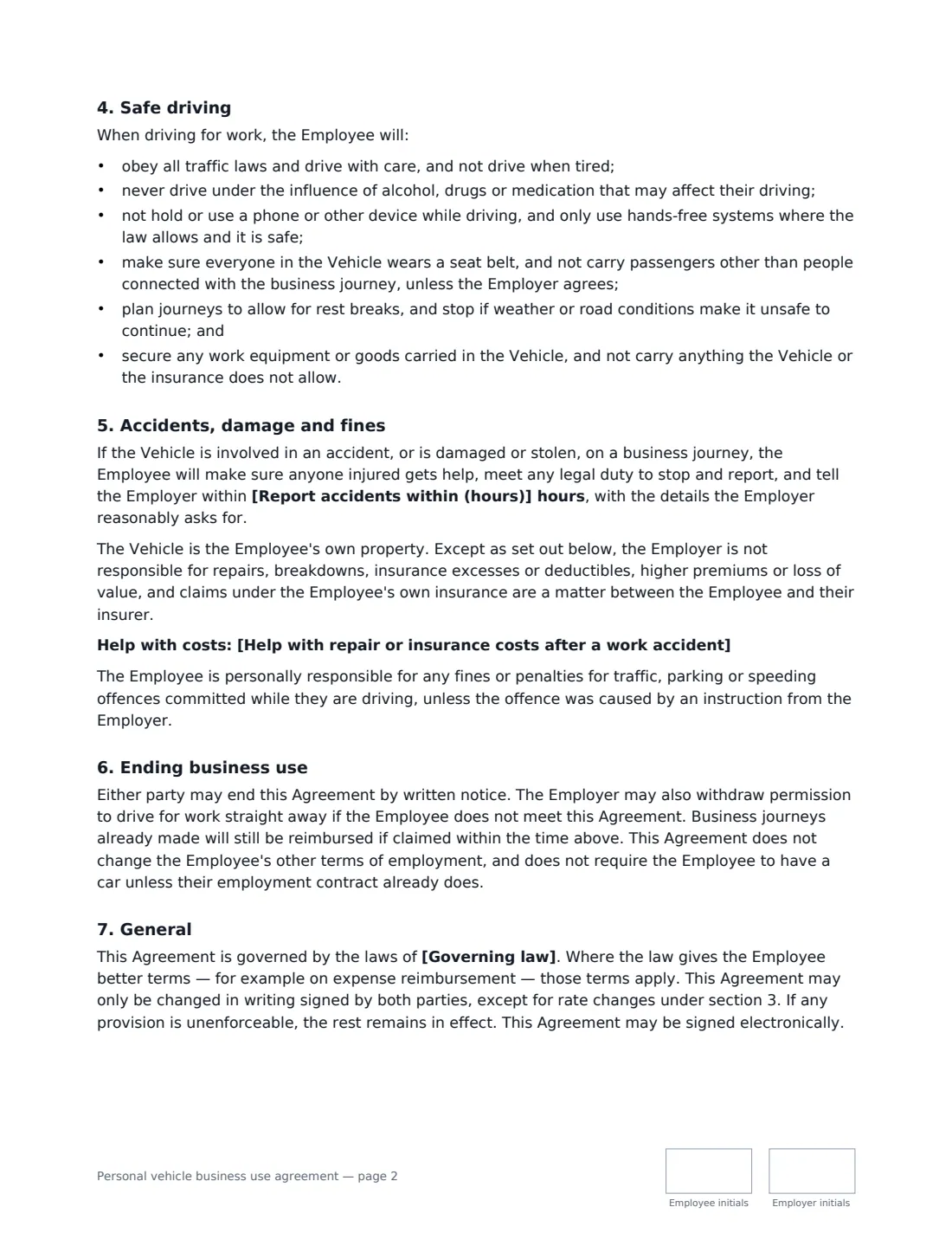
This template names the vehicle and the kinds of journeys authorised, excludes commuting, and requires the employee to keep a valid licence, business-use insurance and a roadworthy car, and to tell you about driving offences or cancelled cover. You choose how often documents are checked and whether you reimburse per mile, per kilometre, with a monthly allowance or fuel on receipts. It sets safe-driving rules (no handheld phones, no alcohol or drugs, rest breaks, seat belts), an accident-reporting deadline, responsibility for fines, and optional help with repair or insurance costs.
- Best for
- Sales reps, field staff, carers and managers who drive their own car for work
- Signed by
- The employee and the employer
- Reimbursement
- Per mile, per kilometre, monthly car allowance or actual fuel costs
- Length
- 2-3 pages, initialled on every page
When to Use a personal vehicle business use agreement
- A field sales rep visits customers in their own car
- A home care worker drives between clients' homes
- A manager occasionally drives to other sites, training or suppliers
- You're introducing a car allowance instead of mileage claims
- Your insurer or health and safety policy asks for a record of driver checks
What You Fill In
16 blanks, then the name and email of each person who signs: employee, employer.
1 The parties
- Agreement date*
- Employer (company name)*
- Employee's full name*
- Employee's job title
2 The vehicle
- Vehicle (make, model and year)*
- Registration or licence plate*
- What the vehicle is used for*
3 Insurance and licence
- Insurance the employee must hold*
- Licence and insurance checked* before the first business journey and then once a year · before the first business journey and then every six months · before the first business journey and whenever the policy or licence is renewed
4 Reimbursement
- How business driving is reimbursed* a rate per business mile · a rate per business kilometre · a fixed monthly car allowance · the actual cost of fuel for business journeys, on receipts
- Currency*
- Rate or allowance
- Claims submitted within (days)*
5 Other terms
- Report accidents within (hours)*
- Help with repair or insurance costs after a work accident
- Governing law*
6 Who signs
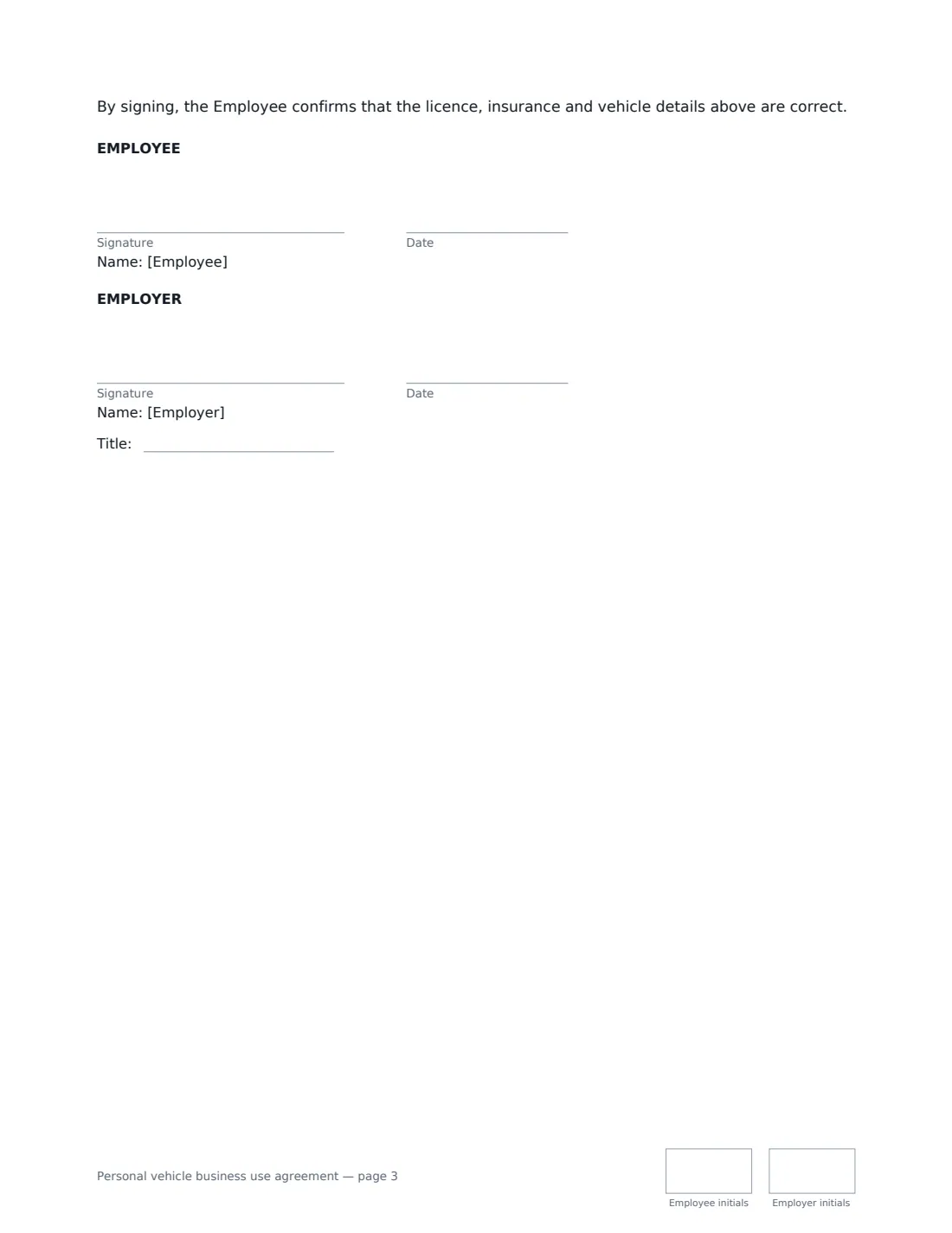
- Employee signature and date, initials on every page · The employee who will drive their own vehicle for work.
- Employer signature and date, job title, initials on every page · A manager or HR representative authorised to approve business driving.
What the personal vehicle business use agreement Covers
- The vehicle and authorised use
- Licence, insurance and roadworthiness
- Reimbursement
- Safe driving
- Accidents, damage and fines
- Ending business use
- General
Using the personal vehicle business use agreement, step by step
1 Name the vehicle and the journeys
Enter the make, model and registration, and describe the business journeys the employee may make. Commuting between home and the usual workplace is excluded automatically.
2 Set the insurance and licence checks
The default requires insurance that expressly covers business use, with at least the legal minimum — add any higher cover your company requires. Choose how often the employee shows their licence and insurance certificate.
3 Choose how driving is reimbursed
Pick a rate per mile or kilometre, a monthly allowance, or fuel on receipts, and enter the amount. Many tax authorities publish a standard mileage rate; paying more than it may be taxable. Set how soon claims must be submitted.
4 Agree accidents and costs
Set how quickly accidents must be reported. By default the employer doesn't pay for repairs or insurance excesses, because the reimbursement covers running costs — use the optional box if you do help, for example with the excess after a no-fault accident.
5 Sign it
The employee signs first, confirming the vehicle, licence and insurance details are correct, and you countersign. The signed copy is filed in Files, where you can also keep their licence and insurance documents with expiry reminders.
Tips Before You Send It
- Ask to see the insurance certificate, not just a verbal assurance — personal policies often exclude business use.
- Keep a copy of the licence and insurance with their expiry dates, so you notice when either lapses.
- Review the mileage rate once a year against fuel prices and any published tax rates.
- Remind drivers that a phone call on the road is a risk to them and to the business, not a productivity win.
Sign It Online In Minutes
- Fill in the blanks. Names, dates and amounts go straight into the agreement — the preview shows exactly where.
- Name who signs. Tick “This is me” for your own part. VergeHR builds the PDF with every signature, date and initials box on the right line, and you can check or move anything before sending.
- Send it. Each signer gets a secure link and signs from any device — no account needed. The signed PDF, with an audit trail and a Certificate of Completion, is filed in Files and emailed to everyone.
Personal vehicle business use agreement: frequently asked questions
Does the employer's insurance cover an employee's own car?
Usually not for damage to the car itself — that's the employee's motor policy, which must cover business use. Employers sometimes hold separate cover for their own liability, so check your business insurance too.
Is mileage reimbursement taxable?
Many tax authorities set a rate or method under which mileage payments are tax-free; amounts above that level may be taxable. The agreement says any taxable amount is subject to the deductions the law requires.
Who pays speeding or parking fines?
The employee, for offences committed while they are driving — unless the offence was caused by an instruction from the employer.
Can an employee sign this electronically?
Yes. In most countries, including the US (ESIGN Act and UETA), the UK, the EU (eIDAS) and Canada, an electronic signature is generally valid for an ordinary employment document like this. VergeHR keeps an audit trail and a Certificate of Completion with the signed PDF as evidence of who signed and when.
Is this template free?
Yes. The template is free to use with the eSignature app in VergeHR. Signers don't need a VergeHR login.