

What is a photo booth hire agreement?
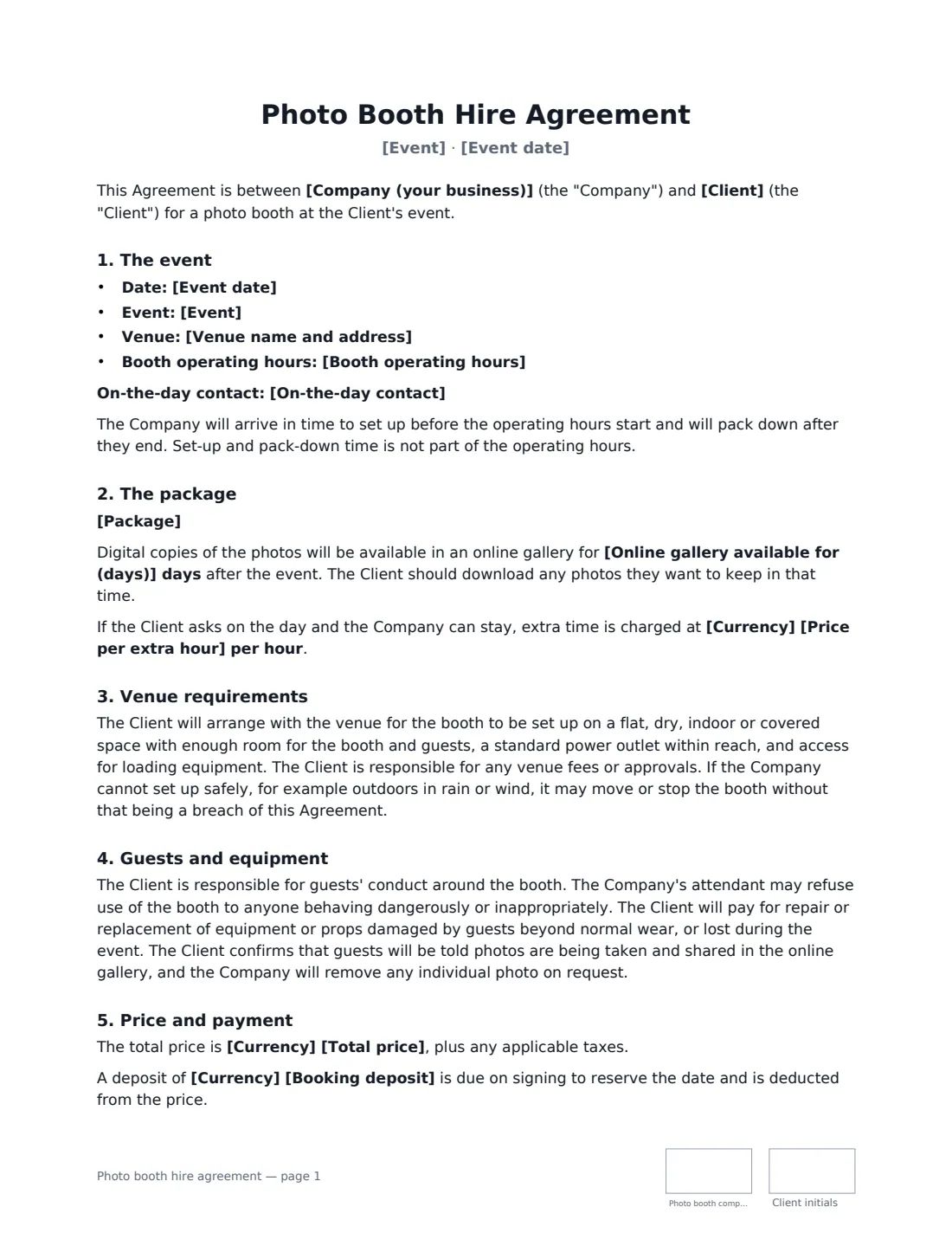
A photo booth hire agreement is the booking contract between a photo booth company and the client — a couple, a party host or an event planner. It reserves the date, describes the package and sets the practical requirements that make or break the night: a flat covered space, a power outlet within reach and time to set up before guests arrive.
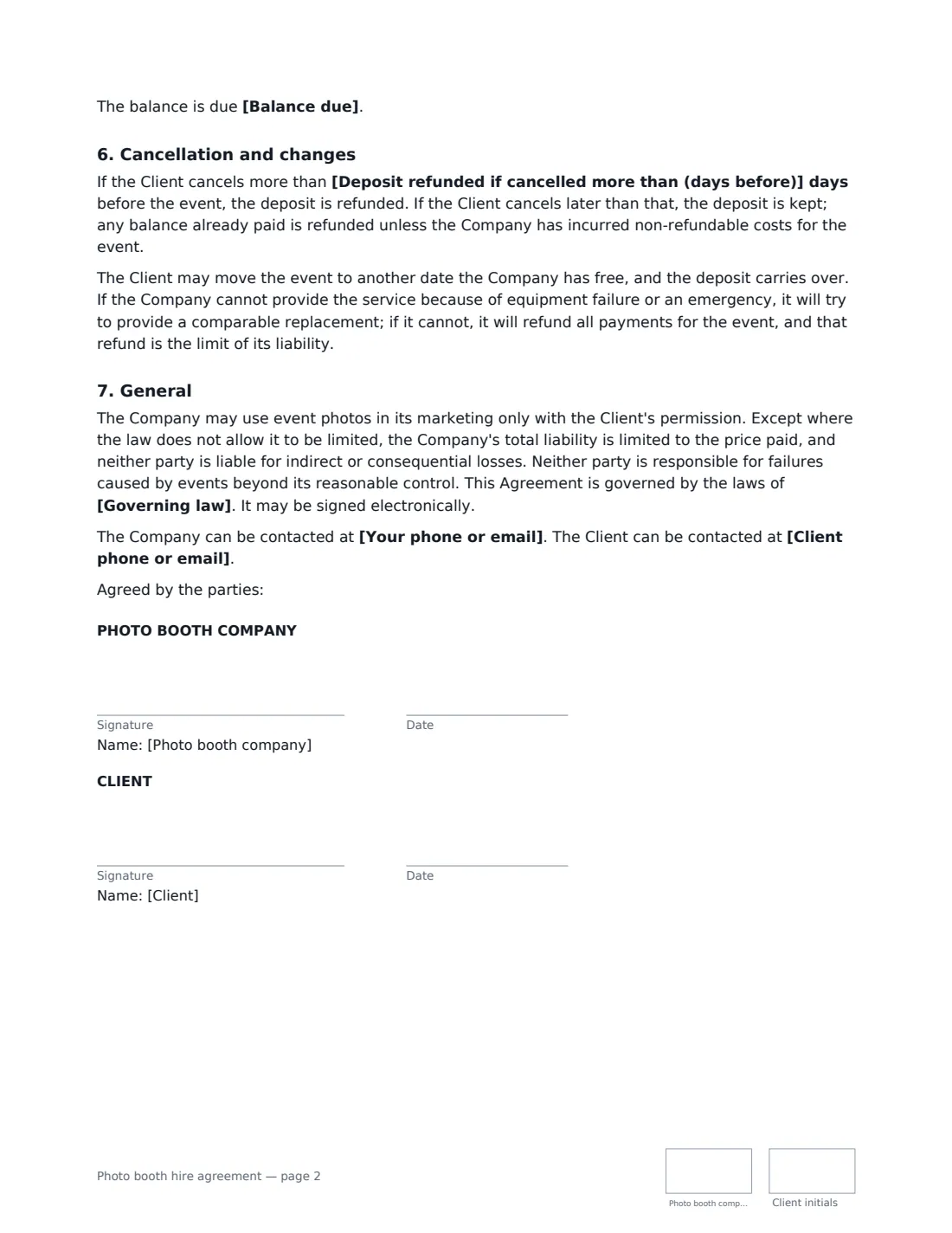
This template lists the event, venue and operating hours (with set-up and pack-down outside them), the package — open-air, enclosed, 360 or mirror booth, prints, props and attendant — and how long the online gallery stays up. It covers venue requirements and weather, the attendant's right to refuse misbehaving guests, guest damage to props and equipment, telling guests photos are shared, extra hours, the deposit and balance date, cancellation with an optional refund window, date changes, and what happens if the booth fails.
- Best for
- Photo booth, selfie station and 360 booth businesses
- Signed by
- The photo booth company and the client
- Events
- Weddings, birthdays, proms, corporate parties, brand activations
- Length
- About 2 pages, initialled on every page
When to Use a photo booth hire agreement
- A three-hour photo booth at a wedding reception
- A 360 video booth at a corporate launch
- A selfie station at a milestone birthday
- A branded booth at a trade show stand
- A school prom or graduation party booth
What You Fill In
18 blanks, then the name and email of each person who signs: photo booth company, client.
1 The parties
- Company (your business)*
- Your phone or email*
- Client*
- Client phone or email*
2 The event
- Event date*
- Event*
- Venue name and address*
- Booth operating hours*
- On-the-day contact
3 The package
- Package*
- Online gallery available for (days)
4 Price and payment
- Currency*
- Total price*
- Booking deposit
- Balance due* 7 days before the event · 14 days before the event · 30 days before the event · on the day of the event
- Price per extra hour
- Deposit refunded if cancelled more than (days before)
- Governing law*
5 Who signs
- Photo booth company signature and date, initials on every page · The photo booth business.
- Client signature and date, initials on every page · The person or organisation booking the booth.
What the photo booth hire agreement Covers
- The event
- The package
- Venue requirements
- Guests and equipment
- Price and payment
- Cancellation and changes
- General
Using the photo booth hire agreement, step by step
1 Enter the event
Add the date, the type of event, the venue and the booth's operating hours, plus an on-the-day contact.
2 Describe the package
List the booth type, attendant, prints, props, custom layout and online gallery, and how many days the gallery stays available.
3 Set price and deposit
Enter the total price, booking deposit, when the balance is due and the price for extra hours.
4 Choose cancellation and send
Set the number of days before the event when the deposit is still refundable, or leave it empty to keep it non-refundable, then send for signature.
Tips Before You Send It
- Ask the client to confirm power and floor space with the venue — the contract puts that on them, but a reminder avoids a nasty surprise.
- Arrive early enough to set up before the operating hours start; set-up time isn't counted in them.
- Remind clients to download gallery photos before the gallery expires.
- Keep a spare printer or camera in the van — if the booth fails and can't be replaced, the contract has you refund the event.
Sign It Online In Minutes
- Fill in the blanks. Names, dates and amounts go straight into the agreement — the preview shows exactly where.
- Name who signs. Tick “This is me” for your own part. VergeHR builds the PDF with every signature, date and initials box on the right line, and you can check or move anything before sending.
- Send it. Each signer gets a secure link and signs from any device — no account needed. The signed PDF, with an audit trail and a Certificate of Completion, is filed in Files and emailed to everyone.
Photo booth hire agreement: frequently asked questions
Is the deposit refundable?
You decide. Enter a number of days and the deposit is refunded if the client cancels earlier than that. Leave it empty and the deposit is kept on cancellation. Either way the client can move to another free date and keep the deposit.
Who pays if a guest breaks a prop or the booth?
The client pays for repair or replacement of equipment or props damaged by guests beyond normal wear, or lost at the event.
Can the booth be set up outdoors?
Only on a flat, dry, covered space. If rain or wind makes it unsafe, the company may move or stop the booth without being in breach.
How does the client sign?
VergeHR emails a signing link; the client signs on a phone or computer without an account. The deposit is paid separately, however you normally take payments.