

What is a rental application?
A rental application is the form a prospective tenant completes before a landlord decides whether to offer a lease. It gathers the information a landlord needs to assess an applicant fairly — contact details, where they live now and have lived before, work and income, who else will live there, pets, vehicles and references — and records the applicant's consent to the checks the landlord will run.
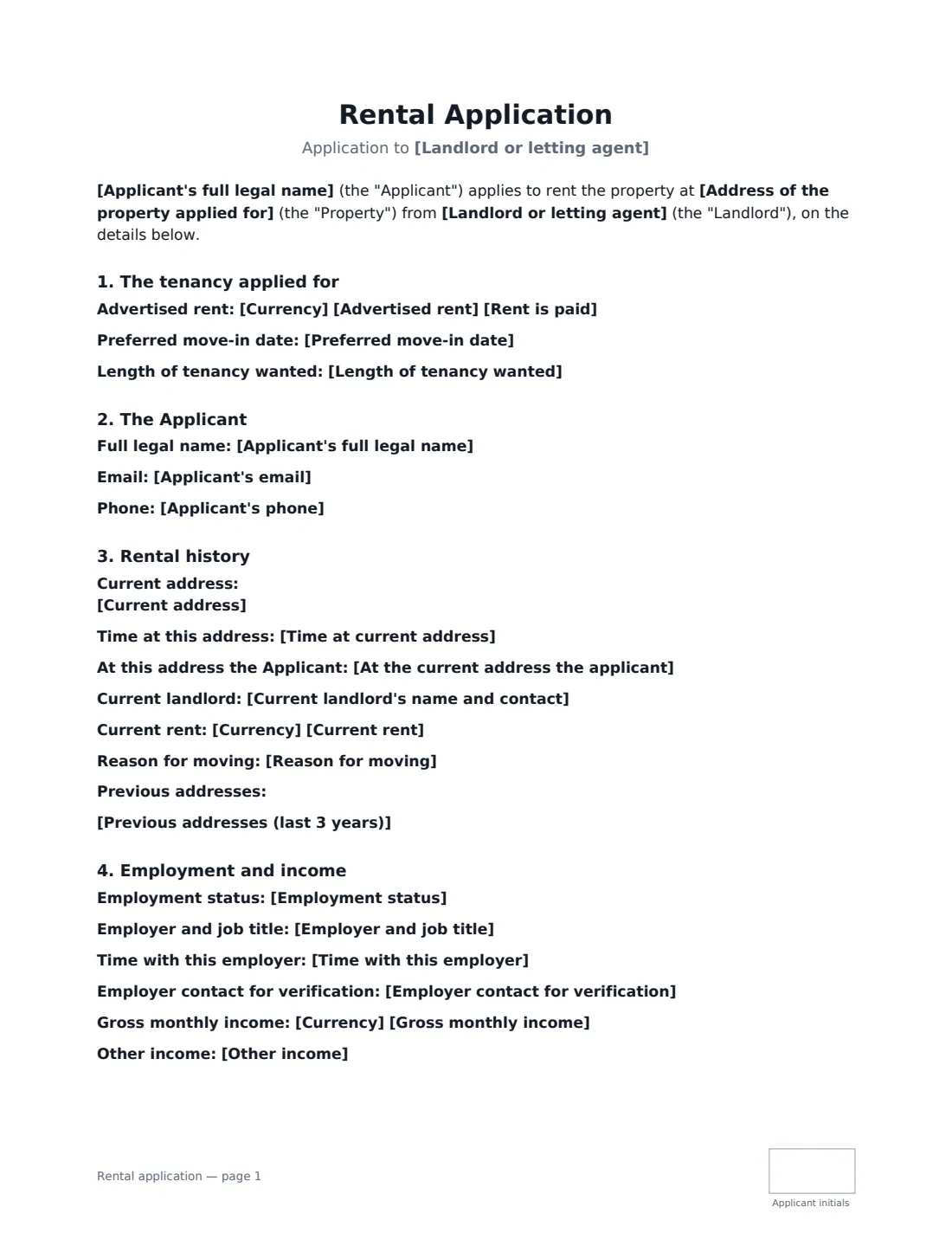
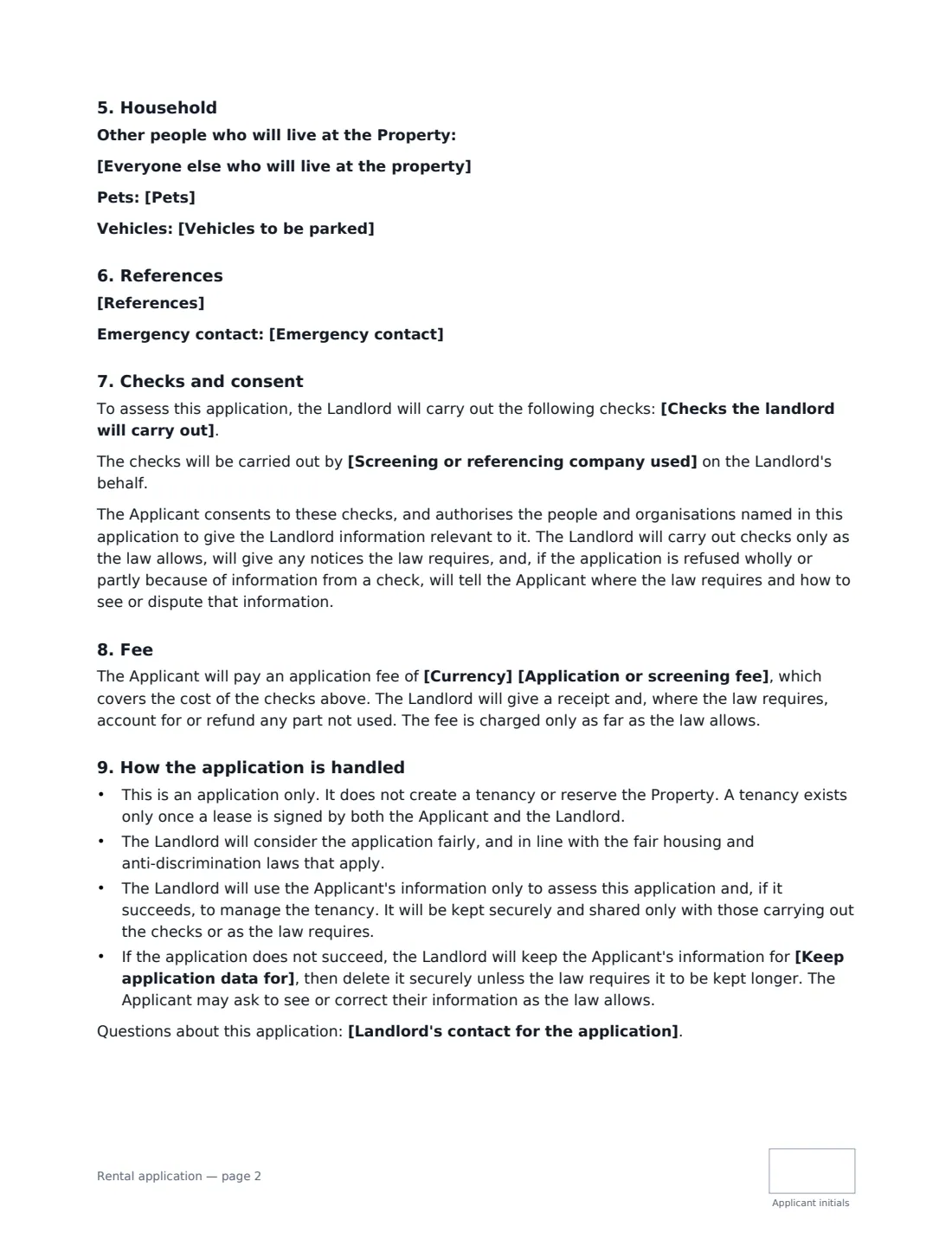
This template turns the applicant's details into a clean, signed application. It covers the tenancy applied for (rent, move-in date and length), the applicant, current and previous addresses and landlords, employment and income (including other lawful income), the household, references and an emergency contact. You list the checks you will actually carry out and any screening company, and set an application fee only if the law allows one. It says the application doesn't create a tenancy, that it will be considered in line with fair housing and anti-discrimination law, how the applicant's data is used and how long it is kept. The applicant signs a declaration that the information is true; the landlord signs to confirm receipt — not approval.
- Best for
- Landlords, letting agents and property managers screening prospective tenants
- Signed by
- The applicant (declaration and consent) and the landlord (receipt)
- Checks
- You list them — credit, references, identity or right to rent — as local law allows
- Length
- 3 pages, initialled by the applicant
When to Use a rental application
- A private landlord choosing between applicants for an apartment or house
- A letting agent collecting applications for several properties
- Each adult applicant on a joint tenancy completing their own application
- Recording consent before running a credit or reference check
- Keeping a signed, dated record of what an applicant told you
What You Fill In
33 blanks, then the name and email of each person who signs: applicant, landlord.
1 The property
- Landlord or letting agent*
- Landlord's contact for the application
- Address of the property applied for*
- Currency*
- Advertised rent*
- Rent is paid* per month · every four weeks · per week
- Preferred move-in date*
- Length of tenancy wanted
2 The applicant
- Applicant's full legal name*
- Applicant's email*
- Applicant's phone*
3 Rental history
- Current address*
- Time at current address*
- At the current address the applicant* rents · owns the home · lives with family · lives in student housing · other
- Current landlord's name and contact
- Current rent
- Reason for moving
- Previous addresses (last 3 years)
4 Employment and income
- Employment status* employed full-time · employed part-time · self-employed · student · retired · not currently working · other
- Employer and job title
- Employer contact for verification
- Time with this employer
- Gross monthly income
- Other income
5 Household
- Everyone else who will live at the property
- Pets
- Vehicles to be parked
6 References
- References
- Emergency contact
7 Checks and fees
- Checks the landlord will carry out*
- Screening or referencing company used
- Application or screening fee
- Keep application data for*
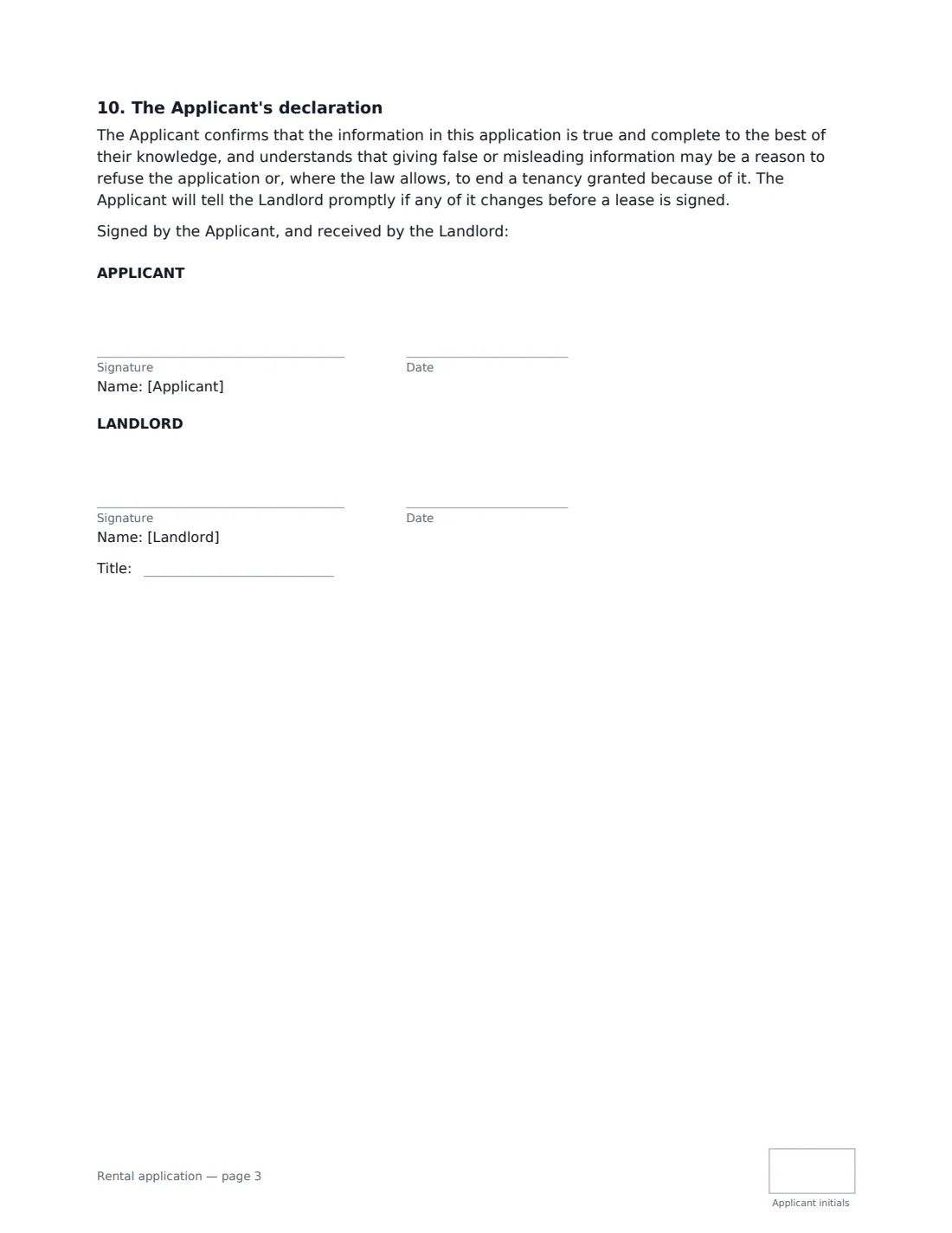
8 Who signs
- Applicant signature and date, initials on every page · The person applying to rent. Each adult who will be on the lease usually completes their own application.
- Landlord signature and date, job title, initials on every page · The landlord, letting agent or property manager receiving the application. Their signature confirms receipt, not approval.
What the rental application Covers
- The tenancy applied for
- The Applicant
- Rental history
- Employment and income
- Household
- References
- Checks and consent
- Fee
- How the application is handled
- The Applicant's declaration
Using the rental application, step by step
1 Get the applicant's details first
Ask the applicant for their details — by phone, email or a viewing sign-up — and enter them. They see everything before signing and confirm it's true. Don't put ID, social security or bank account numbers in the form; collect anything a check needs separately and securely.
2 Describe the tenancy
Enter the property, the advertised rent and how often it's paid, the preferred move-in date and the length of tenancy wanted.
3 Set the checks, fee and data retention
List only the checks you'll actually run, and name any screening company. Leave the fee empty for no fee — many places cap or ban application fees. Set how long you'll keep an unsuccessful applicant's data.
4 Send it for signature
Tick "This is me" for the landlord and add the applicant's name and email. The applicant signs and initials; you sign to confirm receipt. The signed application is filed in Files.
Tips Before You Send It
- Apply the same criteria to every applicant, and write them down before you advertise.
- Consider all lawful income. Some places forbid refusing applicants because of the source of their income, such as benefits or housing vouchers.
- Many places regulate tenant screening — including credit and criminal record checks and what you must tell an applicant you refuse. Check local rules first.
- Delete unsuccessful applications securely when the retention period ends.
Sign It Online In Minutes
- Fill in the blanks. Names, dates and amounts go straight into the agreement — the preview shows exactly where.
- Name who signs. Tick “This is me” for your own part. VergeHR builds the PDF with every signature, date and initials box on the right line, and you can check or move anything before sending.
- Send it. Each signer gets a secure link and signs from any device — no account needed. The signed PDF, with an audit trail and a Certificate of Completion, is filed in Files and emailed to everyone.
Rental application: frequently asked questions
Does signing the application mean the applicant gets the property?
No. The application says it doesn't create a tenancy or reserve the property; a tenancy exists only once a lease is signed by both sides. The landlord's signature confirms receipt, not approval.
Can I charge an application fee?
It depends on where the property is. Some places ban application fees, others cap them or require a receipt and refund of unused amounts. The fee is optional in the template and charged only as far as the law allows.
What information shouldn't I ask for?
Avoid questions that could be used to discriminate on grounds protected by fair housing or equality law, such as race, religion, disability or family status. The template asks for occupants' names, not personal characteristics, and says the application will be considered in line with those laws.
Is an electronically signed consent to checks valid?
Electronic signatures are generally valid in the US (ESIGN Act and UETA), the UK, the EU (eIDAS) and Canada. Some screening providers have their own consent forms, so check what yours needs.