

What is a tuition reimbursement agreement?
A tuition reimbursement (or tuition assistance) agreement records what an employer will pay towards an employee's education and what the employee commits to in return. It is used for degrees, professional certifications, licences and shorter courses — anything where the company invests in the employee's skills and wants some protection if they leave straight afterwards.
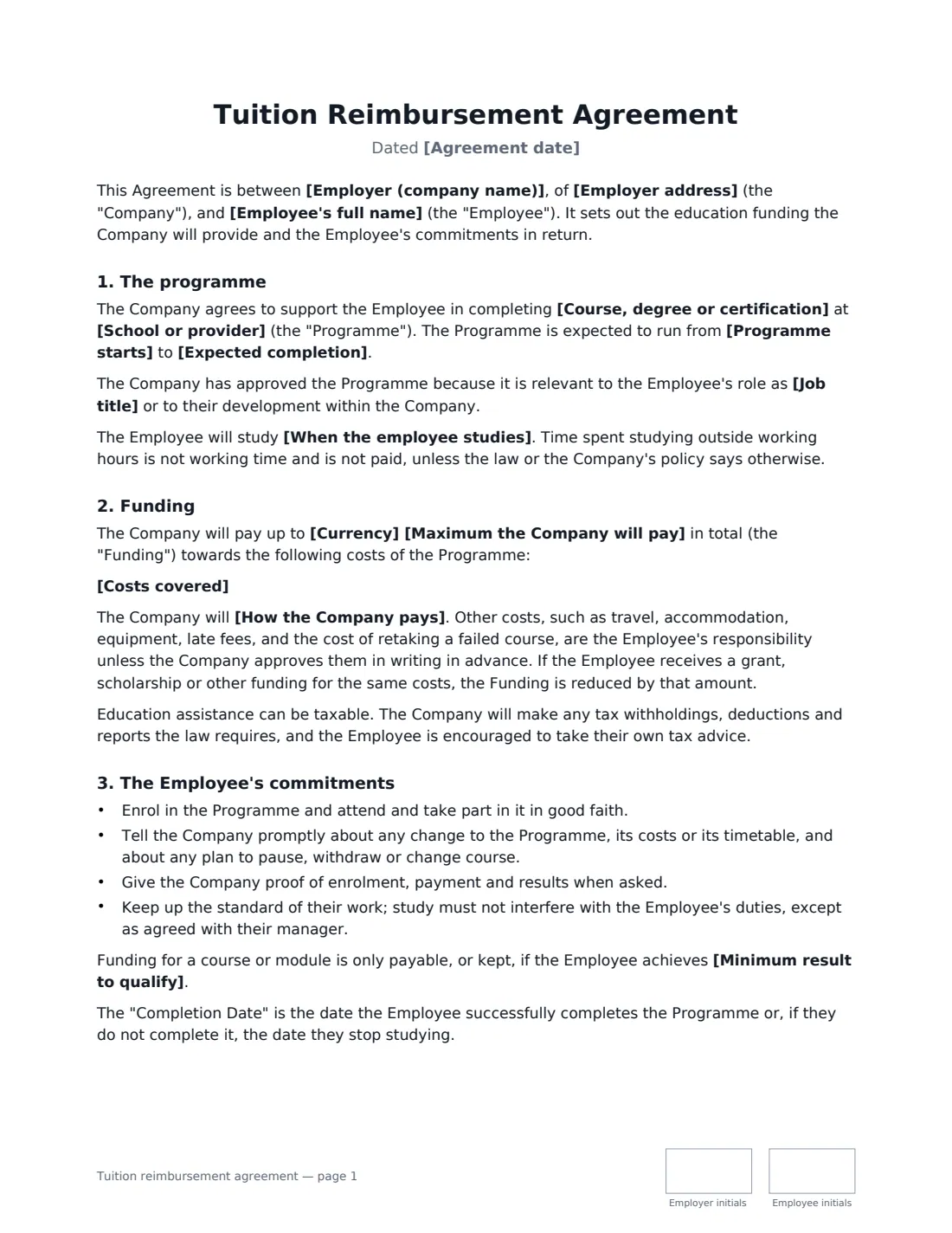
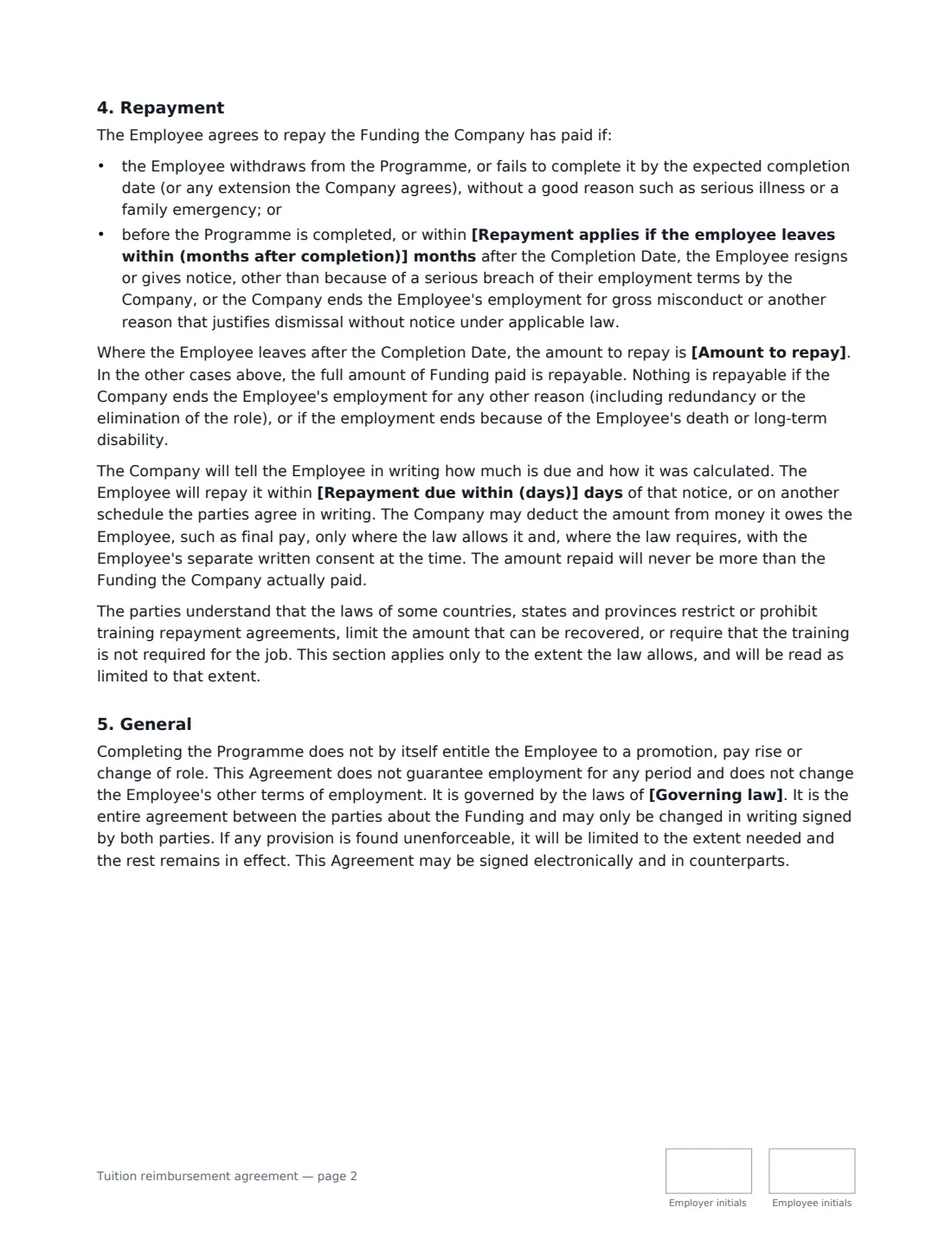
This template names the programme, the school or provider and the expected completion date, and says whether the employee studies outside working hours, partly in work time, or on paid study leave. You set a maximum amount and list the costs covered; the company then reimburses after each module, pays the provider directly, or reimburses when fees are paid. You can require a minimum grade. The employee repays the funding if they withdraw or fail to finish without good reason, or if they resign or are dismissed for gross misconduct before completing or within a number of months you choose after completion — in full or pro rata. Redundancy, other dismissals, death and disability never trigger repayment, and the agreement notes that some places limit training repayment terms.
- Best for
- Degrees, MBAs, professional certifications, licences and job-related courses
- Signed by
- The employer (with job title) and the employee
- How it is paid
- Reimbursed per module, paid to the provider, or reimbursed on payment
- Repayment
- You set the period after completion and choose full or pro rata
- Length
- About 3 pages, initialled on every page
When to Use a tuition reimbursement agreement
- Funding an employee's part-time degree or MBA
- Paying for a professional certification such as accounting, project management or IT security
- Supporting an apprentice or trainee through a licence or qualification
- Giving paid study leave for exams while protecting the investment
- Formalising an education benefit that was agreed informally with a manager
What You Fill In
19 blanks, then the name and email of each person who signs: employer, employee.
1 The parties
- Agreement date*
- Employer (company name)*
- Employer address
- Employee's full name*
- Job title
2 The programme
- Course, degree or certification*
- School or provider*
- Programme starts*
- Expected completion*
- When the employee studies* outside normal working hours · partly during working hours, as agreed in advance with the Employee's manager · during paid study leave, as agreed in advance with the Employee's manager
3 Funding
- Currency*
- Maximum the Company will pay*
- Costs covered*
- How the Company pays* reimburse the Employee after each course or module is completed, on proof of payment and of the result · pay the fees directly to the school or provider when they are due · reimburse the Employee when the fees are paid, on proof of payment
- Minimum result to qualify
4 Repayment
- Repayment applies if the employee leaves within (months after completion)*
- Amount to repay* the Funding paid, reduced by an equal amount for each full month of employment completed after the Completion Date, so that nothing is repayable once the repayment period has ended · the full amount of the Funding paid
- Repayment due within (days)*
5 The parties
- Governing law*
6 Who signs
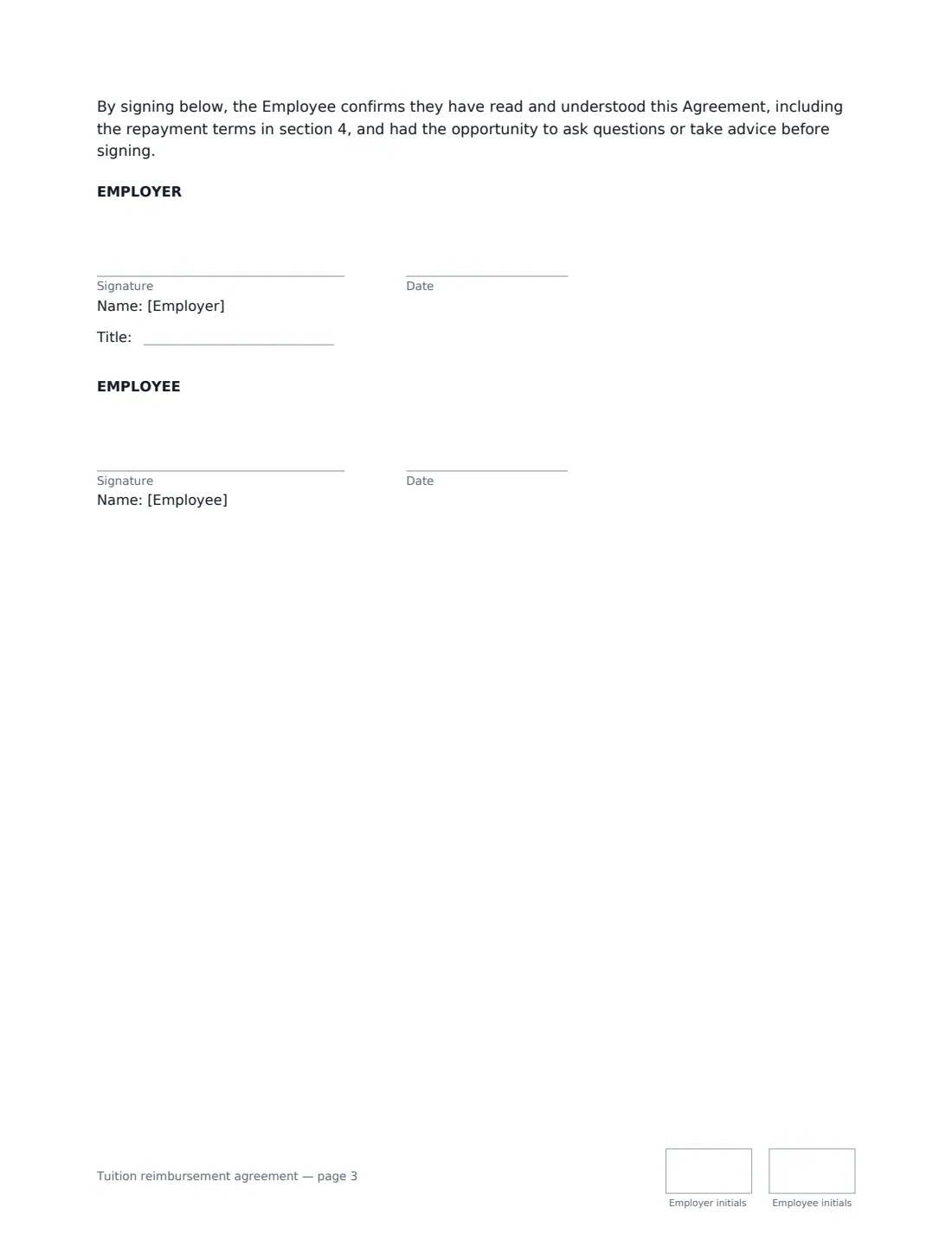
- Employer signature and date, job title, initials on every page · Someone authorised to approve training spend.
- Employee signature and date, initials on every page · The employee taking the course.
What the tuition reimbursement agreement Covers
- The programme
- Funding
- The Employee's commitments
- Repayment
- General
Using the tuition reimbursement agreement, step by step
1 Describe the programme
Enter the course, degree or certification, the school or provider, and the start and expected completion dates. Choose when the employee studies: outside working hours, partly in work time, or on paid study leave.
2 Set the funding
Enter the maximum the company will pay and list the costs covered — tuition, registration and exam fees, required books. Choose how the company pays and, if you want one, the minimum grade needed to qualify.
3 Set repayment
Choose how many months after completion the repayment period runs, whether repayment is in full or reduced pro rata for each month worked, and how many days the employee has to repay.
4 Send it before enrolment
Send the agreement before the employee enrols or pays the first fees. Both sides initial every page and sign; the signed copy is filed in Files.
Tips Before You Send It
- Sign the agreement before any money is spent — repayment terms agreed afterwards are much harder to rely on.
- Where training is required for the employee's current job (for example a mandatory licence), check local law: some places do not allow employers to recover the cost of required training.
- Pro-rata repayment, reduced month by month, is generally seen as fairer and is easier to justify than a single cliff-edge date.
- Education assistance can be a taxable benefit above certain limits in some countries — ask payroll before promising a figure.
- Keep enrolment confirmations, receipts and transcripts together in VergeHR so reimbursement claims are easy to check.
Sign It Online In Minutes
- Fill in the blanks. Names, dates and amounts go straight into the agreement — the preview shows exactly where.
- Name who signs. Tick “This is me” for your own part. VergeHR builds the PDF with every signature, date and initials box on the right line, and you can check or move anything before sending.
- Send it. Each signer gets a secure link and signs from any device — no account needed. The signed PDF, with an audit trail and a Certificate of Completion, is filed in Files and emailed to everyone.
Tuition reimbursement agreement: frequently asked questions
Does the employee have to repay if they fail a course?
Funding for a course or module is only payable, or kept, if the employee achieves the minimum grade you set. If they withdraw or fail to complete the programme without a good reason such as serious illness or a family emergency, the full funding paid is repayable.
What happens if the employee is laid off during the programme?
Nothing is repayable. Repayment applies only if the employee resigns (other than because of a serious breach by the employer), is dismissed for gross misconduct, or withdraws or fails to finish without good reason.
Does completing the programme mean a promotion or pay rise?
No. The agreement says completing it does not by itself entitle the employee to a promotion, pay rise or change of role. If you do promise one, put it in a separate letter.
Is an electronically signed tuition agreement valid?
Electronic signatures are generally valid for ordinary employment agreements like this in the US (ESIGN Act and UETA), the UK, the EU (eIDAS) and Canada. VergeHR keeps an audit trail and a Certificate of Completion with the signed PDF.
Is this template free?
Yes. It is free with the eSignature app in VergeHR, and the employee signs without an account.