

What is a academic integrity pledge?
Generative AI made "what counts as cheating?" a genuine question on almost every course. Students need a clear answer before they start, and instructors need to be able to point to what was agreed. An academic integrity pledge, signed at the start of a course or program, gives both.
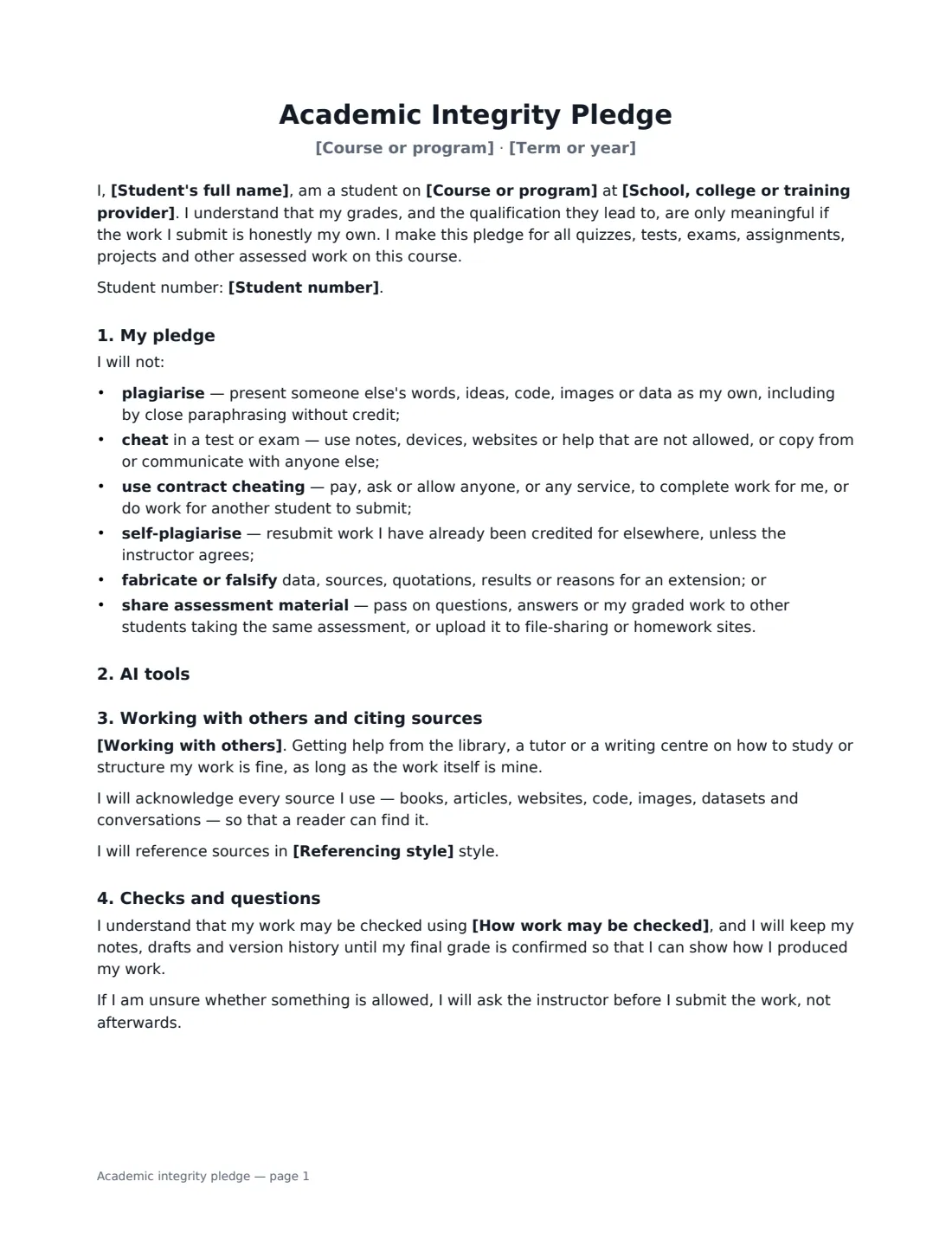
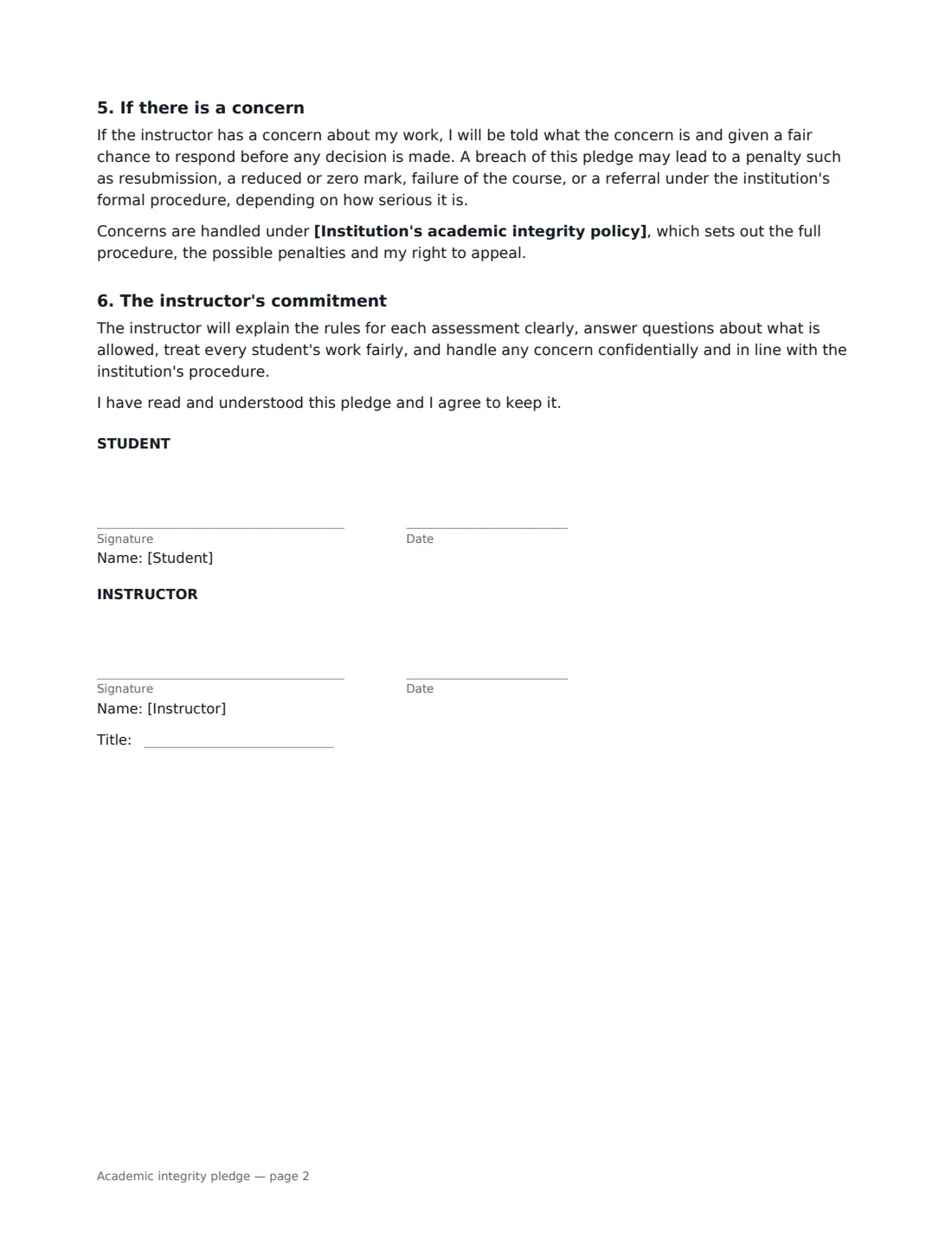
This template lists what the student will not do — plagiarise, cheat in tests, use contract cheating, self-plagiarise, fabricate data or sources, or share assessment material — then sets your AI rule: no AI tools at all, only the uses you list with every use declared, or free use with every use declared. You choose the collaboration rule and referencing style, say how work may be checked, and the student agrees to keep drafts and version history. If there is a concern, the student is told what it is and can respond before any decision, and the pledge links to your institution's formal policy and appeal process. The instructor signs too, committing to clear rules and fair treatment.
- Best for
- University and college courses, high schools, online programs, bootcamps and professional training
- Signed by
- The student and the instructor
- AI rule options
- No AI, listed uses only (declared), or free use (declared)
- Length
- 2 pages
When to Use a academic integrity pledge
- Setting AI tool rules at the start of a writing-heavy course
- Online and remote courses where exams are taken at home
- Coding bootcamps where code sharing and AI assistants are common
- Dissertation or capstone projects, alongside the institution's policy
- Re-committing a student to the rules after a first, minor concern
What You Fill In
11 blanks, then the name and email of each person who signs: student, instructor.
1 The course
- School, college or training provider*
- Course or program*
- Term or year*
- Institution's academic integrity policy
2 The student
- Student's full name*
- Student number
3 Rules for this course
- Use of AI tools* not at all, for any assessed work · only in the ways listed below, and every use must be declared · freely, but every use must be declared
- AI uses that are allowed
- Working with others* Assessed work must be my own individual work unless the instructor says an assignment is a group task · I may discuss ideas with classmates, but every answer I submit must be written by me · Group work is expected, and each member must be able to explain the whole submission
- Referencing style
- How work may be checked
4 Who signs
- Student signature and date
- Instructor signature and date, job title · The course instructor, teacher or program lead.
What the academic integrity pledge Covers
- My pledge
- AI tools
- Working with others and citing sources
- Checks and questions
- If there is a concern
- The instructor's commitment
Using the academic integrity pledge, step by step
1 Name the course and policy
Add the institution, course and term, and — if you have one — the institutional academic integrity policy that sets the formal procedure and penalties.
2 Set your AI rule
Choose one of three rules. With "only in the ways listed below", edit the allowed uses — the default permits brainstorming, grammar checks and explanations of concepts. Every option except "no AI" requires students to declare how they used AI with each assignment.
3 Choose collaboration and citation
Pick individual work, discussion allowed but own answers, or group work where every member can explain the whole submission. Add a referencing style such as APA if you require one.
4 Be honest about checks
Say how work may be checked, for example similarity software and a short conversation where there is doubt. AI-writing detectors are unreliable on their own, so the pledge relies on students keeping drafts and version history.
5 Send to the class
Send each student their own copy to sign. Each signed pledge is filed in Files.
Tips Before You Send It
- Tell students why the rule exists, not just what it is. A rule they understand is one they are more likely to keep.
- Revisit the AI rule for each major assignment if different tasks allow different uses.
- Don't rely on AI detectors as proof. Drafts, version history and a conversation about the work are far fairer evidence.
- Make sure the pledge matches your institution's policy — if they differ, the formal policy will usually prevail.
Sign It Online In Minutes
- Fill in the blanks. Names, dates and amounts go straight into the agreement — the preview shows exactly where.
- Name who signs. Tick “This is me” for your own part. VergeHR builds the PDF with every signature, date box on the right line, and you can check or move anything before sending.
- Send it. Each signer gets a secure link and signs from any device — no account needed. The signed PDF, with an audit trail and a Certificate of Completion, is filed in Files and emailed to everyone.
Academic integrity pledge: frequently asked questions
Can I ban AI tools completely?
Yes. Choose "not at all, for any assessed work" and the pledge commits the student not to use chatbots, text, code or image generators, paraphrasers or similar tools for any part of assessed work, and to ask if unsure whether a tool counts.
What is contract cheating?
Paying, asking or allowing someone else — a person or an essay-writing service — to complete work that is then submitted as the student's own, or doing work for another student to submit. The pledge prohibits both directions.
Does signing the pledge replace our misconduct procedure?
No. The pledge refers to your institution's policy for the formal procedure, penalties and appeals, and promises the student a chance to respond before any decision.
Is an e-signature fine for this?
Yes. Electronic signatures are generally valid for acknowledgements and agreements like this in the US (ESIGN and UETA), the UK, the EU (eIDAS) and Canada, and VergeHR keeps an audit trail.