

What is a tutoring agreement?
A tutoring agreement sets clear expectations between a private tutor and the family or adult student paying for lessons: what will be taught and when, how much it costs, what happens when a session is cancelled at short notice, and how progress is reported. For younger students it also records sensible safeguarding arrangements for home and online sessions.
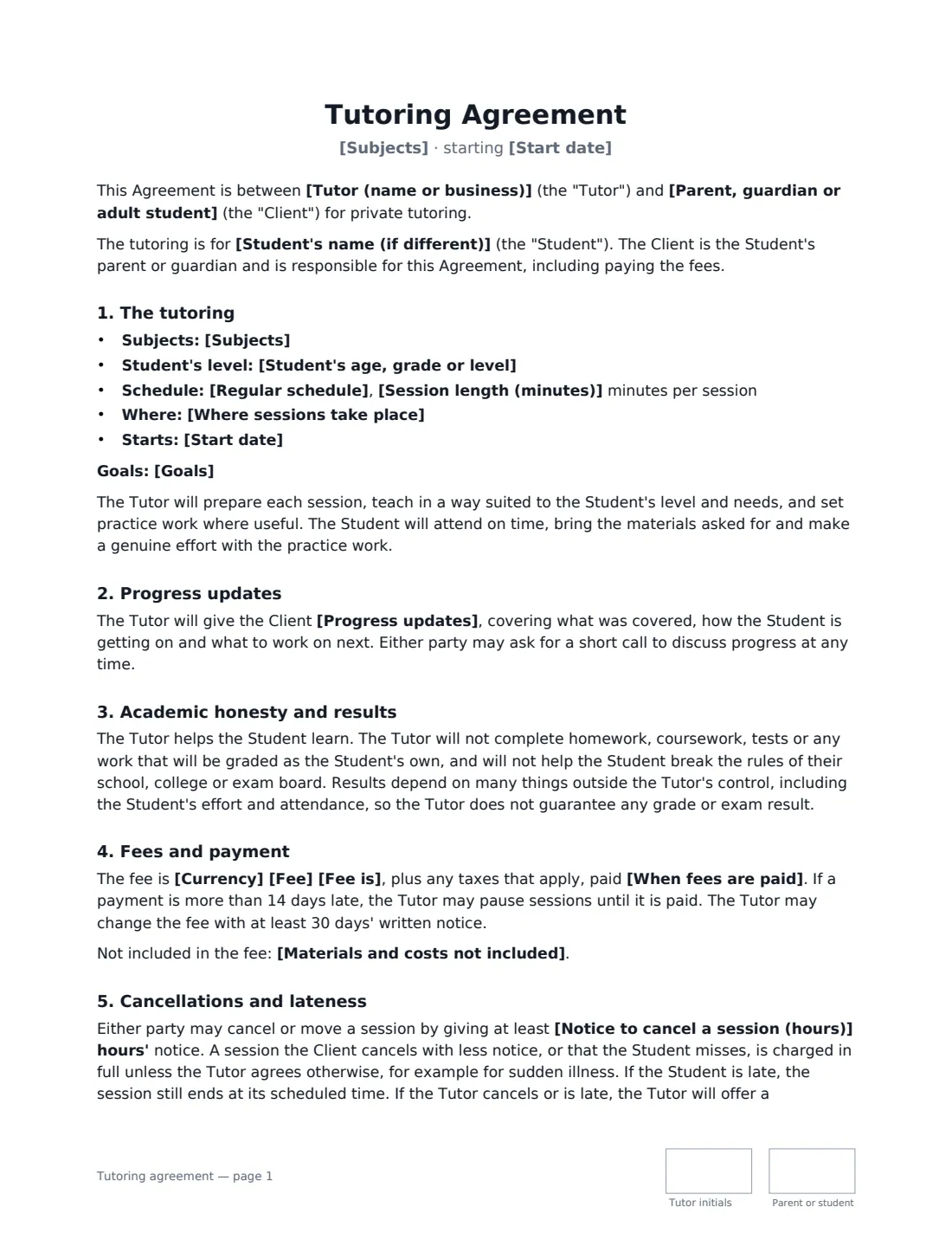
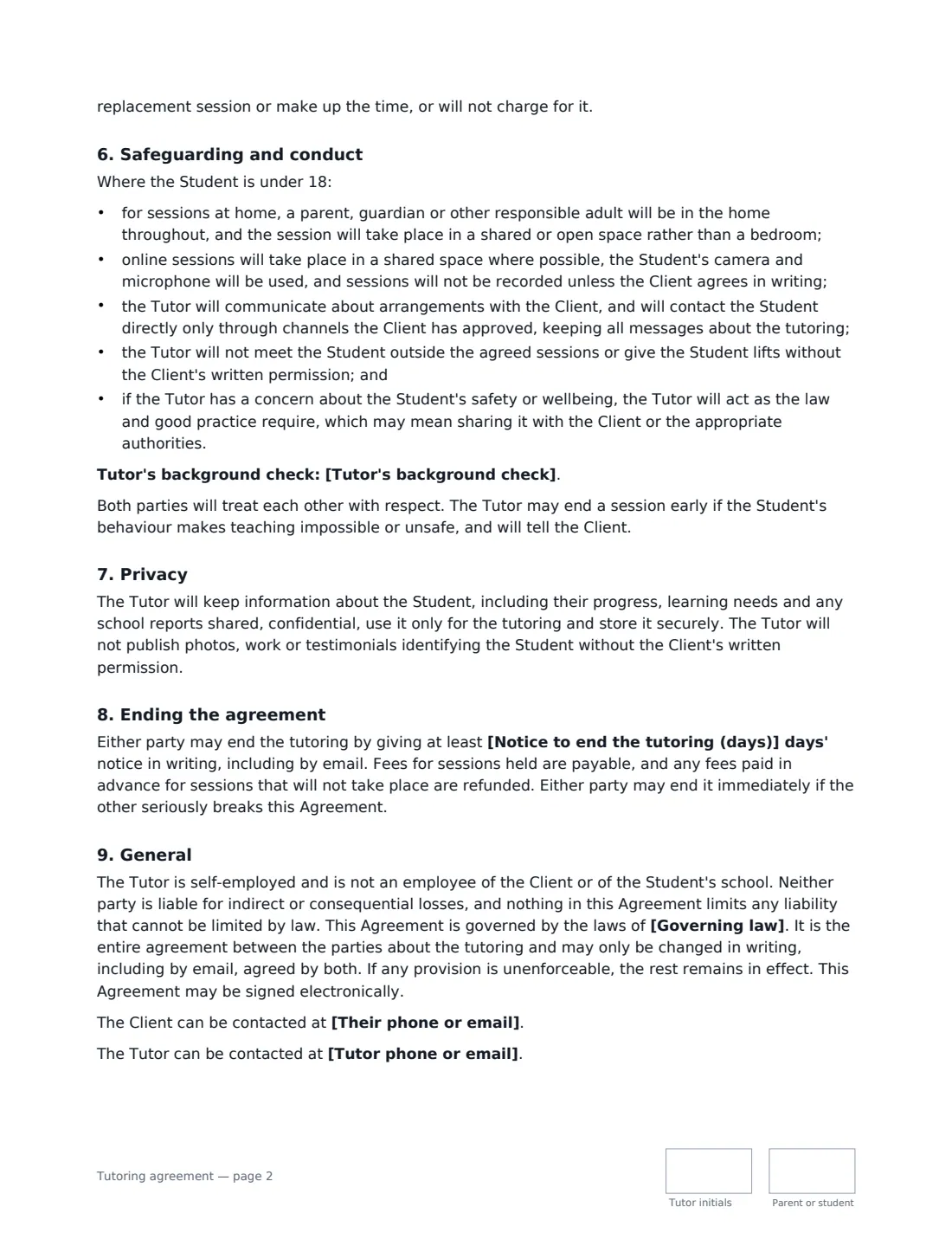
This template covers the student and their level, subjects, goals, schedule, session length, location (online, the student's home, the tutor's premises or a public place), progress updates, academic honesty (no doing graded work for the student) and no guaranteed grades, fees, payment and materials, cancellations and lateness, safeguarding for students under 18, an optional background-check line, privacy, ending the tutoring and the tutor's self-employed status. VergeHR places both signatures, dates and initials.
- Best for
- Private tutors, exam coaches and small tutoring businesses
- Signed by
- The tutor and a parent or guardian, or the adult student
- Updates
- After every session, monthly or each term — you choose
- Length
- About 3 pages, initialled on every page
When to Use a tutoring agreement
- A maths tutor agreeing weekly sessions with a parent
- Exam preparation in the months before finals
- Online language or coding tutoring for an adult learner
- A university student tutoring a secondary-school pupil at home
- Homework support after school during the term
What You Fill In
22 blanks, then the name and email of each person who signs: tutor, parent or student.
1 The parties
- Tutor (name or business)*
- Tutor phone or email
- Parent, guardian or adult student*
- Their phone or email*
2 The student
- Student's name (if different)
- Student's age, grade or level*
3 The tutoring
- Subjects*
- Goals
- Regular schedule*
- Session length (minutes)*
- Where sessions take place* online by video call · at the student's home · at the Tutor's premises · at a public place such as a library
- Start date*
- Progress updates* a short written note after every session · a written summary every month · a written report at the end of each term
4 Fees
- Currency*
- Fee*
- Fee is* per session · per hour · per month · for a block of sessions paid in advance
- When fees are paid*
- Materials and costs not included
5 Cancellations
- Notice to cancel a session (hours)*
- Notice to end the tutoring (days)*
6 Safeguarding
- Tutor's background check
7 Other terms
- Governing law*
8 Who signs
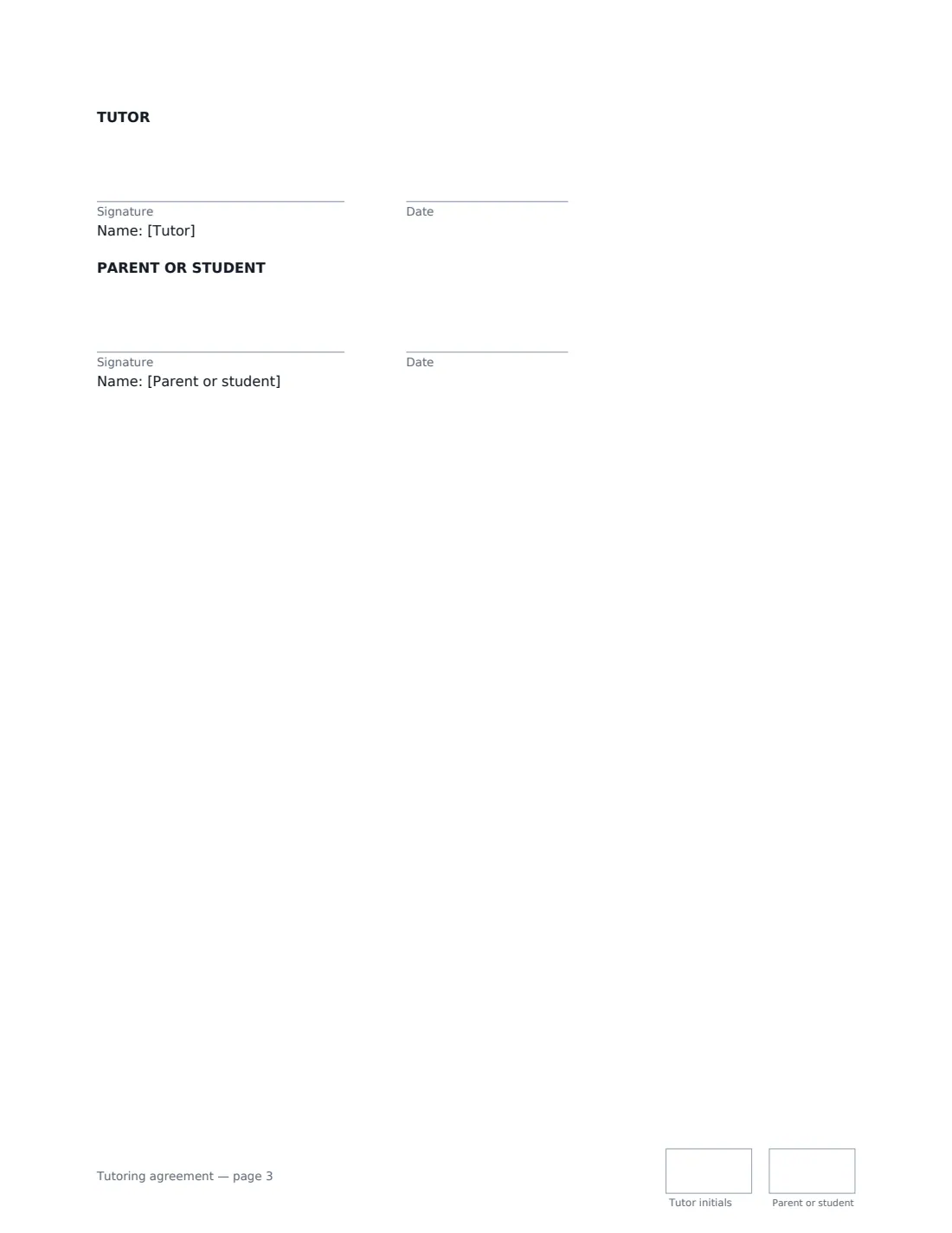
- Tutor signature and date, initials on every page · The tutor or tutoring business.
- Parent or student signature and date, initials on every page · A parent or guardian for a student under 18, or the adult student themselves.
What the tutoring agreement Covers
- The tutoring
- Progress updates
- Academic honesty and results
- Fees and payment
- Cancellations and lateness
- Safeguarding and conduct
- Privacy
- Ending the agreement
- General
Using the tutoring agreement, step by step
1 Enter who pays and who learns
Add the parent, guardian or adult student who signs and pays. If the student is someone else, add their name — the agreement then adds the safeguarding terms for under-18s.
2 Describe the tutoring
Enter the subjects, goals, regular schedule, session length, start date and where sessions take place. Choose how often you'll send progress updates.
3 Set fees and cancellations
Enter the fee and whether it's per session, hour, month or block, when it's paid, and anything not included such as books or exam fees. Set the notice for cancelling a session and for ending the tutoring.
4 Add a background check and send
If you hold a background check, add it — which one applies depends on where you work. Add the signer and send.
Tips Before You Send It
- Agree which channels you'll use to contact a young student — the template limits direct contact to channels the parent approves.
- Don't record online sessions with a minor unless the parent agrees in writing; the template requires it.
- The template rules out doing graded work for the student, which protects both of you if the school asks questions.
- Whether you need a background check to tutor children depends on the country or state and the setting. Check local rules.
Sign It Online In Minutes
- Fill in the blanks. Names, dates and amounts go straight into the agreement — the preview shows exactly where.
- Name who signs. Tick “This is me” for your own part. VergeHR builds the PDF with every signature, date and initials box on the right line, and you can check or move anything before sending.
- Send it. Each signer gets a secure link and signs from any device — no account needed. The signed PDF, with an audit trail and a Certificate of Completion, is filed in Files and emailed to everyone.
Tutoring agreement: frequently asked questions
What happens if a session is cancelled at short notice?
A session the client cancels with less than the notice you set, or that the student misses, is charged in full unless the tutor agrees otherwise, for example for sudden illness. If the tutor cancels, they offer a replacement session or don't charge for it.
Does the tutor guarantee grades?
No. The template says results depend on many things outside the tutor's control, including the student's effort and attendance.
Who should sign for a student under 18?
A parent or guardian signs as the client and is responsible for the agreement and the fees. The student's name appears in the agreement.
Is a tutoring agreement signed online valid?
In most countries, including the US (ESIGN Act and UETA), the UK, the EU (eIDAS) and Canada, an electronic signature is generally valid for an ordinary services contract like this one. VergeHR keeps an audit trail and a Certificate of Completion with the signed PDF as evidence of who signed and when.
Can I change the wording?
You fill in the blanks and choose the options on the setup page; optional clauses appear only when you fill them in. If you need different clauses, draft your own document and upload it to VergeHR eSignature instead — you can still place the signature boxes in the editor.
Is this template free?
Yes. The template is free to use with the eSignature app in VergeHR. The person you send it to doesn't need a VergeHR login to sign.