

What is a babysitting agreement?
A babysitting agreement puts the arrangement between a family and the person who looks after their children on paper. Most families only ever agree these things out loud, which works until something goes wrong: a late pick-up nobody agreed how to pay for, a last-minute cancellation, a question about driving the children, or an allergy the sitter was never told about. A short written agreement settles those questions before they come up, and gives the sitter one place to find the children's needs and the emergency plan.
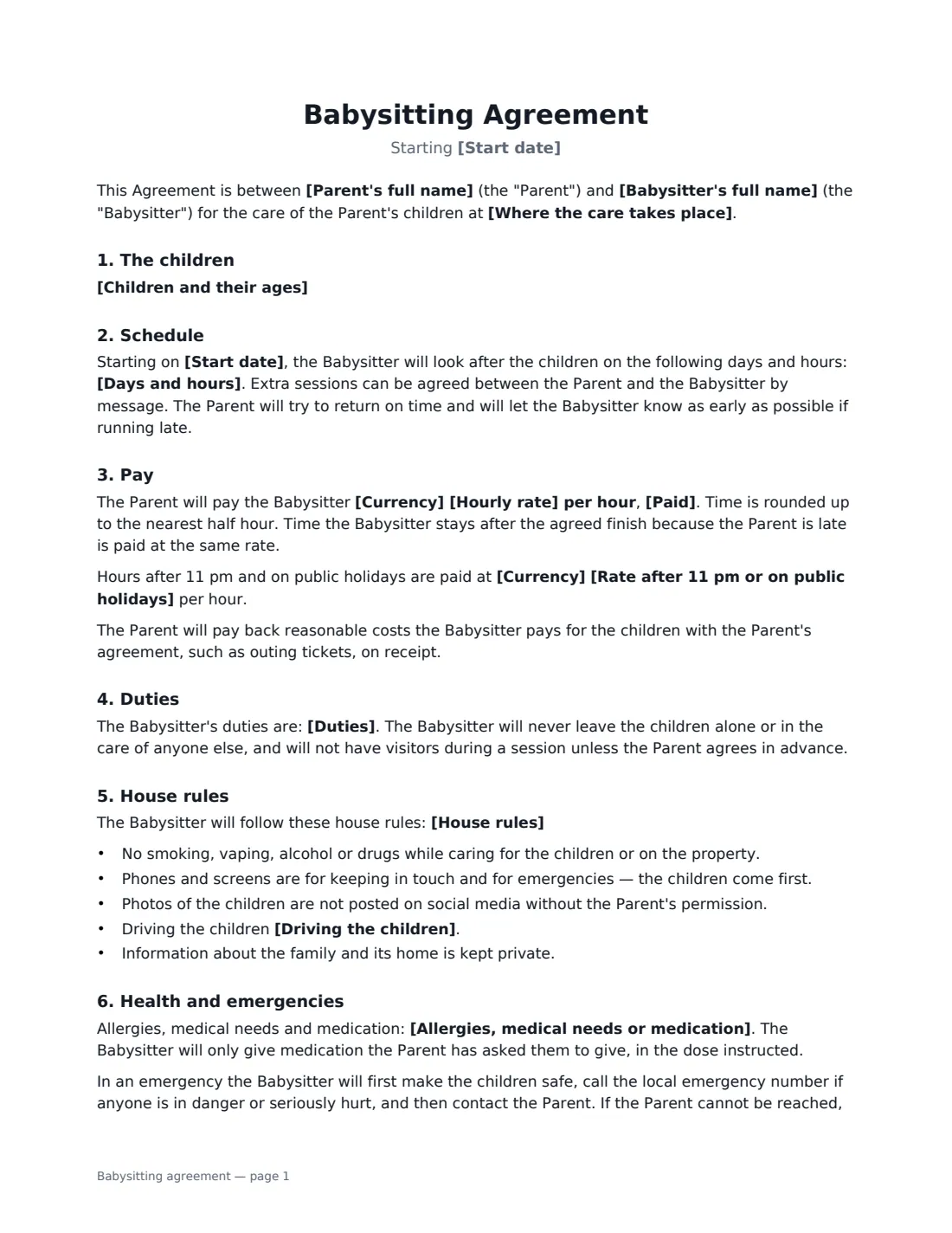
This template is written for regular or occasional babysitting and part-time nannying in the family's home. It covers the children and their ages, the days and hours, the hourly rate (with an optional higher rate after 11 pm or on public holidays), when the sitter is paid, the duties, your house rules, whether the sitter may drive the children, allergies and medication, what to do in an emergency, cancellation notice and how either of you can end the arrangement. You and the babysitter both sign.
- Best for
- Regular babysitters, after-school nannies and occasional evening sitters who look after children in your home
- Signed by
- The parent and the babysitter
- Pay
- Hourly rate paid after each session, weekly, every two weeks or monthly — with an optional late-night or holiday rate
- Length
- About 2 pages
When to Use a babysitting agreement
- Hiring a babysitter for regular after-school pick-ups and evenings
- Taking on a part-time nanny for a few days a week
- Agreeing terms with a teenager or student who sits for your family
- Setting clear house rules and a medical plan with a new sitter
- Writing down the pay and cancellation terms with a family friend or relative who babysits
What You Fill In
18 blanks, then the name and email of each person who signs: parent, babysitter.
1 The family
- Parent's full name*
- Where the care takes place*
- Children and their ages*
2 The babysitter
- Babysitter's full name*
- Babysitter's phone
3 Schedule and pay
- Start date*
- Days and hours*
- Currency*
- Hourly rate*
- Rate after 11 pm or on public holidays
- Paid* at the end of each session · weekly · every two weeks · monthly
4 Care and house rules
- Duties*
- House rules
- Driving the children* is not allowed · is allowed in the family's car with suitable car seats · is allowed in the babysitter's own insured car with suitable car seats
- Allergies, medical needs or medication
5 Emergencies
- Back-up emergency contact*
6 Cancellation
- Cancellation notice (hours)*
- Notice to end the arrangement (days)*
7 Who signs
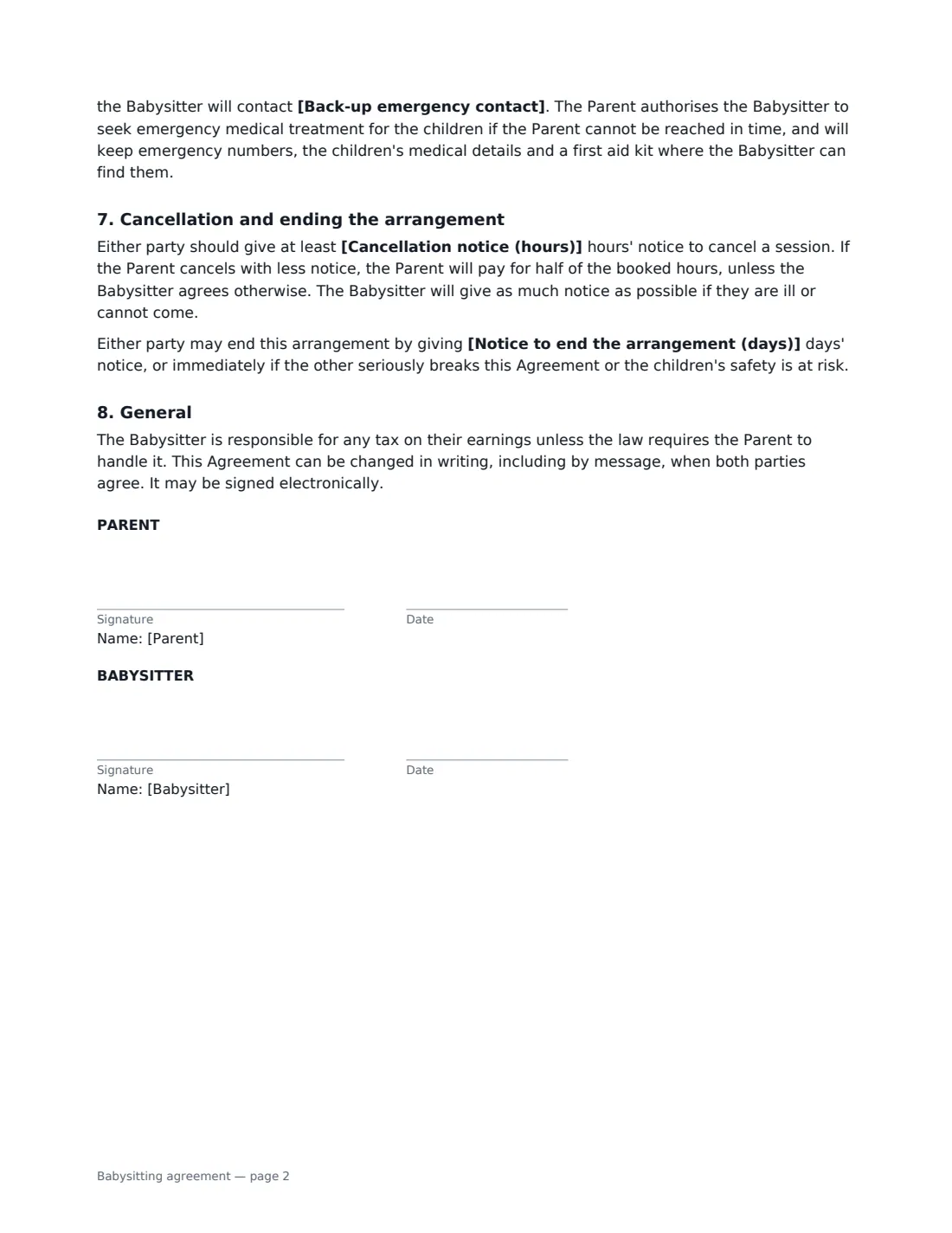
- Parent signature and date
- Babysitter signature and date
What the babysitting agreement Covers
- The children
- Schedule
- Pay
- Duties
- House rules
- Health and emergencies
- Cancellation and ending the arrangement
- General
Using the babysitting agreement, step by step
1 Describe the children and where care happens
List each child with their age, one per line, and give the address where the sitter will look after them. The agreement is written for care at the family's home.
2 Set the schedule and pay
Write the regular days and hours in plain words — "Tuesday and Thursday, 3:30 pm to 7:00 pm" — and note any occasional sessions. Enter the hourly rate and choose when it is paid. If you pay more late at night or on public holidays, add that rate; otherwise leave it empty and the normal rate applies. The agreement also says time is rounded up to the nearest half hour and that time the sitter waits because you are late is paid.
3 Add duties, house rules and driving
The duties start with sensible defaults — supervision, simple meals, homework, bath and bedtime — which you can edit. Add your own house rules, such as screen time or bedtimes. Choose whether the sitter may drive the children, and in whose car. The agreement already includes standard rules on smoking, alcohol, phones, photos on social media and privacy.
4 Record health needs and a back-up contact
List any allergies, medical conditions or medication and where it is kept. Name a back-up emergency contact the sitter can call if they cannot reach you. The agreement authorises the sitter to seek emergency treatment if you cannot be reached in time.
5 Agree cancellation and notice, then send
Set how many hours' notice either of you gives to cancel a session (24 by default) and how many days' notice ends the arrangement (14 by default). If you cancel with less notice, you pay for half of the booked hours unless the sitter agrees otherwise. Add the babysitter's name and email and send — they sign from their phone, no account needed.
Tips Before You Send It
- Walk the sitter through the house before the first session: where the first aid kit, medication, emergency numbers and fuse box are.
- If the sitter will give medication, write the dose and timing in the medical field rather than relying on a note on the fridge.
- If you allow driving, check your car insurance covers the sitter, or that theirs covers carrying your children, and that suitable car seats are available.
- Paying a regular sitter or nanny can create tax or employer duties for the family in some countries. Check the local rules for household employees.
- Agree the rate and any late-night rate before the first session — it is much easier than negotiating afterwards.
Sign It Online In Minutes
- Fill in the blanks. Names, dates and amounts go straight into the agreement — the preview shows exactly where.
- Name who signs. Tick “This is me” for your own part. VergeHR builds the PDF with every signature, date box on the right line, and you can check or move anything before sending.
- Send it. Each signer gets a secure link and signs from any device — no account needed. The signed PDF, with an audit trail and a Certificate of Completion, is filed in Files and emailed to everyone.
Babysitting agreement: frequently asked questions
Do I really need a written babysitting agreement?
It is not usually required, but it avoids misunderstandings about pay, late returns, cancellations and house rules, and it gives the sitter a written record of your children's medical needs and who to call in an emergency.
Is a babysitter an employee or self-employed?
It depends on the arrangement and on local law. Occasional sitters are often treated differently from a nanny who works set hours every week. The agreement says the babysitter handles tax on their earnings unless the law requires the parent to do it — check your local rules if the arrangement is regular.
What happens if we cancel a session at short notice?
If the parent cancels with less than the agreed notice, the parent pays half of the booked hours unless the sitter agrees otherwise. The sitter is asked to give as much notice as possible if they are ill or cannot come.
Can I use this for a nanny or au pair?
It works well for a part-time nanny or regular sitter. A full-time live-in nanny or au pair usually needs a fuller employment contract covering leave, accommodation and the employer duties that apply where you live.
Is an agreement signed electronically valid?
Electronic signatures are generally valid for ordinary agreements like this in the US (ESIGN Act and UETA), the UK, the EU (eIDAS) and Canada. VergeHR keeps an audit trail and a Certificate of Completion with the signed PDF.
Is this template free?
Yes. The template is free to use with the eSignature app in VergeHR, and the babysitter doesn't need a VergeHR login to sign.