


What is a childcare enrollment agreement?
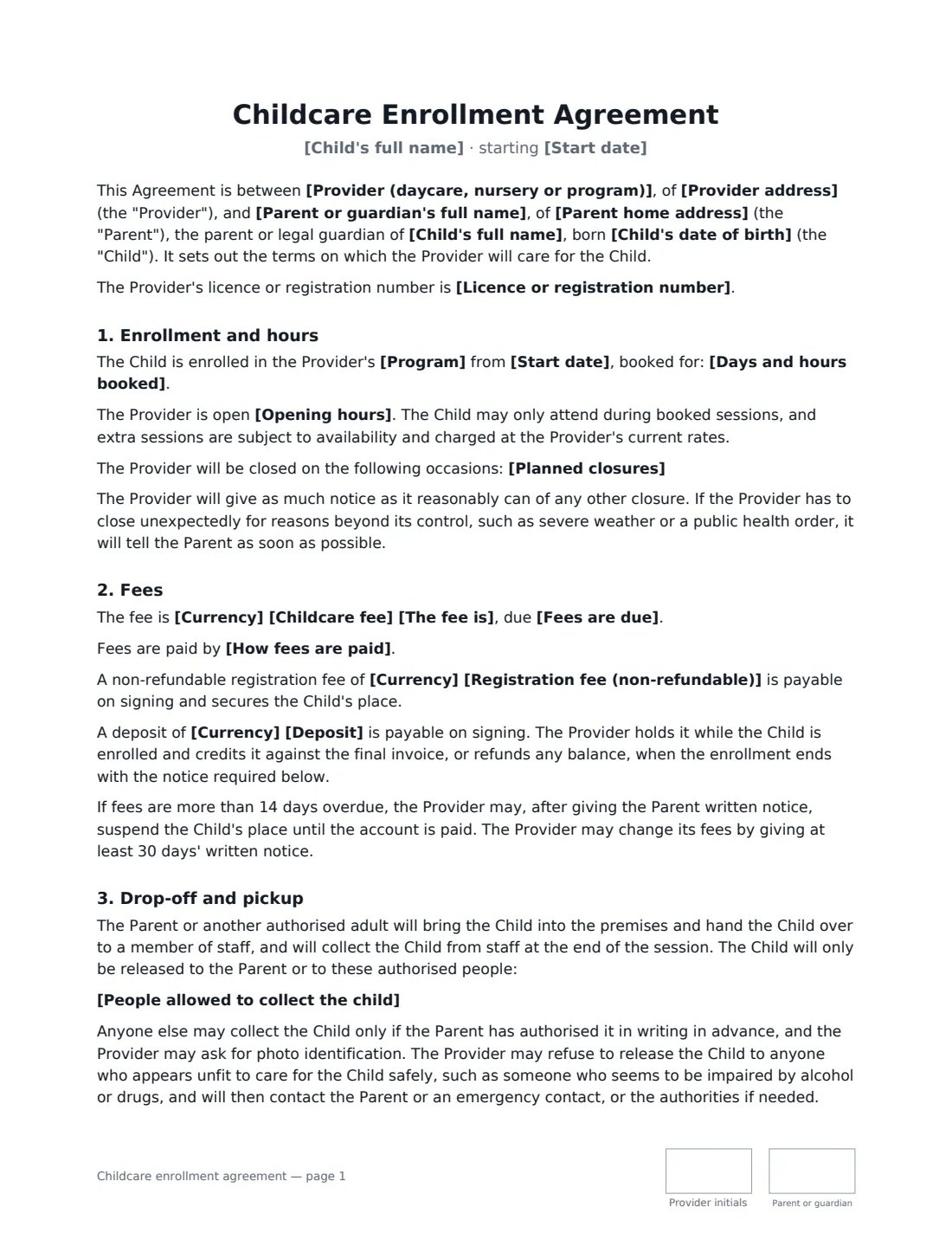
A childcare enrollment agreement is the contract between a childcare provider and a child's parent or guardian. It records which sessions the child is booked for, what they cost and when fees are due, who may collect the child, what happens when the child is ill, how meals work, and how much notice either side must give to end the place. Having it in writing prevents the most common disputes — paying for absences, late pickups and leaving without notice — before they start.
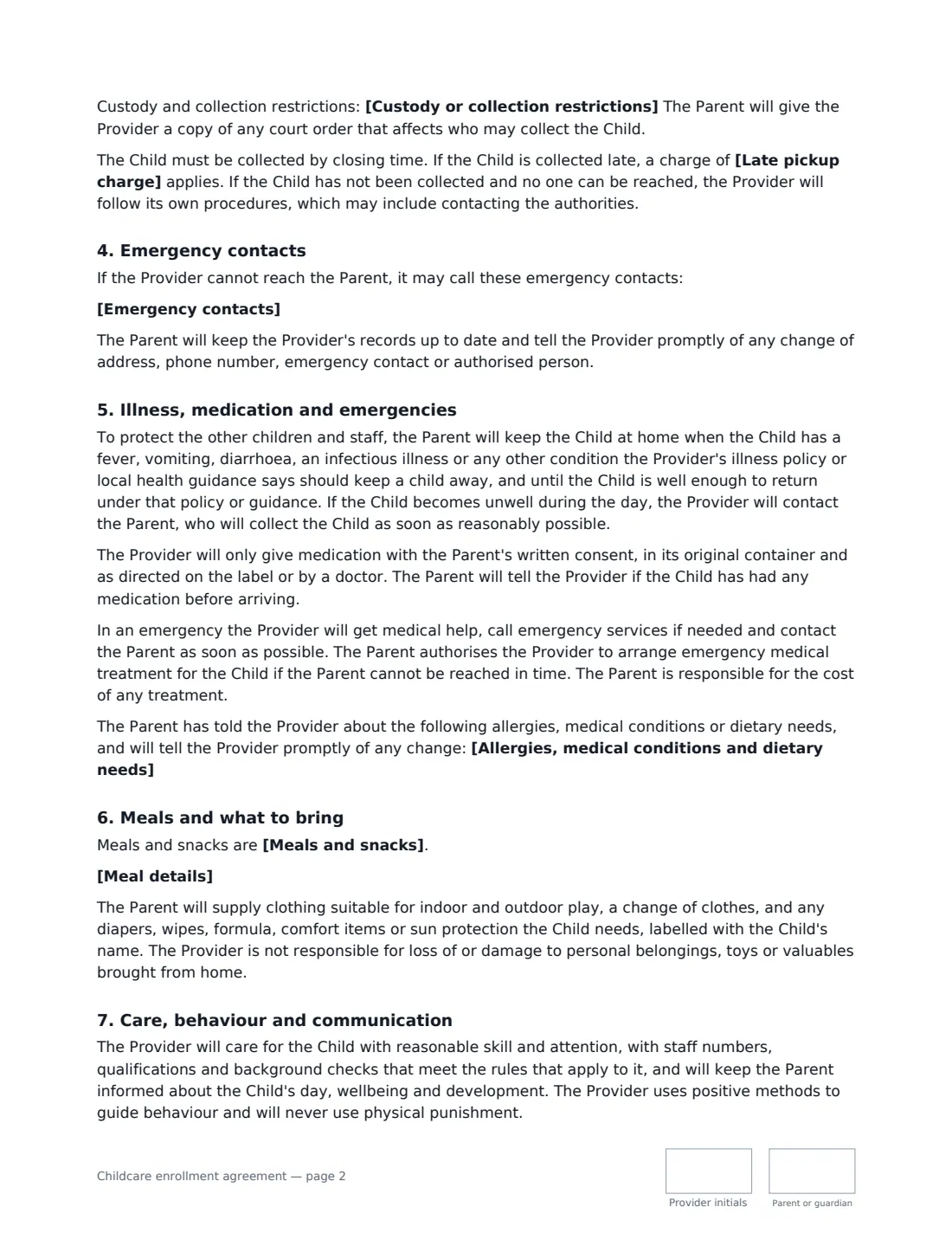
This template works for daycare centres, home daycares, nurseries and preschools, and before- and after-school or holiday programs. You choose the program, the booked days and hours, the fee and how often it is charged, any registration fee or deposit, whether absences are charged, a late-pickup charge, meals, photo permissions and the withdrawal notice. It also includes the child's emergency contacts, the people allowed to collect them, any custody restrictions, medication and emergency-treatment consent, and a promise that images won't be posted publicly without separate consent.
- Best for
- Daycare centres, home daycares, nurseries, preschools, before- and after-school and holiday programs
- Signed by
- The provider (owner or director) and the child's parent or guardian
- Fees
- Per month, week, term, day or session, with optional registration fee, deposit and late-pickup charge
- Length
- About 3-4 pages, initialled on every page
When to Use a childcare enrollment agreement
- Enrolling a new child at a daycare centre or nursery
- A home daycare setting out its terms with each family
- Registering a child for a before- or after-school program
- A holiday or summer program with booked days and a fixed fee
- Re-signing families when fees, hours or policies change
What You Fill In
32 blanks, then the name and email of each person who signs: provider, parent or guardian.
1 The provider
- Provider (daycare, nursery or program)*
- Provider address*
- Provider phone or email*
- Licence or registration number
2 The child and family
- Parent or guardian's full name*
- Parent phone and email*
- Parent home address
- Child's full name*
- Child's date of birth*
- Emergency contacts*
- People allowed to collect the child*
- Custody or collection restrictions
3 Enrollment
- Program* full-time daycare · part-time daycare · nursery / preschool · before-school program · after-school program · before- and after-school program · holiday / summer program
- Start date*
- Days and hours booked*
- Opening hours*
- Planned closures
4 Fees
- Currency*
- Childcare fee*
- The fee is* per month · per week · per term · per day booked · per session booked
- Fees are due*
- How fees are paid
- Registration fee (non-refundable)
- Deposit
- When the child is absent* fees are still payable · fees are not charged for absences notified in advance
- Late pickup charge
5 Health, meals and consents
- Meals and snacks* provided by the Provider · brought from home by the Parent · partly provided — see the details below
- Meal details
- Allergies, medical conditions and dietary needs
- Photos of the child* for private updates to the family only · for private updates and the Provider's own displays and records · not to be taken
6 Other terms
- Notice to withdraw (days)*
- Governing law*
7 Who signs
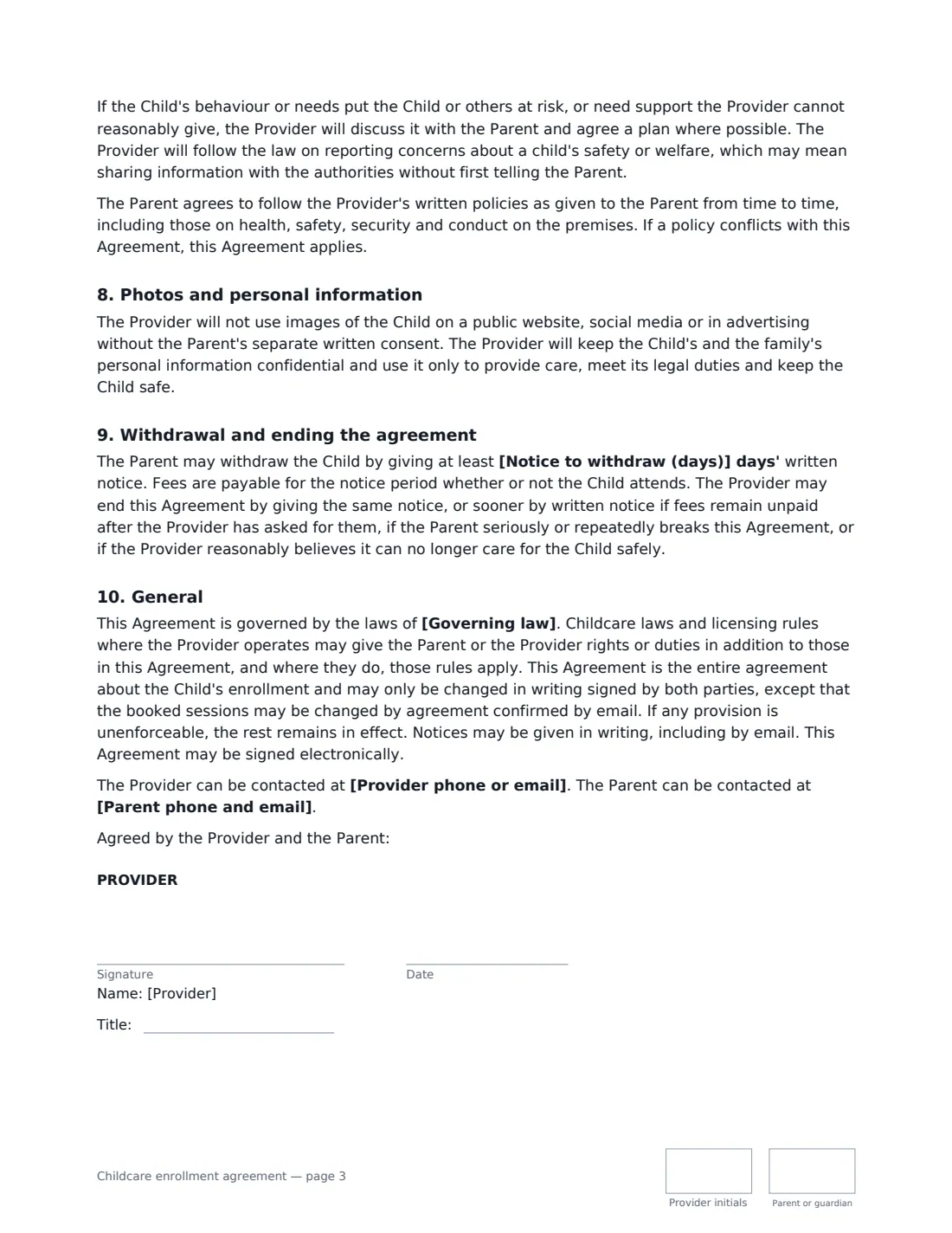
- Provider signature and date, job title, initials on every page · The daycare, nursery or program — signed by the owner, director or manager.
- Parent or guardian signature and date, initials on every page · The parent or legal guardian enrolling the child and responsible for the fees.
What the childcare enrollment agreement Covers
- Enrollment and hours
- Fees
- Drop-off and pickup
- Emergency contacts
- Illness, medication and emergencies
- Meals and what to bring
- Care, behaviour and communication
- Photos and personal information
- Withdrawal and ending the agreement
- General
Using the childcare enrollment agreement, step by step
1 Add your program details
Enter your business name and address, your licence or registration number if you have one, your opening hours and any planned closures such as public holidays or staff training days. Pick the program the child is joining and type the exact days and hours booked.
2 Set the fees
Enter the fee and choose whether it is charged per month, week, term, day or session, and when it is due. Add a registration fee or deposit if you take one, choose whether booked sessions are still charged when the child is absent, and add a late-pickup charge if you use one.
3 Record the child's details
Add the child's name and date of birth, the parent's contact details, emergency contacts, and everyone allowed to collect the child. Note any custody or collection restrictions, and any allergies, medical conditions or dietary needs.
4 Choose meals, photos and notice
Say whether meals are provided or brought from home, choose how photos of the child may be used, and set the notice needed to withdraw — 30 days is a common starting point. Then add the parent as a signer and send; both of you initial each page and sign at the end.
Tips Before You Send It
- Childcare is licensed or registered in many places, and rules on staff ratios, medication, records and notice may apply. Make sure the agreement matches your licensing requirements and your written policies.
- Keep the list of authorised pickup people short and up to date, and ask for photo ID the first time someone new collects a child.
- If a court order affects who can collect a child, ask the parent for a copy and keep it on file.
- Use a separate health or medication form for detailed medical information and specific medication consents.
- Say clearly whether fees are due during your planned closures and the child's holidays — it is the most common billing question.
Sign It Online In Minutes
- Fill in the blanks. Names, dates and amounts go straight into the agreement — the preview shows exactly where.
- Name who signs. Tick “This is me” for your own part. VergeHR builds the PDF with every signature, date and initials box on the right line, and you can check or move anything before sending.
- Send it. Each signer gets a secure link and signs from any device — no account needed. The signed PDF, with an audit trail and a Certificate of Completion, is filed in Files and emailed to everyone.
Childcare enrollment agreement: frequently asked questions
Do parents have to pay when their child is absent?
It depends on what you agree. Many providers charge for booked sessions whether or not the child attends, because the place is reserved. This template lets you choose between charging for absences and not charging for absences notified in advance.
Can both parents sign?
The template has one parent or guardian signer, who is responsible for the fees. If you want a second parent to sign too, you can add a second signer in the eSignature editor before sending and place their signature box.
Does this replace my childcare policies?
No. The agreement covers the enrollment terms and asks the parent to follow your written policies. Keep your full policies on health, safeguarding, behaviour and emergencies as separate documents and give them to families.
Is an electronically signed childcare agreement valid?
Electronic signatures are generally valid for ordinary contracts like this in the US (ESIGN Act and UETA), the UK, the EU (eIDAS) and Canada. VergeHR keeps an audit trail and a Certificate of Completion with the signed PDF. Check whether your licensing body has its own rules about enrollment records.
Is this template free?
Yes. The template is free to use with the eSignature app in VergeHR, and parents don't need a VergeHR login to sign.