

What is a child pickup authorization?
Every school, daycare, after-school club and youth activity needs to know, in writing, who is allowed to take each child home. A child pickup authorization (also called an authorized pickup form or release of child form) gives staff a clear list to check against at the door, and gives the parent a record of exactly what they authorised.
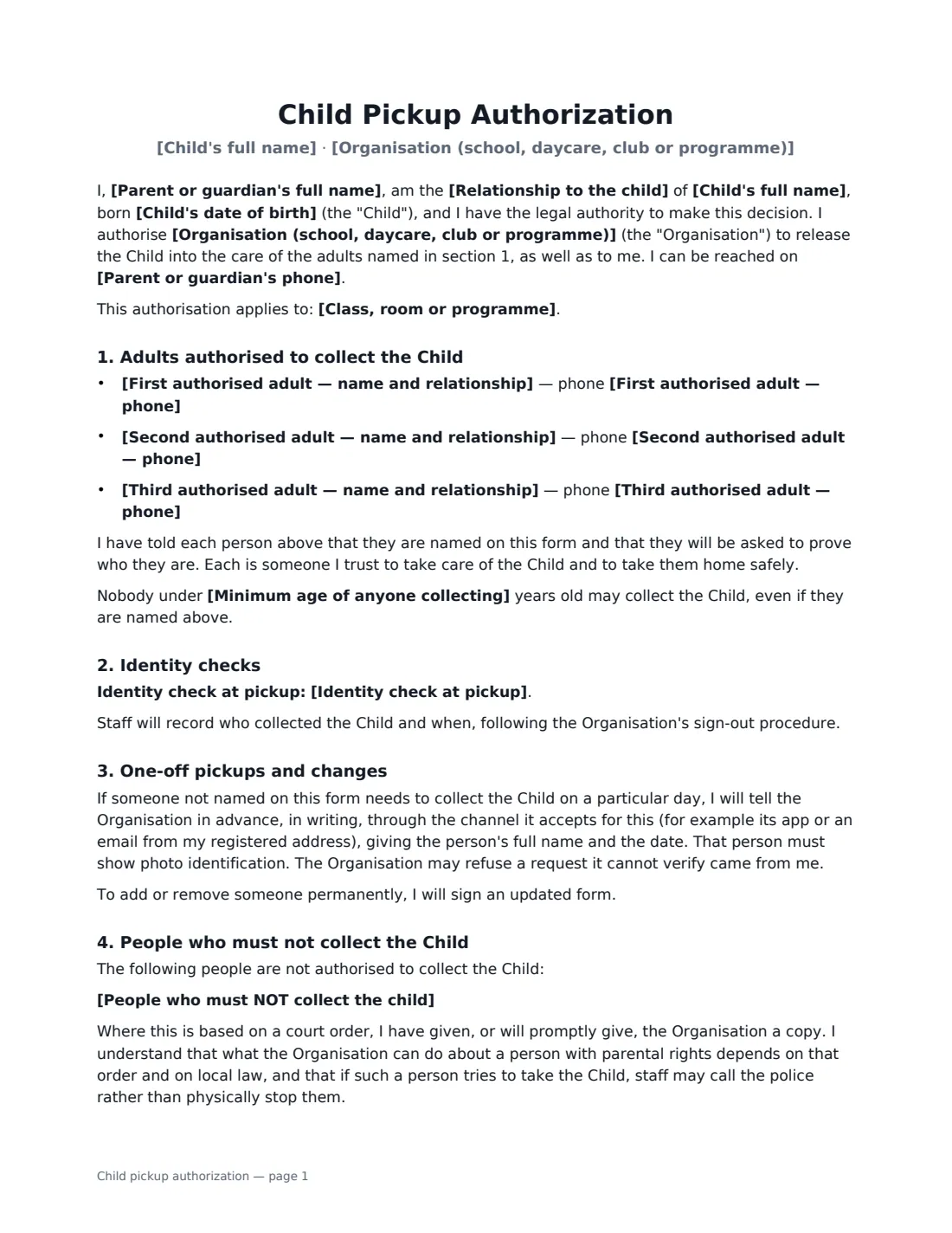
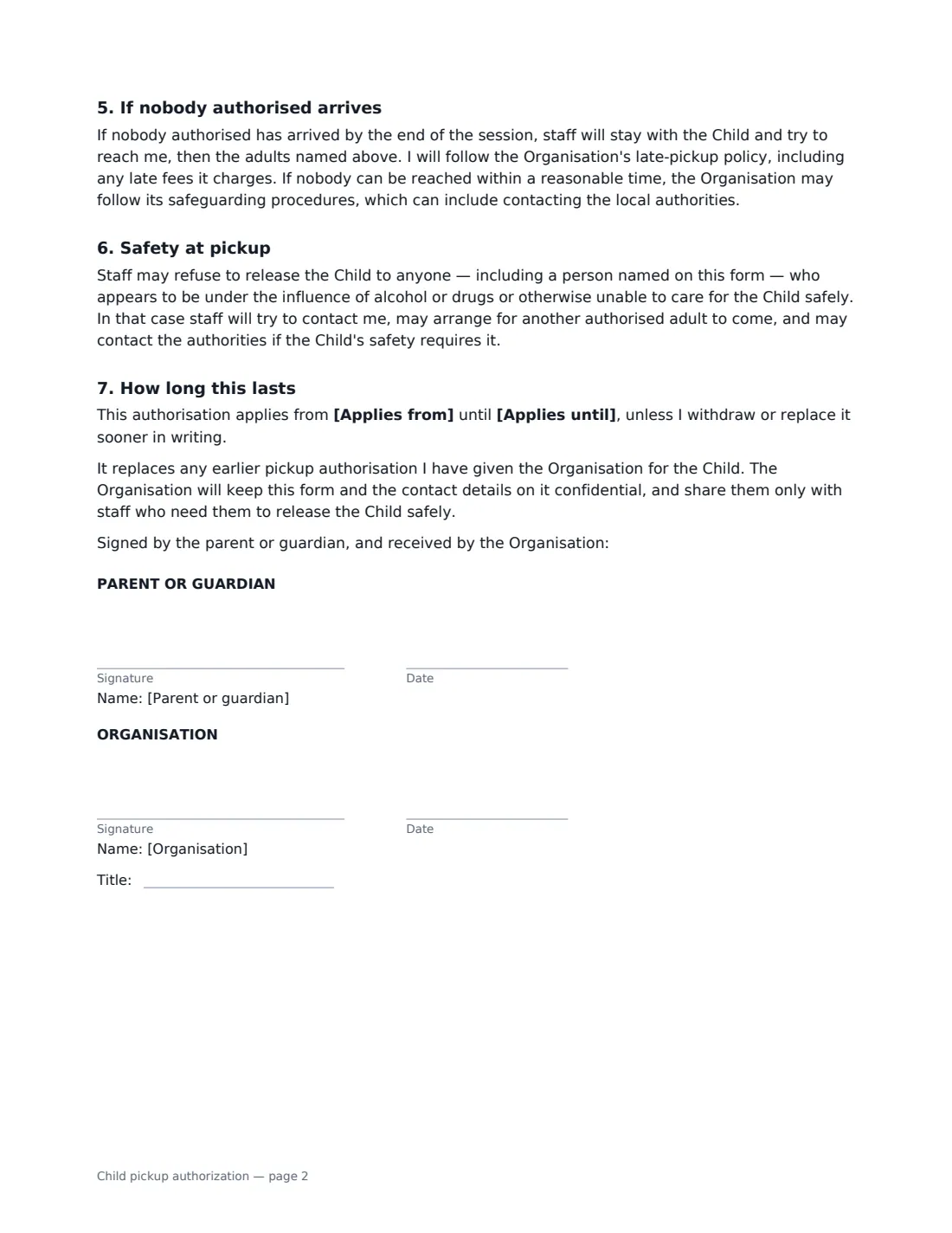
This template names the child, the parent or guardian and up to three authorised adults with their phone numbers, and sets how staff verify identity: photo ID every time, photo ID the first time and recognition afterwards, or a password given separately plus photo ID. It covers one-off pickups by someone not on the list (in writing, through the organisation's accepted channel), people who must not collect the child — with a plain explanation that what staff can do about a parent with legal rights depends on any court order and local law — what happens if nobody arrives, and staff refusing release to anyone who appears unfit to care for the child. It stays in force from a start date until the parent replaces it or a set end date.
- Best for
- Schools, daycares and nurseries, after-school clubs, camps, sports and activity programmes
- Signed by
- The parent or guardian, and a staff member who receives it
- Authorised adults
- Up to three, each with a phone number
- Length
- 2 pages
When to Use a child pickup authorization
- Enrolling a child at a daycare or nursery and setting up the pickup list
- An after-school club or activity where grandparents, neighbours or a nanny collect
- Updating the list when a new childminder starts or someone should be removed
- Recording a restriction backed by a court order, with the order on file
- A holiday camp or programme with a fixed start and end date
What You Fill In
18 blanks, then the name and email of each person who signs: parent or guardian, organisation.
1 The organisation
- Organisation (school, daycare, club or programme)*
- Class, room or programme
2 The child
- Child's full name*
- Child's date of birth*
3 Parent or guardian
- Parent or guardian's full name*
- Relationship to the child* parent · legal guardian
- Parent or guardian's phone*
4 Adults allowed to collect the child
- First authorised adult — name and relationship*
- First authorised adult — phone*
- Second authorised adult — name and relationship
- Second authorised adult — phone
- Third authorised adult — name and relationship
- Third authorised adult — phone
5 Pickup rules
- Identity check at pickup* Photo ID every time · Photo ID the first time, then staff may recognise them · Password and photo ID every time
- Minimum age of anyone collecting
6 Restrictions
- People who must NOT collect the child
7 How long it lasts
- Applies from*
- Applies until
8 Who signs
- Parent or guardian signature and date · A parent or legal guardian with authority to decide who may collect the child.
- Organisation signature and date, job title · The school, daycare, club or programme staff member who receives the form.
What the child pickup authorization Covers
- Adults authorised to collect the Child
- Identity checks
- One-off pickups and changes
- People who must not collect the Child
- If nobody authorised arrives
- Safety at pickup
- How long this lasts
Using the child pickup authorization, step by step
1 Enter the child and the programme
Add the child's name and date of birth, and optionally the class, room or programme. Leave the programme empty and the form covers everything the child attends with you.
2 List the authorised adults
Name up to three adults with their relationship to the child and a phone number, for example "Maria Santos (grandmother)". The parent confirms each person knows they are on the form and will be asked for ID.
3 Choose the identity check
Pick photo ID every time (the strictest), photo ID the first time then recognition by staff, or a password plus photo ID. The password is never written on the form — the parent gives it to you separately. You can also set a minimum age for anyone collecting, following your own policy.
4 Add any restrictions, then send
If someone must not collect the child, name them and note any court order; the form asks the parent for a copy. Send it to the parent to sign, then countersign to confirm you received it. The signed copy is filed in Files for staff to check.
Tips Before You Send It
- Ask parents to update the form whenever their arrangements change — an out-of-date list is a real risk.
- Keep a copy of any court order with the form. Without one, staff are usually in a difficult position if a parent with rights arrives.
- Agree with parents how one-off pickups are notified — for example only through your app or from their registered email — so a phone call from an unknown number can be refused.
- Train staff that the form lets them refuse release to anyone who appears impaired, even someone on the list.
Sign It Online In Minutes
- Fill in the blanks. Names, dates and amounts go straight into the agreement — the preview shows exactly where.
- Name who signs. Tick “This is me” for your own part. VergeHR builds the PDF with every signature, date box on the right line, and you can check or move anything before sending.
- Send it. Each signer gets a secure link and signs from any device — no account needed. The signed PDF, with an audit trail and a Certificate of Completion, is filed in Files and emailed to everyone.
Child pickup authorization: frequently asked questions
Can we refuse to release a child to their other parent?
It depends on any court order and on local law. The form asks the parent to give you a copy of any order and explains that staff may call the police rather than physically stop someone. If in doubt, take advice on the rules that apply where you operate.
How does someone not on the list collect the child in an emergency?
The parent tells you in advance in writing through the channel you accept, with the person's full name and the date, and the person shows photo ID. You can refuse a request you cannot verify came from the parent.
Can the parent sign on their phone?
Yes. Signers do not need a VergeHR login — they open the email link on any phone, tablet or computer and sign.
Is an electronic signature valid for this form?
Electronic signatures are generally valid for consents and authorisations like this in the US (ESIGN Act and UETA), the UK, the EU (eIDAS) and Canada. VergeHR keeps an audit trail and a Certificate of Completion showing who signed and when.