

What is a coworking membership agreement?
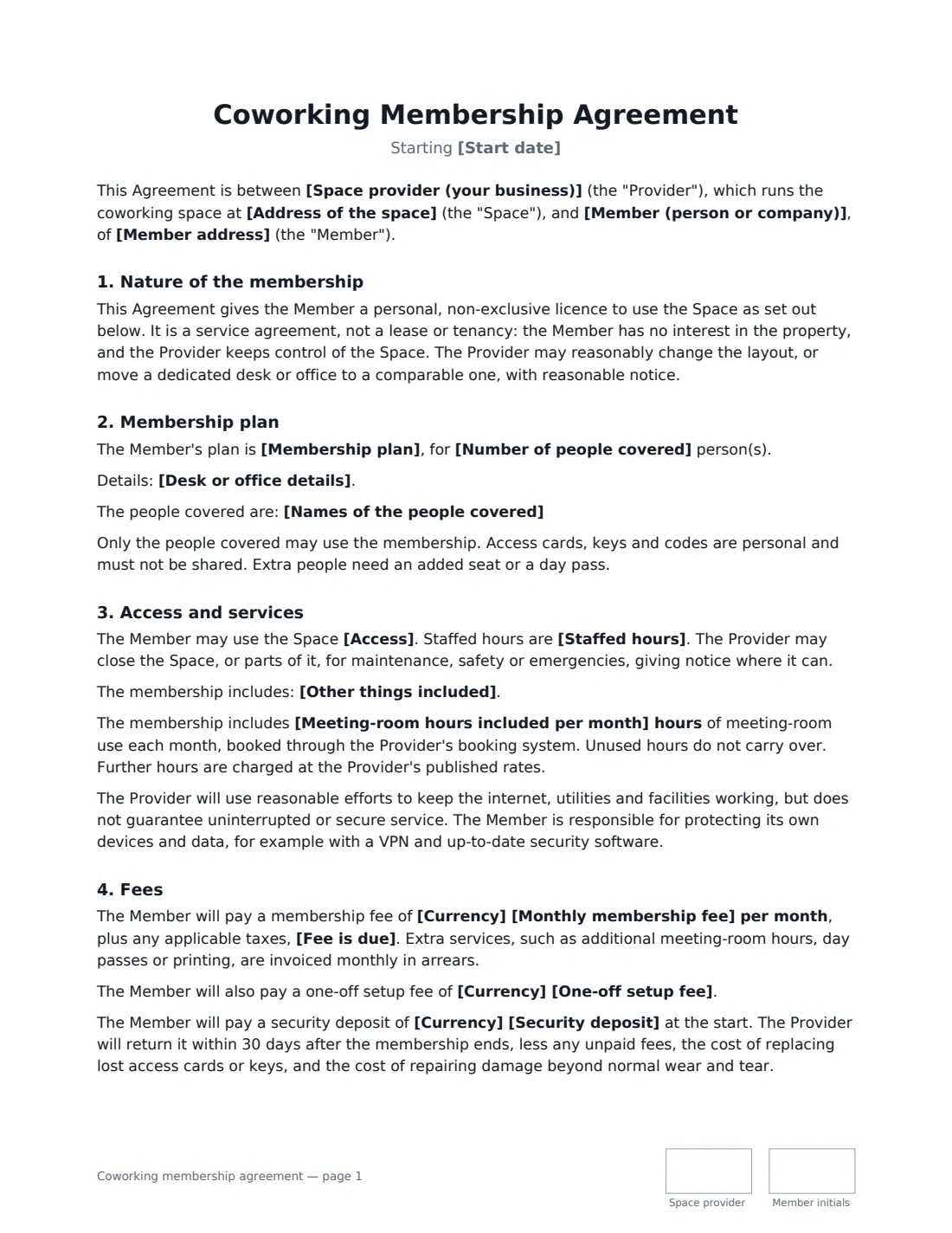
A coworking membership agreement is what a shared workspace signs with each member — a freelancer on a hot desk, a small team with a dedicated desk, or a company taking a private office. It sets out what the member is paying for and the rules everyone shares, and it makes clear the member is buying a service with a licence to use the space, not taking a lease.
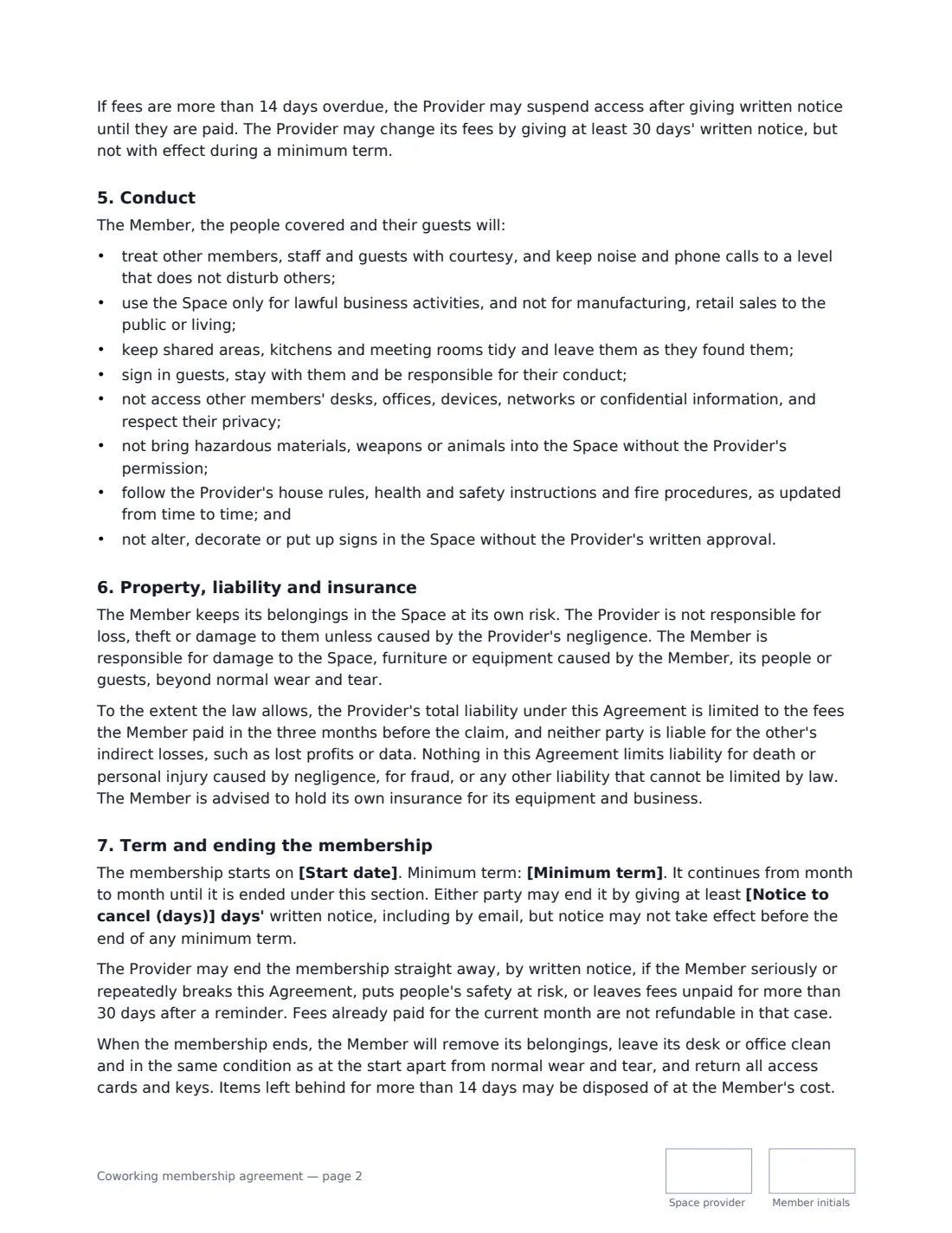
The template covers the membership plan and the people covered, access (24/7 or staffed hours), what is included such as Wi-Fi, printing and meeting-room hours, optional use of your address for mail, the monthly fee, setup fee and deposit, suspension for unpaid fees, a code of conduct for a shared space, liability and insurance, a minimum term and notice to cancel, and moving out.
- Best for
- Coworking spaces, shared offices, business centres and studios with desks to let
- Plans
- Hot desk, dedicated desk or private office
- Signed by
- The space provider and the member (or someone authorised for the member company)
- Length
- 3 pages, initialled on every page
When to Use a coworking membership agreement
- A freelancer joining on a monthly hot-desk plan
- A start-up taking a private office for four people with a six-month minimum
- A remote worker with a dedicated desk and a business address for mail
- An office with spare desks renting them to other small businesses
- A creative studio letting out desks to independent designers
What You Fill In
23 blanks, then the name and email of each person who signs: space provider, member.
1 The parties
- Space provider (your business)*
- Address of the space*
- Member (person or company)*
- Member address
- Member email for invoices and notices
2 Membership plan
- Membership plan* Hot desk · Dedicated desk · Private office
- Desk or office details
- Number of people covered*
- Names of the people covered
- Access* 24 hours a day, 7 days a week · during staffed hours only
- Staffed hours*
- Meeting-room hours included per month
- Other things included
- Business address and mail* Not included · The Member may use the space's address as a business address and receive mail there
3 Term and fees
- Start date*
- Minimum term* None · 3 months · 6 months · 12 months
- Notice to cancel (days)*
- Currency*
- Monthly membership fee*
- Fee is due*
- One-off setup fee
- Security deposit
4 Other terms
- Governing law*
5 Who signs
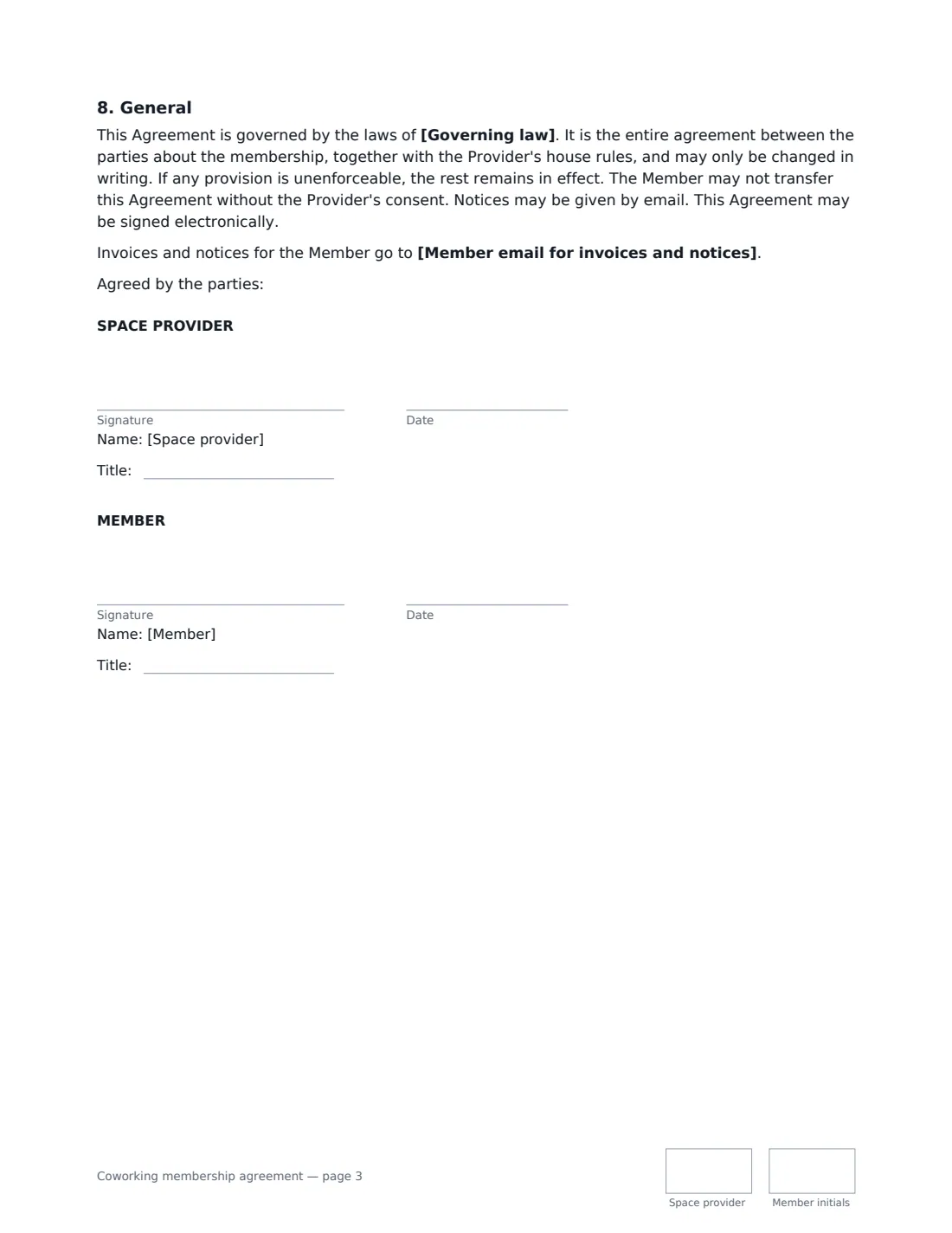
- Space provider signature and date, job title, initials on every page · The business that runs the coworking space.
- Member signature and date, job title, initials on every page · The person, or someone authorised to sign for the member company.
What the coworking membership agreement Covers
- Nature of the membership
- Membership plan
- Access and services
- Fees
- Conduct
- Property, liability and insurance
- Term and ending the membership
- General
Using the coworking membership agreement, step by step
1 Choose the plan
Pick hot desk, dedicated desk or private office, add the desk or office number, and set how many people it covers. For a company membership, list the people so each gets their own access card.
2 Set access and what's included
Choose 24/7 access or staffed hours only, list what's included, add any monthly meeting-room hours, and decide whether the member may use your address for business mail.
3 Fees and term
Enter the monthly fee, when it is due, and any setup fee or deposit. Choose a minimum term — none, 3, 6 or 12 months — and the notice needed to cancel.
4 Send for signature
Send it to the member. For a company, have someone who can sign for it do so; the job-title boxes record their role.
Tips Before You Send It
- Keep your house rules in a separate, up-to-date document and point members to it — the agreement makes them part of the deal.
- If you let members use your address for mail, remind them to update their registered details when they leave.
- Check your own lease allows you to share the space with members before you sign anyone up.
- Give each person their own access card or code, so you can switch off one without affecting others.
Sign It Online In Minutes
- Fill in the blanks. Names, dates and amounts go straight into the agreement — the preview shows exactly where.
- Name who signs. Tick “This is me” for your own part. VergeHR builds the PDF with every signature, date and initials box on the right line, and you can check or move anything before sending.
- Send it. Each signer gets a secure link and signs from any device — no account needed. The signed PDF, with an audit trail and a Certificate of Completion, is filed in Files and emailed to everyone.
Coworking membership agreement: frequently asked questions
Is a coworking membership a lease?
No. The template gives the member a personal licence to use the space as part of a service, and says the provider keeps control of the space and may move a member to a comparable desk or office with reasonable notice. That is the usual structure for coworking memberships.
What happens if a member doesn't pay?
If fees are more than 14 days overdue, the provider may suspend access after written notice until they are paid. If they stay unpaid for more than 30 days after a reminder, the provider may end the membership.
Is the provider liable for lost laptops or data?
Members keep their belongings at their own risk unless the provider was negligent, and are responsible for protecting their own devices and data. Where the law allows, the provider's liability is capped at three months' fees.
Can a membership be signed electronically?
Yes. In most countries, including the US (ESIGN Act and UETA), the UK, the EU (eIDAS) and Canada, an electronic signature is generally valid for an ordinary service contract like this one. VergeHR keeps an audit trail and a Certificate of Completion with the signed PDF.
Is this template free?
Yes. The template is free to use with the eSignature app in VergeHR, and members don't need a VergeHR login to sign.