

What is a device repair authorization?
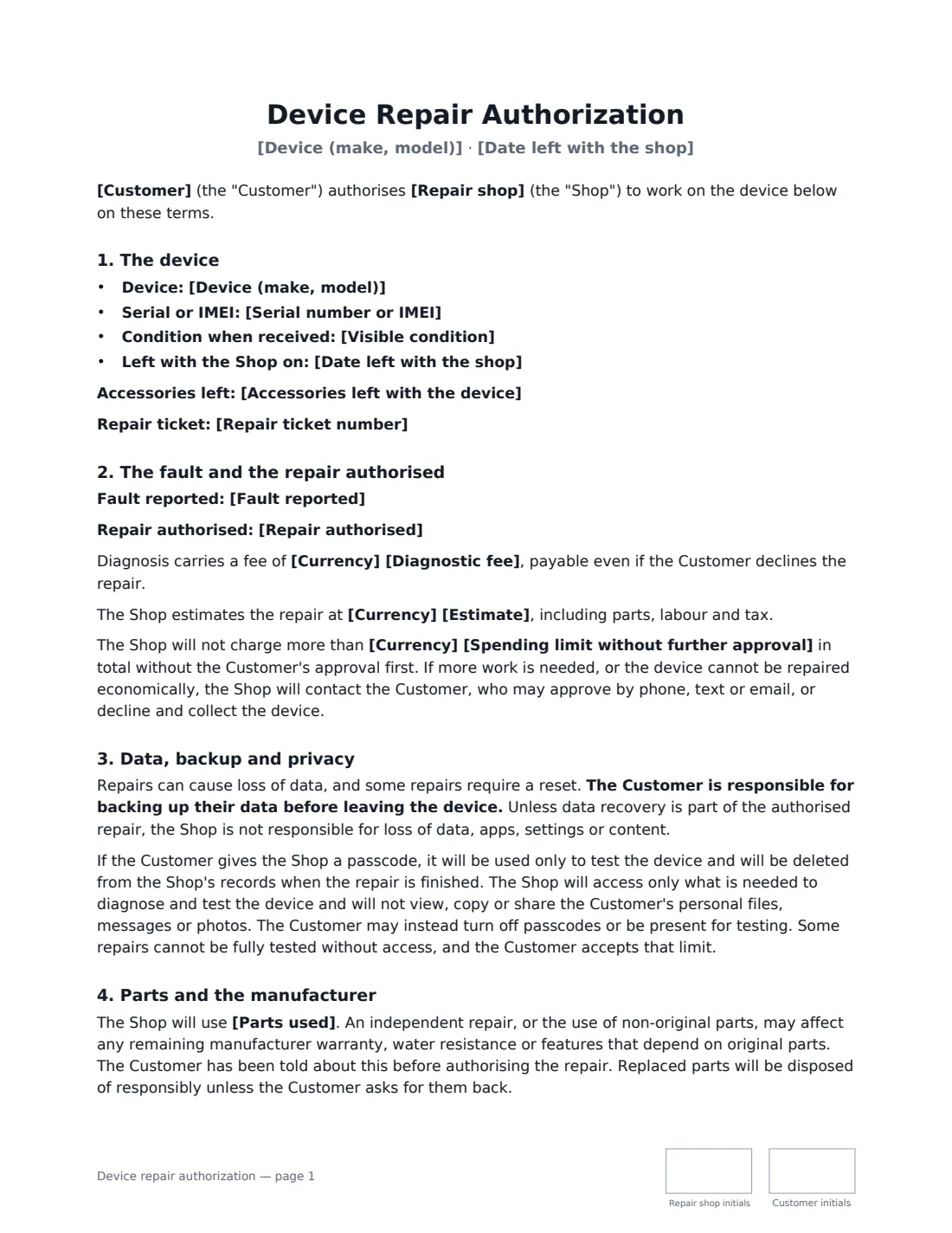
A device repair authorization is the intake form a phone, computer, tablet or console repair shop asks the customer to sign when they drop off a device. It answers the questions that cause trouble later: how much can the shop spend without calling, who is responsible if photos disappear, what the technician may look at, and what happens to a phone nobody comes back for.
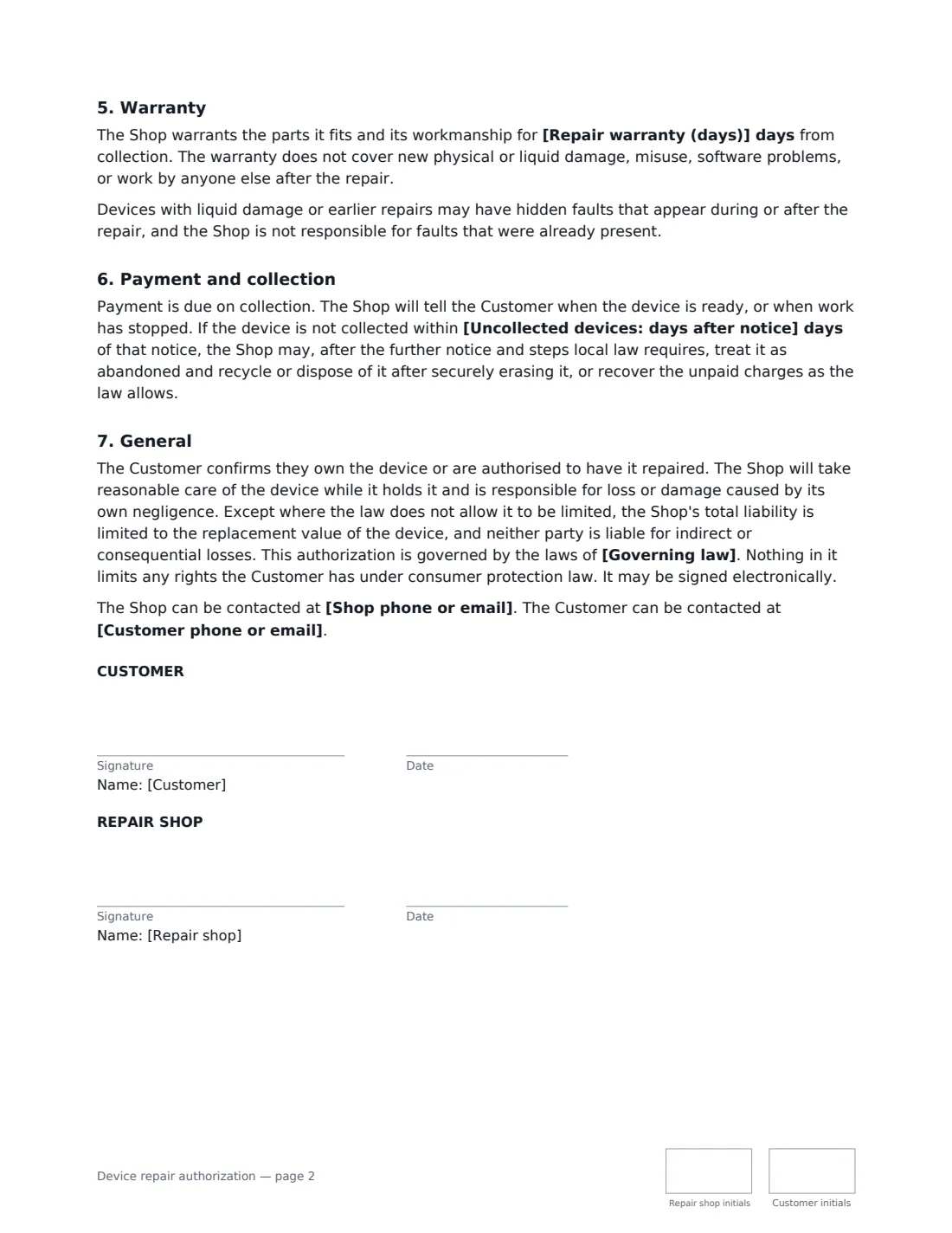
This template records the device, serial or IMEI, accessories and visible condition, the reported fault and the repair authorised, with an optional diagnostic fee and estimate and a firm spending limit. It puts data backup on the customer, limits how a passcode may be used and when it's deleted, explains that independent repairs or non-original parts can affect manufacturer warranties and water resistance, and sets the shop's repair warranty, payment on collection and a collection period for uncollected devices that respects local notice rules.
- Best for
- Phone, computer, tablet, console and small electronics repair shops
- Signed by
- The customer and the repair shop
- Key protections
- Spending limit, data backup, passcode privacy, uncollected devices
- Length
- About 2 pages, initialled on every page
When to Use a device repair authorization
- A cracked phone screen left for same-day repair
- A laptop that won't boot, left for diagnosis
- Battery and charging-port replacements on tablets
- Games console HDMI port or overheating repairs
- A business leaving several staff laptops for repair
What You Fill In
20 blanks, then the name and email of each person who signs: repair shop, customer.
1 The parties
- Repair shop*
- Shop phone or email*
- Customer*
- Customer phone or email*
2 The device
- Device (make, model)*
- Serial number or IMEI
- Accessories left with the device
- Visible condition*
- Date left with the shop*
- Repair ticket number
3 The repair
- Fault reported*
- Repair authorised*
- Currency*
- Diagnostic fee
- Estimate
- Spending limit without further approval*
4 Terms
- Parts used* original manufacturer parts · compatible (aftermarket) parts of good quality · the Shop's choice of suitable parts, which may be original or compatible · refurbished parts
- Repair warranty (days)
- Uncollected devices: days after notice*
- Governing law*
5 Who signs
- Repair shop signature and date, initials on every page · The repair shop or technician.
- Customer signature and date, initials on every page · The owner of the device, or someone authorised by the owner.
What the device repair authorization Covers
- The device
- The fault and the repair authorised
- Data, backup and privacy
- Parts and the manufacturer
- Warranty
- Payment and collection
- General
Using the device repair authorization, step by step
1 Record the device
Enter the make and model, serial or IMEI, any accessories left and the visible condition — cracks, dents, missing screws — with the drop-off date and ticket number.
2 Describe the fault and repair
Write the fault in the customer's words and the repair they authorise now. Add a diagnostic fee and estimate if you use them.
3 Set the spending limit
Enter the most you may charge without calling. Anything more needs the customer's approval by phone, text or email.
4 Choose parts and warranty, then sign
Pick the type of parts, the repair warranty in days and how long you keep uncollected devices. The customer signs at the counter on a tablet or from a link.
Tips Before You Send It
- Ask the customer to back up before handing over the device — the form makes it their responsibility, but a reminder saves tears.
- Delete passcodes from your system when the repair is done; the form promises it.
- Tell customers plainly when non-original parts may affect features or water resistance.
- Check local rules on abandoned goods before disposing of an uncollected device, and always wipe it securely first.
Sign It Online In Minutes
- Fill in the blanks. Names, dates and amounts go straight into the agreement — the preview shows exactly where.
- Name who signs. Tick “This is me” for your own part. VergeHR builds the PDF with every signature, date and initials box on the right line, and you can check or move anything before sending.
- Send it. Each signer gets a secure link and signs from any device — no account needed. The signed PDF, with an audit trail and a Certificate of Completion, is filed in Files and emailed to everyone.
Device repair authorization: frequently asked questions
Who is responsible if data is lost during a repair?
The customer is responsible for backing up before leaving the device. Unless data recovery is part of the authorised repair, the shop isn't responsible for lost data, apps or settings.
Does the customer have to give their passcode?
No. If they do, it's used only to test the device and deleted when the repair is finished. They can instead turn off the passcode or be present for testing, accepting that some repairs can't be fully tested without access.
What happens to devices that are never collected?
After the collection period you set, and the further notice and steps local law requires, the shop may treat the device as abandoned and recycle or dispose of it after securely erasing it.
Can customers sign at the counter?
Yes. Customers can sign on a shop tablet or phone from the VergeHR signing link, or from their own phone by email. Everyone gets the signed PDF with its audit trail.