

What is a patient financial policy?
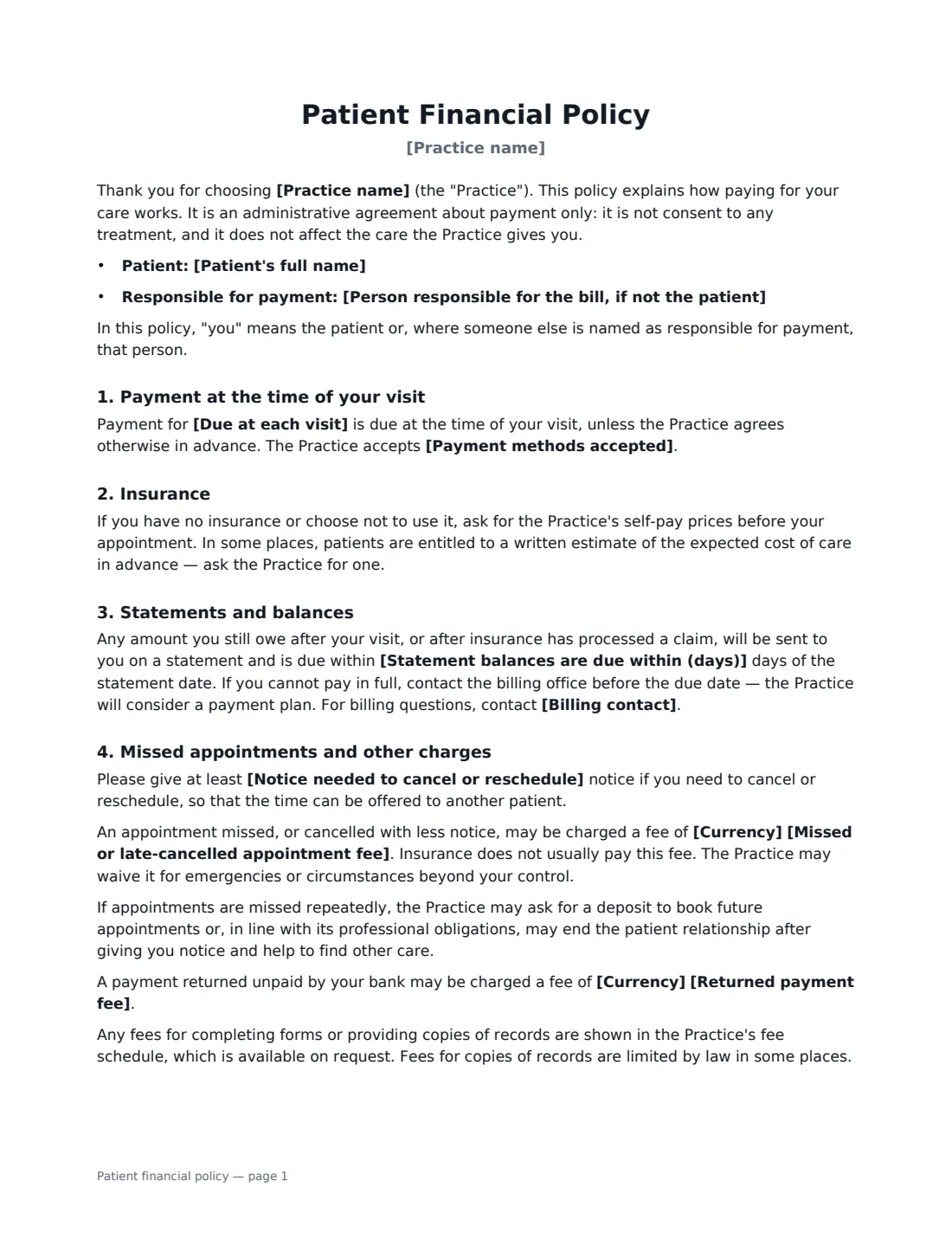
A patient financial policy (also called a financial responsibility agreement or patient payment policy) is the form new patients sign at the front desk so there are no surprises about money. It sets out what is paid at the visit, how insurance is handled, when statement balances are due, what happens if an appointment is missed, and what happens to unpaid accounts. It is an administrative agreement only — it is not consent to treatment, and the form says so.
This template lets you choose whether your practice bills insurance or is self-pay. For insurance-billing practices it explains that coverage is a contract between the patient and their insurer, that unpaid balances become the patient's responsibility except where your insurer contract or the law says otherwise, and includes an authorisation to share claim information and have benefits paid to the practice. You set what is due at each visit, accepted payment methods, the number of days to pay a statement, the cancellation notice needed, and optional missed-appointment and returned-payment fees. An optional card-on-file clause lets you charge balances owed — including what is left after insurance — after telling the patient the amount. It also covers self-pay estimates, payment plans, collections within the law, and who pays for children and dependants.
- Best for
- Medical, dental, physiotherapy, chiropractic, optometry, therapy and counselling practices
- Signed by
- The patient (or responsible adult) and the practice
- Not
- A consent to treatment or a privacy notice — those are separate forms
- Length
- 2 pages
When to Use a patient financial policy
- New patient registration, alongside intake and privacy forms
- Introducing a missed-appointment fee or card-on-file policy to existing patients
- Practices moving from insurance billing to self-pay, or the reverse
- Pediatric practices where a parent or guardian is responsible for the bill
- Therapy and counselling practices with a late-cancellation policy
What You Fill In
14 blanks, then the name and email of each person who signs: patient, practice.
1 The practice
- Practice name*
- Billing contact*
2 The patient
- Patient's full name*
- Person responsible for the bill, if not the patient
3 Insurance and payment
- Insurance* The practice bills insurance · The practice does not bill insurance
- Due at each visit*
- Payment methods accepted*
- Statement balances are due within (days)*
- Card on file* No · Yes
4 Missed appointments and fees
- Notice needed to cancel or reschedule*
- Currency*
- Missed or late-cancelled appointment fee
- Returned payment fee
- Other terms
5 Who signs
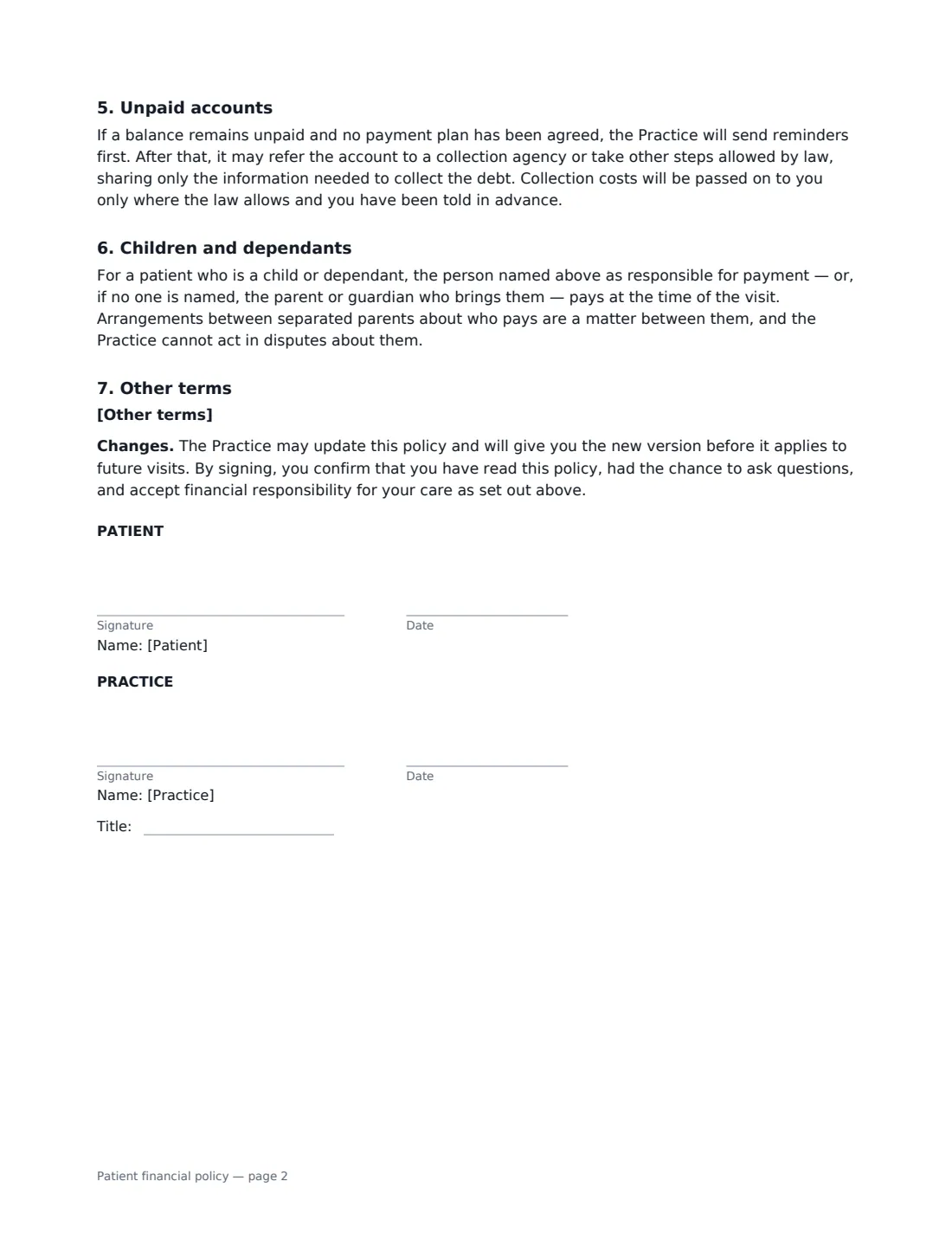
- Patient signature and date · The patient, or the parent, guardian or other person responsible for their bill.
- Practice signature and date, job title · The practice manager or front-desk staff member.
What the patient financial policy Covers
- Payment at the time of your visit
- Insurance
- Statements and balances
- Missed appointments and other charges
- Unpaid accounts
- Children and dependants
- Other terms
Using the patient financial policy, step by step
1 Choose your insurance model
Pick whether the practice bills insurance or does not. The insurance clauses switch automatically: billing practices get the benefits, network and denied-claim wording and the authorisation to have benefits paid to you; self-pay practices get a promise of an itemised receipt the patient can claim with.
2 Set payment terms
Edit what is due at each visit (the default is co-payments, unmet deductibles and uncovered services), the payment methods you accept, and how many days patients have to pay a statement. Turn on card on file if you store cards for post-insurance balances.
3 Set cancellation and fees
Enter the notice needed to cancel and, optionally, a missed-appointment fee and a returned-payment fee. Leave a fee empty and it doesn't appear. Add any other terms, such as payment in full for cosmetic procedures.
4 Send before the first visit
Send it with your other new-patient forms. If someone else is responsible for the bill — a parent, for example — name them, and they sign in the patient role. You countersign for the practice.
Tips Before You Send It
- Check your insurer contracts and local rules before charging missed-appointment fees — some limit or prohibit them for certain patients.
- Keep the policy consistent with what your front desk actually does; a policy you don't follow is hard to rely on.
- Offer a payment plan before sending an account to collections — the policy invites patients to call before the due date.
- Give patients a copy of the signed policy. VergeHR emails it to them automatically.
Sign It Online In Minutes
- Fill in the blanks. Names, dates and amounts go straight into the agreement — the preview shows exactly where.
- Name who signs. Tick “This is me” for your own part. VergeHR builds the PDF with every signature, date box on the right line, and you can check or move anything before sending.
- Send it. Each signer gets a secure link and signs from any device — no account needed. The signed PDF, with an audit trail and a Certificate of Completion, is filed in Files and emailed to everyone.
Patient financial policy: frequently asked questions
Is this a consent to treatment?
No. The policy states that it is an administrative agreement about payment only and does not affect the care the practice gives. Use your own clinical consent forms for treatment.
Can we charge for missed appointments?
Many practices do, but whether and how much you can charge can depend on your insurer contracts and local rules. The fee is optional in the template, and the practice may waive it for emergencies.
What does the card-on-file clause allow?
It lets the practice keep a card in a secure payment system and charge balances the patient owes, including what is left after insurance has processed a claim, up to the statement amount, after telling the patient the amount. The patient can withdraw it for future charges in writing.
Is an electronic signature valid for a financial policy?
Electronic signatures are generally valid for ordinary agreements like this in the US (ESIGN Act and UETA), the UK, the EU (eIDAS) and Canada. VergeHR keeps an audit trail and a Certificate of Completion with the signed PDF.