

What is a service cancellation form?
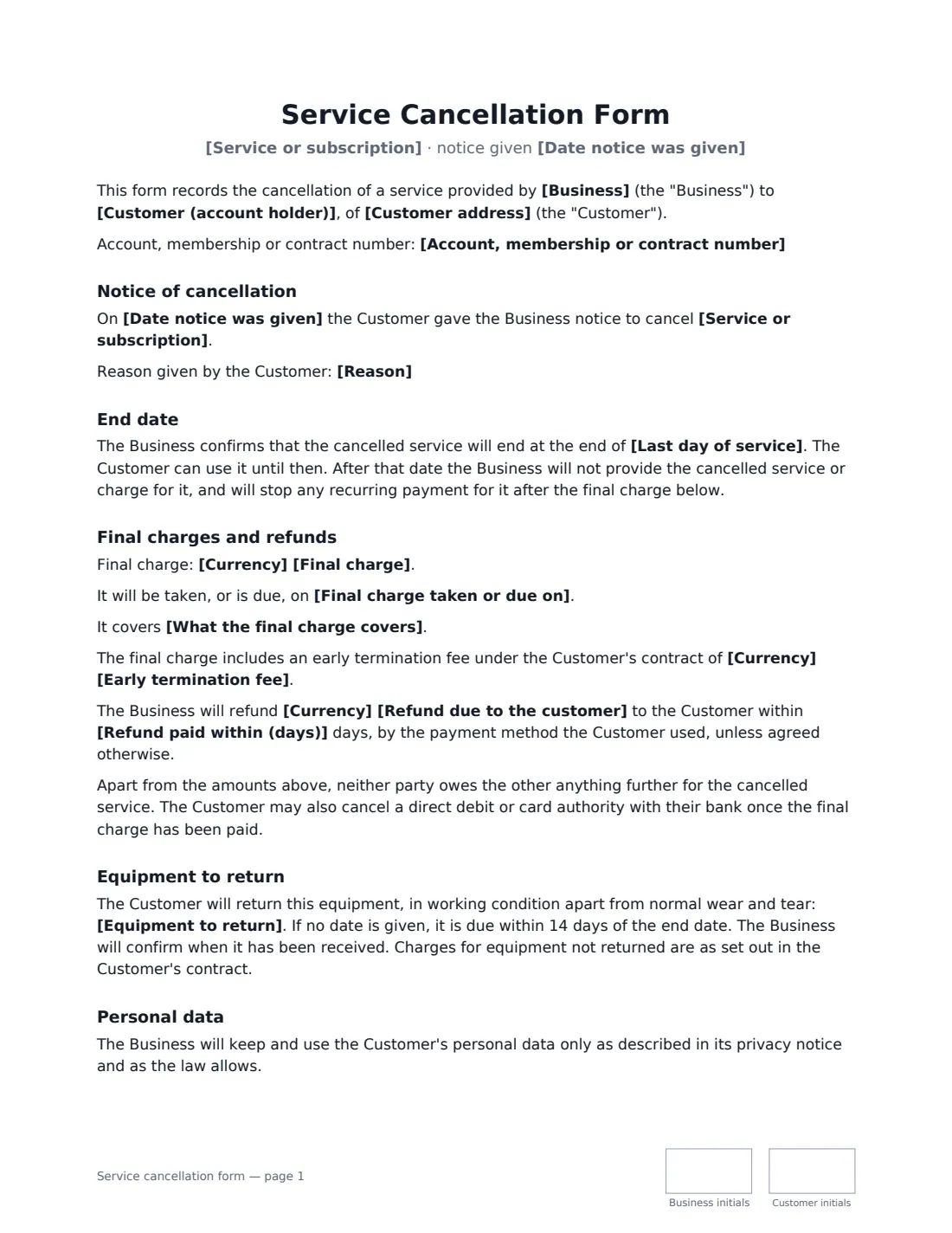
A service cancellation form records that a customer has cancelled a subscription, membership or ongoing service, and what the business has confirmed in return: the last day of service, the final charge, any early termination fee or refund, and equipment to send back. Gyms, cleaning and lawn-care companies, internet and alarm providers, software subscriptions, tutors and clubs all get cancellation disputes, and nearly all of them come down to "I cancelled" against "we never got it" or a surprise charge afterwards.
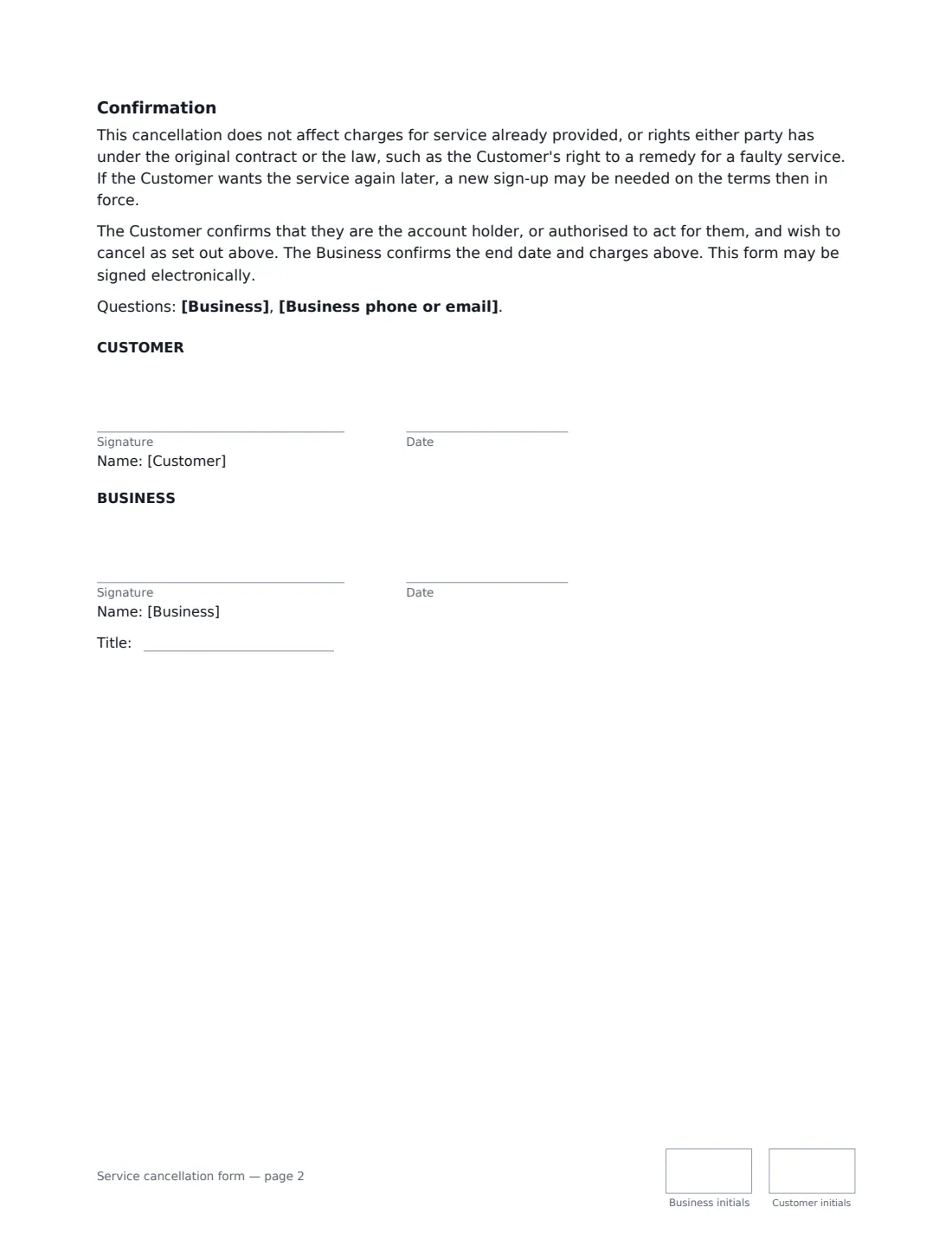
This template records the account number, the service, the date notice was given, and whether the whole service or only part of it is cancelled. The business confirms the end date and that it will stop recurring payments after the final charge, and lists the final charge, what it covers, any early termination fee, and any refund with the number of days to pay it. Optional sections cover equipment to return and a request to delete the customer's personal data except what must be kept by law. Both sides sign, so the customer has proof of cancellation and the business has proof of the terms.
- Best for
- Memberships, subscriptions, recurring services, rentals of equipment with a service
- Signed by
- The customer and the business
- Covers
- End date, final charge, early termination fee, refund, equipment, personal data
- Length
- About 2 pages
When to Use a service cancellation form
- A gym or club confirming a member's cancellation and last billing date
- A cleaning, lawn-care or pool service ending a regular contract
- An internet, phone or alarm provider confirming the end date and equipment return
- A software or subscription business recording a cancellation and pro-rated refund
- A customer who wants written confirmation that recurring payments will stop
What You Fill In
20 blanks, then the name and email of each person who signs: business, customer.
1 The parties
- Business*
- Business phone or email
- Customer (account holder)*
- Customer address
- Account, membership or contract number
2 The cancellation
- Service or subscription*
- Cancel* the whole service · only part of the service
- Which part is cancelled
- Date notice was given*
- Reason
3 End date and charges
- Last day of service*
- Currency*
- Final charge
- Final charge taken or due on
- What the final charge covers
- Early termination fee
- Refund due to the customer
- Refund paid within (days)
4 Equipment
- Equipment to return
- Personal data* No request · Delete my personal data, except what must be kept by law
5 Who signs
- Business signature and date, job title, initials on every page · The business providing the service. It fills in the end date and final charges and countersigns.
- Customer signature and date, initials on every page · The account holder cancelling the service.
What the service cancellation form Covers
- Notice of cancellation
- End date
- Final charges and refunds
- Equipment to return
- Personal data
- Confirmation
Using the service cancellation form, step by step
1 Identify the account
Enter the business, the customer, the account or membership number and the service being cancelled. Choose whether it's the whole service or only part — for example a TV add-on while broadband continues.
2 Confirm the end date
Enter the last day of service after any notice period in the customer's contract. After that date there's no service and no charge for it.
3 Fill in the money
Add the final charge, when it's taken and what it covers, any early termination fee from the contract, and any refund. Leave a box empty if it doesn't apply — the paragraph disappears.
4 Add equipment and data, then send
List any equipment to return, and how and by when. Choose whether the customer asks for their personal data to be deleted. Both sides sign; the signed form is filed in Files.
Tips Before You Send It
- Customers can use this too: put the business's name in, add yourself as the customer signer and the business as the other signer, and fill in what the business told you.
- Put the notice date as the day notice was actually received — it's usually what decides the end date.
- The customer can also cancel a direct debit or card authority with their bank once the final charge is paid.
- A cancellation doesn't wipe out charges for service already provided, or the customer's legal rights about a faulty service.
Sign It Online In Minutes
- Fill in the blanks. Names, dates and amounts go straight into the agreement — the preview shows exactly where.
- Name who signs. Tick “This is me” for your own part. VergeHR builds the PDF with every signature, date and initials box on the right line, and you can check or move anything before sending.
- Send it. Each signer gets a secure link and signs from any device — no account needed. The signed PDF, with an audit trail and a Certificate of Completion, is filed in Files and emailed to everyone.
Service cancellation form: frequently asked questions
Does the business have to accept a cancellation?
That depends on the customer's contract and local consumer law, including any minimum term or notice period. This form records the cancellation and the terms both sides confirm; it doesn't override rights either party has under the original contract or the law.
Can a customer ask for their data to be deleted?
The form includes an optional request to delete the customer's personal data once the account is closed, except what must be kept by law (for example tax records). The business responds as privacy law requires.
Is an e-signed cancellation valid proof?
Electronic signatures are generally valid for ordinary business documents like this in the US (ESIGN Act and UETA), the UK, the EU (eIDAS) and Canada. VergeHR keeps an audit trail showing who signed and when, with a Certificate of Completion.
Is this template free?
Yes. It's free to use with VergeHR eSignature, and the other side doesn't need a VergeHR login to sign.