

What is a appointment and cancellation policy?
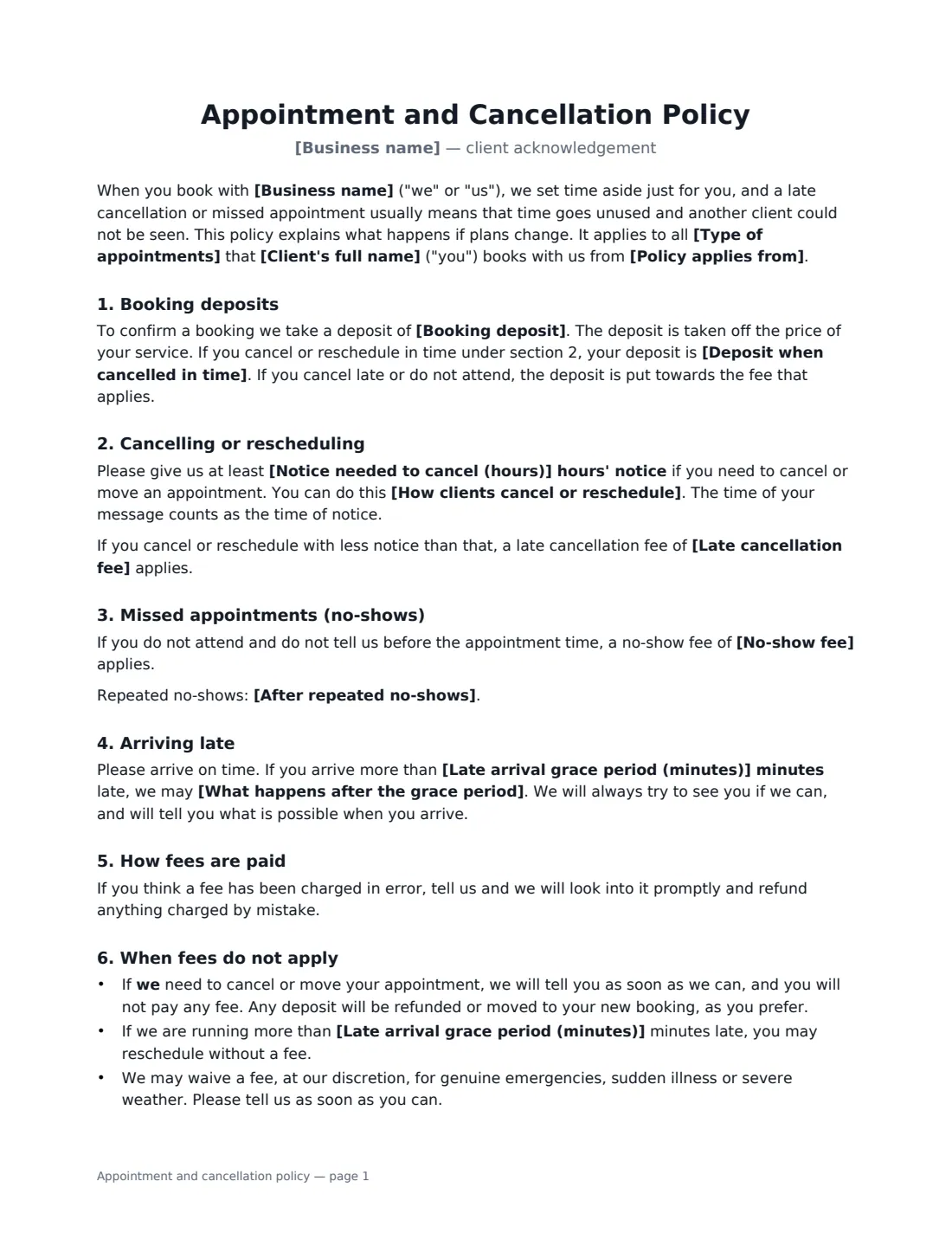
For a salon, spa, clinic, therapist, tattoo studio or groomer, a missed appointment is time you can't sell twice. A written appointment and cancellation policy that each client signs makes the rules clear before anyone is charged, so a fee for a no-show is something the client agreed to rather than a surprise — and it gives you a signed record if a charge is ever disputed.
This template sets out your policy in friendly, plain language addressed to the client. You choose an optional booking deposit and whether it is refunded or kept as credit when someone cancels in time, the hours of notice needed to cancel or reschedule, the late cancellation and no-show fees, a grace period for late arrivals and what happens after it, and whether fees are charged to a card on file or paid at the next visit. It also says when fees don't apply — when you cancel, when you're running late, genuine emergencies, and when you refill the slot — and lets you add your own rules, such as patch tests or children in the salon.
- Best for
- Salons, spas, clinics, therapists, tattoo and beauty studios, groomers
- Signed by
- The client, and the business
- Covers
- Deposits, cancellation notice, late cancellation and no-show fees, late arrivals, card on file
- Length
- About 2 pages
When to Use a appointment and cancellation policy
- A hair or beauty salon introducing a no-show fee
- A massage, physio or counselling practice with a 24- or 48-hour cancellation rule
- A tattoo or piercing studio taking booking deposits
- A dog groomer or pet spa with late-arrival rules
- Any appointment-based business that charges fees to a card on file
What You Fill In
15 blanks, then the name and email of each person who signs: client, business.
1 The business and client
- Business name*
- How clients cancel or reschedule*
- Type of appointments*
- Client's full name*
- Policy applies from*
2 Deposits
- Booking deposit
- Deposit when cancelled in time* refunded in full · kept as a credit towards a future booking
3 Cancellations and no-shows
- Notice needed to cancel (hours)*
- Late cancellation fee*
- No-show fee*
- After repeated no-shows
4 Late arrivals
- Late arrival grace period (minutes)*
- What happens after the grace period* shorten the appointment so the next client is not delayed, and charge the full price · reschedule the appointment and charge the late cancellation fee · treat the appointment as a no-show
5 Payment of fees
- Charge fees to a card on file* Yes · No — fees are paid at the next visit or by invoice
6 Other rules
- Other appointment rules
7 Who signs
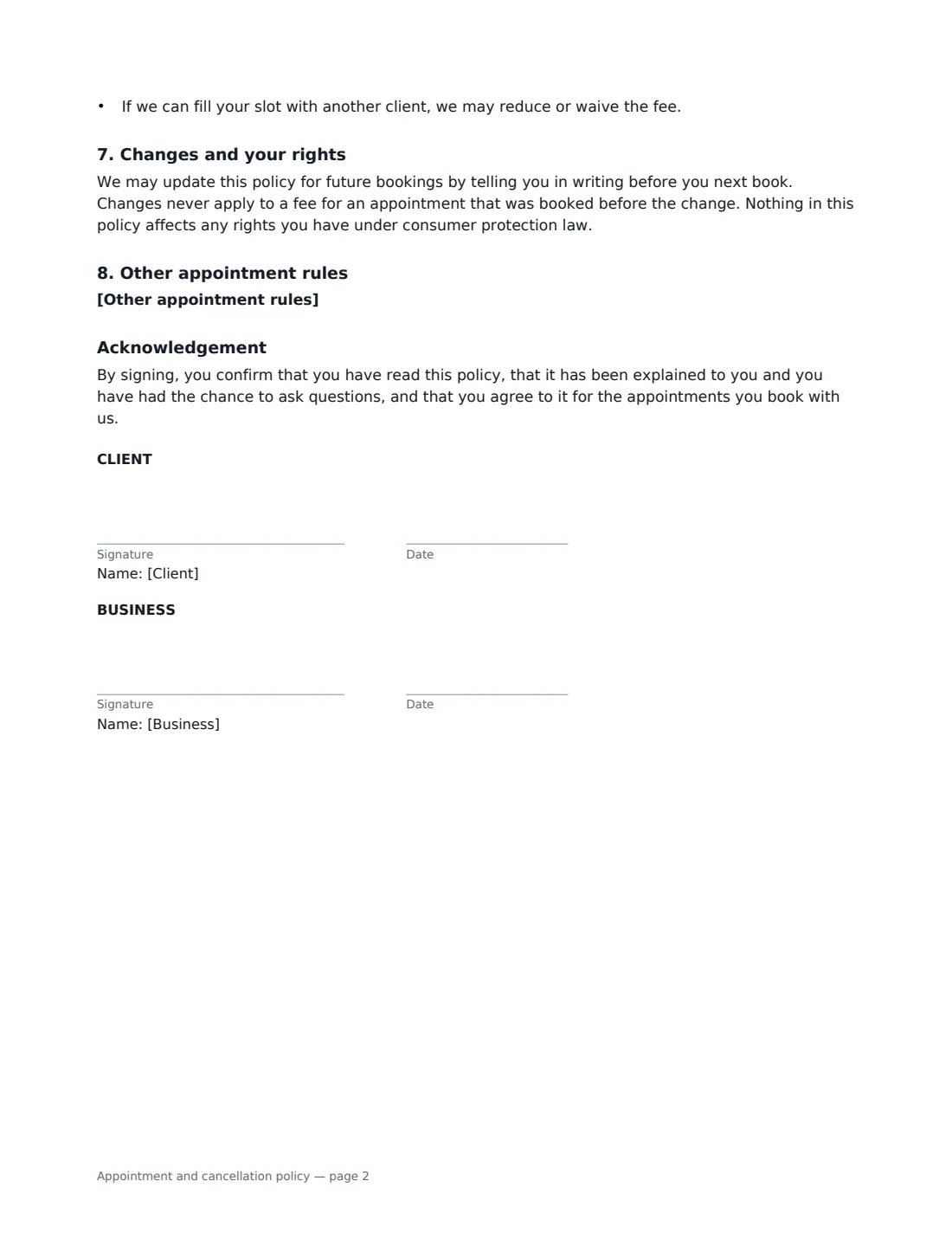
- Client signature and date · The person booking appointments.
- Business signature and date · The salon, clinic, studio or practitioner.
What the appointment and cancellation policy Covers
- Booking deposits
- Cancelling or rescheduling
- Missed appointments (no-shows)
- Arriving late
- How fees are paid
- When fees do not apply
- Changes and your rights
- Other appointment rules
- Acknowledgement
Using the appointment and cancellation policy, step by step
1 Name your business and how clients cancel
Enter your business name, the kind of appointments the policy covers, and exactly how clients should cancel — phone, text or your booking page. The policy counts the time of their message as the time of notice.
2 Set deposits and notice
Add a booking deposit if you take one (a percentage or a fixed amount) and choose whether it is refunded or kept as a credit when a client cancels in time. Then set the hours of notice needed to cancel or reschedule without a fee.
3 Set the fees
Enter the late cancellation fee and the no-show fee, for example 50% and 100% of the booked service. Set the grace period for late arrivals and whether you then shorten the appointment, reschedule it or treat it as a no-show.
4 Choose how fees are paid and send
Choose whether fees are charged to the card on file — the client authorises this when they sign — or paid at the next visit. Add any other rules, then send it to the client to sign before their first booking.
Tips Before You Send It
- Keep fees in line with what a late cancellation really costs you — a proportionate fee is easier to defend than a punitive one, and some places regulate these charges.
- Show the same policy on your booking page and in confirmation messages so clients see it more than once.
- Send reminders a day or two before appointments — it prevents more no-shows than fees do.
- Apply the policy consistently, and use the discretion it gives you for genuine emergencies.
Sign It Online In Minutes
- Fill in the blanks. Names, dates and amounts go straight into the agreement — the preview shows exactly where.
- Name who signs. Tick “This is me” for your own part. VergeHR builds the PDF with every signature, date box on the right line, and you can check or move anything before sending.
- Send it. Each signer gets a secure link and signs from any device — no account needed. The signed PDF, with an audit trail and a Certificate of Completion, is filed in Files and emailed to everyone.
Appointment and cancellation policy: frequently asked questions
Can I charge a client's card for a no-show?
If you choose card on file, the client authorises you, by signing, to charge fees due under the policy to the card they gave when booking, and the policy says you will tell them when you charge it. Your card processor's rules also apply, so keep the signed policy as evidence if a charge is disputed.
What if I have to cancel on the client?
The policy says the client pays no fee and any deposit is refunded or moved to the new booking, as they prefer. If you are running late by more than the grace period, they can reschedule without a fee.
Do clients need to sign it again when I change the policy?
The policy lets you update it for future bookings by telling clients in writing before they next book. Changes never apply to appointments already booked. Many businesses simply send the new version for signature.
Is an electronically signed policy valid?
Electronic signatures are generally valid for ordinary agreements like this in the US (ESIGN Act and UETA), the UK, the EU (eIDAS) and Canada. VergeHR keeps an audit trail and a Certificate of Completion with the signed PDF.