

What is a portfolio use permission?
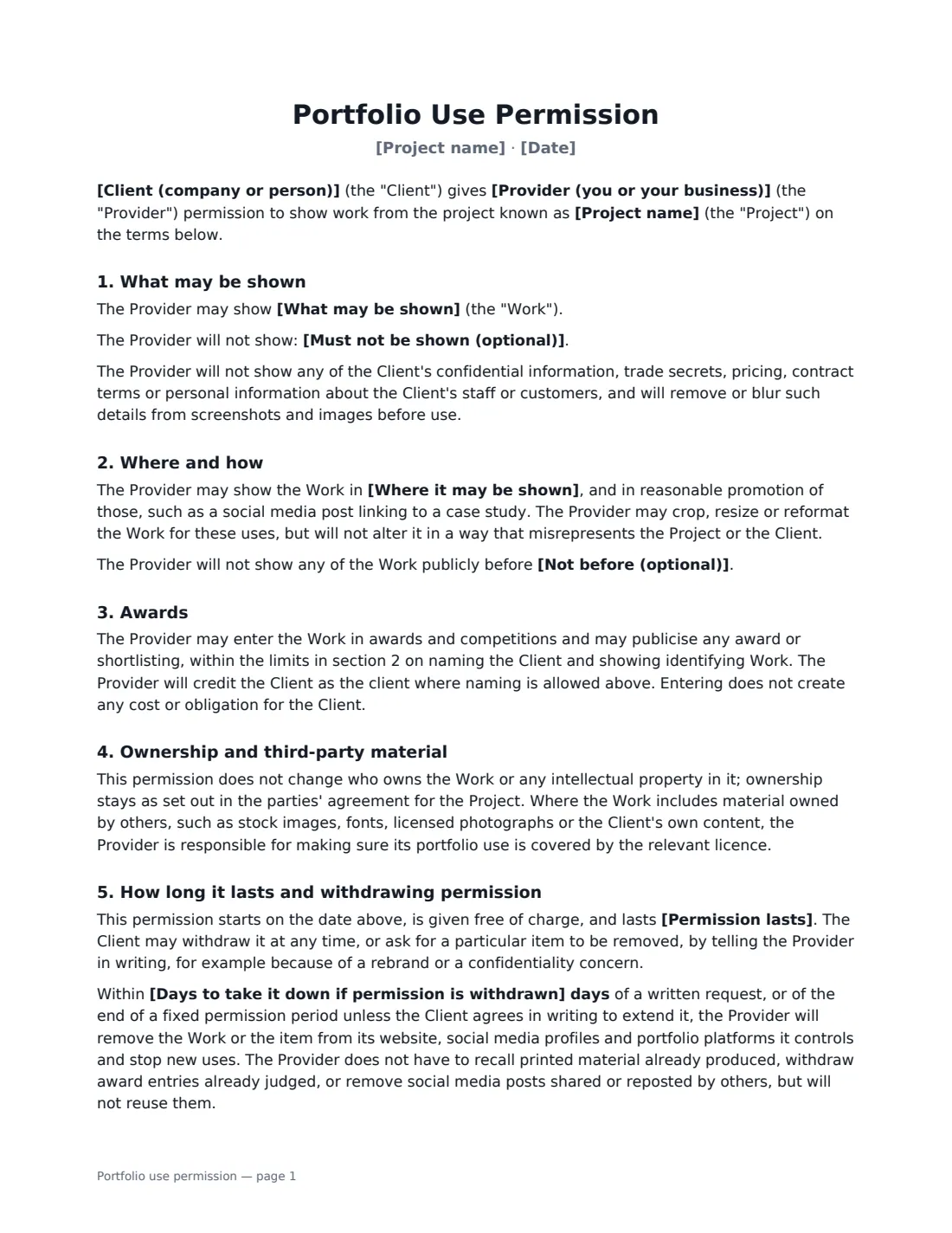
Designers, agencies, developers, architects, photographers, builders and other contractors win new work by showing old work. But many client projects are covered by confidentiality terms, or the client simply cares how their brand appears next to yours. A portfolio use permission settles it in writing: which parts of the project you may show, where, whether you may name the client and use their logo, and what happens if they later ask you to take it down.
This template lets you describe exactly what may be shown and anything that must not be, list the channels (website, social media, pitches, printed portfolios, talks and award entries), and choose between naming the client with their logo, naming them without it, or an anonymous case study. Optional clauses add an embargo date, a client review of case studies and award entries with a deadline for replying, and a site visit to photograph finished work. It confirms that ownership of the work is unchanged, puts responsibility for stock images and fonts on the provider, and sets a take-down period if permission is withdrawn.
- Best for
- Design and branding, web and app development, interiors, construction, photography, marketing agencies
- Signed by
- The client and the provider
- Naming options
- Name and logo, name only, or anonymous case study
- Length
- About 2 pages
When to Use a portfolio use permission
- A freelance designer asking to add a logo or brand identity to their portfolio
- An agency preparing a case study or award entry about a client campaign
- A builder, landscaper or interior designer photographing a finished project
- A developer showing screenshots of an app or website built for a client
- Agreeing portfolio rights after a project whose contract didn't mention them
What You Fill In
15 blanks, then the name and email of each person who signs: client, provider.
1 The parties
- Provider (you or your business)*
- Client (company or person)*
- Date*
2 The project
- Project name*
- What may be shown*
- Must not be shown (optional)
3 How it is used
- Where it may be shown*
- Client name and logo* may name the Client and show its logo · may name the Client but not show its logo · must not name the Client (anonymous case study)
- Client review before publishing* No review needed · The Client reviews each case study or award entry first
- Client review period (days)
- Not before (optional)
- Photographing the work on site* Not needed · The Provider may arrange a visit to photograph or film the finished work
- Days to take it down if permission is withdrawn*
- Permission lasts* with no time limit, until withdrawn · for 2 years · for 5 years
- Governing law (optional)
4 Who signs
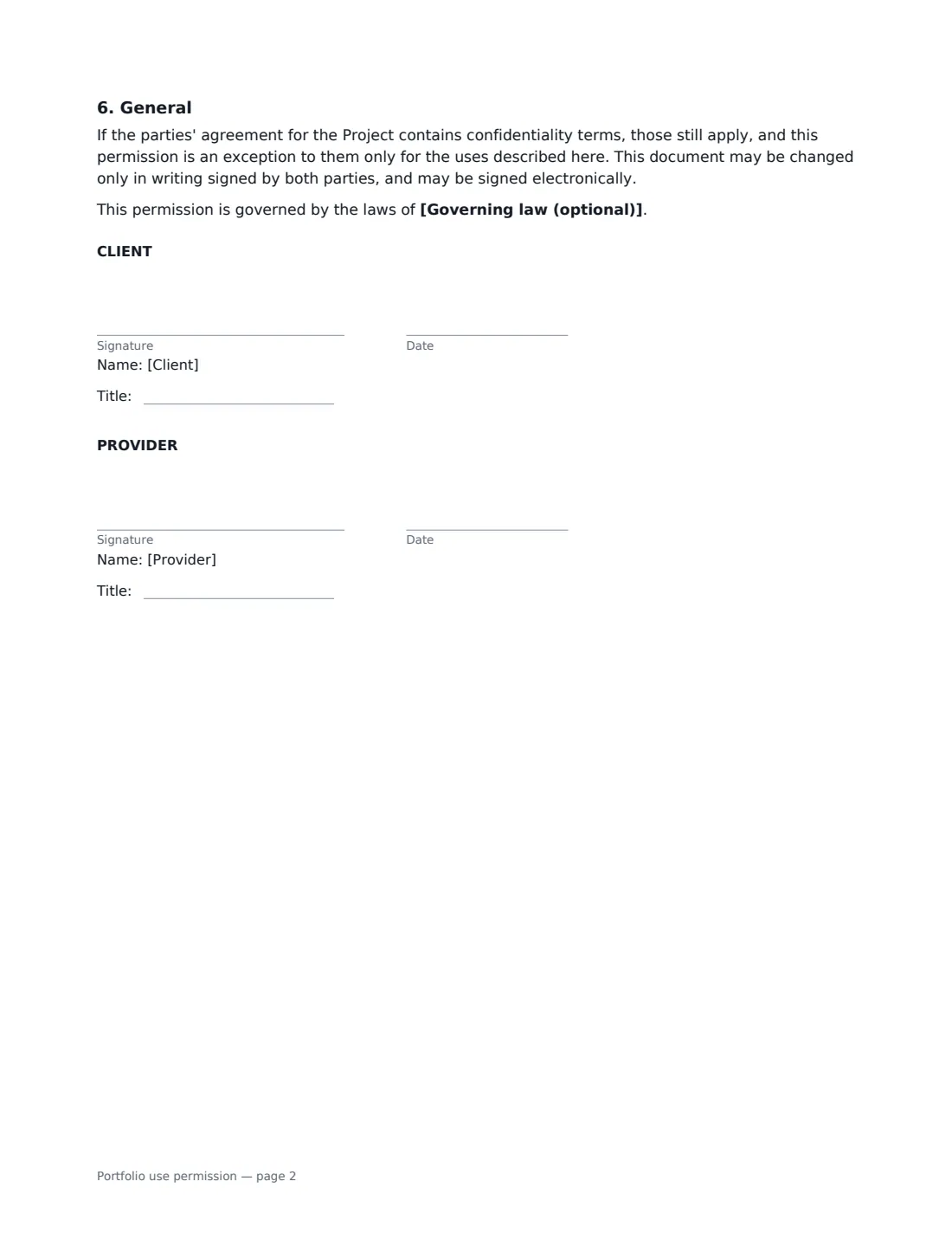
- Client signature and date, job title · Someone at the client who can agree how the project and the client's name are shown publicly.
- Provider signature and date, job title · The designer, contractor, photographer, developer or agency that did the work.
What the portfolio use permission Covers
- What may be shown
- Where and how
- Awards
- Ownership and third-party material
- How long it lasts and withdrawing permission
- General
Using the portfolio use permission, step by step
1 Describe the project and the work
Give the project a name and edit the description of what you may show — final deliverables, photos, screenshots, a summary of the brief and results. List anything that must stay private, such as pricing, internal dashboards or unreleased products.
2 Choose where and how the client appears
Keep or trim the list of channels, then choose whether you may name the client and show their logo, name them only, or keep the case study anonymous. An anonymous case study limits identifiable work to private pitches and award entries.
3 Add the optional safeguards
Set a "not before" date if the work is still under wraps, and choose client review if they want to approve case studies and award entries — silence after the review period counts as approval. Choose a site visit if you need to photograph finished work in place.
4 Set the take-down period and send
Choose how many days you have to remove the work if the client withdraws permission (30 is pre-filled) and how long permission lasts. Add the client as a signer, sign as the provider, and send.
Tips Before You Send It
- Ask for portfolio permission at the start of a project or at sign-off, when the relationship is at its best.
- Check your project contract first. If it has confidentiality terms, this permission works as a specific exception to them — it doesn't cancel them.
- If the work includes stock photos, licensed fonts or someone else's photography, check that your licence covers showing it in a portfolio.
- Blur names, emails and figures in screenshots even when the client agrees — personal data about their staff or customers isn't theirs to give away.
- Get a testimonial separately and in the client's own words; this permission doesn't allow you to invent an endorsement.
Sign It Online In Minutes
- Fill in the blanks. Names, dates and amounts go straight into the agreement — the preview shows exactly where.
- Name who signs. Tick “This is me” for your own part. VergeHR builds the PDF with every signature, date box on the right line, and you can check or move anything before sending.
- Send it. Each signer gets a secure link and signs from any device — no account needed. The signed PDF, with an audit trail and a Certificate of Completion, is filed in Files and emailed to everyone.
Portfolio use permission: frequently asked questions
Do I need permission to show client work in my portfolio?
It depends on your contract and who owns the work. Even where you keep some rights, confidentiality terms or the client's trademarks may limit what you can show. Written permission removes the doubt and sets expectations on both sides.
Does this give me ownership of the work?
No. The document says ownership stays as set out in the parties' agreement for the project. It only gives permission to show the work for the purposes listed.
What if the client changes their mind?
The client can withdraw permission in writing. You then have the number of days you chose to take the work down from your website, social profiles and portfolio platforms. Printed material already produced and award entries already judged don't have to be recalled.
Is an electronically signed permission valid?
Electronic signatures are generally valid for ordinary agreements like this in the US (ESIGN Act and UETA), the UK, the EU (eIDAS) and Canada. VergeHR keeps an audit trail and a Certificate of Completion with the signed PDF.
Is this template free?
Yes. It is free to use with the eSignature app in VergeHR, and your client doesn't need a VergeHR login to sign.