

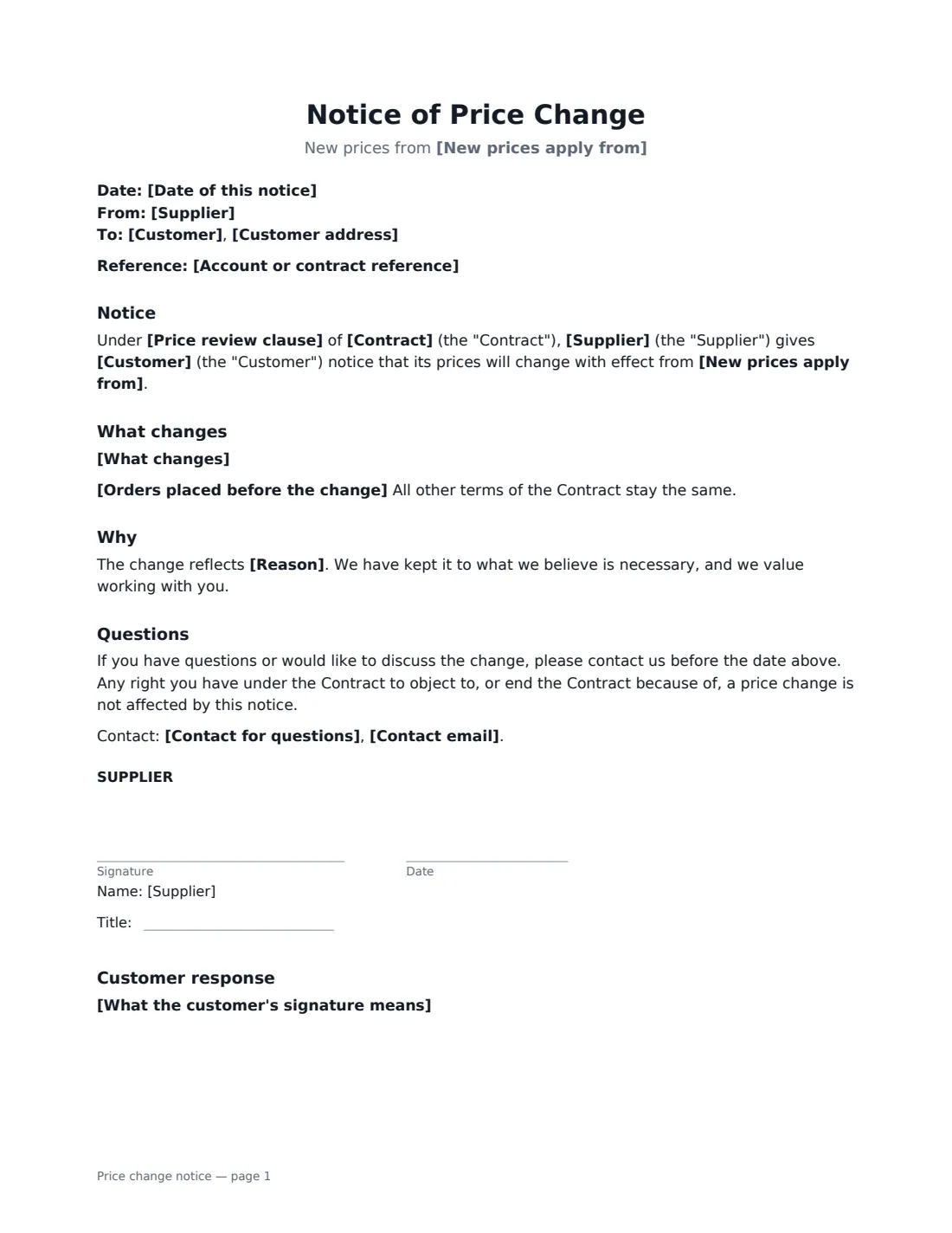

What is a price change notice?
Costs go up, and at some point suppliers have to pass that on. How you do it matters: a clear, courteous notice that follows the contract keeps the relationship intact and avoids disputes about which price applied to which order.
This template refers to the contract and its price review clause, lists the old and new prices (or points to an attached price list), sets the date the new prices apply, explains how orders placed before that date are treated, and gives an optional reason. You choose whether the customer's signature means acceptance of the new prices or only acknowledgement of receipt — useful when the contract needs the customer's agreement to a change.
- Best for
- Suppliers, wholesalers, agencies and service providers with ongoing B2B contracts
- Signed by
- The supplier; the customer accepts or acknowledges
- Customer response
- Acceptance of the new prices, or acknowledgement of receipt
- Length
- 1–2 pages
When to Use a price change notice
- An annual price review under a supply agreement
- Passing on higher energy, labour or material costs
- A logistics provider updating storage and handling rates
- An agency changing its hourly rates for retained clients
- A software reseller passing on a vendor price rise
What You Fill In
14 blanks, then the name and email of each person who signs: supplier, customer.
1 The parties
- Date of this notice*
- Supplier*
- Customer*
- Customer address
- Account or contract reference
2 The change
- Contract*
- Price review clause
- New prices apply from*
- What changes*
- Reason
3 Response
- What the customer's signature means* The Customer accepts the new prices from the date above. · The Customer acknowledges receipt of this notice.
- Orders placed before the change* Orders accepted before the date above are charged at the current prices. · Deliveries made on or after the date above are charged at the new prices, whenever ordered.
- Contact for questions
- Contact email
4 Who signs
- Supplier signature and date, job title
- Customer signature and date, job title · Signs to accept the new prices, or only to acknowledge receipt, depending on the option chosen.
What the price change notice Covers
- Notice
- What changes
- Why
- Questions
- Customer response
Using the price change notice, step by step
1 Identify the customer and contract
Enter the customer, any account reference, the contract and its price review clause if it has one.
2 List the changes
Set out each old and new price, or say that a new price list is attached. Choose the date the new prices apply.
3 Decide how existing orders are treated
Choose whether orders already accepted keep the old price or deliveries from the date are charged at the new price.
4 Choose what the customer's signature means and send
Ask for acceptance where the contract requires agreement, or acknowledgement where you have the right to change prices on notice. VergeHR tracks when the customer views and signs.
Tips Before You Send It
- Give at least the notice the contract requires, and more if you can.
- If the contract fixes prices for its term with no review clause, you usually need the customer's agreement.
- A short, honest reason helps the customer explain the increase internally.
- Check whether the customer has a right to terminate on a price change, and be ready to discuss.
Sign It Online In Minutes
- Fill in the blanks. Names, dates and amounts go straight into the agreement — the preview shows exactly where.
- Name who signs. Tick “This is me” for your own part. VergeHR builds the PDF with every signature, date box on the right line, and you can check or move anything before sending.
- Send it. Each signer gets a secure link and signs from any device — no account needed. The signed PDF, with an audit trail and a Certificate of Completion, is filed in Files and emailed to everyone.
Price change notice: frequently asked questions
Can I increase prices in the middle of a contract?
Only if the contract allows it, for example through a price review or indexation clause, or if the customer agrees. Choose "accepts" when you need their agreement.
How much notice should I give?
At least what the contract says. Where it is silent, a reasonable period that lets the customer budget and respond is good practice.
What if the customer refuses?
If the contract needs their agreement, the old prices continue until you agree or the contract ends. Talk to them; a phased increase may help.
Can I send this to many customers at once?
Each notice is a separate envelope in VergeHR, filled in for that customer.