

What is a talent agreement?
A talent agreement is the contract a production company, brand or agency signs with an actor, model or presenter it books for a shoot. The most important part isn't the day rate — it's usage: where the photos and footage can be used, for how long and in which countries. Getting that in writing avoids the classic dispute when a campaign shot for social media turns up on a billboard two years later.
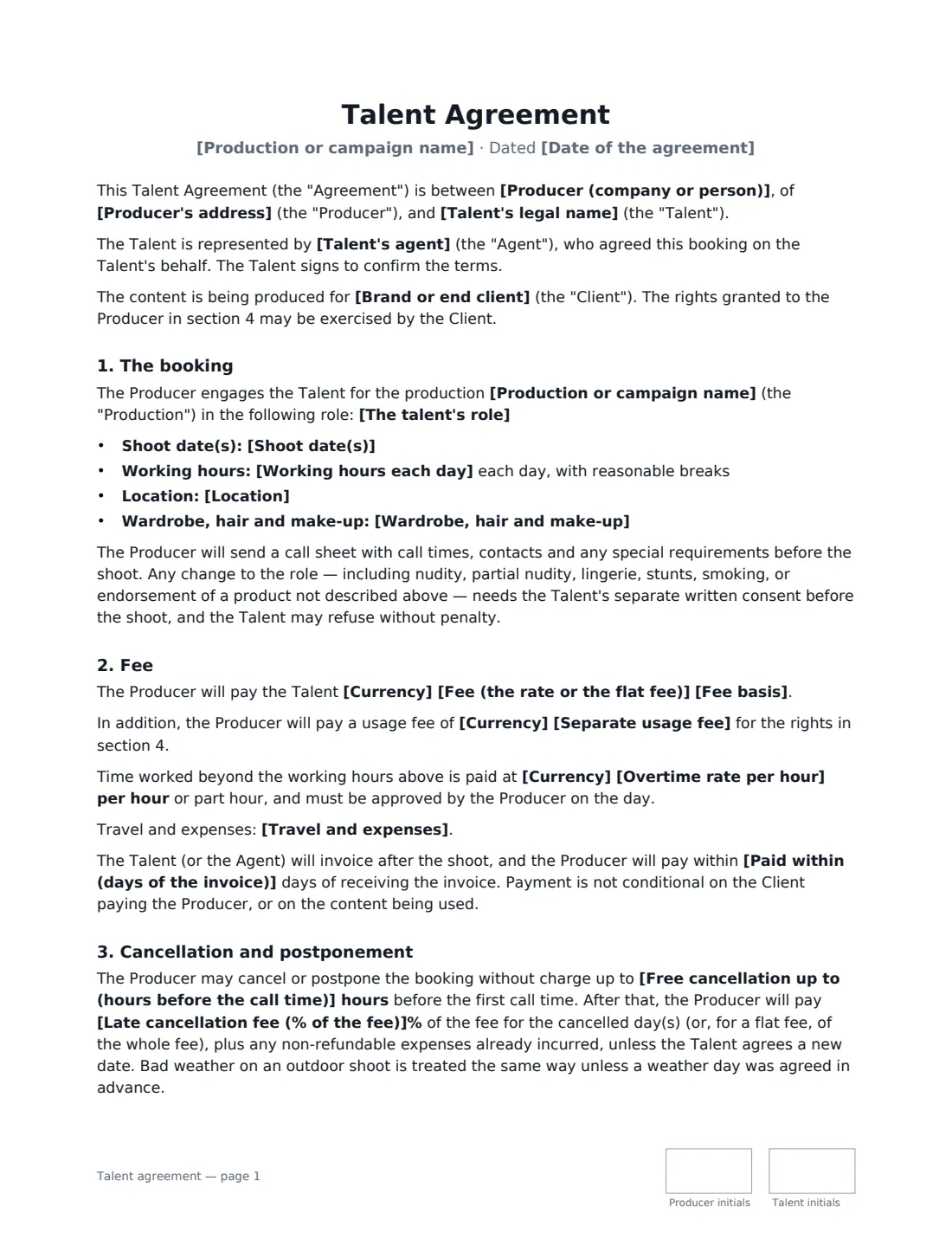
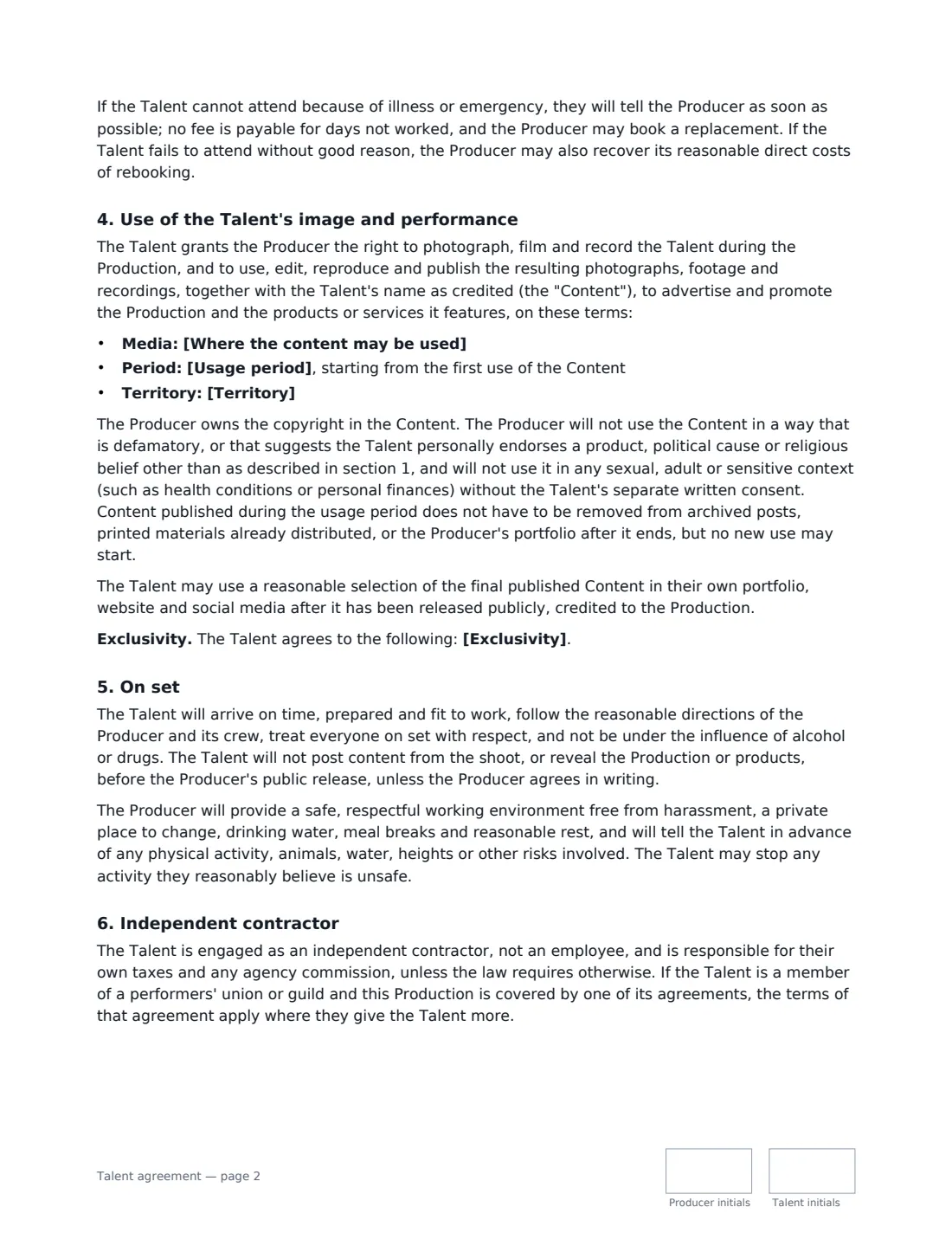
This template covers the booking (role, shoot dates, working hours, location, wardrobe), the fee as a day rate or flat fee with optional separate usage fee, overtime and expenses, cancellation and postponement with a late-cancellation fee, the usage licence (media, period and territory), limits on sensitive or endorsement uses, the talent's portfolio rights, optional exclusivity, conduct and safety on set, and the talent's status as an independent contractor with any union terms taking priority where they give more.
- Best for
- Commercial photo shoots, brand videos, ads, catalogues, corporate films
- Signed by
- The producer and the talent (adults only)
- Usage
- Choose the media, a period from 6 months to perpetuity, and the territory
- Length
- 3 pages, initialled on every page
When to Use a talent agreement
- Booking a model for an e-commerce or campaign photo shoot
- Hiring an actor or presenter for a brand video or advert
- Casting real people or influencers for a social media campaign
- A photographer booking talent directly for a client shoot
- Corporate video with a professional presenter
What You Fill In
27 blanks, then the name and email of each person who signs: producer, talent.
1 The parties
- Date of the agreement*
- Producer (company or person)*
- Producer's address
- Talent's legal name*
- Talent's agent
2 The booking
- Production or campaign name*
- Brand or end client
- The talent's role*
- Shoot date(s)*
- Working hours each day*
- Location*
- Wardrobe, hair and make-up* provided by the Producer · the Talent's own, as agreed in advance · a mix, as agreed in advance
3 Fee
- Currency*
- Fee basis* per shoot day · as a flat fee for the whole booking
- Fee (the rate or the flat fee)*
- Separate usage fee
- Overtime rate per hour
- Travel and expenses
- Paid within (days of the invoice)*
4 Usage
- Where the content may be used* All media · Online and social media only · Online, social media and print · Broadcast, online and social media · The media listed below
- Media listed
- Usage period* 6 months · 1 year · 2 years · 3 years · 5 years · In perpetuity
- Territory*
- Exclusivity
5 Cancellation
- Free cancellation up to (hours before the call time)*
- Late cancellation fee (% of the fee)*
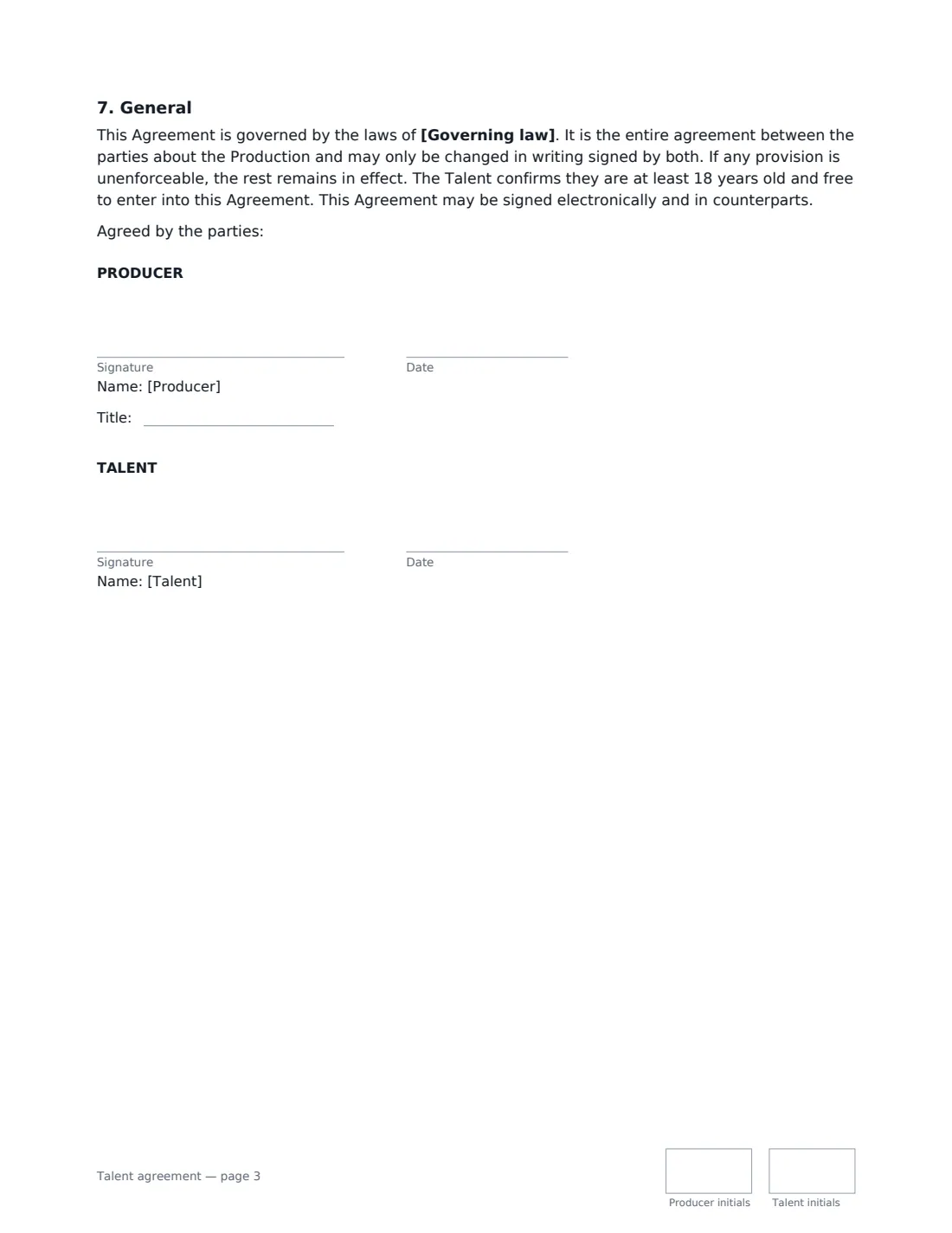
6 Other terms
- Governing law*
7 Who signs
- Producer signature and date, job title, initials on every page · The production company, brand or agency making the booking.
- Talent signature and date, initials on every page · The actor, model or presenter. Must be an adult — for anyone under 18, use a parental consent as well and check local child-performer rules.
What the talent agreement Covers
- The booking
- Fee
- Cancellation and postponement
- Use of the Talent's image and performance
- On set
- Independent contractor
- General
Using the talent agreement, step by step
1 Describe the booking
Name the production and, if different, the brand the content is for. Describe the role — and anything it doesn't include, such as no lingerie or nudity. Add the shoot dates, working hours, location and who provides wardrobe, hair and make-up.
2 Set the fee
Choose a day rate or a flat fee for the booking. If you pay a session fee plus a buy-out for usage, enter the usage fee separately. Add an overtime rate and any travel or accommodation you cover.
3 Define the usage
Pick the media (all media, online and social, print, broadcast, or a list you write), the usage period and the territory. The period runs from first use. Add exclusivity only if you're paying for it.
4 Agree cancellation
Set how many hours before the call time you can cancel for free, and the percentage of the fee due for a later cancellation.
5 Send before the shoot
Send it to the talent (or copy their agent) to sign from their phone. The signed copy is filed in Files with the rest of the production paperwork.
Tips Before You Send It
- Match the usage to what the client actually plans. Broader media, longer periods and exclusivity are normally paid for with a higher fee.
- If the talent is represented, the agent often negotiates the booking — the template records the agent and has the talent sign to confirm the terms.
- Talent under 18 needs a parent or guardian's consent, and many places have extra rules for child performers. Use the parental consent template as well and check local rules.
- If the talent is a union or guild member, check whether the production is covered by a union agreement — its terms apply where they are better for the talent.
Sign It Online In Minutes
- Fill in the blanks. Names, dates and amounts go straight into the agreement — the preview shows exactly where.
- Name who signs. Tick “This is me” for your own part. VergeHR builds the PDF with every signature, date and initials box on the right line, and you can check or move anything before sending.
- Send it. Each signer gets a secure link and signs from any device — no account needed. The signed PDF, with an audit trail and a Certificate of Completion, is filed in Files and emailed to everyone.
Talent agreement: frequently asked questions
What is the difference between a talent agreement and a model release?
A model or photo release only gives permission to use someone's image. A talent agreement is a full booking contract: it also covers the fee, dates, cancellation, conduct and exactly how the content may be used. For paid professional talent, a talent agreement is the better fit.
Can the producer use the content forever?
Only if you choose "In perpetuity" as the usage period. Otherwise use stops at the end of the chosen period, although content already published (such as old social posts or printed materials) doesn't have to be taken down, and no new use may start.
Is a talent agreement signed electronically valid?
In most countries, including the US (ESIGN Act and UETA), the UK, the EU (eIDAS) and Canada, an electronic signature is generally valid for an ordinary commercial contract like this one. VergeHR keeps an audit trail and a Certificate of Completion with the signed PDF as evidence of who signed and when.
Is this template free?
Yes. The template is free to use with the eSignature app in VergeHR, and the people you send it to don't need a VergeHR login to sign.