

What is a timesheet approval?
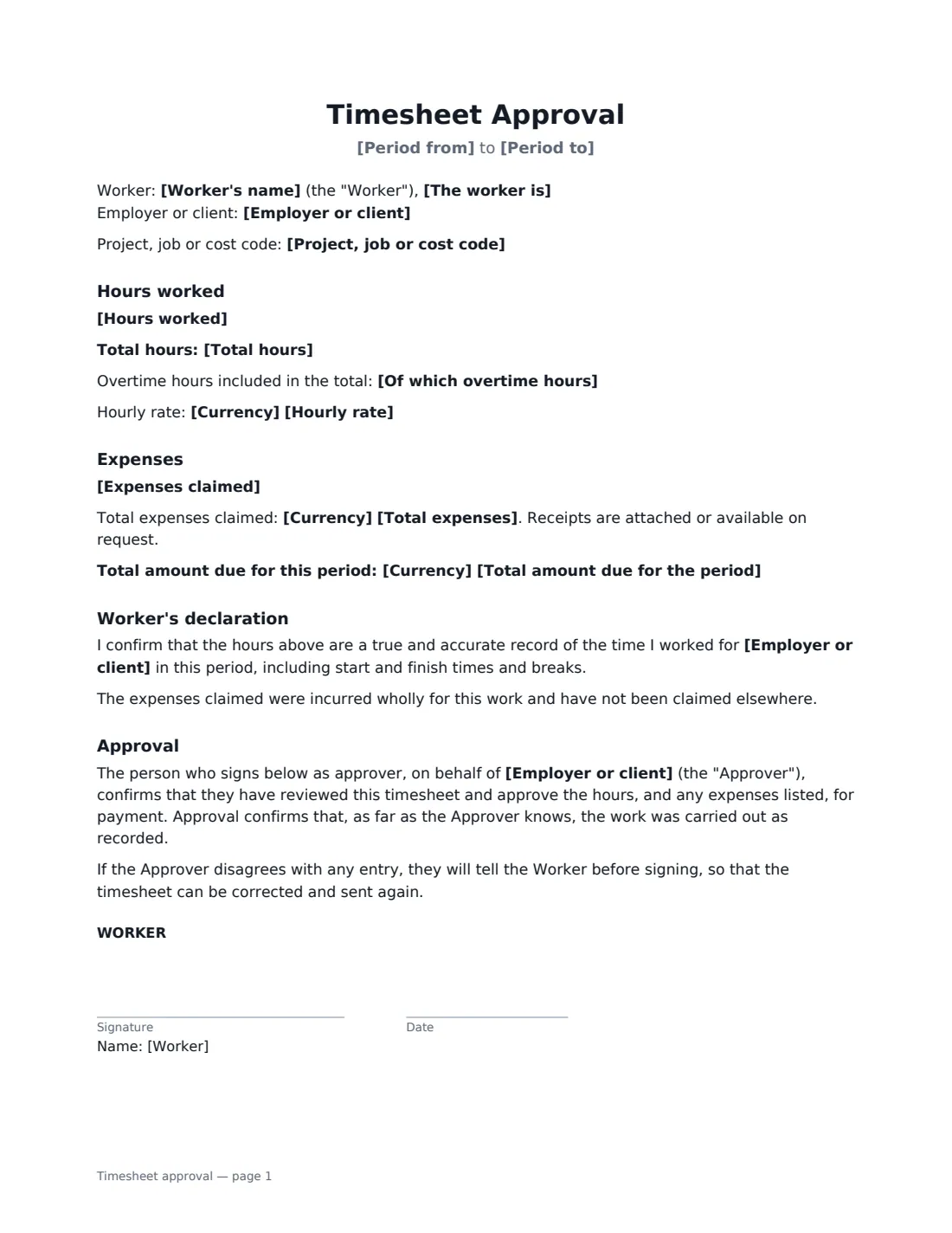
A timesheet approval form turns a list of hours into something payroll or accounts can pay with confidence: the worker confirms the hours are accurate, and a manager or client signs to approve them. For contractors it is the backing for an invoice; for hourly employees it is the record that hours, breaks and overtime were checked.
This form records the worker, whether they are an employee or an independent contractor, the employer or client, an optional project or cost code, and the period covered. Hours are entered one line per day with start and finish times and breaks, followed by the total, any overtime and an optional hourly rate. Expenses and a total amount due can be added. The worker's declaration adapts to employees (overtime authorized or reported) and contractors (charged in line with the agreement and invoiced as agreed), and the approver confirms the hours for payment.
- Best for
- Weekly or monthly hours for hourly employees, freelancers and contractors
- Signed by
- The worker and the approving manager or client
- Records
- Daily hours and breaks, total and overtime, rate, expenses, amount due
- Length
- 1–2 pages
When to Use a timesheet approval
- A freelancer getting a client to sign off hours before invoicing
- Hourly staff submitting weekly hours and overtime to their manager
- Agency or temporary workers getting hours approved on site
- Contractors billing time against a purchase order or statement of work
- Claiming mileage and expenses alongside hours worked
What You Fill In
14 blanks, then the name and email of each person who signs: worker, approver.
1 Who and when
- Worker's name*
- The worker is* an employee · an independent contractor
- Employer or client*
- Project, job or cost code
- Period from*
- Period to*
2 Hours
- Hours worked*
- Total hours*
- Of which overtime hours
3 Amounts
- Currency
- Hourly rate
- Expenses claimed
- Total expenses
- Total amount due for the period
4 Who signs
- Worker signature and date · The employee or contractor who did the work.
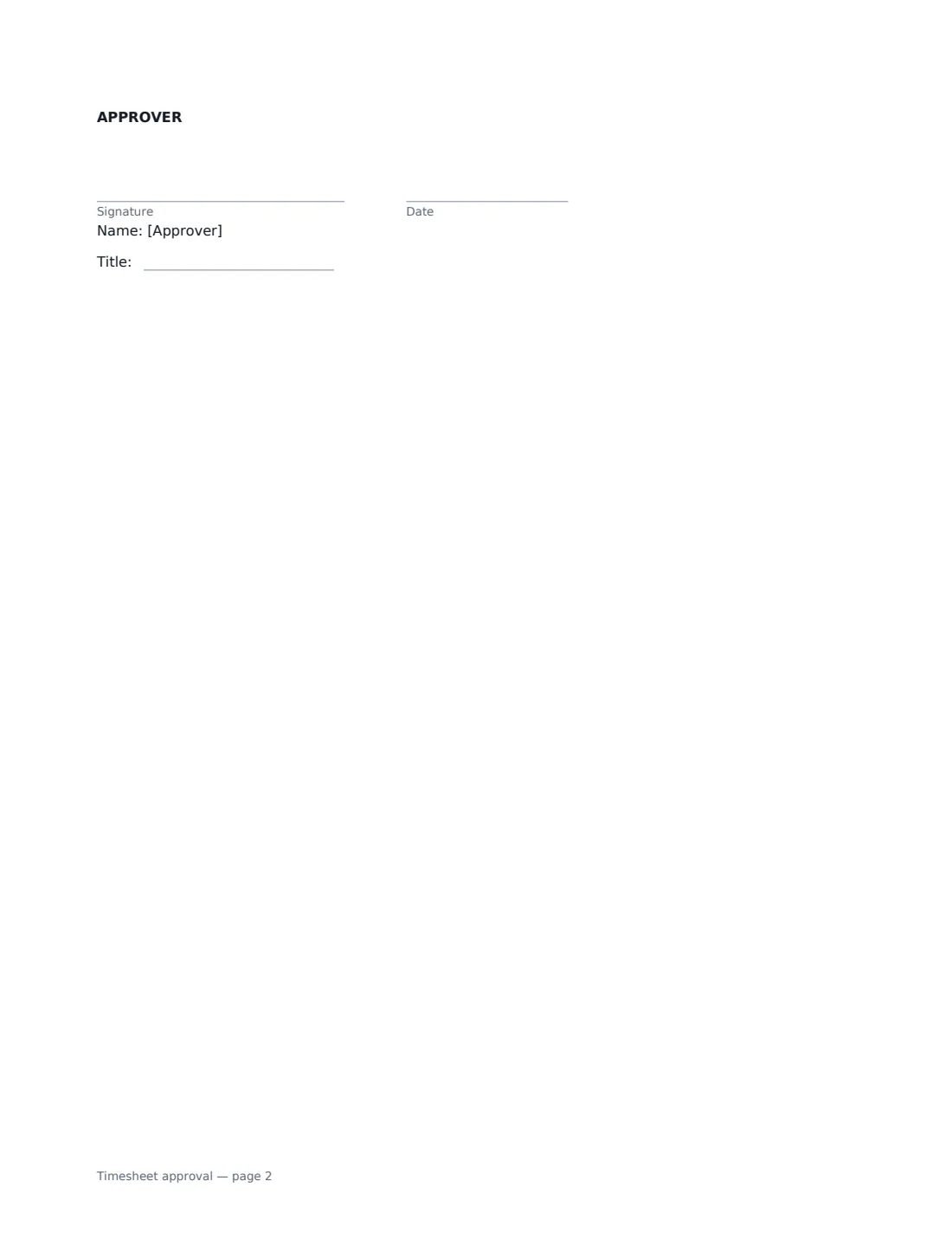
- Approver signature and date, job title · The manager or client contact who approves the hours.
What the timesheet approval Covers
- Hours worked
- Expenses
- Worker's declaration
- Approval
Using the timesheet approval, step by step
1 Set the period and parties
Enter your name, whether you're an employee or a contractor, who the work was for, the project or cost code if the approver needs one, and the dates the timesheet covers.
2 Log the hours
Put one line per day with start and finish times, breaks, hours and what you worked on, then enter the total hours and any overtime included. The form doesn't calculate totals, so double-check them.
3 Add rate, expenses and total
Optionally add your hourly rate, list expenses with a total, and the total amount due for the period. Keep receipts ready — the form says they're attached or available on request.
4 Send it for approval
Sign as the worker and add your manager or client as the approver. Once they sign, the approved timesheet is filed in Files and emailed to both of you.
Tips Before You Send It
- Submit timesheets on a fixed rhythm — weekly or at the end of each pay period — so approvals don't pile up.
- Include what you worked on each day if the client pays against a project or budget.
- If the approver disagrees with an entry, correct it and send a new timesheet rather than editing the signed one.
- For employees, approval isn't a condition of being paid for hours actually worked — the form says so.
Sign It Online In Minutes
- Fill in the blanks. Names, dates and amounts go straight into the agreement — the preview shows exactly where.
- Name who signs. Tick “This is me” for your own part. VergeHR builds the PDF with every signature, date box on the right line, and you can check or move anything before sending.
- Send it. Each signer gets a secure link and signs from any device — no account needed. The signed PDF, with an audit trail and a Certificate of Completion, is filed in Files and emailed to everyone.
Timesheet approval: frequently asked questions
Can an employer refuse to pay hours that weren't approved?
For employees, hours actually worked generally have to be paid as the law and the terms of employment require, even if they weren't approved in advance; an employer can address unauthorized overtime in other ways. The template includes a line saying this for employees.
Does the form calculate the total?
No. Enter the total hours, and the total amount if you want it shown. Keeping the calculation visible to both sides avoids surprises.
Can contractors use it with an invoice?
Yes. Choose "an independent contractor" and the declaration says the hours are charged in line with your agreement and will be invoiced as agreed. Attach the approved timesheet to your invoice.
Is an electronically signed timesheet valid?
Electronic signatures are generally valid for ordinary business records in the US (ESIGN Act and UETA), the UK, the EU (eIDAS) and Canada. VergeHR keeps an audit trail and a Certificate of Completion with the signed PDF.
Is this template free?
Yes. It is free to use with the eSignature app in VergeHR, and the approver doesn't need a VergeHR login to sign.