

What is a tree service agreement?
A tree service agreement is used by arborists, tree surgeons and tree removal companies to set the terms of felling, pruning, hedge reduction or stump grinding with a property owner. Tree work carries more risk than most garden services: protected trees can need permission, trees on boundaries involve neighbours, heavy equipment marks lawns, and a tree that looked sound can turn out to be hollow.
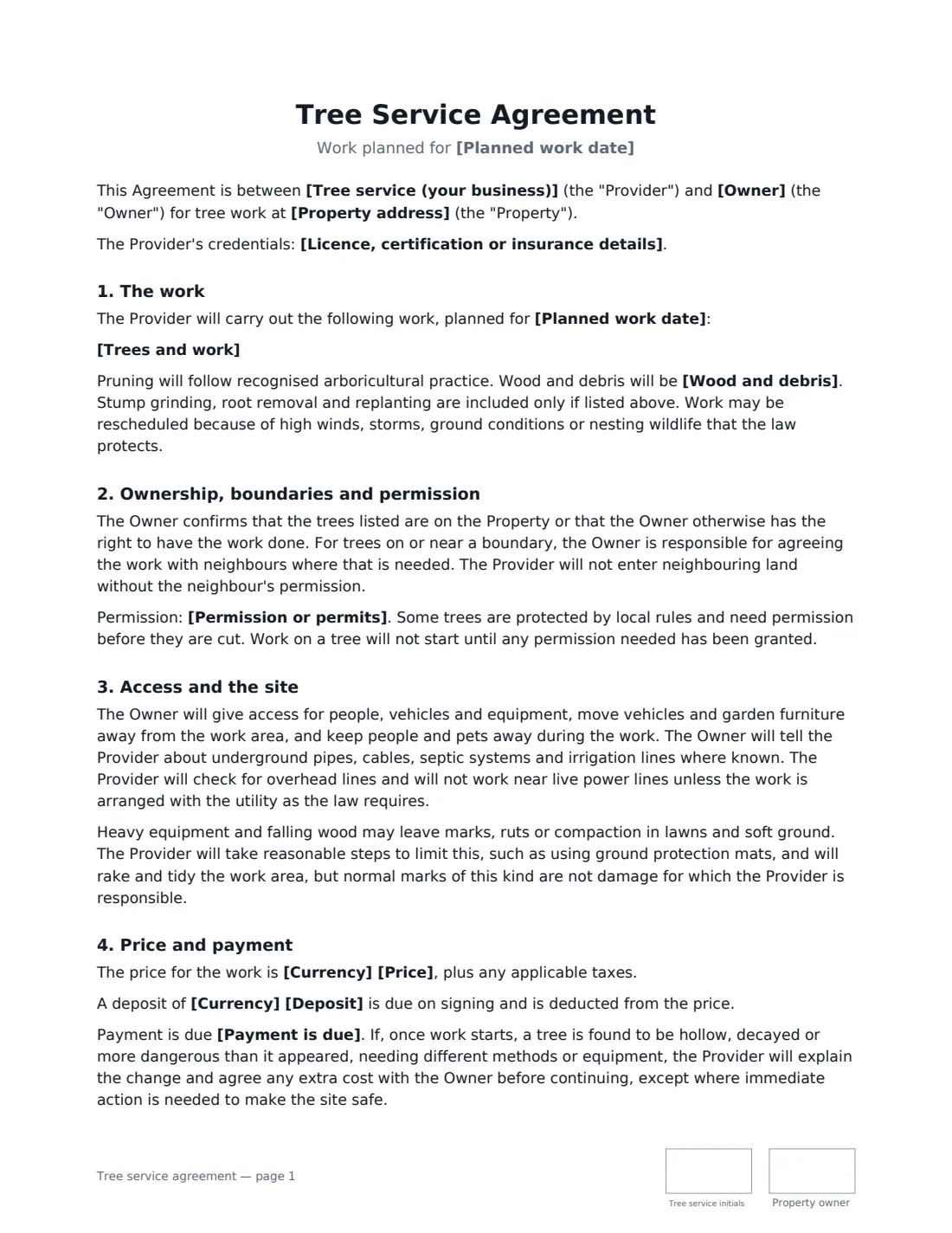
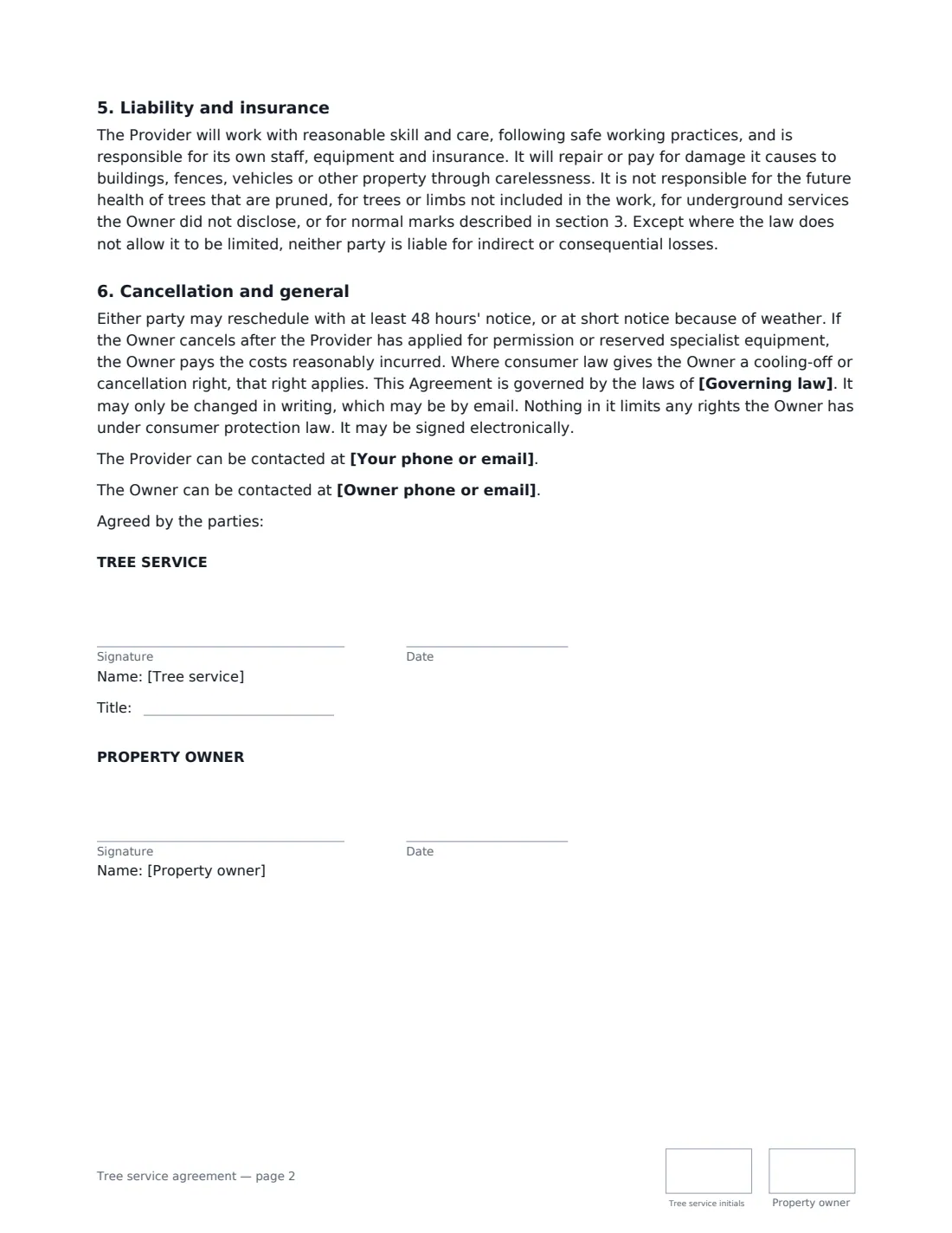
This template lists each tree and the work, the planned date, and who checks or applies for any permission. It confirms the owner's right to have the work done and their responsibility for agreeing boundary work with neighbours, sets access and the owner's duty to point out underground services, explains that normal lawn marks aren't damage, and chooses what happens to the wood and debris. It covers the price, an optional deposit, how surprises like hidden decay are priced, insurance, liability and rescheduling for weather.
- Best for
- Arborists, tree surgeons, tree removal and stump grinding businesses
- Signed by
- The tree service and the owner of the land where the trees stand
- Wood and debris
- Removed, chipped on site, logs stacked, or left for the owner
- Length
- About 2 pages, initialled on every page
When to Use a tree service agreement
- Removing a dead or dangerous tree near a house
- Crown reduction and deadwood removal on a large oak
- Reducing a boundary hedge and grinding old stumps
- Clearing storm-damaged trees after high winds
- Annual tree maintenance for a school, church or business park
What You Fill In
15 blanks, then the name and email of each person who signs: tree service, property owner.
1 The parties
- Tree service (your business)*
- Your phone or email*
- Licence, certification or insurance details
- Owner*
- Owner phone or email
2 The work
- Property address*
- Trees and work*
- Planned work date*
- Permission or permits* The Provider will check and apply for any permission needed · The Owner has obtained the permission needed · The parties have checked that no permission is needed
- Wood and debris* removed from the property · chipped and the chips left on site · logs cut to length and stacked on site, brush removed · left on site for the Owner
3 Price and payment
- Currency*
- Price*
- Deposit
- Payment is due* on completion · within 7 days of the invoice · within 14 days of the invoice
- Governing law*
4 Who signs
- Tree service signature and date, job title, initials on every page · The arborist or tree service company.
- Property owner signature and date, initials on every page · The owner of the land where the trees stand, or someone authorised by them.
What the tree service agreement Covers
- The work
- Ownership, boundaries and permission
- Access and the site
- Price and payment
- Liability and insurance
- Cancellation and general
Using the tree service agreement, step by step
1 List the trees
Enter the address and number each tree with its location and the work — fell, reduce, prune, grind the stump. Add your certification and insurance details if you like.
2 Sort out permission
Choose whether you'll check and apply for permission, the owner already has it, or you've both checked none is needed. Work on a tree won't start until permission is in place.
3 Decide on the wood
Pick whether wood and brush are removed, chipped on site, cut and stacked as logs, or left for the owner.
4 Set the price and send
Enter the price, an optional deposit and when payment is due, then the governing law. Send it to the owner to sign.
Tips Before You Send It
- Protected-tree and conservation-area rules vary a lot — check before you quote, not on the day.
- Ask about septic tanks, irrigation and buried cables before driving equipment across a lawn.
- Use ground protection mats on soft lawns; the agreement says you'll take reasonable steps, and it's worth showing that you did.
- For trees on a boundary, encourage the owner to talk to the neighbour first — the agreement makes that the owner's job.
Sign It Online In Minutes
- Fill in the blanks. Names, dates and amounts go straight into the agreement — the preview shows exactly where.
- Name who signs. Tick “This is me” for your own part. VergeHR builds the PDF with every signature, date and initials box on the right line, and you can check or move anything before sending.
- Send it. Each signer gets a secure link and signs from any device — no account needed. The signed PDF, with an audit trail and a Certificate of Completion, is filed in Files and emailed to everyone.
Tree service agreement: frequently asked questions
Do I need permission to cut down a tree?
Sometimes. Protected trees, conservation or heritage areas and some local rules require permission before work. The agreement records who is responsible for checking and says work on a tree won't start until any permission needed is granted.
Who is responsible for ruts and marks in the lawn?
The provider takes reasonable steps to limit them and tidies up, but normal marks from equipment and falling wood aren't treated as damage. Damage to buildings, fences or vehicles caused by carelessness is the provider's responsibility.
What if the tree turns out to be hollow or rotten?
The provider explains the change and agrees any extra cost before continuing, unless immediate action is needed to make the site safe.
Is this template free?
Yes, it's free with VergeHR eSignature, and the property owner can sign from any device without an account.